Flick이 할 수 있는 일과 한계
이 페이지를 사용하여 Flick의 도구와 생성 전에 확인해야 할 제한 사항을 찾으세요.
이미지
| 기능 | 설명 | 가이드 |
|---|---|---|
| 생성 | 프로젝트의 비주얼 스타일로 프롬프트에서 정지 이미지 생성 | 이미지 생성 |
| 편집 및 병합 | 한 가지를 변경하거나 이미지를 결합 | 이미지 편집 |
| 스타일 전송 | 한 이미지의 모양을 다른 이미지에 적용 | 비주얼 스타일 |
| 인페인트 | 이미지의 한 영역 변경 | 인페인트 |
| 배경 제거 | 피사체 분리 | 배경 제거 |
| 각도 변경 | 동일한 피사체를 새로운 카메라 각도로 표현 | 카메라 컨트롤 |
| 캐릭터 레퍼런스 | 새로운 씬에서 캐릭터 레퍼런스 사용 | 캐릭터 레퍼런스 |
| 업스케일 | 선택한 이미지의 해상도 증가 | 이미지 업스케일 |
노드의 이미지 하위 메뉴: 색상 및 조명 조정으로 이미지를 재생성하지 않고 보정할 수 있습니다.
비디오
| Capability | What it does | Guide |
|---|---|---|
| Image to video | Animate a still, with an optional end frame | Generate Video |
| Omni Reference | Video guided by reference images, videos, and audio | Omni Reference |
| Motion reference | Drive a character with the motion from a video | Generate Video: Motion Reference |
| Character dialogue | A talking clip from an image and a voice track | Character Dialogue |
| Edit video and upscale | Adjust a clip, or raise its resolution | Generate Video: Edit Video; Upscale Video is a separate action |
| Extend video | Add new footage after or before a clip, with sound | Extend a clip |
| Trim on the canvas | Keep part of a clip as a new node, for free | Trim a clip on the canvas |
| 3D Stage | Block a scene, move a camera, record the take | 3D stage basic |
오디오
| Capability | What it does | Guide |
|---|---|---|
| Text to voice | Spoken lines, single or multi-speaker | Text to Voice |
| Voice consistency | Reuse a character's voice across clips | Voice Consistency |
| Sound effects | Synced effects, foley and ambience for a video | Sound effects |
| Text to music | An original track from a description | Import audio: Text to Music |
효과음은 Flickpedia 또는 비디오 에디터의 SFX 탭에서 찾을 수 있습니다. 발소리, 앰비언스 및 기타 사운드를 생성 없이 타임라인에 추가하세요.
비디오 에디터
A timeline editor with tracks for video, image, audio, and text; trim, split, reorder, Speed, Reverse, Volume and fades, Transitions, Effects and color, Keyframes, Motion titles, and generated captions. Export to a video file, or continue in another editor. See Timeline basics and Export and download your film.
영화 주변 기능
Work with others on the same canvas, share projects by link, or use a workspace with shared credits. Flick TV showcases films. Flickpedia offers references, styles, film stills, sounds, and tutorials. New accounts can open a Guided Tour from the home page. See Collaboration & Share and Workspaces.
계획 수립에 영향을 미치는 제한사항
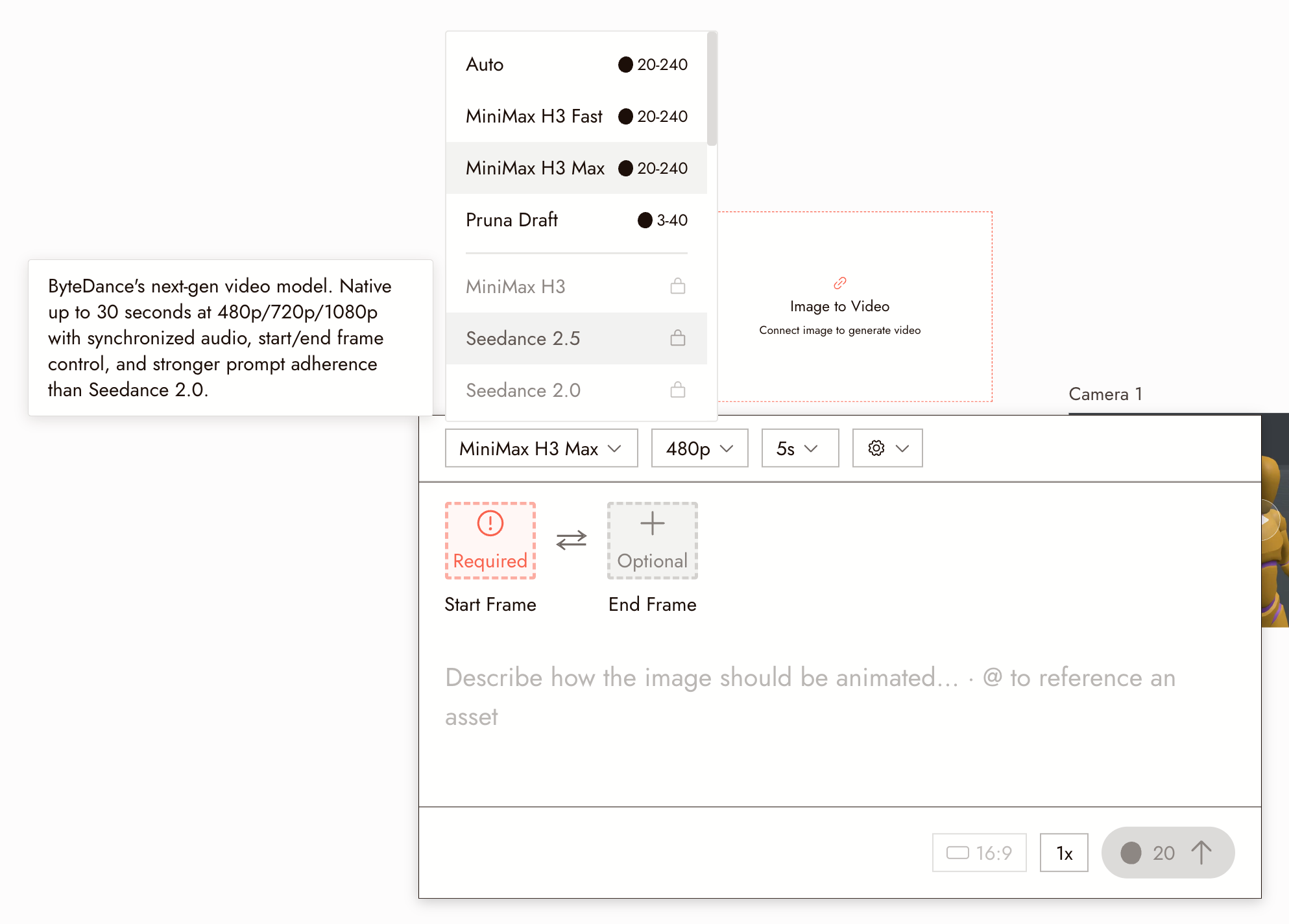
클립 길이. 모든 비디오 모델은 생성당 최대 길이가 있습니다. 선택기에서 모델 위에 마우스를 올려 길이, 해상도 및 오디오 지원을 명시한 설명을 읽으세요. 더 긴 영화는 타임라인의 클립 시퀀스이지, 하나의 긴 생성이 아닙니다.
플랜. 일부 비디오 모델은 유료 플랜이 필요합니다. 선택기는 귀하의 플랜에 포함된 내용을 표시합니다; 모델 크레딧 비용을 참조하세요.
크레딧. 모든 생성에는 크레딧이 소비되며, 영상은 이미지보다 더 많은 크레딧이 필요합니다. 일괄 생성 전에 비용을 확인하세요.
검열. 검열에 실패한 요청은 실행되지 않습니다. 생성이 플래그된 이유를 참조하세요.
범용 어시스턴트가 아닙니다. 에이전트는 Flick을 실행합니다. 코드를 작성하거나 게임을 하지 않습니다.
다음 단계
- 첫 프로젝트 만들기로 핵심 작업 흐름을 경험해보세요.
- 모델 선택하기에서 어떤 작업에 어떤 모델이 적합한지 확인하세요.
- 모델 크레딧 비용에서 각 생성에 소요되는 비용을 확인하세요.