영수증 또는 인보이스
영수증 또는 인보이스 다운로드
설정에서 구독 영수증과 인보이스를 다운로드하세요.
영수증 또는 인보이스 다운로드
- Log in to your Flick account.
- Click your profile picture in the top-right corner and choose Settings.
- Select Billing and plans.
- Under Payment history, find the payment and download its receipt or invoice.
아래 스크린샷은 과거 결제 내역이 있는 유료 플랜입니다. Free 플랜에서는 해당 섹션에 아직 인보이스가 없습니다로 표시됩니다.
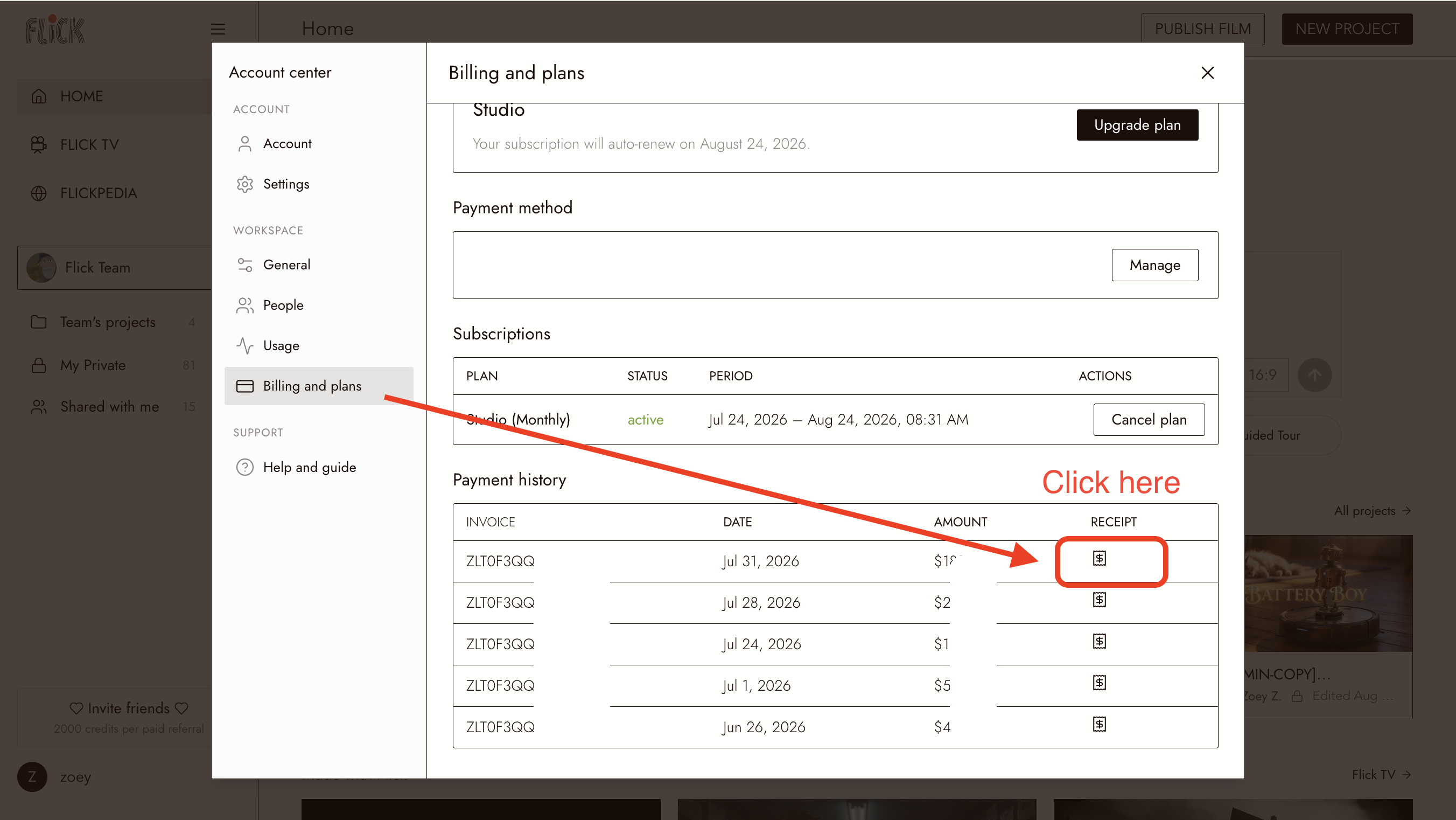
이전 결제 기록은 여기에서 계속 확인할 수 있습니다.