Flick 能做什麼及其限制
使用此頁面來尋找 Flick 的工具,以及在生成前需要檢查的限制。
圖片
| 功能 | 功能說明 | 指南 |
|---|---|---|
| 生成 | 根據提示詞生成符合專案視覺風格的靜態圖片 | 生成圖片 |
| 編輯與合併 | 修改單一元素或合併多張圖片 | 編輯圖片 |
| 風格轉換 | 將一張圖片的外觀套用到另一張圖片 | 視覺風格 |
| 局部重繪 | 修改圖片的特定區域 | 局部重繪 |
| 移除背景 | 分離主體 | 移除背景 |
| 改變角度 | 對同一主體生成新的相機角度 | 相機控制 |
| 角色參考 | 在新場景中使用角色參考 | 角色參考 |
| 放大 | 提高所選圖片的解析度 | 圖片放大 |
在節點的圖片選項下還有:調整色彩與光線,可在不重新生成的情況下調色。
影片
| Capability | What it does | Guide |
|---|---|---|
| Image to video | Animate a still, with an optional end frame | Generate Video |
| Omni Reference | Video guided by reference images, videos, and audio | Omni Reference |
| Motion reference | Drive a character with the motion from a video | Generate Video: Motion Reference |
| Character dialogue | A talking clip from an image and a voice track | Character Dialogue |
| Edit video and upscale | Adjust a clip, or raise its resolution | Generate Video: Edit Video; Upscale Video is a separate action |
| Extend video | Add new footage after or before a clip, with sound | Extend a clip |
| Trim on the canvas | Keep part of a clip as a new node, for free | Trim a clip on the canvas |
| 3D Stage | Block a scene, move a camera, record the take | 3D stage basic |
音訊
| Capability | What it does | Guide |
|---|---|---|
| Text to voice | Spoken lines, single or multi-speaker | Text to Voice |
| Voice consistency | Reuse a character's voice across clips | Voice Consistency |
| Sound effects | Synced effects, foley and ambience for a video | Sound effects |
| Text to music | An original track from a description | Import audio: Text to Music |
在 Flickpedia 或影片編輯器的音效標籤中可找到音效。無需生成即可將腳步聲、環境音和其他音效加入時間軸。
影片編輯器
A timeline editor with tracks for video, image, audio, and text; trim, split, reorder, Speed, Reverse, Volume and fades, Transitions, Effects and color, Keyframes, Motion titles, and generated captions. Export to a video file, or continue in another editor. See Timeline basics and Export and download your film.
影片周邊
Work with others on the same canvas, share projects by link, or use a workspace with shared credits. Flick TV showcases films. Flickpedia offers references, styles, film stills, sounds, and tutorials. New accounts can open a Guided Tour from the home page. See Collaboration & Share and Workspaces.
影響規劃的限制
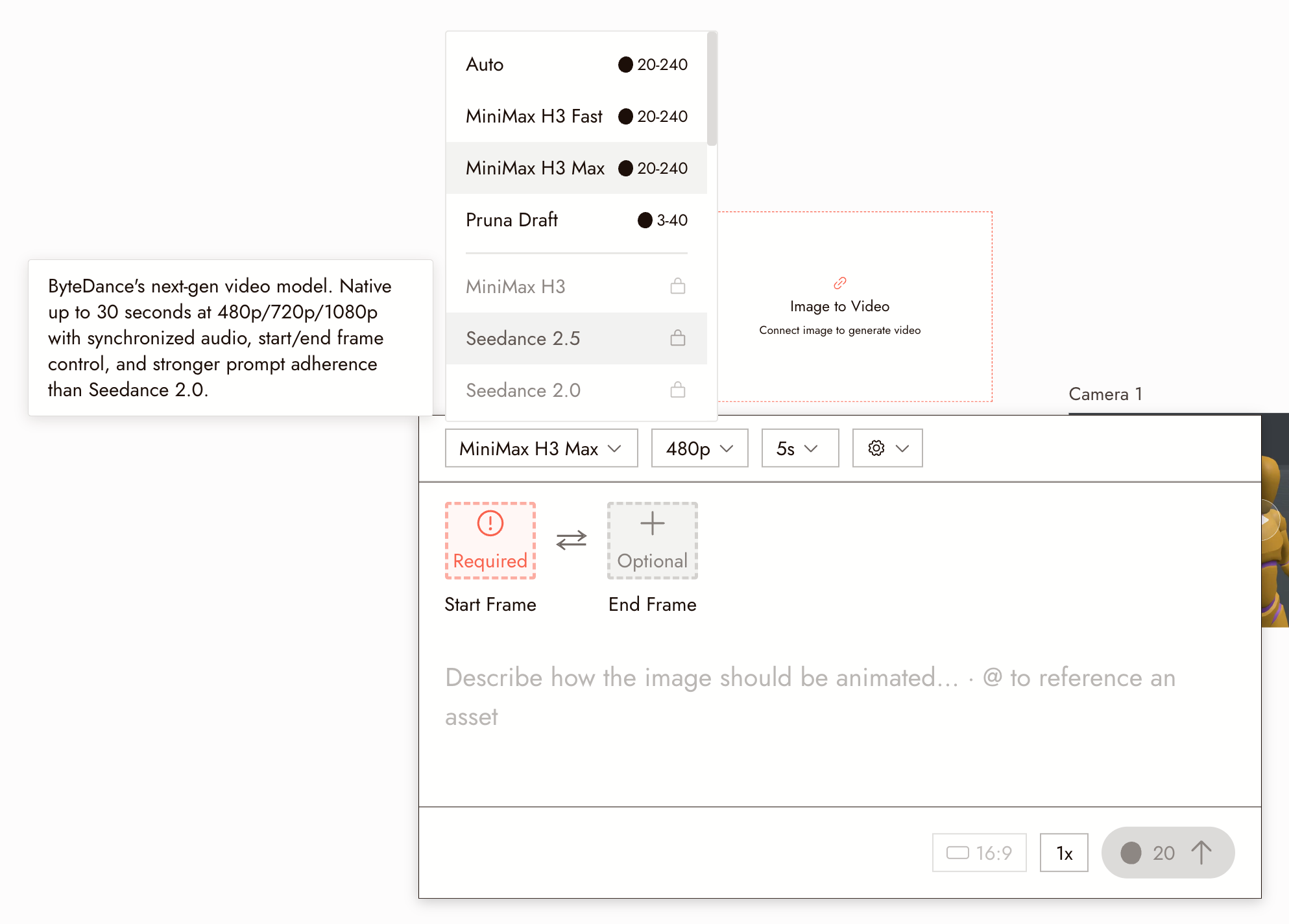
片段長度。每個影片模型都有單次生成的最大長度限制。將滑鼠移至選擇器中的模型上即可查看其說明,其中列出了長度、解析度和音訊支援。較長的影片是由時間軸上的多個片段組成,而非單次長時間生成。
方案。某些影片模型需要付費方案。選擇器會顯示您的方案包含哪些內容;請參閱模型點數成本。
點數。每次生成都會消耗點數,影片比圖像消耗更多。批次執行前請先確認成本。
審核機制。未通過審核的請求將不會執行。請參閱為什麼生成被標記。
這不是通用助理。此代理執行 Flick 操作。它不會撰寫程式碼或玩遊戲。