What Flick can do and its limits
Use this page to find Flick's tools and the limits to check before generating.
Images
| Capability | What it does | Guide |
|---|---|---|
| Generate | A still from a prompt, in the project's visual style | Generate Image |
| Edit and merge | Change one thing, or combine images | Edit Image |
| Style transfer | Apply the look of one image to another | Visual Styles |
| Inpaint | Change one region of an image | Inpaint |
| Remove background | Isolate the subject | Remove background |
| Change angle | A new camera angle on the same subject | Camera Control |
| Character reference | Use a character reference in a new scene | Character Reference |
| Upscale | Increase resolution of a chosen image | Image upscale |
Also under Image on a node: Adjust Color & Light, for grading an image without regenerating it.
Video
| Capability | What it does | Guide |
|---|---|---|
| Image to video | Animate a still, with an optional end frame | Generate Video |
| Omni Reference | Video guided by reference images, videos, and audio | Omni Reference |
| Motion reference | Drive a character with the motion from a video | Generate Video: Motion Reference |
| Character dialogue | A talking clip from an image and a voice track | Character Dialogue |
| Edit video and upscale | Adjust a clip, or raise its resolution | Generate Video: Edit Video; Upscale Video is a separate action |
| Extend video | Add new footage after or before a clip, with sound | Extend a clip |
| Trim on the canvas | Keep part of a clip as a new node, for free | Trim a clip on the canvas |
| 3D Stage | Block a scene, move a camera, record the take | 3D stage basic |
Audio
| Capability | What it does | Guide |
|---|---|---|
| Text to voice | Spoken lines, single or multi-speaker | Text to Voice |
| Voice consistency | Reuse a character's voice across clips | Voice Consistency |
| Sound effects | Synced effects, foley and ambience for a video | Sound effects |
| Text to music | An original track from a description | Import audio: Text to Music |
Find Sound Effects in Flickpedia or the Video Editor's SFX tab. Add footsteps, ambience, and other sounds to the timeline without generating them.
Video editor
A timeline editor with tracks for video, image, audio, and text; trim, split, reorder, Speed, Reverse, Volume and fades, Transitions, Effects and color, Keyframes, Motion titles, and generated captions. Export to a video file, or continue in another editor. See Timeline basics and Export and download your film.
Around the film
Work with others on the same canvas, share projects by link, or use a workspace with shared credits. Flick TV showcases films. Flickpedia offers references, styles, film stills, sounds, and tutorials. New accounts can open a Guided Tour from the home page. See Collaboration & Share and Workspaces.
Limits that shape planning
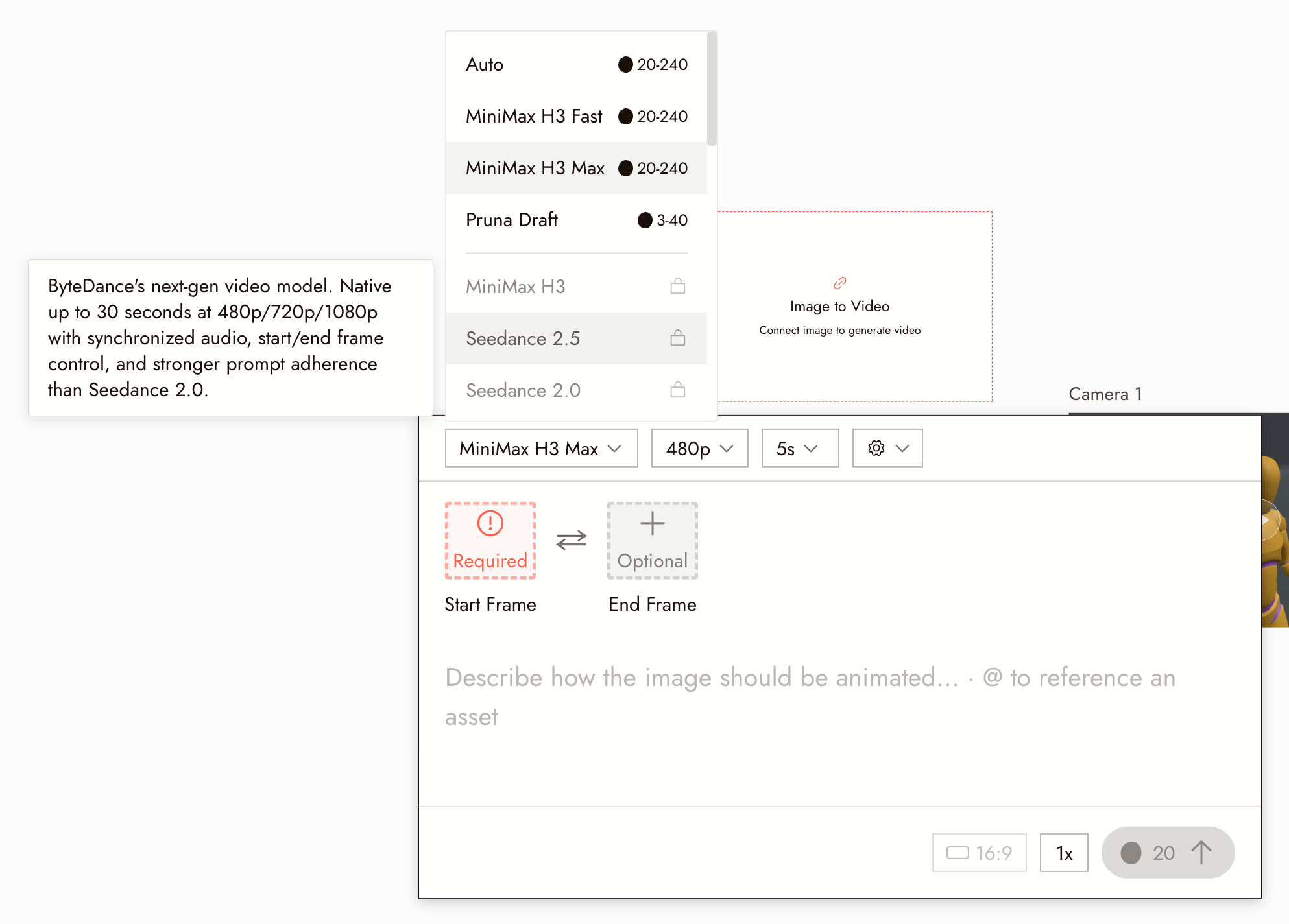
Clip length. Every video model has a maximum length per generation. Hover a model in the picker to read its description, which states the length, resolutions, and audio support. A longer film is a sequence of clips on the timeline, not one long generation.
Plans. Some video models require a paid plan. The picker shows what your plan includes; see Model Credit Costs.
Credits. Every generation costs credits, and video costs more than images. Check the cost before a batch.
Moderation. A request that fails moderation does not run. See Why a generation was flagged.
It is not a general assistant. The agent runs Flick. It does not write code or play games.
Next
- Create Your First Project to try the core loop.
- Choosing a model for which model fits which task.
- Model Credit Costs for what each generation costs.