Character Dialogue
Character Dialogue creates a talking clip from a character image and a speech recording. Prepare the image and audio first, then check the generated lip sync.
Before you start
- A still of the character with the face clear, well lit, and facing the camera or near it.
- A speech audio clip: from Text to Voice, or uploaded; see Import audio.
- One line per clip. A long monologue is several clips cut together.
Steps
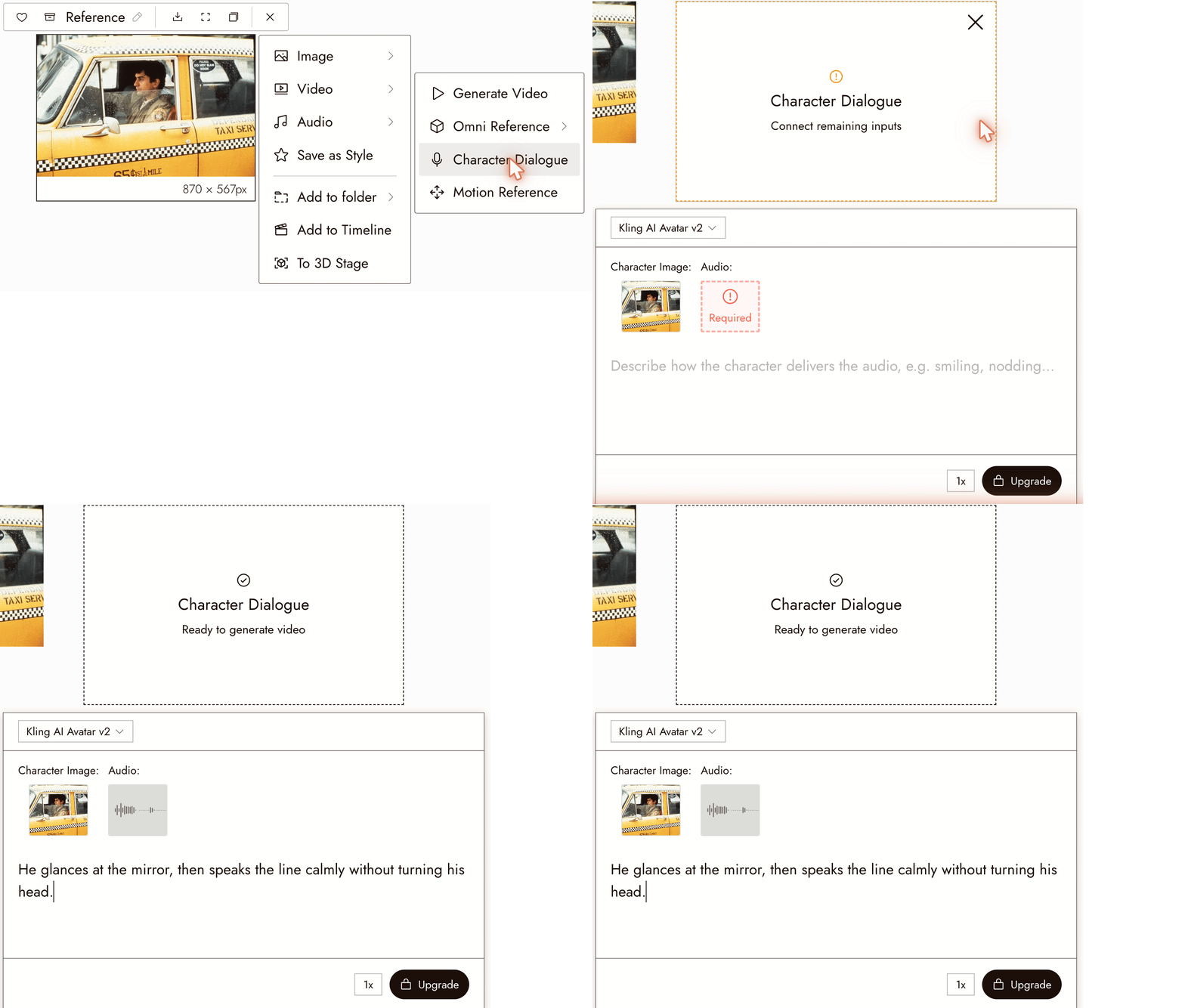
- Select the character image on the canvas.
- Choose Video, then Character Dialogue.
- Under Audio, click the Required tile and choose Upload, Select from Canvas, or Pick asset. Pick asset lists the audio already in the project. The selected image is already in the Character Image slot.
- Optionally describe the delivery: "smiling, a small nod at the end." Keep it to one or two gestures.
- Check the cost on the Run button and run. The talking clip appears as a new node.
When you also need references or a camera move
For extra image, video, or audio references, use a supported Omni Reference model. Available inputs, including end frames, vary by model. Follow Voice Consistency for an example.
Best practices
Match the still to the line. Start with a neutral or suitable expression. A laughing face may not fit a sad line.
Describe visible behavior. "Eyes down, then up on the last word" is clearer than "sad." See the Seedance Performance Guide.
Keep the camera still. Lip sync reads best in a locked medium shot or close-up. Add camera movement in a separate shot.
Review the result
- The mouth follows the words, including the consonants.
- The face is still the same person at the end of the clip.
- Nothing warps around the jaw or the hands.
- The gesture you asked for happened once, not on a loop.
If something looks wrong
The lips do not match. Use a cleaner audio clip with no music under it, and a still with the mouth closed and visible.
The face drifts. Shorten the clip. Use a still that matches the character's three-view sheet; see Character Reference.
The character does something I did not ask for. Remove the delivery prompt and generate again, then add one gesture at a time.
The audio is there but no video appears. Check the node status; see Find your generations.
Next
- Voice Consistency for one look and one voice across the film.
- Omni Reference when the shot needs more than a talking head.
- Timeline basics to cut the dialogue clips together.