Collaboration & Share
Flick is optimized for team collaboration. Our canvas supports multiple team members to work on the same design file simultaneously.
Changes are visible in real time, ensuring that everyone stays on the same page without version conflicts.
Before you start
There are two ways to bring someone in, and they are different. A member of your workspace sees every shared project and draws from the team's credit pool. A guest gets one project through a link or an email invite and nothing else. See Workspaces for how members, roles, and credits work.
Share a project
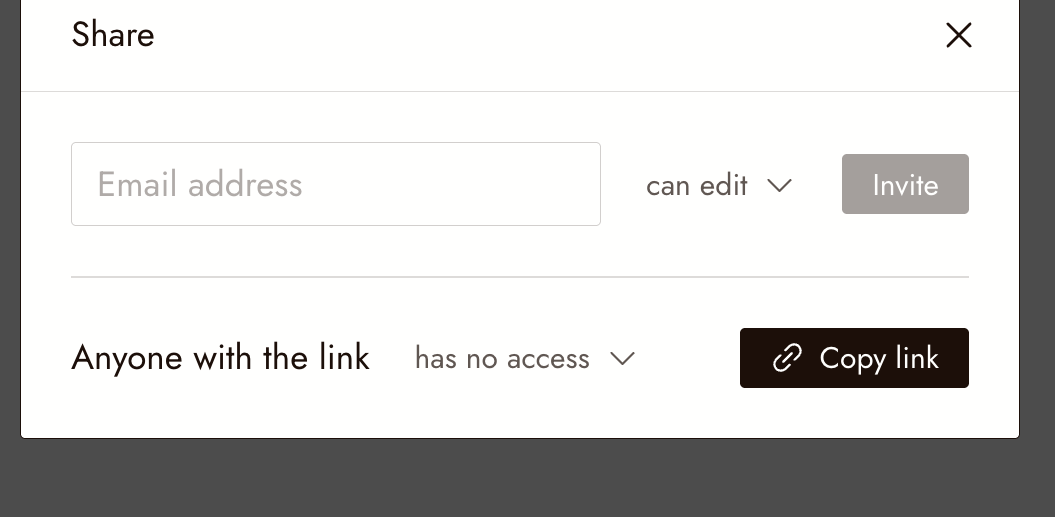
Click Share in the top right corner of the canvas. The Share dialog has two ways to bring people in: invite by email, or hand out a link.
Invite by email
Type the person's email, choose can edit or can view, and click Invite. They get access to this project only.
Share a link
Set Anyone with the link to the access you want, then click Copy link and send it.
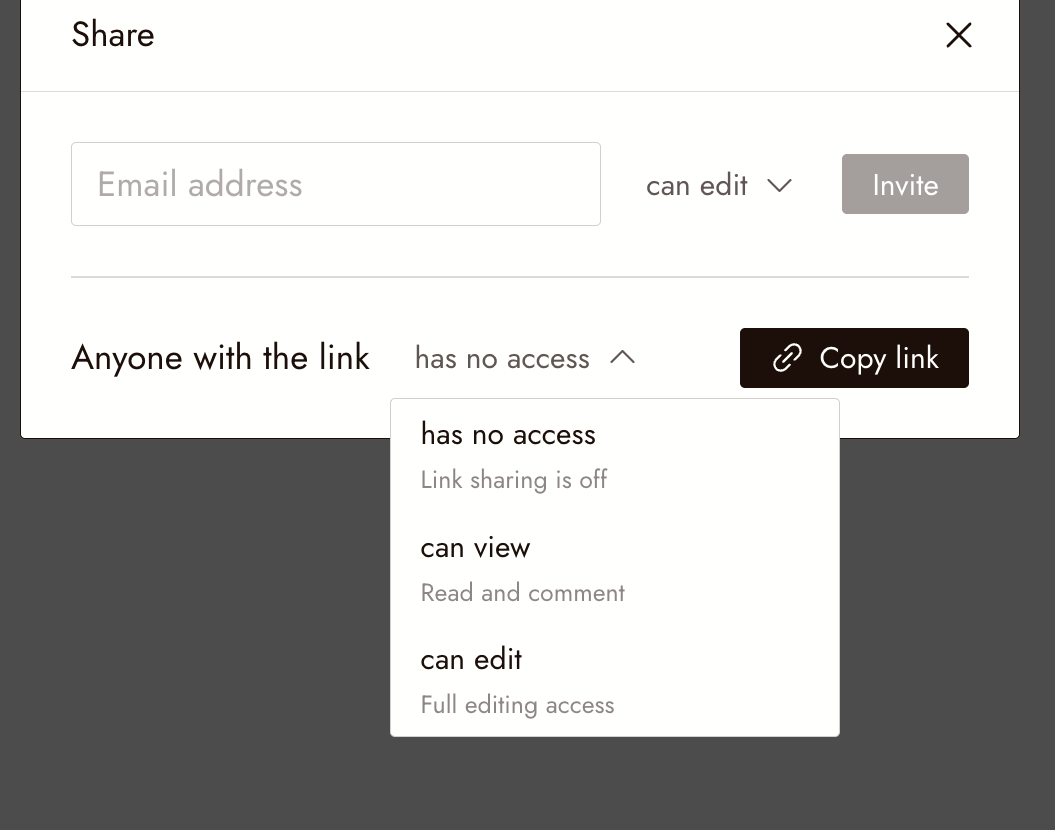
- has no access: link sharing is off. This is the default for a new project.
- can view: anyone with the link can open the project, read it, and comment.
- can edit: anyone with the link has full editing access.
Publish to Flick TV
Publishing is for finished films, not for the working canvas. When you export your film, the export dialog lets you publish it to Flick TV, where everyone on Flick can watch it. Publishing also shares the film's canvas workflow, including your prompts, unless you turn that off before you publish. See Export and download your film.
Review before you share
- The project is set to Shared if you want teammates to open it. New projects start Private.
- Link sharing is off until you change Anyone with the link. Choose can view for reviewers and can edit only for people who should change the work.
- If you publish to Flick TV, the film and its workflow are visible to everyone on Flick. Check that every asset in it is yours to publish; see Your content and rights.
If something looks wrong
A teammate cannot open the project. Either the project is still Private, or they are a guest holding a link to a different project. Flip the project to Shared, or send the right link.
Someone with the link sees "no access". Open Share and change Anyone with the link from has no access to can view or can edit.
I want to stop teammates from seeing it. Set the project back to Private from the icon in the canvas next to the zoom control.
Next
- Workspaces for members, roles, and the shared credit pool.
- Your content and rights before publishing.