Generate Image
Generate a still image from a prompt. Use it as the starting point for an edit or video shot.
Before you start
Choose the project's visual style and aspect ratio first; see Visual Styles. Check the selected model's output settings and review the result. Each generation uses credits; check Model Credit Costs before running a batch.
Steps
First, click the + button, then Generate Image:
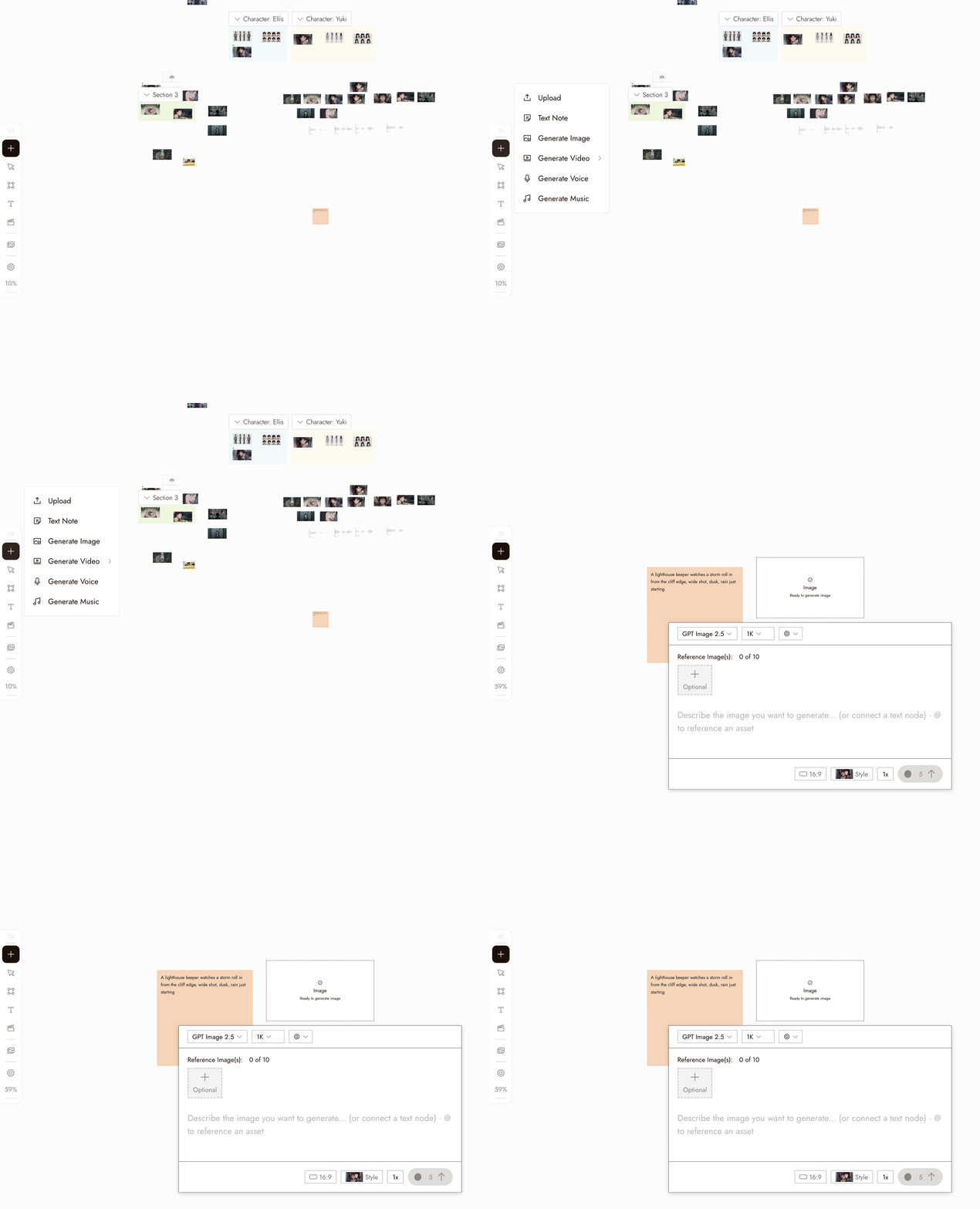
- Select the new image node. Its settings panel opens under it.
- Pick a model in the Model dropdown. The usual picks for image generation are Midjourney and Nano Banana Pro. Models your plan does not include show a lock.
- Write your prompt in the panel. Type @ to reference another asset on the canvas.
- Choose how many images to generate at once with the 1x control if you want several candidates to compare.
- Check the credit cost shown on the Run button, then click it. The image appears as a new node connected to the placeholder.
You can also describe the image in the chat box on the bottom-right and let the agent generate it for you.
Settings
Model. The picker lists the image models available on your plan. Each has its own strengths. When you compare models, keep the same prompt and judge the results on what your shot needs.
Batch count. Choose how many images to generate. Midjourney returns four by default. Use batches to compare options for a specific shot.
Style and aspect ratio. These defaults stay pinned at the top of the canvas. Check the selected model's settings; some workflows follow the source image's aspect ratio.
Best practices
Put the subject first, then the setting, then the framing. One clear subject per image.
Weak: "cool cinematic scene with a lot going on."
Better: "a woman in a mustard raincoat waiting on an empty station platform after rain, wide shot, soft daylight."
Avoid conflicting style instructions. Use the pinned style to guide the look and the prompt to describe the content.
Weak: "…oil painting, anime, photorealistic" while a style is pinned.
Better: keep the prompt about content and choose the style once for the project.
Compare a small batch first. Choose a clear prompt and decide what you want to test.
Less useful: ten images from a vague prompt.
More useful: a small batch from a clear prompt, followed by one focused change.
Review the result
- The subject is clear and there is one of it.
- The framing is the framing you asked for.
- The look matches the pinned visual style, not a style the prompt drifted into.
- Check for extra limbs, incorrect object counts, or unreadable text before moving on.
- It would cut next to the other shots in the sequence.
If something looks wrong
The subject is missing or wrong. It was probably buried in the prompt. Move it to the first words.
The look is off. Check the pinned style, then remove any style words from the prompt.
Every attempt looks the same. Change one thing, such as framing or lighting, not the whole prompt.
The generation did not appear. Check the node's status on the canvas before running it again; it may still be working or have landed off screen.
The request was flagged. Read the message and revise the prompt or reference to address it. Do not keep submitting the same request.
Next
- Edit Image to change one thing about an image you like.
- Visual Styles to set the look once for the whole project.
- Keep a character consistent across three shots when the same person has to appear in more than one image.
- AI character consistency: 5 methods compared for the reference techniques behind it.