Flickpedia 가이드라인
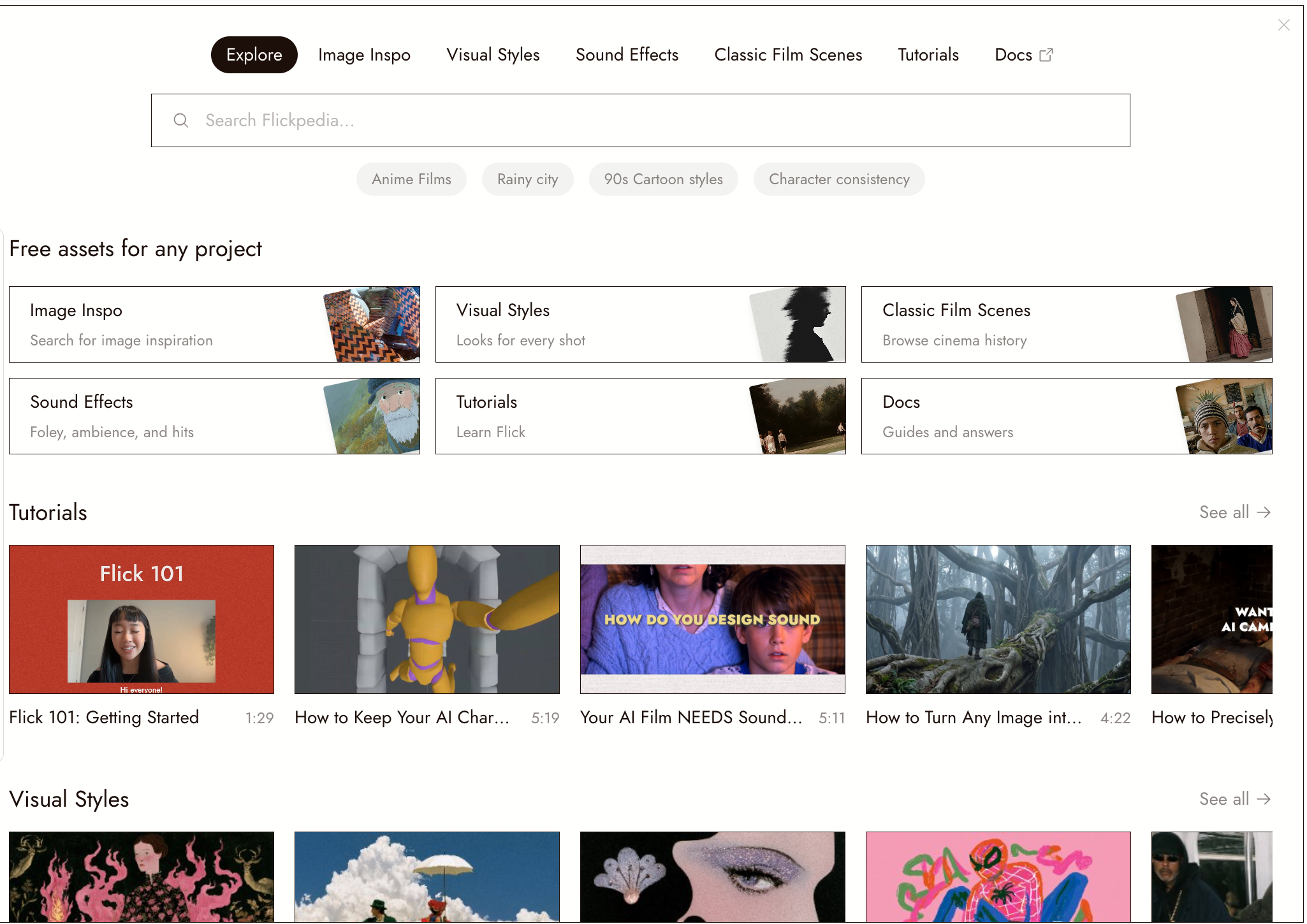
Flickpedia is Flick's free library: over 1.5 million reference images, visual styles, film stills, sound effects, and video tutorials. Find what you need and add it to your project as you go.
Browse at flick.art/flickpedia or open Flickpedia from a project's top bar. You do not need an account to browse. Sign in to save items or add them to a project.
둘러보기
Flickpedia opens on Explore. The tabs along the top lead to each section:
| Section | What's inside |
|---|---|
| Image Inspo | 1.5M+ curated reference images: photography, art, fashion, architecture |
| Visual Styles | Ready-made looks you can apply to a whole project |
| Sound Effects | Foley, ambience and hits, with instant preview |
| Classic Film Scenes | Stills from cinema history, searchable by mood, style or director |
| Tutorials | Short videos from the Flick team, organized like these docs |
| Docs | Opens these docs in a new tab, in your language |
Use the search bar under the tabs. On Explore, choose the section to search; within a section, search stays in that section. Each section has its own address, so you can bookmark or share it.
Flickpedia inside a project
In a project, click Flickpedia in the top bar. It opens as a panel over the canvas that you can drag and resize, and it remembers where you left it. Adding a scene, a sound or a style keeps the panel open, and the new node lands beside it, so you can keep browsing.
To search without opening the panel, hover over the Flickpedia button. A search field drops in with a section menu and suggestions.

이미지 영감 검색하기
설명, 색상 또는 이미지로 Image Inspo 검색:
- By words. Describe the subject and look. Try "brutalist concrete stairwell" instead of "building".
- By color. Open Color Search with the color wheel button. Choose up to two colors or enter a hex code.
- By image. Upload a picture or click Find similar on an open image. Browse the results and step back through previous searches.
Category chips such as Fashion, Photography, Art and Architecture narrow the results. Opening an image shows it full size with its credit and a Source link to the original page.
클래식 영화 씬
Search stills from cinema history by mood, style, color or director: try "Wes Anderson symmetrical compositions". Typing a title also suggests matching films; open one to browse all of its scenes.
Every scene opens with a written description and a technique breakdown: shot type, composition, lighting, camera angle, lens, color palette and mood. Heart a scene to keep it in My Favorites. See Classic Film Scenes for how to study and recreate a shot.
비주얼 스타일
Browse by category: cinematic, cartoon, anime, drawing, illustration, painting or 3D. Search by name, description or tag, and sort by Latest or Recommended.
Open a style to preview it. From a project, set it as the default style or add its reference image to the canvas. Use Create My Style to build your own from up to five images. See Visual Styles.
Sound Effects
Search sound effects and press play to preview them. Each one shows its waveform, so you can see where the sound is and where the silence is. Add the ones you need to the canvas.
Tutorials
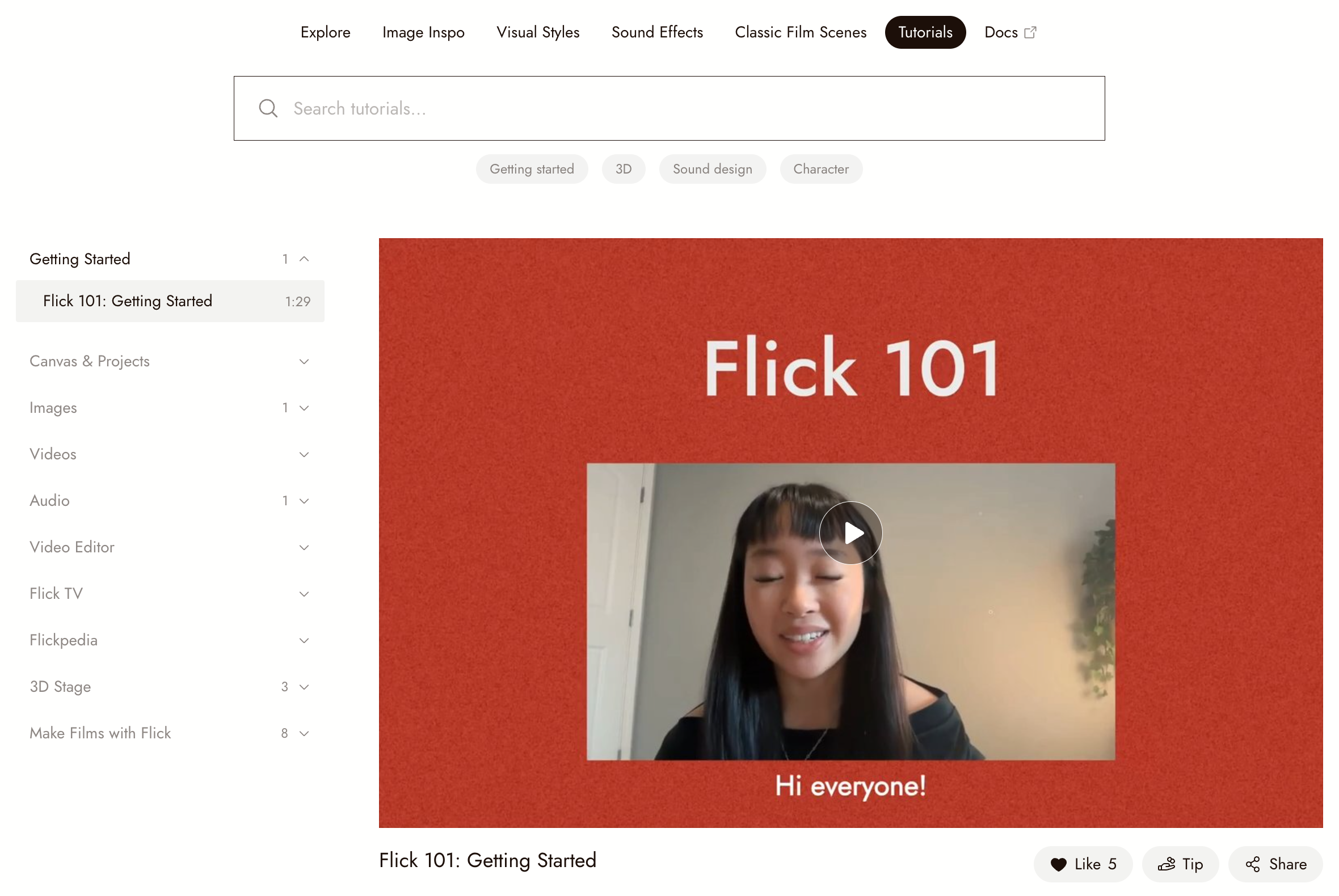
Tutorials are short films from the Flick team, played right in Flickpedia. The list on the left follows the same topics as these docs, from Getting Started to Make Films with Flick. Pick a video to play it, with the usual controls for play, seek, speed, volume and fullscreen, and previous or next video.
Under each video you can like, tip or share it, and read or add comments. A topic without a video yet shows Video coming soon and a link to the docs instead.
찾은 것 사용하기
- Inside a project, use Add to Canvas for images and scenes and Add to canvas for sound effects. Styles apply to the project.
- On flick.art/flickpedia, with no project open, Image Inspo shows Add to project: pick one of your projects, or start a new one with the image already on the canvas.
- In chat, describe the references you need. The agent returns film scenes and images from Flickpedia. Select items and click Done to add them to the canvas.
한눈에 보기
| Where | flick.art/flickpedia, or the Flickpedia button in any project |
| Cost | Free |
| Account needed | Only to save: favorites, saved styles, adding to a project |
| Reference images | 1.5M+, with attribution and source links |
| Search by | Words, color (one or two), or an image |
| Sections | Image Inspo, Visual Styles, Sound Effects, Classic Film Scenes, Tutorials, plus a link to Docs |
FAQ
계정이 필요한가요? 탐색이나 검색에는 필요 없습니다. 무언가를 보관하고 싶을 때 로그인하세요. 씬을 즐겨찾기에 추가하거나, 스타일을 저장하거나, 이미지를 프로젝트에 추가할 때입니다.
이미지는 어디서 나오나요? 선별된 소스에서 가져옵니다. 모든 이미지에는 출처가 표시되며, 상세 보기에서 원본 페이지로 연결되는 링크가 있습니다.
Can I search by a color palette? Yes. Open Color Search in Image Inspo and pick up to two colors, from the wheel or by hex code.
Where did Workflow Templates and Blogs go? They were removed from Flickpedia. To see how a film was made, open it on Flick TV and choose Get Workflow; guides are on the Flick blog.
채팅을 통해 레퍼런스를 찾을 수 있나요? 네. 에이전트에게 레퍼런스를 요청하고, 결과에서 항목을 선택한 다음 완료를 클릭하여 캔버스에 추가하세요.