取消
您可以隨時從設定中取消方案。
取消您的方案
- 點選右上角的個人資料圖片,然後選擇設定。
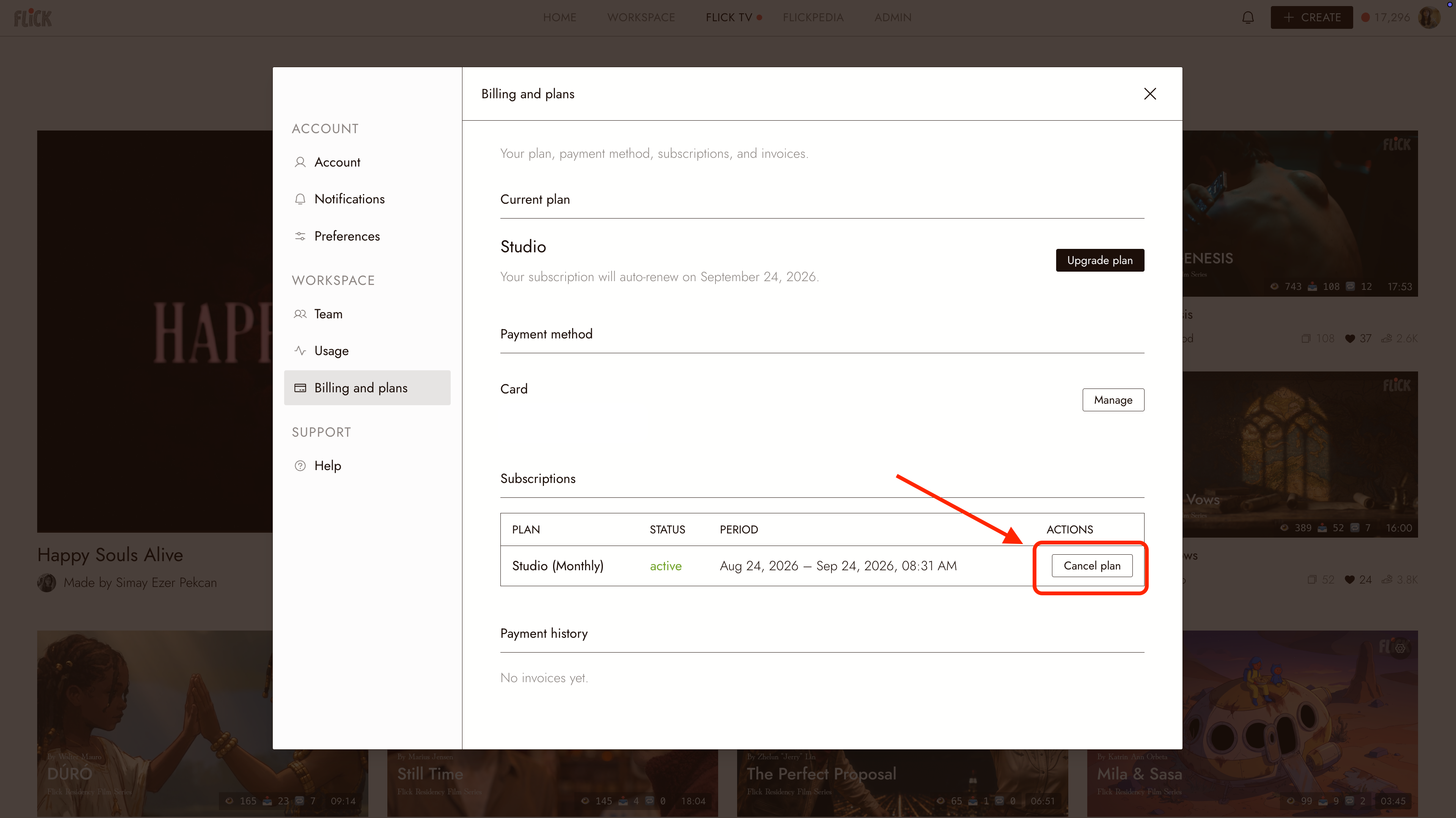
- 選擇帳單與方案。
- 點選取消方案。
- 重新整理頁面並確認您的方案已取消。
下方螢幕截圖顯示的是付費方案,會出現取消方案按鈕。在 Free 方案中,同一頁面僅提供升級方案選項。
取消後
- 您的方案將維持有效直到當前計費週期結束。
- 您的訂閱將不會續訂。
需要協助?
請透過 Flick Discord 聯繫客服。
您可以隨時從設定中取消方案。
下方螢幕截圖顯示的是付費方案,會出現取消方案按鈕。在 Free 方案中,同一頁面僅提供升級方案選項。
請透過 Flick Discord 聯繫客服。