10. Review and finish
Bring: Your complete picture and sound cut. Make: A reviewed final file and a short note for your next film.
Finishing means deciding which problems still matter, resolving them, and checking the file the audience will actually watch. It does not mean removing every trace of imperfection.
Show the film without explaining it
Ask someone who has not seen your brief to watch once. Avoid introducing the theme or telling them what they should notice.
Ask three questions afterward:
- What happened?
- Where were you confused or distracted?
- What feeling or moment stayed with you?
For the station film, listen for whether they understood that the traveler left the umbrella for its owner. They do not need to use your exact words or share your taste in music.
Treat feedback as information, not a list of commands. "I could not tell where the umbrella went" identifies a clarity problem. "I prefer faster films" is a preference to weigh against your intention.
Prioritize the last fixes
Sort notes before reopening generation:
| Priority | Examples | What to do |
|---|---|---|
| Essential | Missing ending, unreadable action, absent dialogue, wrong object state | Fix before sharing this version as finished |
| Important | A distracting cut, uneven sound, a reaction held too long | Test a focused adjustment within your remaining budget |
| Optional | A different lens feel or decorative texture with no clear story benefit | Leave for later unless it solves a named problem |
Choose a short final change list. Try an edit or an existing candidate before generating again. If the remaining budget cannot resolve an essential problem, simplify the scene or label the version as a work in progress rather than pretending it is solved.
Review the whole film after changes
Watch without pausing. Check identity, prop count, locations, movement, and the first and last frames. Then listen without watching for gaps, distracting jumps, or competing sound.
If you change picture timing, recheck effects and voice synchronization. If you add titles or captions, check spelling, readability, and time on screen. Use a supported workflow or a separate finishing tool where needed; keep track of any external step.
Do not chase resolution before these decisions work. A higher export setting cannot fix unclear storytelling or distorted source frames. If you later use Image Upscale on a still, compare the result for changed details before using it in the film; see Edit Image.
Export for the intended screen
Follow Export and download your film. Check the timeline's frame shape and the available export settings, including the watermark state. Choose settings for where the film will be watched rather than assuming the largest option is always necessary.

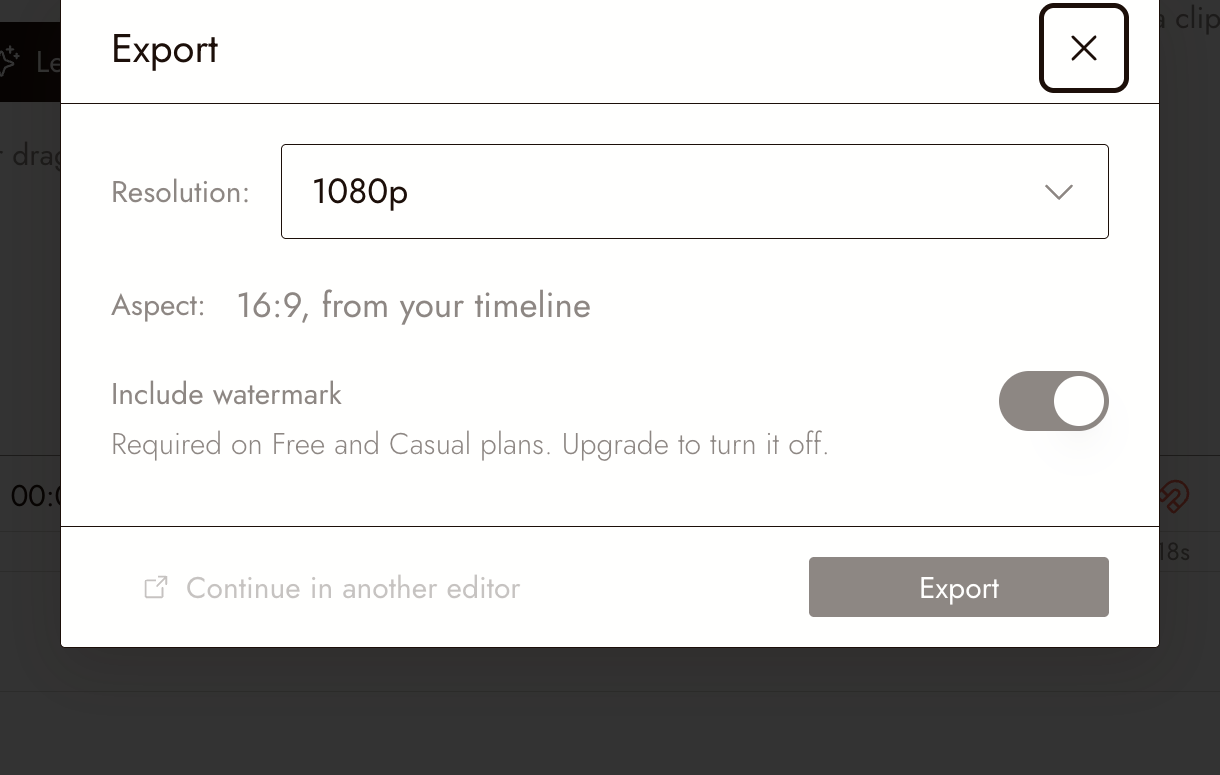
Confirm the download in your browser and open the saved file in a video player. A completion message alone is not proof that the right file saved successfully.
Watch that file from beginning to end. Confirm the expected duration, framing, picture, sound, text, and ending. If you change the edit afterward, make and review a new export before sharing it.
Close the project deliberately
Keep the final file, selected references, source and usage notes, and any credits your assets require. Retain your brief and a short record of key decisions so you can revisit the work.
Write three lines:
One choice that improved the film was...
One failed approach taught me...
On my next film, I will test... earlier.
Your next project can add one challenge, such as dialogue, another location, or a more specific camera move. You do not need to add all three at once.
Complete the course
- I gathered fresh-viewer feedback and resolved the essential problems.
- I watched the actual downloaded file with picture and sound from start to finish.
- I kept the final materials and wrote one specific lesson for the next project.
If the film passes those checks, you have finished your first course project. You made and evaluated a sequence, not just a set of generations.
Return to Make your first AI short film whenever a future film needs one of these steps.