視覺風格
視覺風格引導圖像的媒材、色彩、光線和材質。在多個鏡頭中重複使用它,然後比較結果以確保一致性。
設定風格
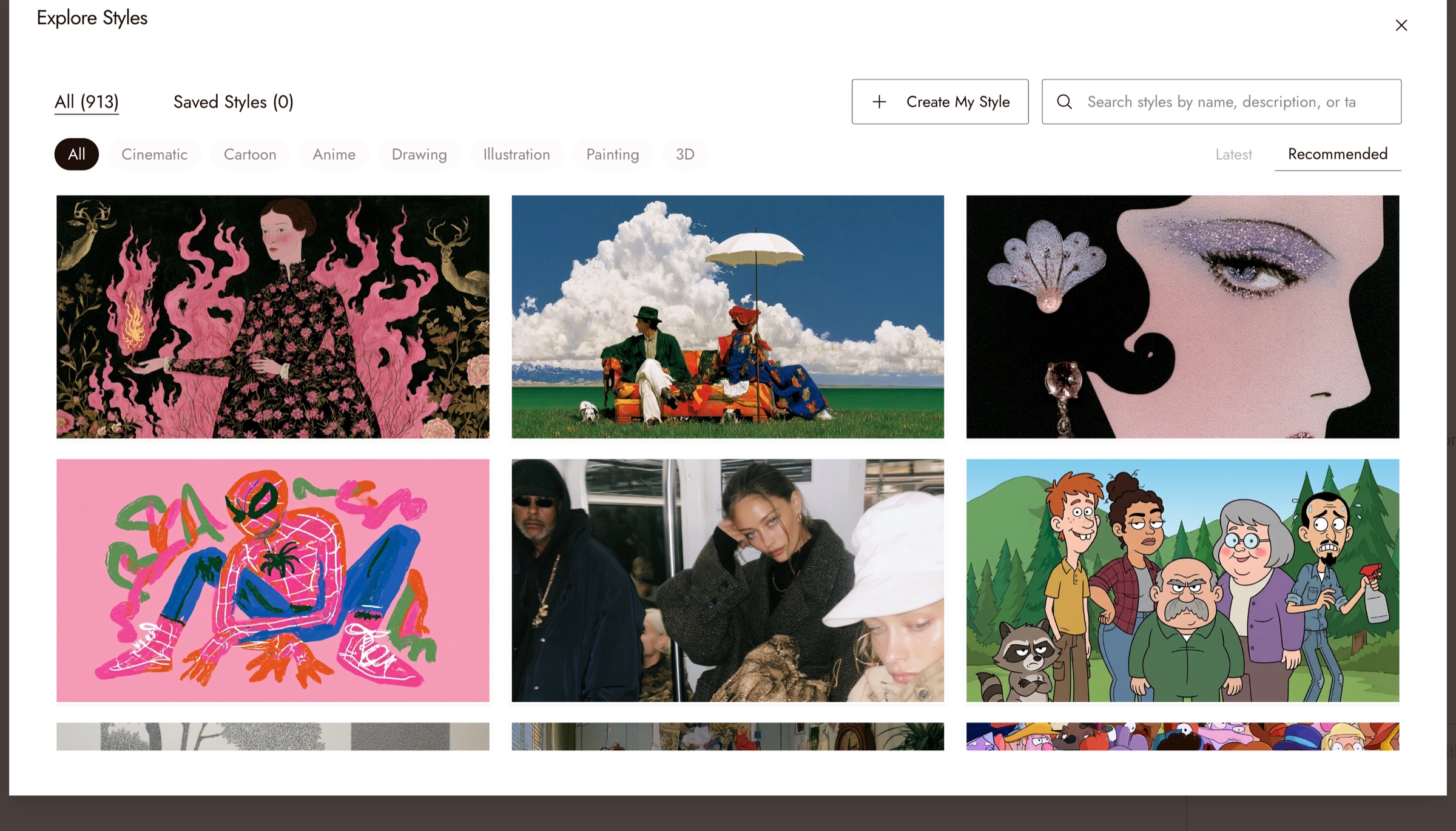
Click No style in the home prompt box, or the style button at the top of the chat panel in a project, to open Explore Styles.
瀏覽分類、以名稱、描述或標籤搜尋,或開啟已儲存風格查看您儲存的參考。分類包括電影感、卡通、動漫、繪圖、插畫、繪畫和 3D。
你可以:
- Choose from 1,000+ curated visual styles
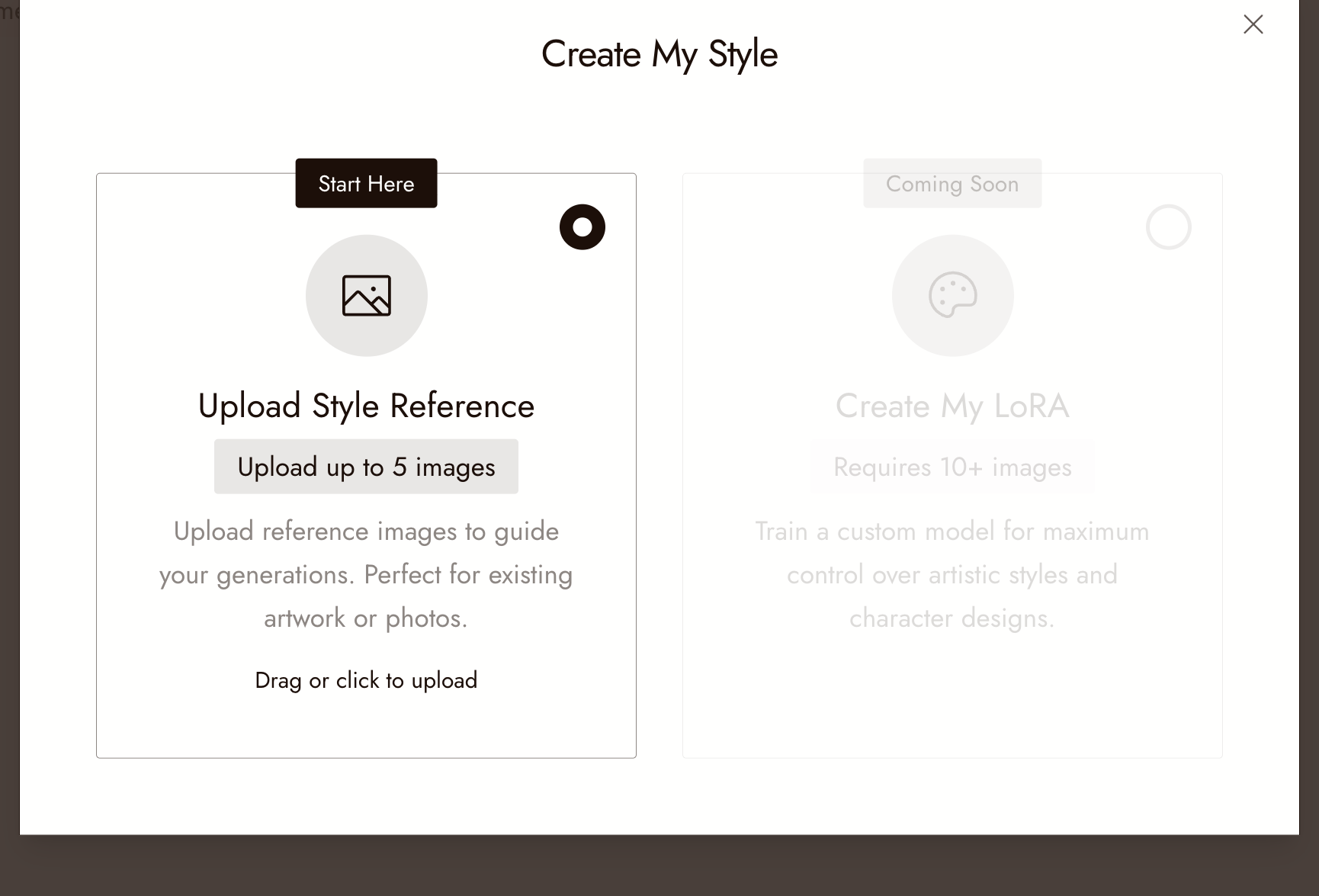
- OR build your own style from reference images: click Create My Style, then Upload Style Reference and add up to 5 images that show the look. The style appears under Saved Styles.
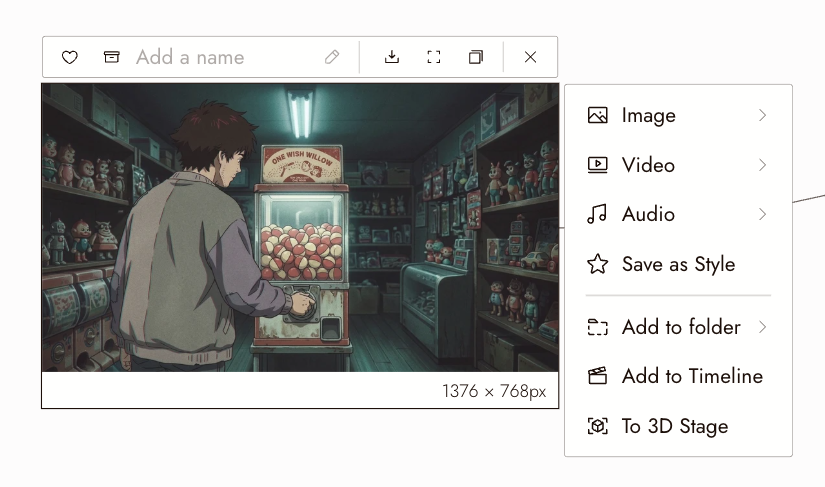
- To use an image already on your canvas, select it and click Save as Style in its menu, then pick it from Saved Styles.
風格的套用範圍
The style stays set for the project and guides new images. Changing it does not restyle existing images. Use Change Style in Edit Image for those.
最佳做法
在第一個鏡頭前選擇風格。之後再更改風格意味著要重新生成您已經滿意的內容。
從您最佳的畫面儲存風格。一旦某張圖片達到了理想外觀,就「儲存為風格」並將其用於該場景中的每個鏡頭。
避免衝突的風格描述。當風格已固定時,讓提示詞專注於內容。
檢視結果
- 序列中的每個鏡頭看起來像同一部影片。
- 風格支援主體而非掩蓋它。
- 外觀在廣角鏡頭和特寫鏡頭中都保持一致。
如果有些地方看起來不對
The style drifts between shots. Confirm the project's style has not changed and that no node was generated with a different one.
風格太強烈。簡化提示詞,或為該場景挑選更柔和的風格。
「儲存為風格」未給出預期的外觀。來源圖片應清楚展現外觀:光線、色調、質感。複雜的場景不適合作為風格來源。
下一步
- 生成圖片以在該風格中製作鏡頭。
- 編輯圖片以在現有圖片上使用變更風格工作流程。
- 在三個鏡頭中保持角色一致,當外觀和角色都需要維持時。
- AI 角色一致性:5 種方法比較,在風格變化時保持相同角色。