導覽
Use these controls to move around the canvas, select nodes, and run generations. The left toolbar contains Add Node, Hand/Select Mode, Add Section (S), Add Text (T), Tidy canvas, Assets, Story, Video Editor, Canvas settings, and Zoom options.
滑鼠和觸控板
- 按一下左鍵:選取、互動
- 按一下右鍵:選單
- 按住右鍵並拖曳:平移畫布
- 按一下中鍵:平移畫布
- 滾輪或觸控板:向上、向下、向左和向右平移
- Control 或 Command ⌘ + 滾輪:縮放
- 捏合:縮放
- 按住左鍵並拖曳:
- 在節點上:移動節點
- 在加號按鈕上:拖曳連線
- 在空白畫布上:框選
快速鍵
- 執行生成:Enter 執行已選取的節點
- 刪除:在選取任意數量的節點後按 Backspace 或 Delete
- 複製:在已選取的節點或節點群組上按 Control 或 Command ⌘ + C
- 貼上:Control 或 Command ⌘ + V 貼上節點,或從剪貼簿貼上任何影像或影片
- 縮放:Command + Plus 放大;Command + Minus 縮小。Command + 1 符合畫布大小;Command + 0 回到 100%。縮放選項也提供 50% 和 200%。
- 工具:S 新增區段,T 新增文字備註。工具列上的切換至手部模式會將左鍵拖曳變成平移;同一按鈕可切換回選取模式。
Minimap
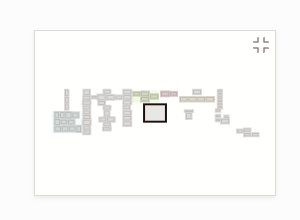
The minimap in the bottom-right corner shows the whole board: each section in its own color, every node as a small grey block, selected nodes highlighted, and the part you are looking at as a frame.
- Click anywhere on the minimap to glide there.
- Drag the frame to pan across the board.
- Hover the minimap and click the button in its corner to hide it. Turn it back on with Minimap in Canvas settings.
The minimap hides itself on an empty canvas and on narrow screens.
Tidy the canvas
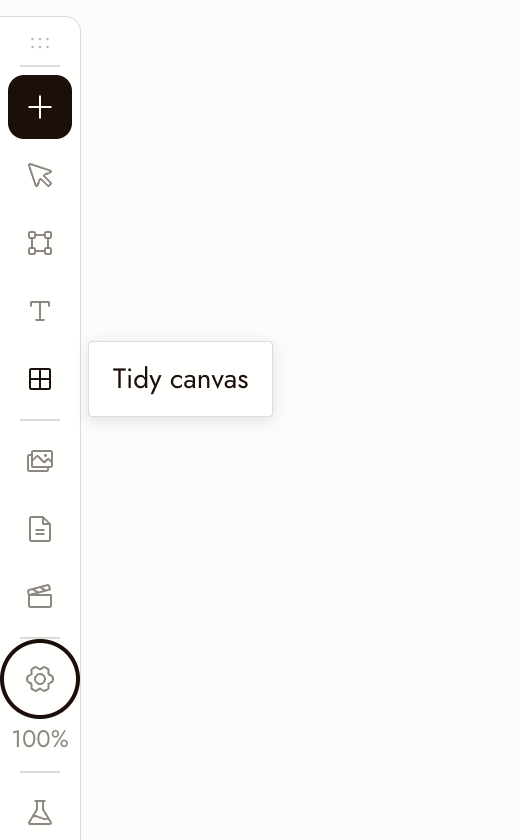
Tidy canvas on the left toolbar arranges the whole board in one step: it lines up the nodes inside each section (each source next to what was made from it, generations left to right), resizes each section to fit, then lays out the sections and loose nodes and brings the result into view. Running it twice changes nothing, and one Command+Z puts everything back.
To tidy only part of the board, select those nodes and choose Tidy up in the toolbar above the selection.
最佳做法
在評判單一影像之前先縮小。問題在於它是否在序列中有效,而不是單獨來看。
使用框選一次移動整個場景。在空白畫布上拖曳,然後拖曳選取範圍。
在執行或刪除前檢查你的選取範圍。Enter 會執行已選取的節點並使用點數。Backspace 會刪除選取範圍。
如果有些地方看起來不對
我無法平移畫布。請按住滑鼠右鍵拖曳、使用滑鼠中鍵,或切換至手掌模式後拖曳。
捲動時會縮放而非平移。請放開 Control 或 Command 鍵。如果仍會縮放,請在畫布設定 > 滑鼠與觸控板中關閉捲動縮放。
My nodes disappeared. They are most likely off screen. Press ⌘1 to fit the whole canvas in view, or click the area you want on the minimap.
節點似乎遺失了。請縮小檢視以確認是否在畫面外。刪除節點前,請確認選取範圍並複製任何想保留的內容。