生成圖片
從提示詞生成靜態圖像。將其作為編輯或影片鏡頭的起點。
開始之前
首先選擇專案的視覺風格和長寬比;請參閱視覺風格。檢查所選模型的輸出設定並檢視結果。每次生成都會使用點數;在執行批次之前請查看模型點數成本。
步驟
首先,點擊 + 按鈕,然後選擇生成圖像:
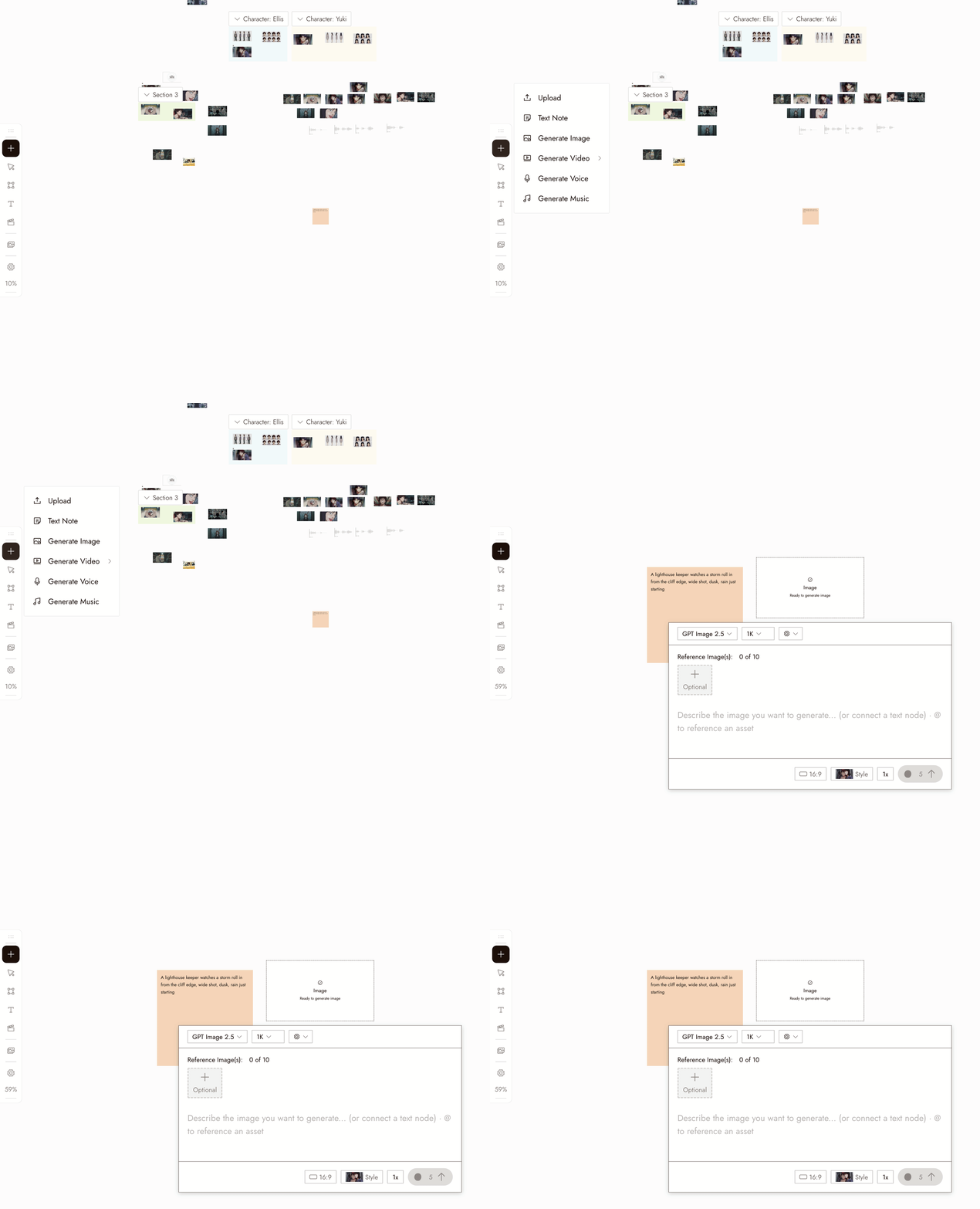
- Select the new image node. Its settings panel opens under it.
- Pick a model in the Model dropdown. Good starting picks for image generation are Nano Banana Pro and GPT Image 2.5. Midjourney is temporarily unavailable and shows greyed out. Models your plan does not include show a lock.
- Write your prompt in the panel. Type @ to reference another asset on the canvas.
- Choose how many images to generate at once with the 1x control if you want several candidates to compare.
- Check the credit cost shown on the Run button, then click it. The image appears as a new node connected to the placeholder.
您也可以在右下角的對話框中描述圖像,讓 AI 助手為您生成。
設定
模型。選擇器列出您方案中可用的圖像模型。每個模型都有其優勢。比較模型時,保持相同的提示詞,並根據您鏡頭的需求評估結果。
Batch count. Choose how many images to generate. Use batches to compare options for a specific shot.
Style and aspect ratio. The project's style is set at the top of the chat panel, and new generations use the aspect ratio you last chose. Check the selected model's settings; some workflows follow the source image's aspect ratio.
最佳做法
先寫主體,再寫場景,最後寫取景。每張圖像一個明確的主體。
不佳:「很酷的電影場景,有很多東西在進行。」
較佳:「一位穿著芥末黃雨衣的女子在雨後空曠的月台上等待,廣角鏡頭,柔和日光。」
避免衝突的風格指示。使用已釘選的風格來引導外觀,並用提示詞來描述內容。
不佳:在已釘選風格的情況下使用「……油畫、動漫、真實攝影」等詞。
較佳:讓提示詞專注於內容描述,並為專案選定一種風格。
先比較小批次。選擇明確的提示詞,並決定要測試什麼。
較無用:用模糊的提示詞生成十張圖片。
較有用:用明確的提示詞生成小批次,然後進行一項聚焦的變更。
檢視結果
- The subject is clear and there is one of it.
- The framing is the framing you asked for.
- The look matches the project's visual style, not a style the prompt drifted into.
- Check for extra limbs, incorrect object counts, or unreadable text before moving on.
- It would cut next to the other shots in the sequence.
如果有些地方看起來不對
主體遺失或錯誤。可能是被埋在提示詞中了。將其移到開頭幾個字。
The look is off. Check the style at the top of the chat panel, then remove any style words from the prompt.
每次嘗試看起來都一樣。只改變一件事,例如構圖或光線,而非整個提示詞。
生成結果未出現。在再次執行之前,先檢查畫布上該節點的狀態;它可能仍在處理中或已落在畫面外。
請求被標記。閱讀訊息並修改提示詞或參考內容以解決問題。請勿持續提交相同的請求。
下一步
- 編輯圖片來改變您喜歡的圖片中的某一處。
- 視覺風格來為整個專案統一設定外觀。
- 在三個鏡頭中保持角色一致當同一個人物需要出現在多張圖片中時。
- AI 角色一致性:5 種方法比較了解其背後的參考技術。