画像を生成
プロンプトから静止画像を生成します。編集や動画ショットの開始点として使用できます。
始める前に
まずプロジェクトのビジュアルスタイルとアスペクト比を選択してください。詳しくはビジュアルスタイルをご覧ください。選択したモデルの出力設定を確認し、結果をレビューしてください。各生成にはクレジットを使用します。バッチを実行する前にモデルのクレジットコストを確認してください。
手順
まず+ボタンをクリックし、次に画像生成をクリックします:
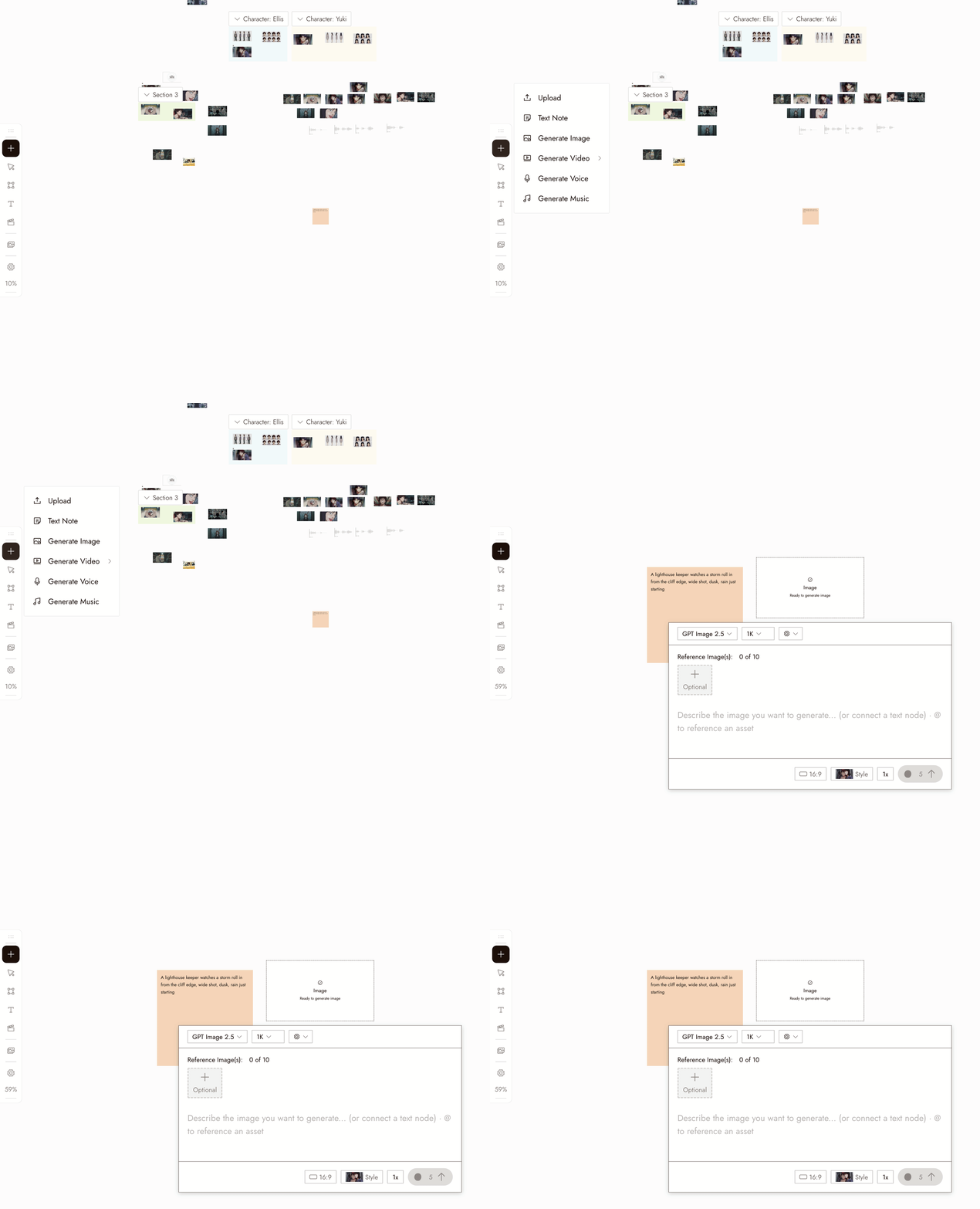
- Select the new image node. Its settings panel opens under it.
- Pick a model in the Model dropdown. Good starting picks for image generation are Nano Banana Pro and GPT Image 2.5. Midjourney is temporarily unavailable and shows greyed out. Models your plan does not include show a lock.
- Write your prompt in the panel. Type @ to reference another asset on the canvas.
- Choose how many images to generate at once with the 1x control if you want several candidates to compare.
- Check the credit cost shown on the Run button, then click it. The image appears as a new node connected to the placeholder.
右下のチャットボックスで画像を説明し、エージェントに生成してもらうこともできます。
設定
モデル。ピッカーにはプランで利用可能な画像モデルが表示されます。各モデルには独自の強みがあります。モデルを比較する際は、同じプロンプトを保持し、ショットに必要なものに基づいて結果を判断してください。
Batch count. Choose how many images to generate. Use batches to compare options for a specific shot.
Style and aspect ratio. The project's style is set at the top of the chat panel, and new generations use the aspect ratio you last chose. Check the selected model's settings; some workflows follow the source image's aspect ratio.
ベストプラクティス
被写体を最初に、次に設定、その次にフレーミングを記述します。1つの画像につき1つの明確な被写体を。
弱い例:「たくさんのことが起こっているクールでシネマティックなシーン」
良い例:「マスタード色のレインコートを着た女性が雨上がりの無人駅のプラットホームで待っている、ワイドショット、柔らかな自然光」
矛盾するスタイル指示を避ける。ピン留めされたスタイルで見た目を決め、プロンプトで内容を説明します。
弱い例:スタイルがピン留めされているのに「…油絵、アニメ、フォトリアリスティック」と記述。
良い例:プロンプトは内容に集中し、スタイルはプロジェクト全体で一度だけ選択する。
まず少量のバッチで比較する。明確なプロンプトを選び、何をテストしたいかを決めます。
あまり有用でない例:曖昧なプロンプトから10枚の画像を生成。
より有用な例:明確なプロンプトから少量のバッチを生成し、その後一つの集中的な変更を加える。
結果を確認
- The subject is clear and there is one of it.
- The framing is the framing you asked for.
- The look matches the project's visual style, not a style the prompt drifted into.
- Check for extra limbs, incorrect object counts, or unreadable text before moving on.
- It would cut next to the other shots in the sequence.
何かおかしい場合
被写体が欠けているか間違っている。おそらくプロンプトの中に埋もれていました。最初の言葉に移動してください。
The look is off. Check the style at the top of the chat panel, then remove any style words from the prompt.
毎回同じ結果になる。プロンプト全体ではなく、フレーミングや照明など一つの要素を変更してください。
生成結果が表示されない。再実行する前にキャンバス上のノードのステータスを確認してください。まだ処理中か、画面外に表示されている可能性があります。
リクエストがフラグされた。メッセージを読み、それに対応するようプロンプトまたはリファレンスを修正してください。同じリクエストを送信し続けないでください。
次のステップ
- Edit Imageで、気に入った画像の一部を変更する。
- Visual Stylesで、プロジェクト全体の見た目を一度に設定する。
- 3つのショット全体でキャラクターの一貫性を保つ:同じ人物が複数の画像に登場する必要がある場合。
- AIキャラクターの一貫性:5つの手法を比較で、その背後にあるリファレンステクニックを確認する。