キャンセル
You can cancel your plan at any time from your settings.
プランをキャンセルする
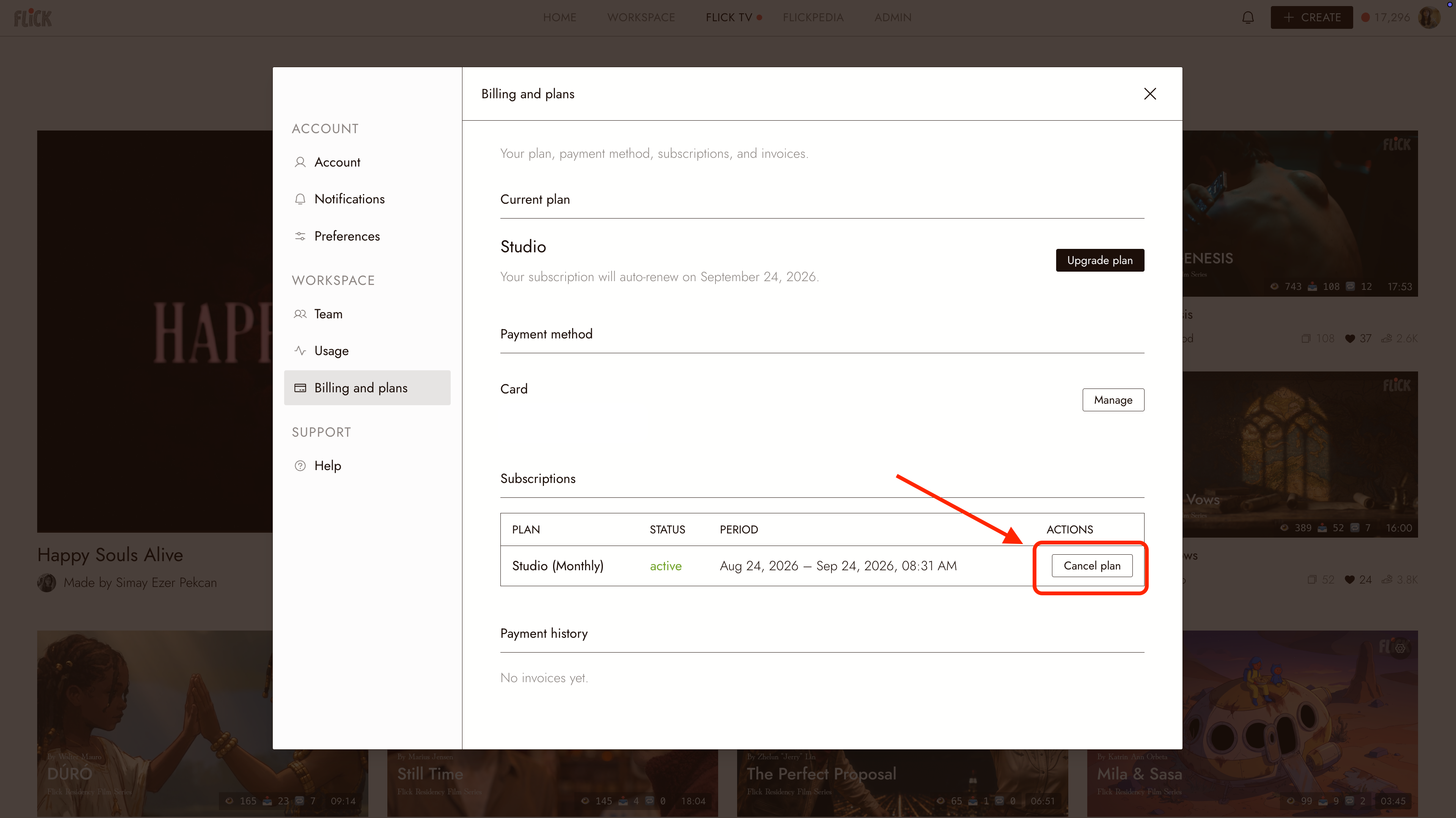
- Click your profile picture in the top-right corner and choose Settings.
- Select Billing and plans.
- Click Cancel Plan.
- Refresh the page and confirm that your plan is canceled.
下のスクリーンショットは有料プランのもので、プランをキャンセルが表示されています。Freeプランでは同じページにプランをアップグレードのみが表示されます。
キャンセル後について
- プランは現在の請求サイクルが終了するまで有効です。
- サブスクリプションは更新されません。
サポートが必要ですか?
Flick Discordからサポートにお問い合わせください。