領収書または請求書
領収書または請求書のダウンロード
サブスクリプションの領収書と請求書は設定からダウンロードできます。
領収書または請求書をダウンロードする
- Log in to your Flick account.
- Click your profile picture in the top-right corner and choose Settings.
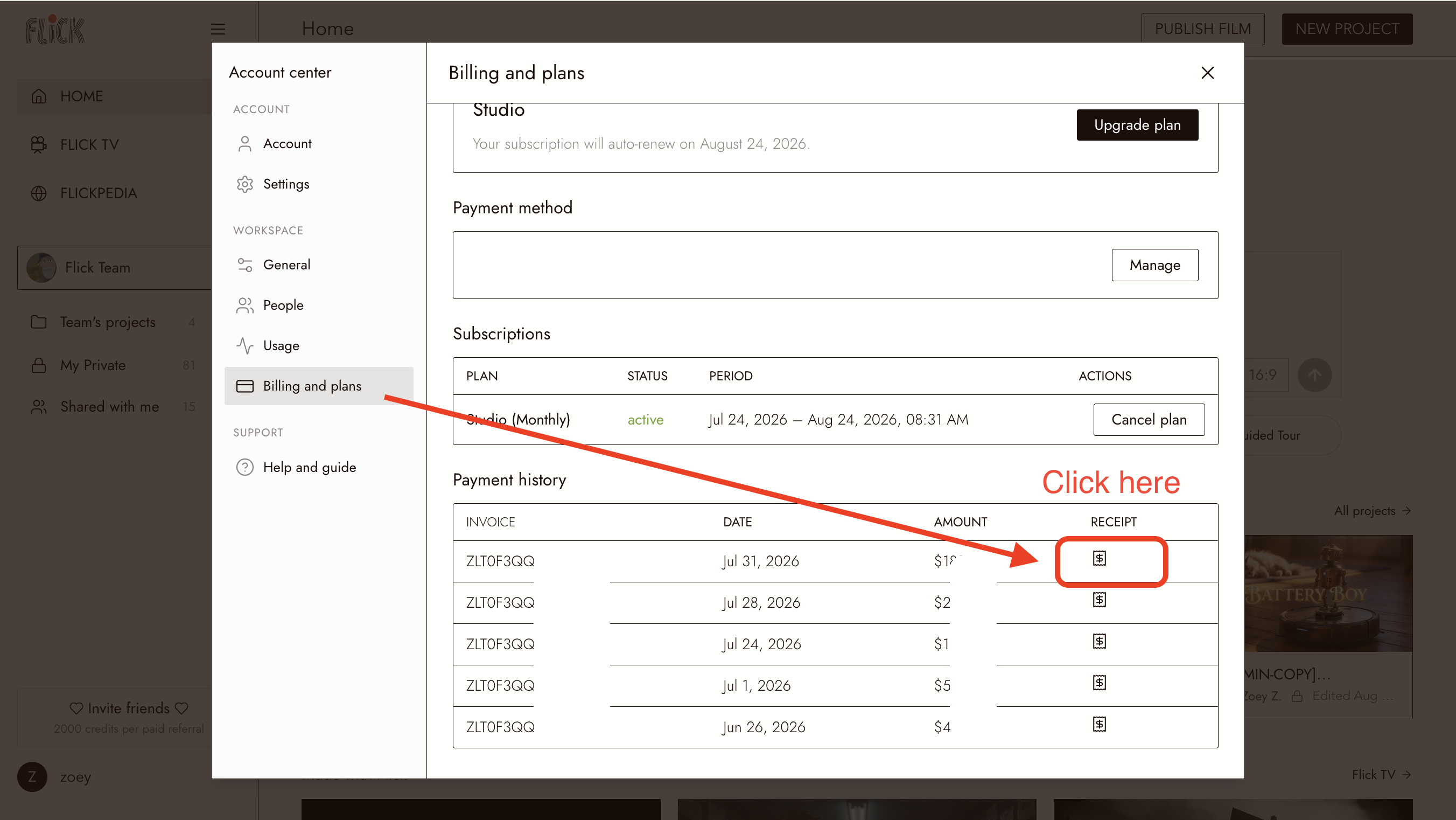
- Select Billing and plans.
- Under Payment history, find the payment and download its receipt or invoice.
下のスクリーンショットは過去の支払いがある有料プランのものです。Freeプランではこのセクションに請求書はまだありませんと表示されます。
過去の支払い記録はここで引き続き確認できます。