生成图片
从提示词生成静态图像。将其用作编辑或视频镜头的起点。
开始之前
首先选择项目的视觉风格和宽高比;参见视觉风格。检查所选模型的输出设置并查看结果。每次生成都会使用积分;在批量运行前请查看模型积分费用。
步骤
首先,点击+按钮,然后点击生成图像:
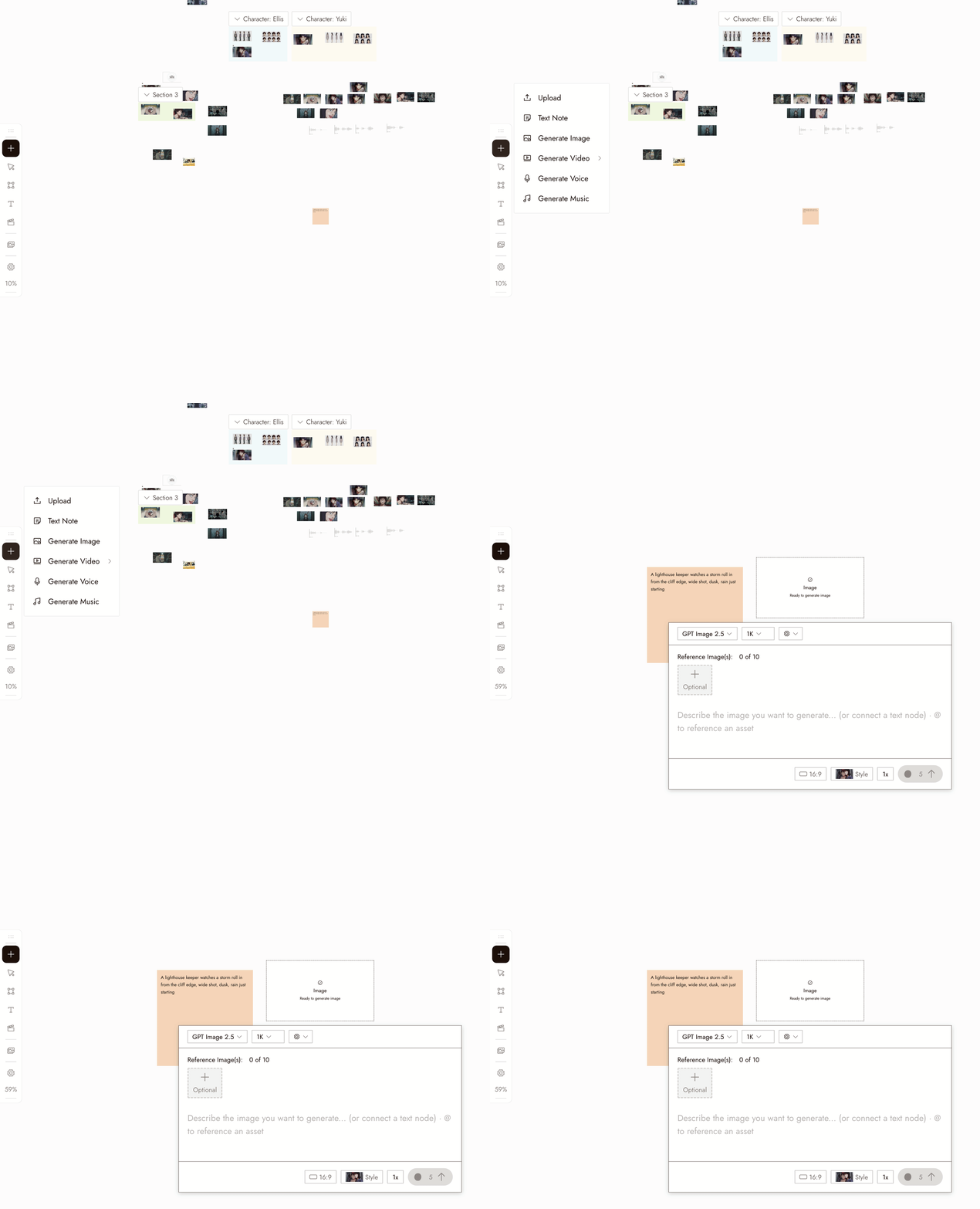
- Select the new image node. Its settings panel opens under it.
- Pick a model in the Model dropdown. Good starting picks for image generation are Nano Banana Pro and GPT Image 2.5. Midjourney is temporarily unavailable and shows greyed out. Models your plan does not include show a lock.
- Write your prompt in the panel. Type @ to reference another asset on the canvas.
- Choose how many images to generate at once with the 1x control if you want several candidates to compare.
- Check the credit cost shown on the Run button, then click it. The image appears as a new node connected to the placeholder.
你也可以在右下角的聊天框中描述图像,让智能助手为你生成。
设置
模型。选择器列出了你套餐中可用的图像模型。每个模型都有自己的优势。当你比较模型时,保持相同的提示词,并根据镜头需求来评判结果。
Batch count. Choose how many images to generate. Use batches to compare options for a specific shot.
Style and aspect ratio. The project's style is set at the top of the chat panel, and new generations use the aspect ratio you last chose. Check the selected model's settings; some workflows follow the source image's aspect ratio.
最佳实践
先写主体,再写场景,最后写构图。每张图像一个清晰的主体。
不佳示例:"酷炫的电影场景,有很多东西。"
更好示例:"一位穿着芥末黄色雨衣的女性在雨后空旷的站台上等待,广角镜头,柔和的日光。"
避免相互冲突的风格指令。使用固定的风格来指导视觉效果,用提示词来描述内容。
不佳示例:在已固定风格的情况下使用"……油画、动漫、照片写实"。
更好示例:让提示词专注于内容描述,为项目选定一次风格即可。
先对比少量样本。选择清晰的提示词并明确想要测试的内容。
效果较差:用模糊提示词生成十张图像。
效果更好:用清晰提示词生成少量样本,然后进行一次有针对性的修改。
检查结果
- The subject is clear and there is one of it.
- The framing is the framing you asked for.
- The look matches the project's visual style, not a style the prompt drifted into.
- Check for extra limbs, incorrect object counts, or unreadable text before moving on.
- It would cut next to the other shots in the sequence.
如果出现问题
主体缺失或错误。可能是被埋没在提示词中了。将其移到开头。
The look is off. Check the style at the top of the chat panel, then remove any style words from the prompt.
每次尝试看起来都一样。只改变一个方面,比如构图或光照,不要整个提示词都改。
生成结果没有出现。在再次运行之前,检查画布上该节点的状态;它可能仍在处理中或已生成在屏幕外。
请求被标记。阅读消息并修改提示词或参考内容来解决问题。不要重复提交相同的请求。
下一步
- 编辑图像来修改你喜欢的图像中的某一处。
- 视觉风格为整个项目统一设定视觉效果。
- 在三个镜头中保持角色一致,当同一个人需要出现在多张图像中时。
- AI 角色一致性:5 种方法对比了解其背后的参考技术。