Navigation
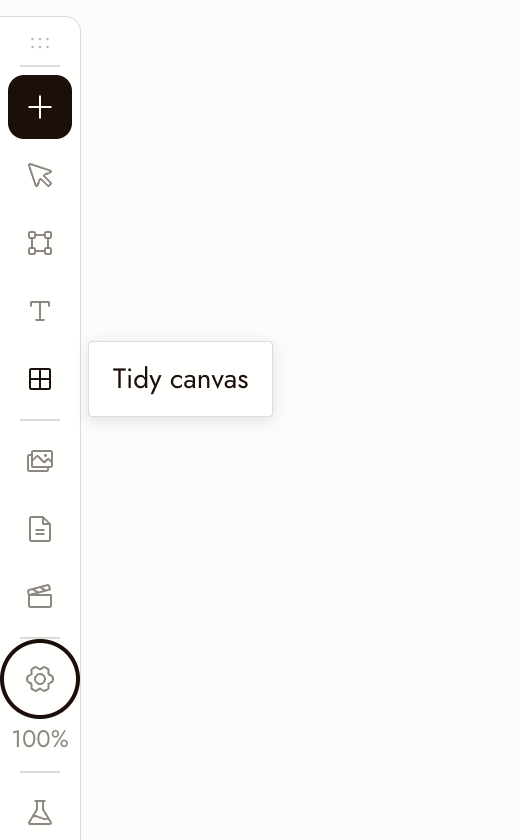
Use these controls to move around the canvas, select nodes, and run generations. The left toolbar contains Add Node, Hand/Select Mode, Add Section (S), Add Text (T), Tidy canvas, Assets, Story, Video Editor, Canvas settings, and Zoom options.
Mouse and trackpad
- Left click: select, interact
- Right click: menu
- Right click + drag: pan the canvas
- Middle mouse button: pan the canvas
- Scroll wheel or trackpad: pan up, down, left and right
- Control or Command ⌘ + scroll: zoom
- Pinch: zoom
- Left click + drag:
- On a node: move the node
- On the plus button: drag a connection
- On empty canvas: box selection
Shortcuts
- Run generation: Enter runs the selected nodes
- Delete: Backspace or Delete with any number of nodes selected
- Copy: Control or Command ⌘ + C on a selected node or group of nodes
- Paste: Control or Command ⌘ + V pastes nodes, or any image or video from your clipboard
- Zoom: Command + Plus zooms in; Command + Minus zooms out. Command + 1 fits the canvas; Command + 0 returns to 100%. Zoom options also offers 50% and 200%.
- Tools: S adds a section, T adds a text note. Switch to Hand Mode on the toolbar turns left-drag into panning; the same button switches back to Select Mode.
Minimap
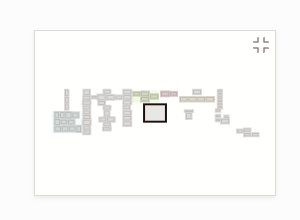
The minimap in the bottom-right corner shows the whole board: each section in its own color, every node as a small grey block, selected nodes highlighted, and the part you are looking at as a frame.
- Click anywhere on the minimap to glide there.
- Drag the frame to pan across the board.
- Hover the minimap and click the button in its corner to hide it. Turn it back on with Minimap in Canvas settings.
The minimap hides itself on an empty canvas and on narrow screens.
Tidy the canvas
Tidy canvas on the left toolbar arranges the whole board in one step: it lines up the nodes inside each section (each source next to what was made from it, generations left to right), resizes each section to fit, then lays out the sections and loose nodes and brings the result into view. Running it twice changes nothing, and one Command+Z puts everything back.
To tidy only part of the board, select those nodes and choose Tidy up in the toolbar above the selection.
Best practices
Zoom out before you judge a single image. The question is whether it works in the sequence, not on its own.
Box-select to move a scene at once. Drag on empty canvas, then drag the selection.
Check your selection before running or deleting. Enter runs the selected nodes and uses credits. Backspace deletes the selection.
If something looks wrong
I cannot pan. Right-click and drag, use the middle mouse button, or switch to Hand Mode and drag.
Scrolling zooms instead of panning. Release Control or Command. If it still zooms, turn off Scroll to zoom in Canvas settings > Mouse & trackpad.
My nodes disappeared. They are most likely off screen. Press ⌘1 to fit the whole canvas in view, or click the area you want on the minimap.
A node seems to be missing. Zoom out to check whether it is off screen. Before deleting nodes, confirm the selection and copy anything you want to keep.
Next
- Text Nodes for prompting from notes on the canvas.
- Create Your First Project for the full first-project walkthrough.
- Sections and folders to organize a large canvas.