Cancellation
You can cancel your plan at any time from your account settings.
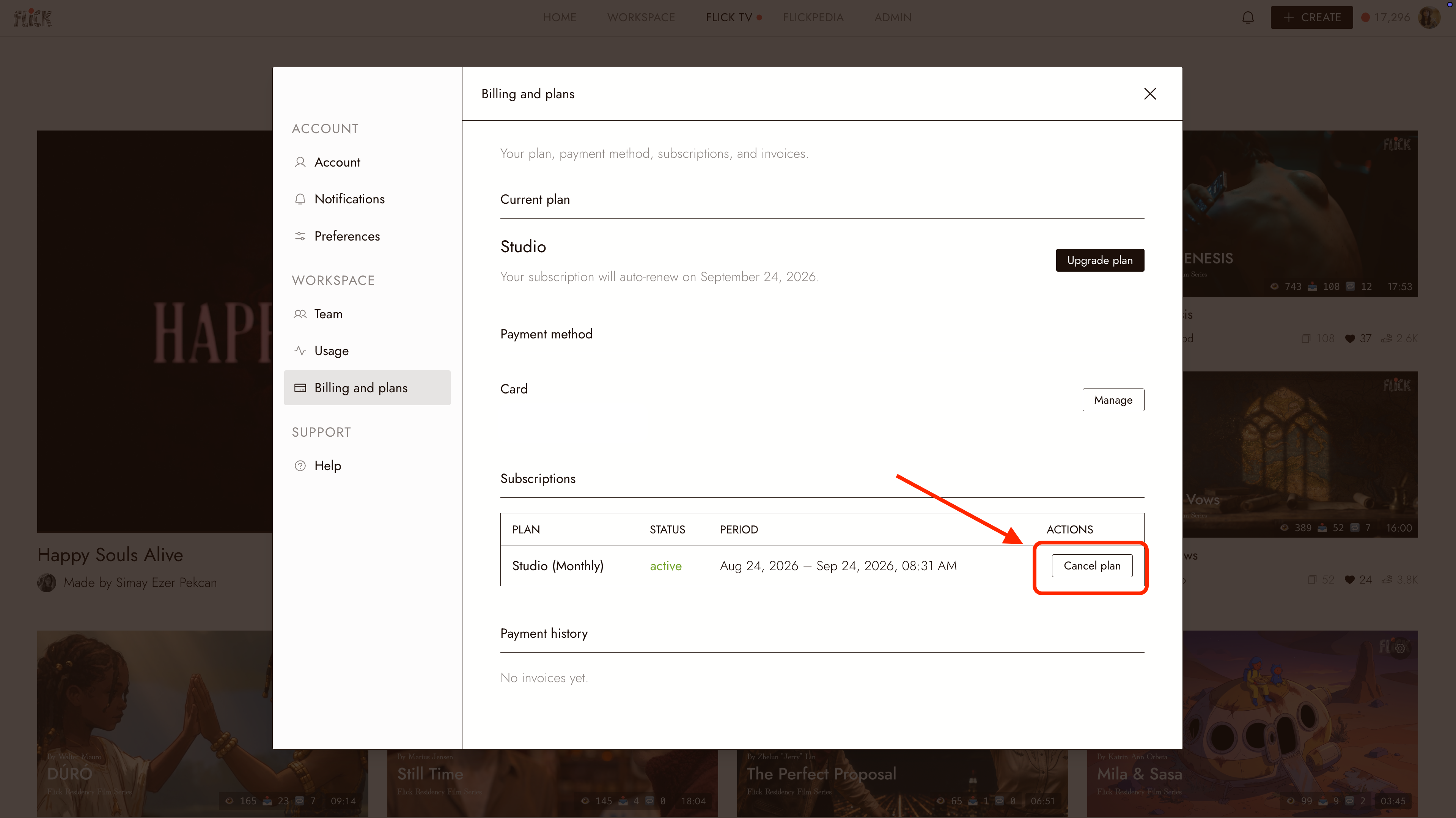
Cancel your plan
- Click your profile picture in the top-right corner and choose Account settings.
- Select Billing and plans.
- Click Cancel Plan.
- Refresh the page and confirm that your plan is canceled.
The screenshot below shows a paid plan, where Cancel Plan appears. On the Free plan the same page only offers Upgrade plan.
After you cancel
- Your plan stays active until the current billing cycle ends.
- Your subscription will not renew.
Need help?
Contact support through Flick Discord.