Receipt or Invoice
Download a receipt or invoice
Download subscription receipts and invoices from your account settings.
Download a receipt or invoice
- Log in to your Flick account.
- Click your profile picture in the top-right corner and choose Account settings.
- Select Billing and plans.
- Under Invoices, find the payment and download its receipt or invoice.
The screenshot below is from a paid plan with past payments. On the Free plan the section reads No invoices yet.
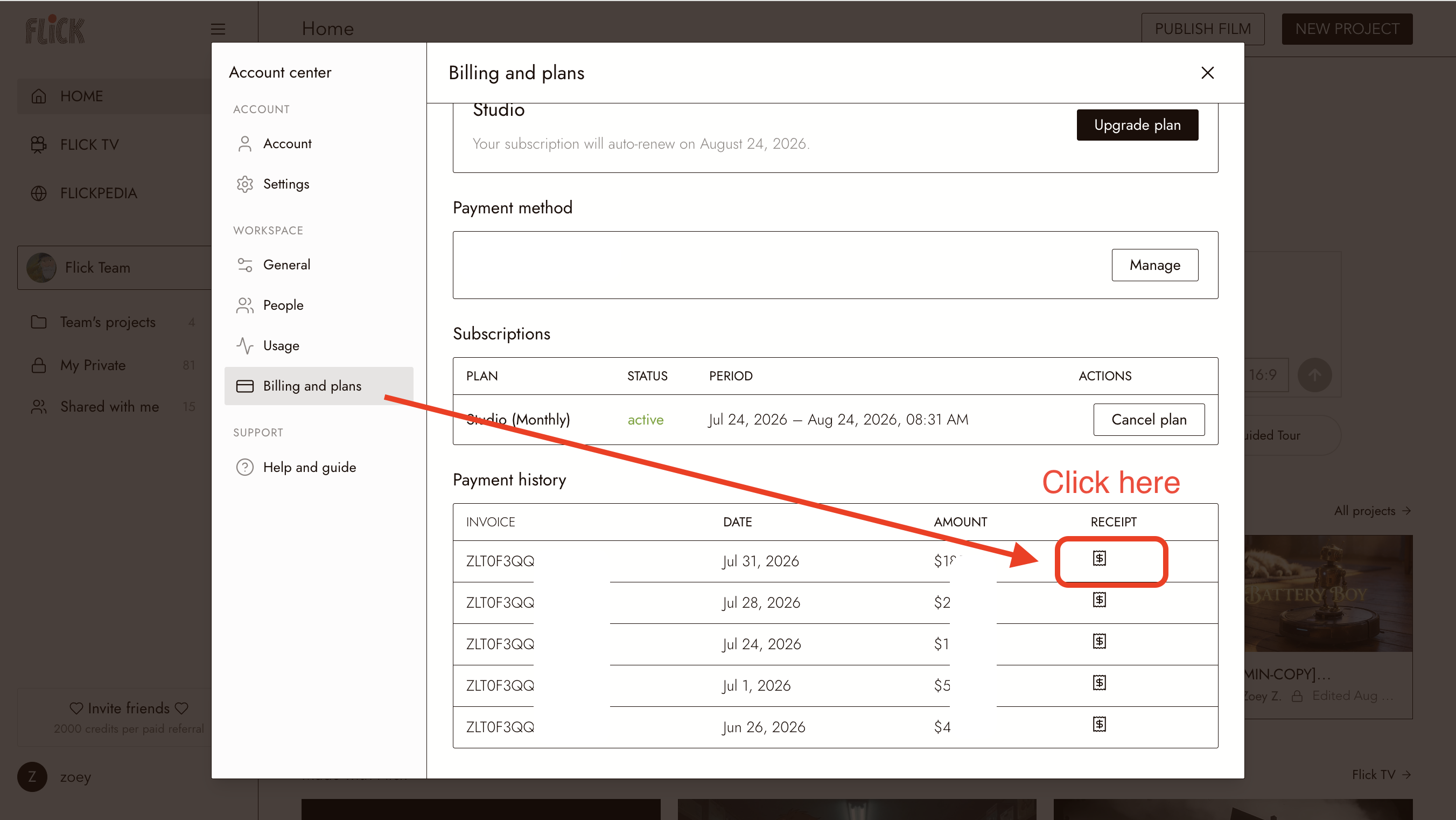
Previous payment records remain available here.