Receipt or Invoice

How to Download Your Receipt or Invoice

You can download receipts and invoices for your Flick subscription directly from your account settings.

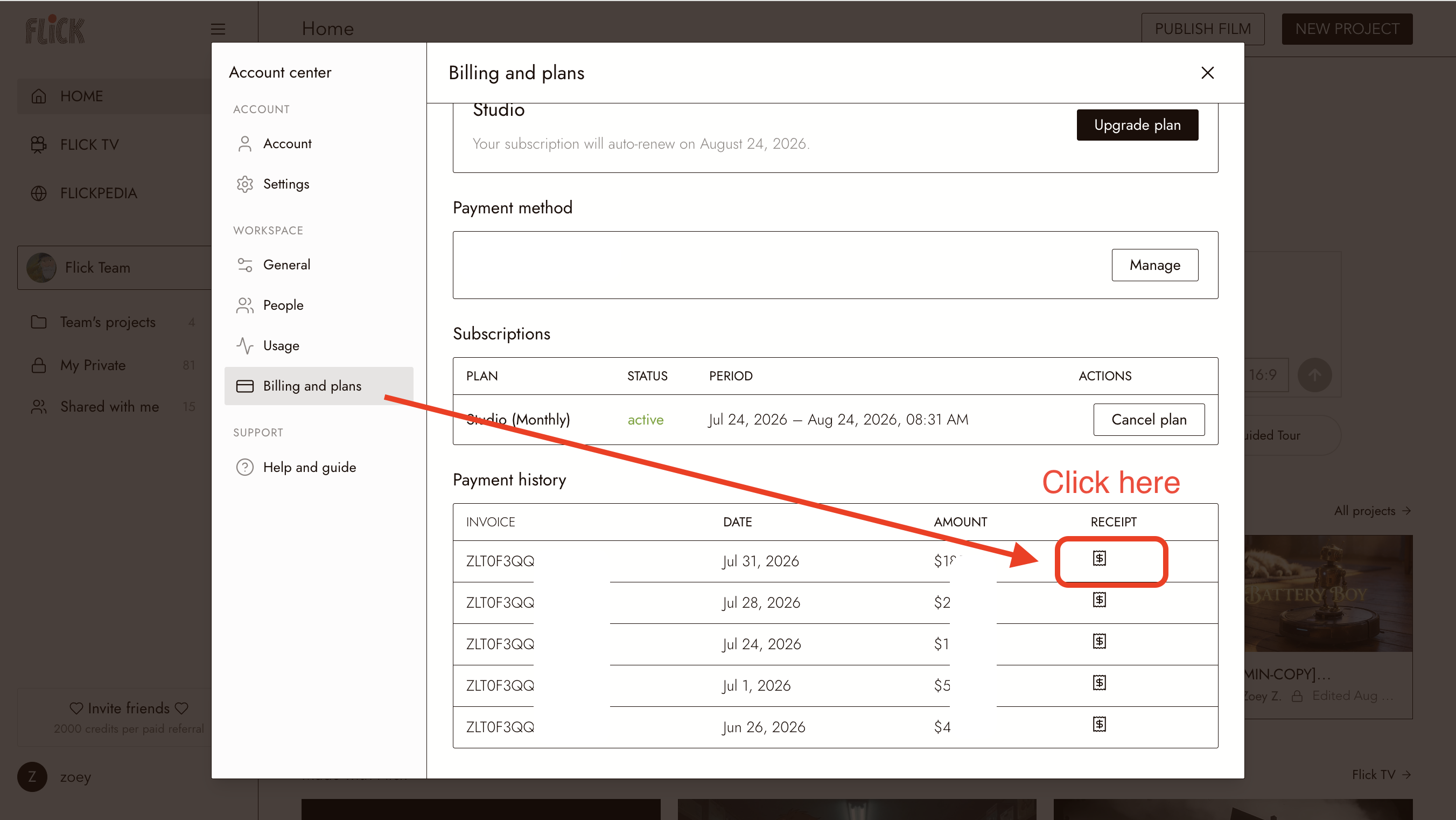
Download a receipt or invoice

  1. Log in to your Flick account.
  2. Go to Account Settings.
  3. Select Billing & Plans.
  4. Click Receipts.
  5. Find the payment you’re looking for and download the corresponding receipt or invoice.
Image

You can return to this page anytime to access receipts for your previous payments.