Quittung oder Rechnung
Quittung oder Rechnung herunterladen
Lade Quittungen und Rechnungen für dein Abonnement aus deinen Kontoeinstellungen herunter.
Quittung oder Rechnung herunterladen
- Melde dich bei deinem Flick-Konto an.
- Klicke oben rechts auf dein Profilbild und wähle Kontoeinstellungen.
- Wähle Abrechnung und Tarife.
- Finde unter Rechnungen die Zahlung und lade die zugehörige Quittung oder Rechnung herunter.
Der Screenshot unten stammt von einem kostenpflichtigen Tarif mit früheren Zahlungen. Im Free-Tarif zeigt der Abschnitt Noch keine Rechnungen.
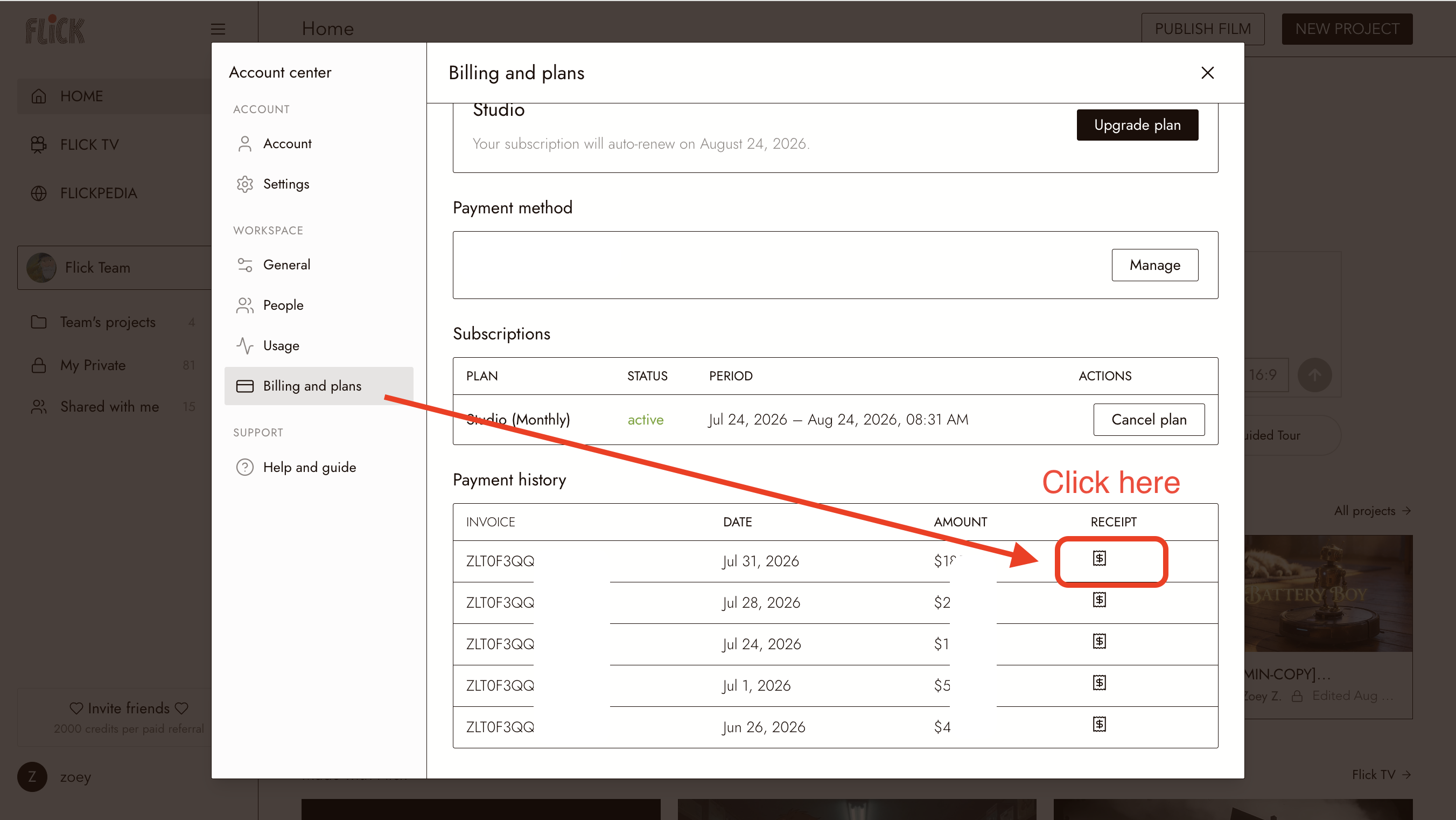
Frühere Zahlungsaufzeichnungen bleiben hier verfügbar.