Recibo ou Nota Fiscal
Baixar um recibo ou nota fiscal
Faça o download de recibos e notas fiscais da sua assinatura nas suas configurações.
Baixar um recibo ou nota fiscal
- Log in to your Flick account.
- Click your profile picture in the top-right corner and choose Settings.
- Select Billing and plans.
- Under Payment history, find the payment and download its receipt or invoice.
A captura de tela abaixo é de um plano pago com pagamentos anteriores. No plano Free, a seção mostra Nenhuma nota fiscal ainda.
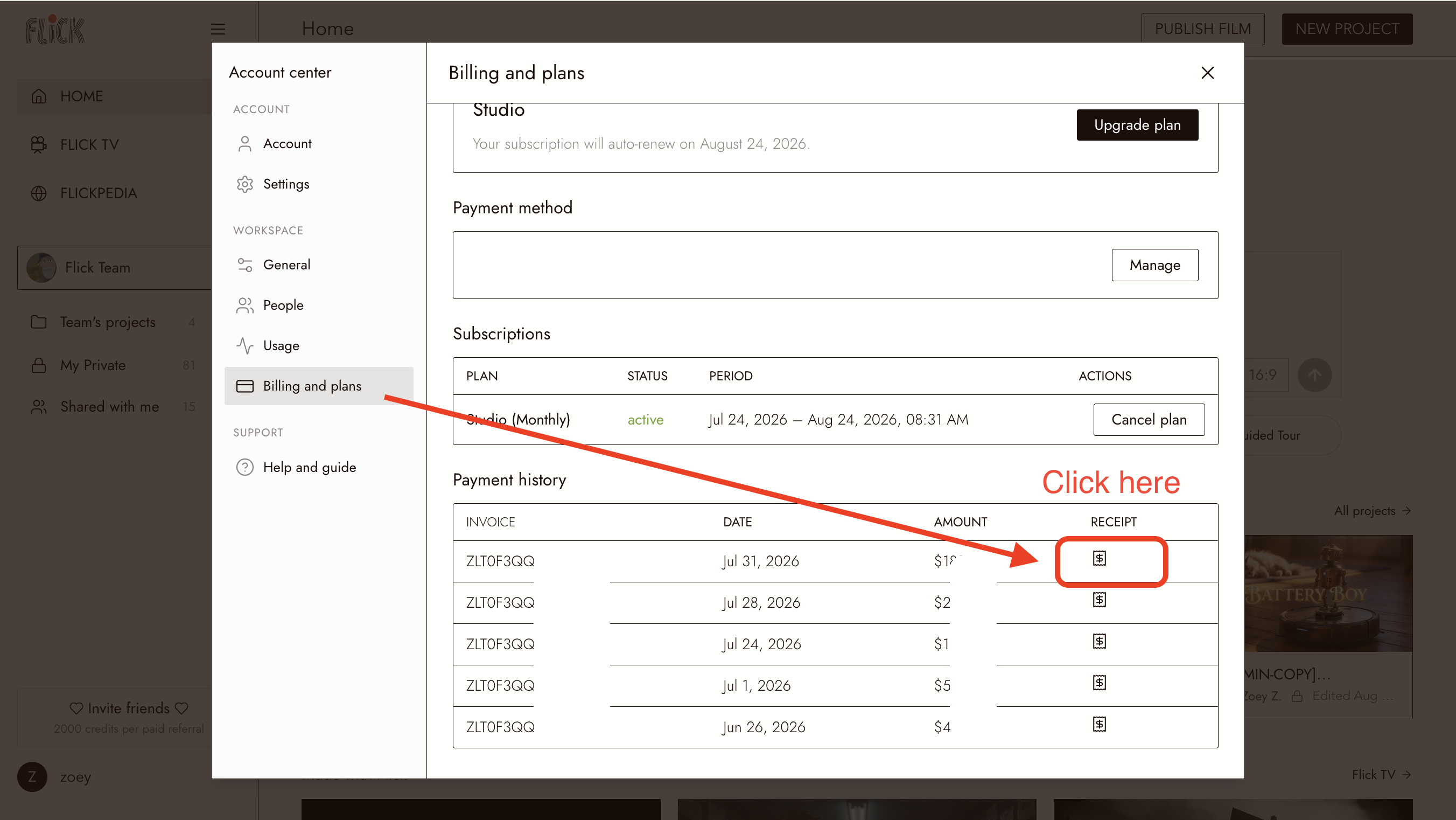
Registros de pagamentos anteriores permanecem disponíveis aqui.