Reçu ou facture
Télécharger un reçu ou une facture
Téléchargez les reçus et factures d'abonnement depuis vos paramètres.
Télécharger un reçu ou une facture
- Log in to your Flick account.
- Click your profile picture in the top-right corner and choose Settings.
- Select Billing and plans.
- Under Payment history, find the payment and download its receipt or invoice.
La capture d'écran ci-dessous provient d'un forfait payant avec des paiements antérieurs. Sur le forfait Free, la section indique Aucune facture pour le moment.
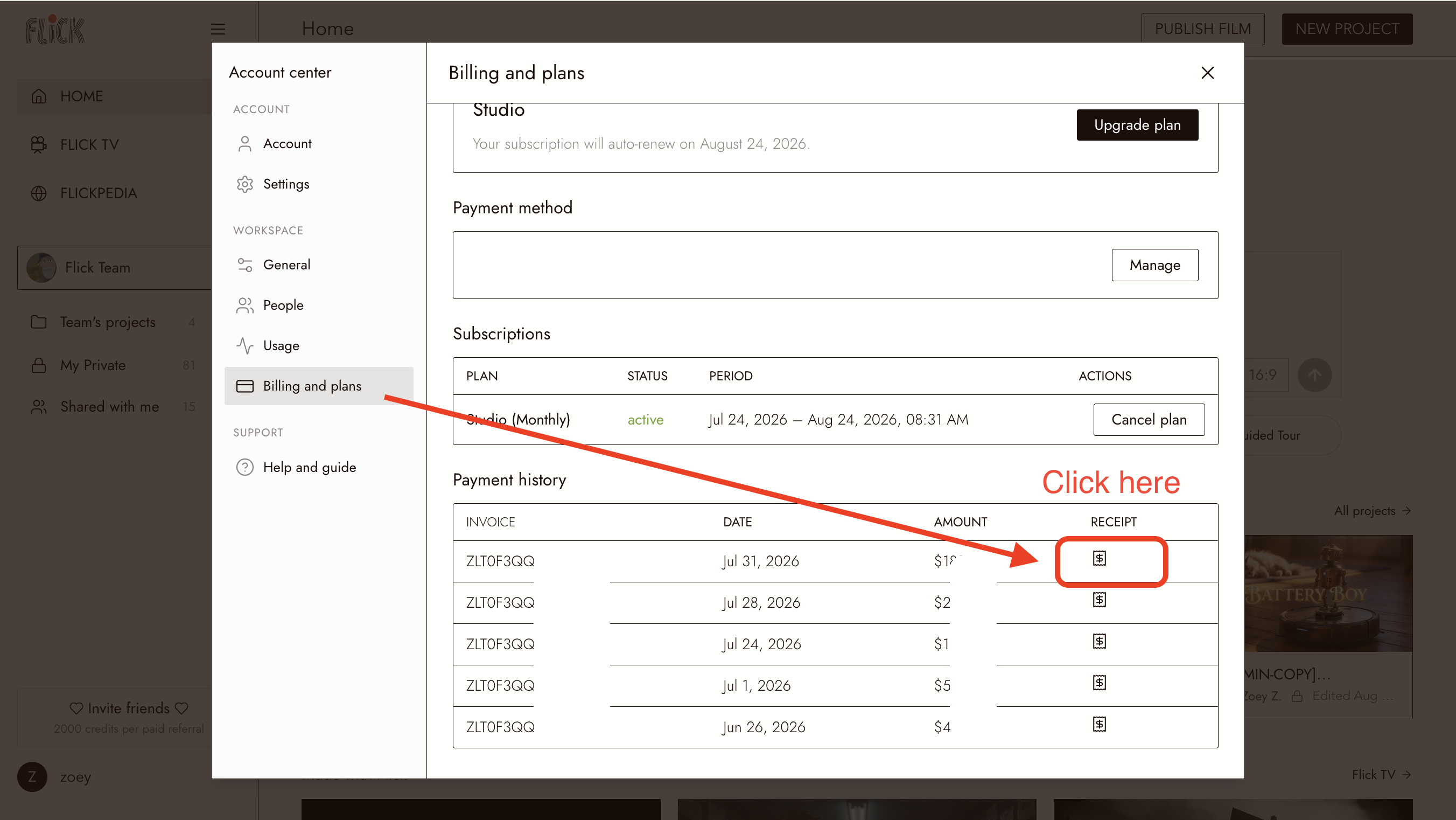
Les enregistrements de paiements antérieurs restent disponibles ici.