Generate Emotion
Use Generate Emotion to turn a filmed performance into a clean driving video: a plain clay head that copies the actor's movement and expression, with a second emotion mixed in. Drive a video model with the clay instead of the original take, and it follows the performance without the actor's face carrying into the result. It runs in your browser and costs no credits.
Before you start
Use a performance with the face toward the camera. Faces turned to profile cannot be tracked.
Start the take on a calm face. The clay measures every expression against the first moments of the take, so a take that opens mid-laugh treats the laugh as rest and plays it flatter.
A clip can have up to four people. You tune one person at a time.
Steps
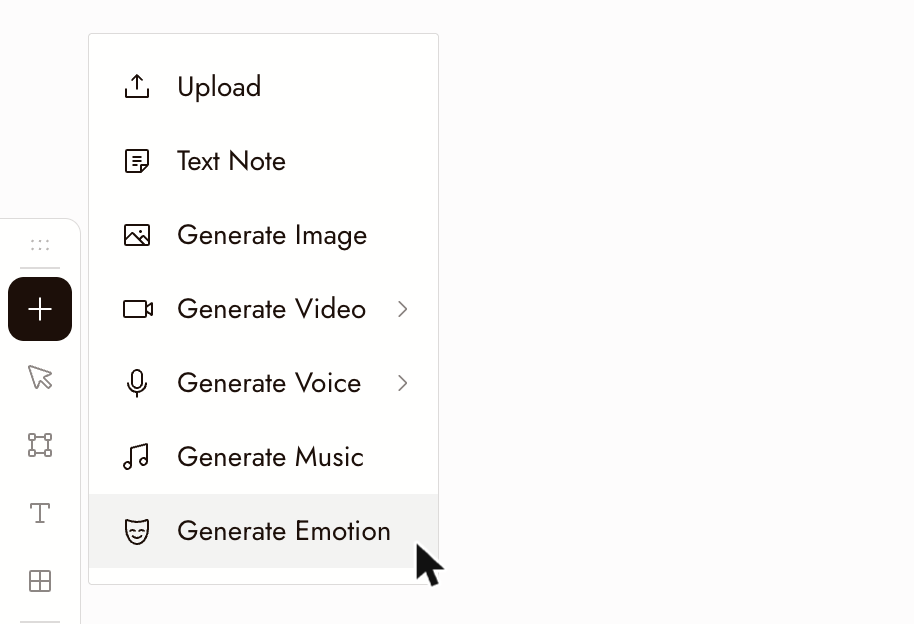
- Open the + toolbar and choose Generate Emotion, just below Generate Music.
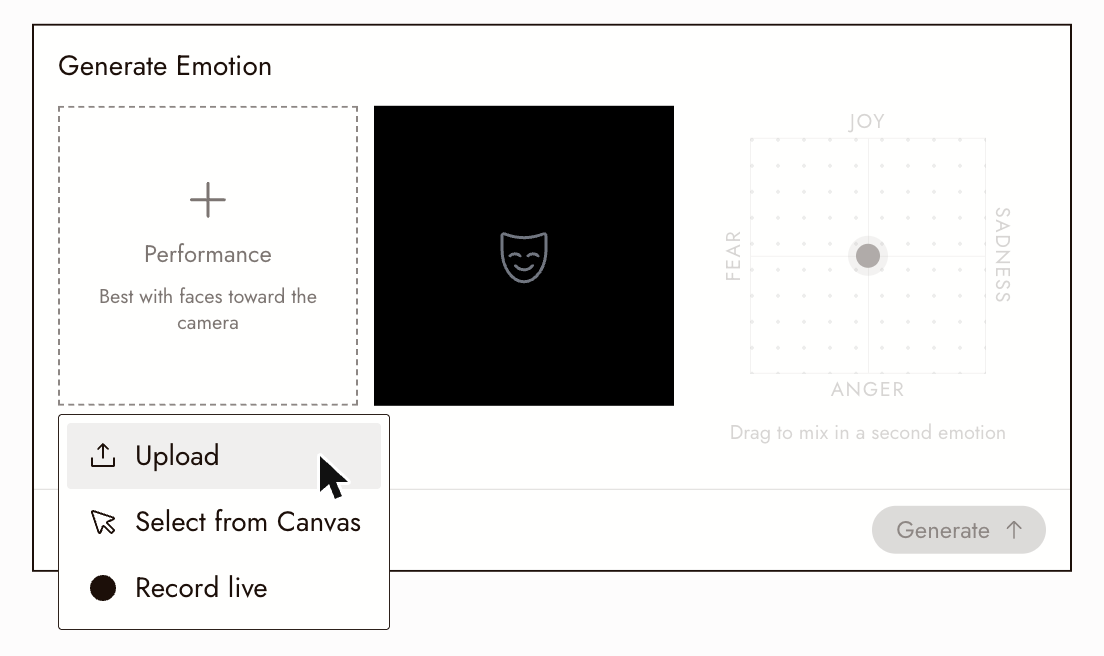
- Click Performance and choose Upload, Select from Canvas, or Record live. For a video already on your canvas, choose Select from Canvas. The card shows Finding people while it tracks the face. An uploaded or recorded performance stays only while the card is open; only what you generate is saved.
- If the clip has more than one person, the card asks Who should we tune? and rings each face on the video with its number. Pick one. To switch later, click another face at the top of the card; a dot marks the people you have already generated.
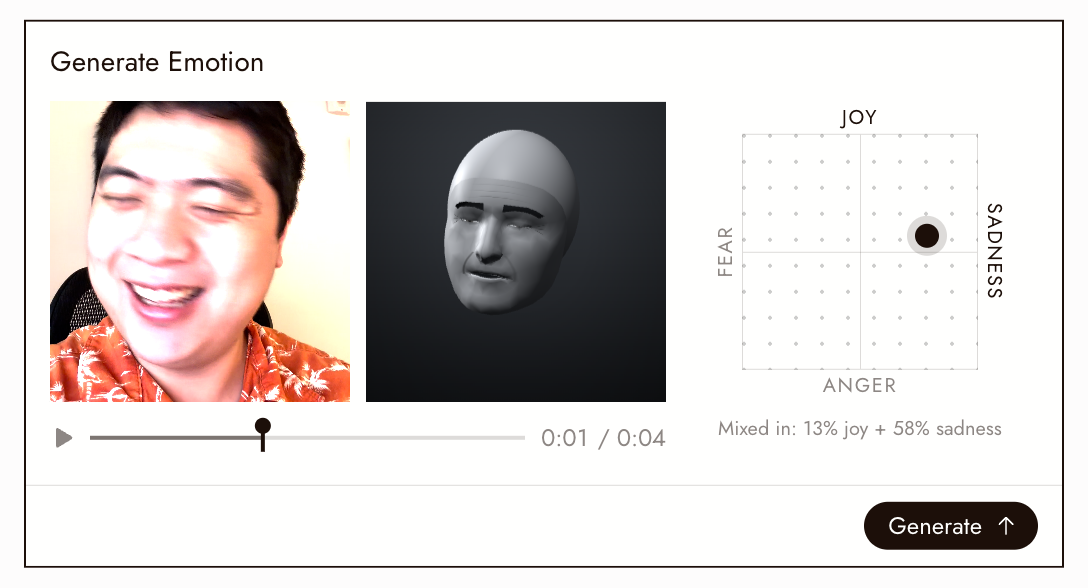
- Drag the dot on the pad to mix in a second emotion: Joy up, Sadness right, Anger down, Fear left. The further from the centre, the stronger. The clay follows the performance as it plays; scrub the timeline to check any moment.
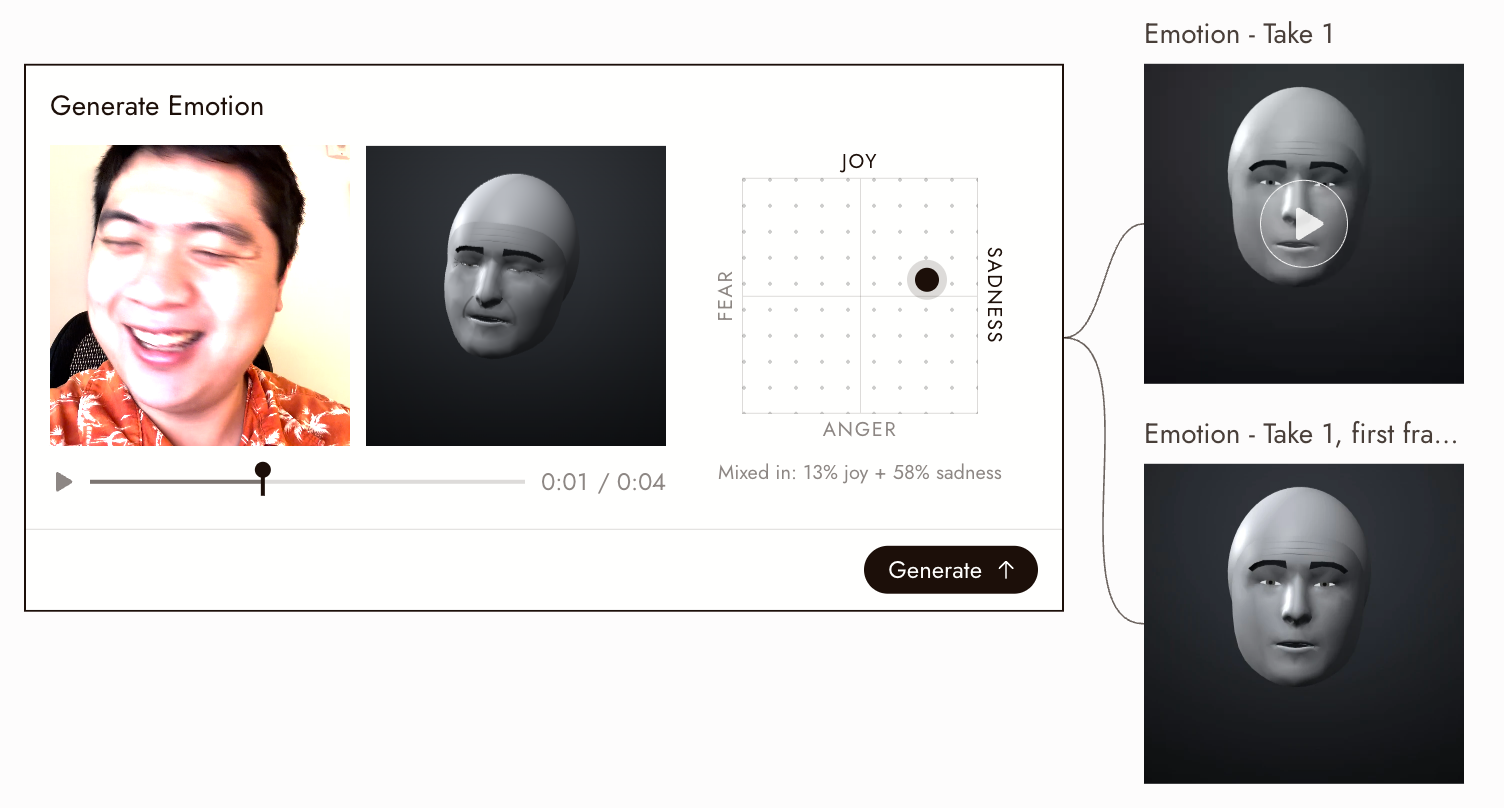
- Click Generate. Two nodes appear beside the card, connected to it: the clay video, the full length of the performance, and its first frame as an image. They are named after the video, like "Emotion - Take 1". With more than one person, the name says whose face it is, like "Emotion - Face 2 - Take 1". A live recording has no name, so its clip is just "Emotion".
Use it in a video
Attach the clay video as the reference video in Omni Reference, with your character as a reference image, and say what to take from each: "Reference the facial performance and head movement from @Video1. Keep the character from @Image1."
For a scene with several people, generate a clip for each person and mention each one beside its character: "@Video1 drives the woman on the left, @Video2 drives the man on the right." The Face 1, Face 2 names tell the clips apart.
Best practices
Faces toward the camera. Tracking follows the face; a face turned away is lost, and the clay holds still until it comes back.
Start on a calm face. Expressions are measured from the first moments of the take.
Name the video first. The clips take the video's name, so a named video gives you clips you can find and mention later.
Start with a small mix. Compare a small mix with a strong one before you settle; the original performance should still show.
Review the result
- The clay moves when the actor moves, and holds still where the actor's face was not found.
- The mixed-in emotion reads, and the original performance still shows through it.
- With several people, each clip is named for the right person.
If something looks wrong
Lost for most of the clip. The face was tracked through less than half the clip. On the timeline, the clay holds still where the line is dotted. Use a shot where the face stays toward the camera.
Someone is missing from the people to pick. Faces in profile, very small faces, and people on screen for less than about a sixth of the clip are not listed, and at most four people are.
The same person is listed twice. They appear in two shots of the clip, either side of a cut. Each shot is tracked on its own; pick the one you want.
The clay barely moves. The take opened on the expression. Trim it to start on a calm face and try again.
Generate is not available. With several people, pick one first. If your browser cannot write video, the card says so; use a current desktop browser.
Face tracking can't run. It needs a browser with WebGL2 and WebAssembly, with hardware acceleration turned on.
Next
- Omni Reference to drive a video with the clay.
- Seedance Performance Guide for directing performances.
- Blender to AI clip for another kind of driving video.