Notifications and email
Flick tells you when something happens to your work: a like, a comment, a tip, a new follower, someone taking your workflow. This page covers the notifications in Flick and the email that can follow them.
Notifications in Flick
The bell at the top of the page shows your notifications. A red dot means there is something new.
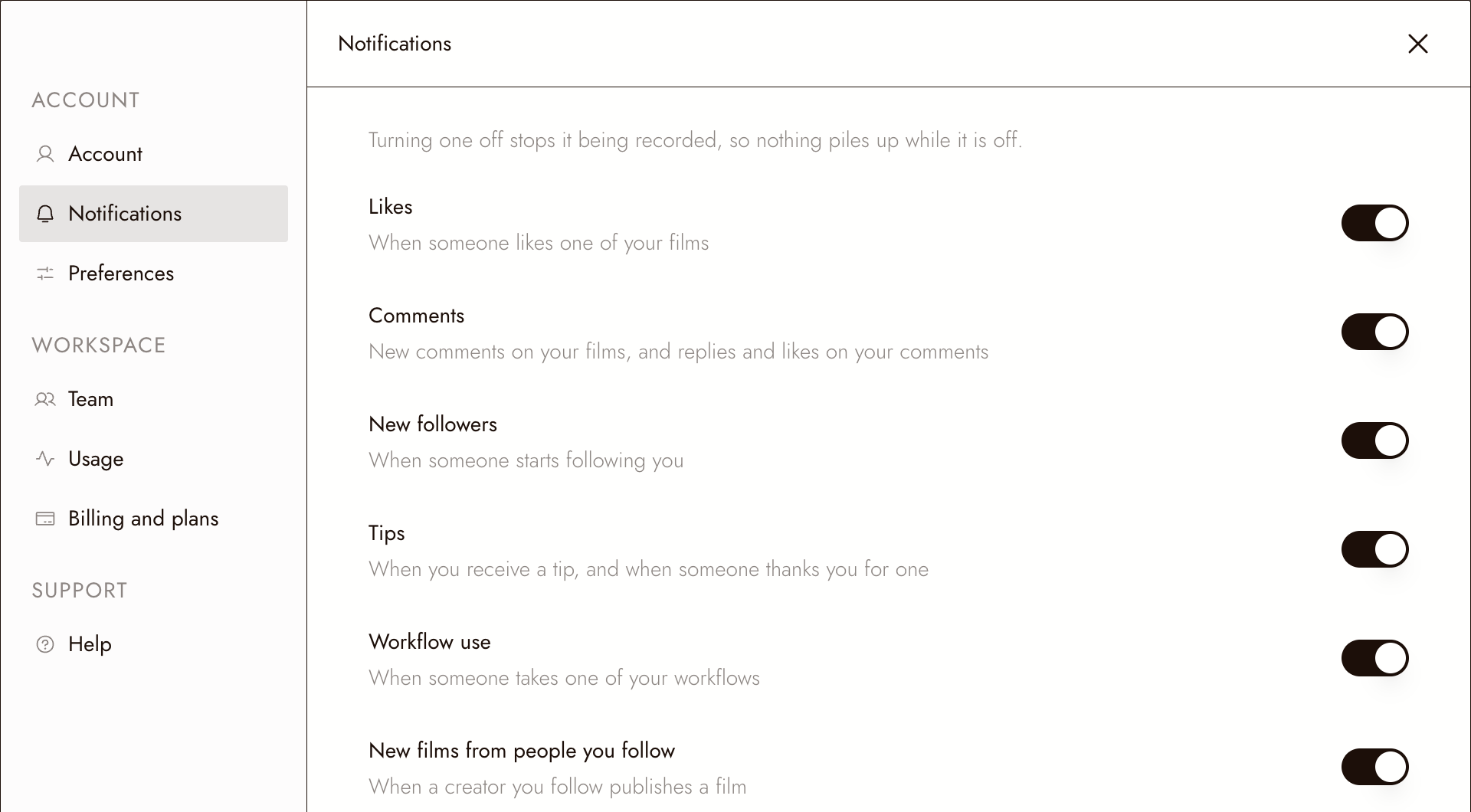
To choose which ones you get, click your profile picture, choose Settings, then Notifications. Each switch covers one kind:
- Likes: when someone likes one of your films.
- Comments: new comments on your films, and replies and likes on your comments.
- New followers: when someone starts following you.
- Tips: when you receive a tip, and when someone thanks you for one.
- Workflow use: when someone takes one of your workflows.
- New films from people you follow: when a creator you follow publishes a film.
Turning a switch off stops that kind being recorded at all, so nothing piles up while it is off.
Email from Flick
Flick sends two kinds of regular email:
- A daily summary, in the morning in your time zone, of the notifications from the last 24 hours that you have not opened in Flick. Anything you already opened is left out, and a quiet day sends nothing.
- A weekly film pick, on Tuesday morning: three films whose creators shared their workflows.
If you cash out tips, Flick also emails you when a payout is sent or declined.
Choose how much email you get
Open any email from Flick and click Unsubscribe at the bottom. It opens a page where you choose:
- Everything: the daily summary when something happens, plus the weekly film pick.
- Just your own work: the daily summary, and no recommendations.
- Just the weekly film pick: one email a week, and nothing about your own work.
- Pause for 30 days: nothing at all for a month, then back to what you had.
- No email: notifications still appear in Flick, and nothing is sent to your inbox.
Your choice takes effect straight away.
Se qualcosa non sembra giusto
I did not get a summary today. Either nothing new happened, or you had already opened it in Flick.
The email settings page says the link is not valid. Open it from the Unsubscribe link in a recent email from Flick.
I want to stop one kind of notification, not all email. Turn off that switch under Settings > Notifications.
Prossimi passi
- Tipping a film for how tips work.
- Cash-out rules for payouts.
- Watch films on Flick TV for following creators.