How to Keep a Character Consistent in Flux
FLUX
Flux holds a character best with Flux Kontext, an in-context editing model that preserves a subject across edits with no training. For a fully repeatable identity, train a Flux LoRA; for faces in a busy frame, add PuLID.
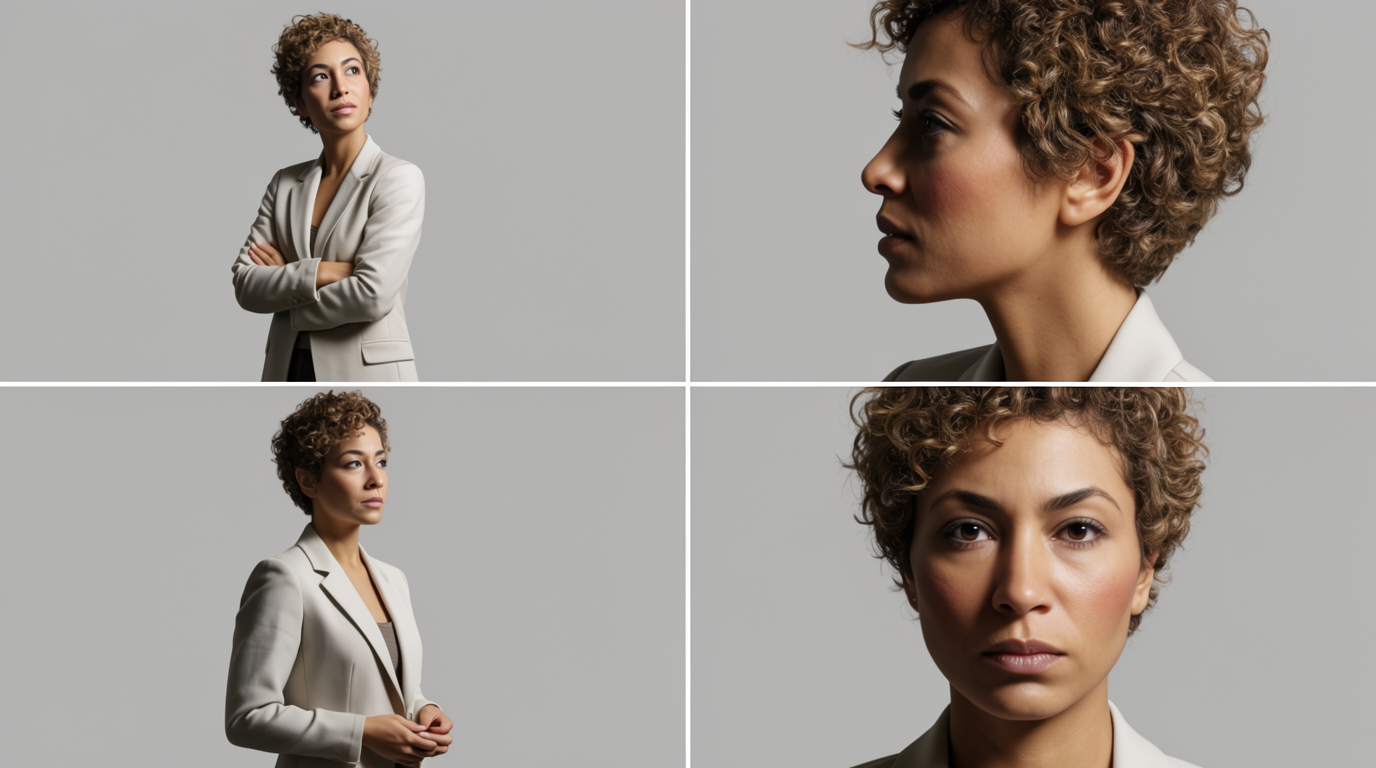
HOW IT WORKS
STEP 1
START FROM ONE CLEAN CHARACTER IMAGE
Generate or choose a clear image of your character. With Kontext, this single image is the subject you preserve.
STEP 2
EDIT IN CONTEXT WITH KONTEXT
Load Flux Kontext, provide the character image plus an instruction like a new pose or scene. Kontext keeps the subject while changing the setting.
STEP 3
TRAIN A LORA FOR FULL REPEATABILITY
For a character you reuse constantly, train a Flux LoRA on 15 to 30 varied images and a unique trigger token, then call it in any prompt.
STEP 4
TIGHTEN THE FACE WITH PULID
When the face is small or drifting, add PuLID to preserve the specific identity on top of your prompt or LoRA.
STEP 5
BRING IT TO LIFE IN FLICK
Flux makes stills only. Drop your locked character into Flick and animate it with Veo 3, Kling, or Seedance so it carries into video.
HOW FLUX HOLDS A CHARACTER
FLUX KONTEXT
Flux Kontext edits an existing character image and preserves the subject across multiple turns, the strongest way to keep one character consistent without any training.FLUX LORA
PULID FOR FACES
PuLID to inject and preserve a specific face, useful when the face is small in the frame, without retraining the model.



FLUX FOR CHARACTER CONSISTENCY: PROS AND CONS
Strengths
- Kontext gives strong multi-turn consistency with no fine-tuning
- Kontext dev is open weight and runs on consumer GPUs
- High base realism and prompt adherence for human subjects
- LoRAs train efficiently on relatively small datasets
Limitations
- The 12B model is VRAM heavy; local Flux needs a strong GPU
- LoRA training still costs dataset prep and GPU hours
- Kontext dev is non-commercial; commercial use needs the API tiers
- Image only, so a character must be animated in a separate video model
FLUX CHARACTER CONSISTENCY FAQS
WHAT IS THE BEST WAY TO KEEP A CHARACTER CONSISTENT IN FLUX?
Flux Kontext is the strongest no-training option: it edits an existing character image while preserving the subject across turns. For a fully repeatable identity, train a Flux LoRA.
IS FLUX REDUX A CHARACTER CONSISTENCY TOOL?
No. Redux is an image variation and restyling adapter; it does not preserve facial identity. Use Kontext, a LoRA, or PuLID for character consistency.
DO I NEED TO TRAIN A LORA?
Not always. Kontext keeps a character consistent across edits with no training. Train a LoRA when you need the same identity to appear from scratch in many different prompts.
CAN I USE FLUX KONTEXT COMMERCIALLY?
Kontext dev is released under a non-commercial license. For commercial work, use the API tiers or another path that fits your licensing needs.
CAN FLUX MAKE VIDEO?
No. Flux is image only. Lock the character as a still, then animate it in a hosted video model like Veo 3 or Kling, both available in Flick.
IS THERE A SIMPLER WAY TO KEEP A CHARACTER CONSISTENT?
Yes. Flick's Character Reference locks a character from one upload with no GPU or training, then carries it across stills and video.
CONSISTENT CHARACTERS IN OTHER TOOLS
RELATED FLICK TOOLS
DROP THE LORA AND THE TRIGGER TOKEN.