All comparisons

InVideo Alternatives

Flick runs Kling, Seedance, and Veo side by side on one canvas. Lock one character's face, then generate across all four models without re-prompting. InVideo works inside a single pipeline. Flick doesn't.

GET STARTED

See it in action

We handle AI. You direct stories.

Cinematic short films

Build a complete short film shot by shot on one canvas. Each scene holds its own framing, lighting, and pacing. Every clip cuts together at a consistent resolution and aspect ratio, no re-rendering between scenes.

Character-driven stories

Lock a character once, use them everywhere. The same face, wardrobe, and build persist across every scene, every lighting condition, every model. No drift between shots. No re-uploading references mid-story.

Sci-fi and fantasy worlds

Generate wide establishing shots of alien landscapes or cathedral ruins with cinematic depth. Route each shot to the model that handles its specific demands: sprawling environments, creature detail, dramatic light. One workspace, every model.

Action and fight scenes

Stage sequences with dynamic camera moves, impact physics, and fast-cut editing on the canvas. Cloth movement, dust, and crowd motion carry physical weight. Template-driven tools flatten that motion; Flick does not.

How to switch

1

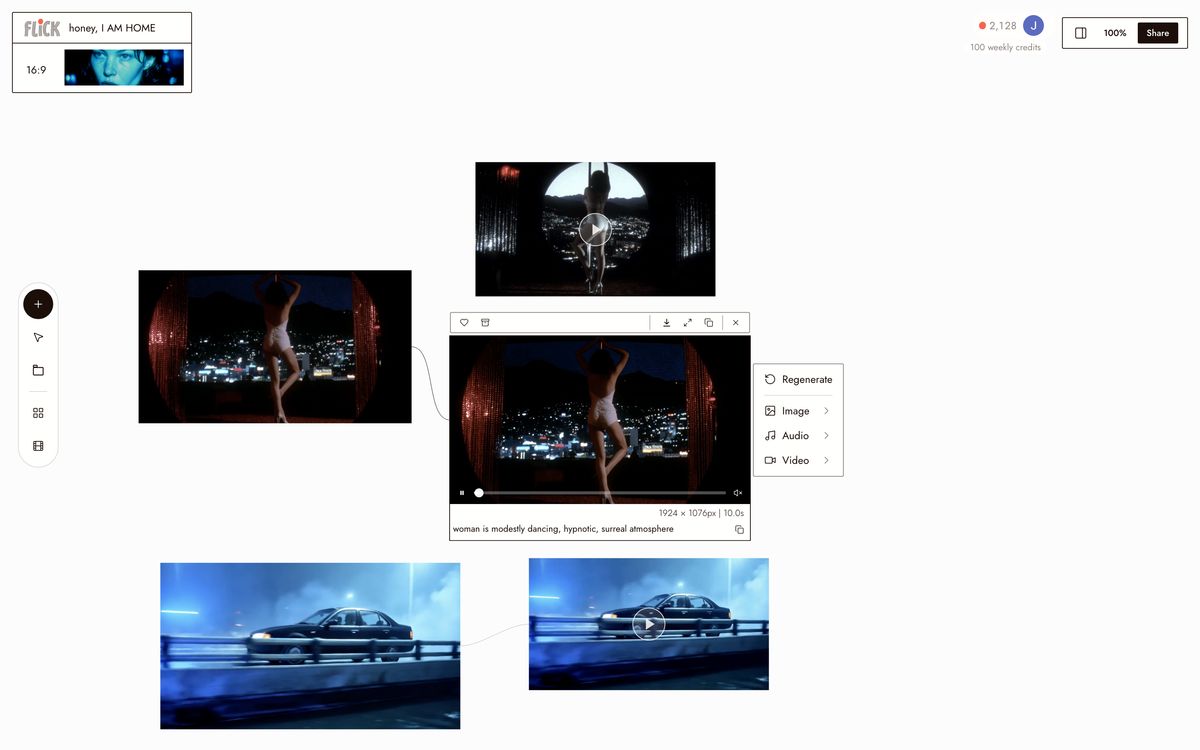
Lock your character from one image

Drop a reference image onto the canvas. Character Reference reads the identity from that single image, no retraining, no template. That face is now available to every model in your workspace.
Lock your character from one image
2

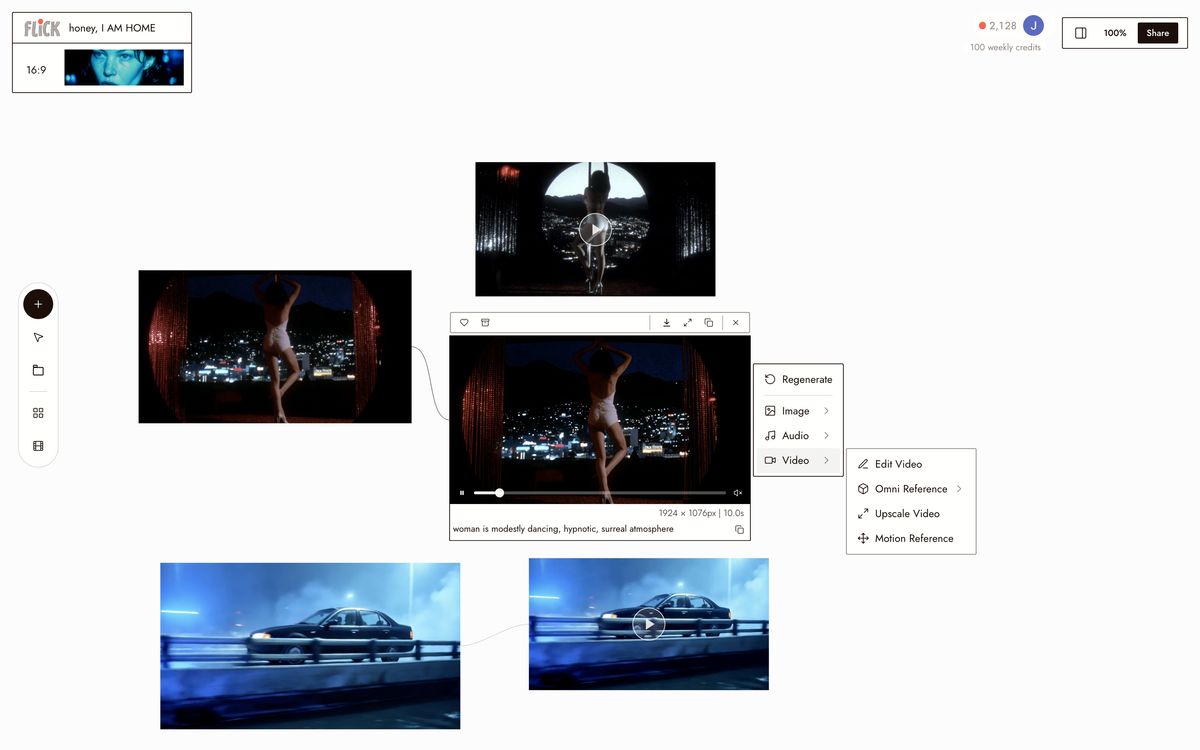
Route each shot to the right model

Assign each shot node to the model that wins it. Kling for action and physics-heavy movement. Veo 3.1 for cinematic quality and native audio. Seedance for fast turnaround. Nano Banana Pro for stills and key art. Swap the model on any node without rebuilding your scene.
Route each shot to the right model
3

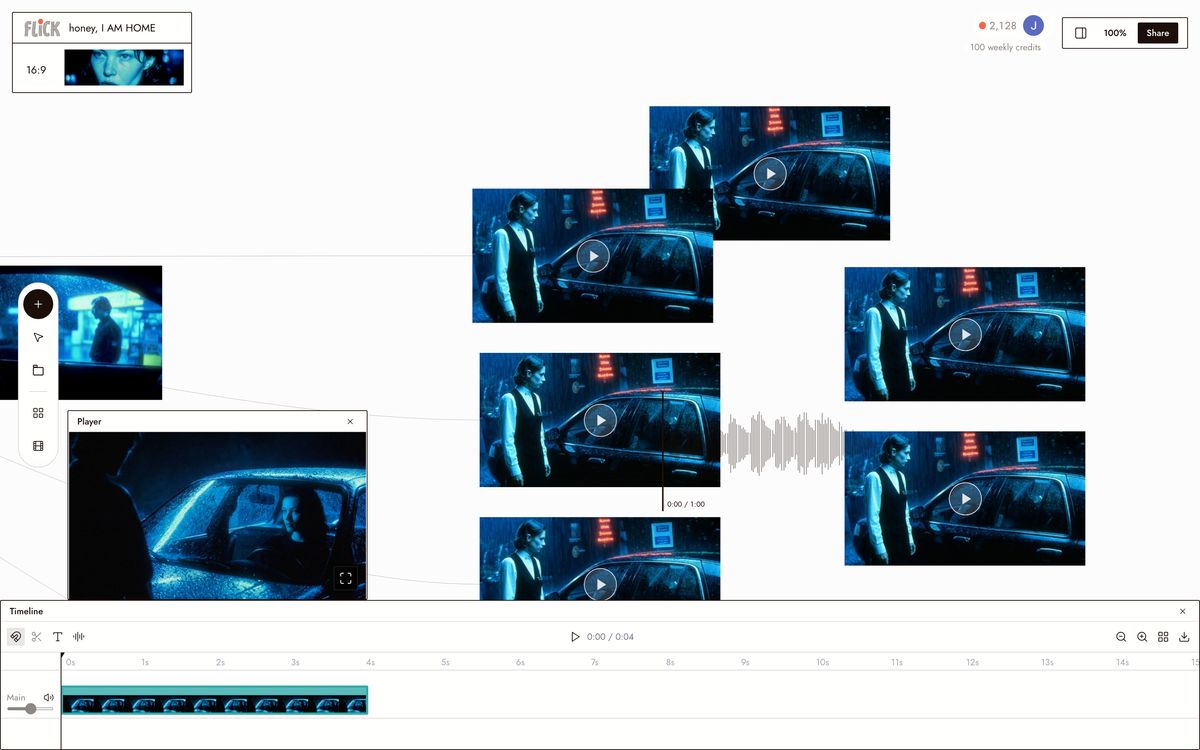
Chain shots and export

Generate each shot, then connect nodes into a sequence on the canvas. Clips output at a consistent aspect ratio across all models, so they cut together without re-rendering. Export your final cut directly from the canvas.
Chain shots and export

Why Choose Flick

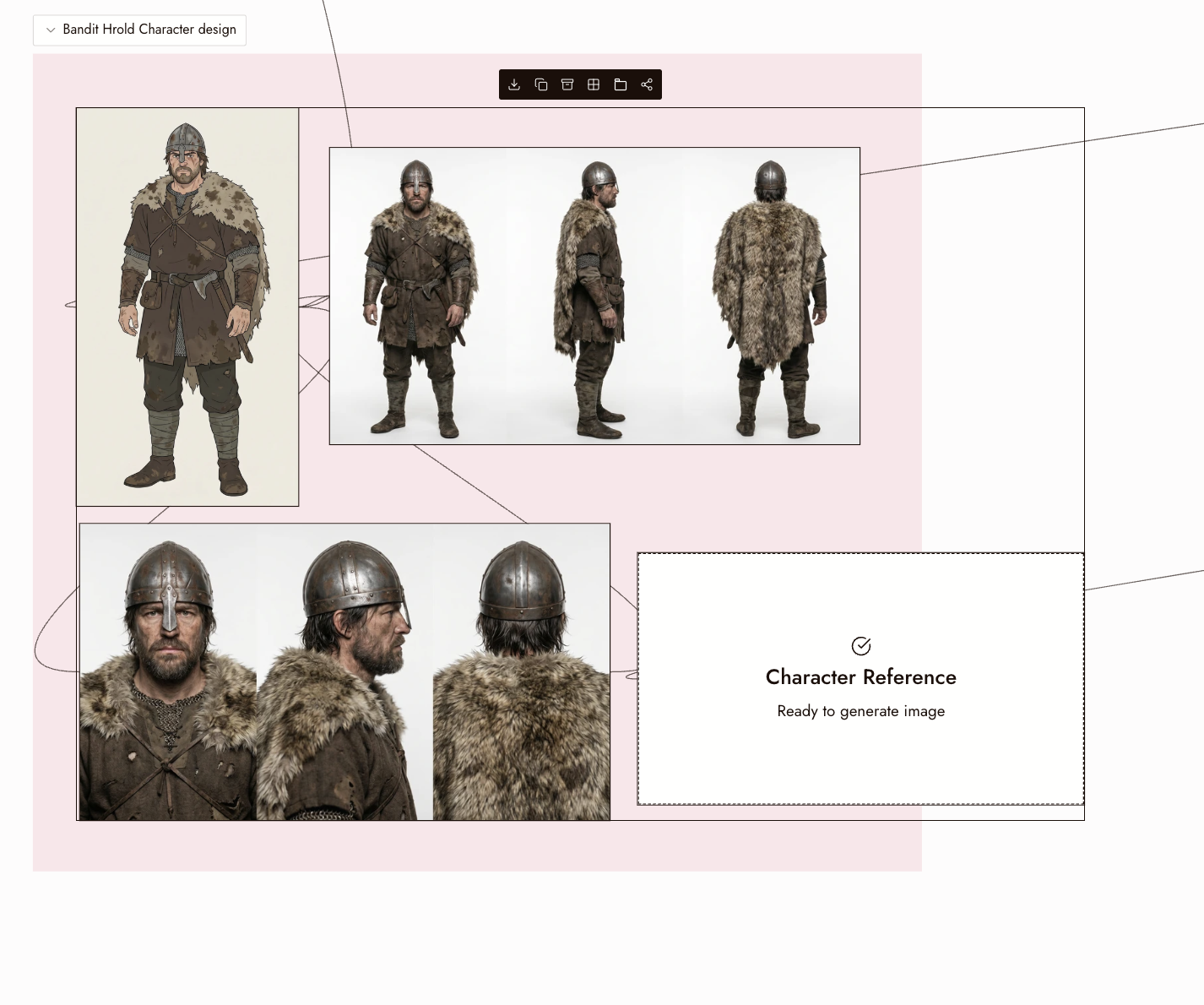
Lock one character across every model

Lock one character across every model

InVideo keeps character consistency inside its own pipeline. Character Reference in Flick locks one identity across Kling, Veo 3.1, Seedance, and Nano Banana Pro on a single canvas. One face, every model, no drift.
Bring your own references, use them everywhere

Bring your own references, use them everywhere

InVideo builds from scripts and stock templates. In Flick, drop in your own image, style reference, or character reference and carry it across every shot in the project. Same visual DNA from scene one to the last cut.

Pick the right model, shot by shot

Pick the right model, shot by shot

InVideo routes generation through one integrated pipeline, no model-by-model control. Flick puts Kling for motion and physics, Veo 3.1 for cinematic quality and native audio, Seedance for fast high-quality generation, and Nano Banana Pro for stills on one node canvas, with credit-based pricing and a free tier.

The Best Invideo Alternatives, Compared

FeatureFlickInVideo
Generation approachOriginal footage across 4 modelsAI generation, templates, stock
Model routingKling, Veo, Seedance, Nano Banana Pro, per shotSingle integrated pipeline
Character consistencyCharacter Reference locks identity across every modelWithin platform only
Social content workflowGenerate shots, assemble on canvasScript-to-video in minutes
Pricing modelFree tier, then creditsSubscription tiers with generation limits
Cinematic shot controlNode canvas, choose the model for each shotNot the focus
Native audio / dialogueVeo on canvas handles audio and dialogueAI voiceover and avatars

Explore more comparisons

Invideo Alternatives FAQs

What is Flick?
Flick is an AI filmmaking studio built around a node canvas. Generate original cinematic footage using Kling, Seedance, Veo 3.1, and Nano Banana Pro in one workspace. Character Reference holds one character's identity consistently across every model and every clip.
What is InVideo better for?
InVideo is the stronger choice for social-first content teams that need script-to-video output fast. Its template library, AI voiceover, and talking-head avatar tools are mature and purpose-built for YouTube, ads, and branded social clips. If that workflow covers your output, Flick's multi-model canvas is more than you need.
How does Flick differ from InVideo for filmmaking?
InVideo assembles social video from templates and AI avatars. Flick generates every frame from scratch: Kling for motion and physics, Veo 3.1 for cinematic quality and native audio, Seedance for fast high-quality generation. Each shot routes to the model that wins it, all inside one canvas.
Does Flick support character consistency across different models?
Character Reference locks one character's face and identity across Kling, Seedance, Veo 3.1, and Nano Banana Pro in the same project. InVideo keeps characters inside its own pipeline and does not route across external foundation models, so cross-model consistency is not possible there.
What are Flick's export and output specs?
Output resolution and aspect ratio depend on the model you route each shot through. Kling, Seedance, and Veo 3.1 each carry their own native resolution and ratio. Clips generated on the canvas share consistent settings within a project, so shots cut together without re-rendering. Check the docs for per-model specs.
How does Flick's pricing compare to InVideo?
Flick has a free tier and runs on credits, with a free tier and plans from $4/month. InVideo has historically sold subscription tiers with generation limits; check their site for current plans. For light or irregular use, per-second pricing is usually cheaper than a monthly credit plan you may not fully use.

Create your first AI film with Flick

GET STARTED