All comparisons

LTX Studio Alternatives

Flick generates cinematic footage with consistent characters across Kling, Seedance, Veo 3.1, and Nano Banana Pro on one canvas. Pick the right model for each shot. Lock one character across all of them.

GET STARTED

See it in action

We handle AI. You direct stories.

Sci-fi and fantasy worlds

Build alien cityscapes, bioluminescent forests, and ancient ruins with cinematic depth. Control framing, lighting, and environment per shot on the canvas. Every world feels intentional, not procedurally generic.

Action and fight scenes

Stage sword clashes, chases, and high-motion combat with physical realism. Route each shot to the model that handles the physics you need, then cut the sequence together on the canvas. Pick the right tool for the right moment.

Stylized and animated pieces

Switch models per shot to hit any visual register: anime, claymation, cel-shaded, painterly. Each clip holds the style you set. A five-shot sequence stays coherent from frame one to the last cut.

Character-driven stories

Lock one character identity across every scene, angle, and visual style. No re-uploading references, no drifting faces. The same character appears in the establishing wide, the close-up, and the action sequence.

How to switch

1

Drop in your character reference

Add a reference image to Character Reference on the Flick canvas. No retraining, no reformatting. Flick reads the identity immediately and holds it across every model you route to next.
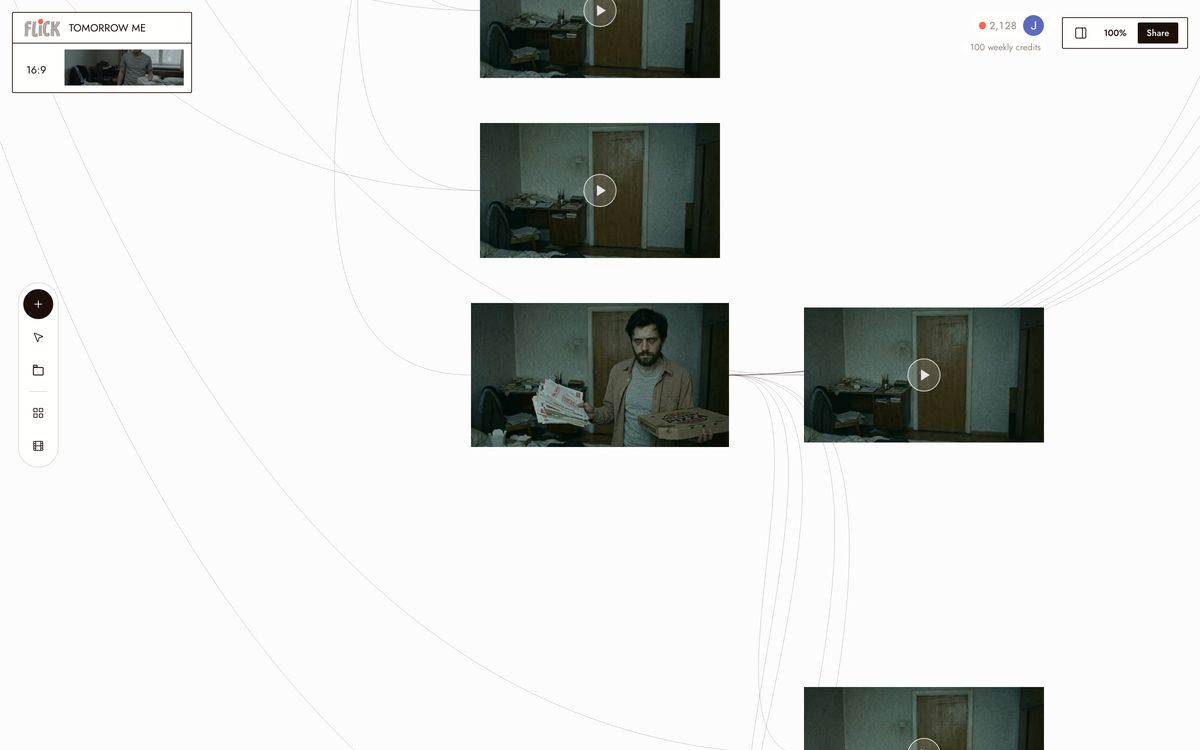
Drop in your character reference
2

Assign the right model to each shot

Select a node and pick your model: Kling 3.0 for motion and physics, Veo 3.1 for cinematic quality and native audio, Seedance 3.0 for fast high-quality generation, Nano Banana Pro for stills. Switch models shot by shot without leaving the canvas. Character Reference keeps your character consistent regardless of which model runs.
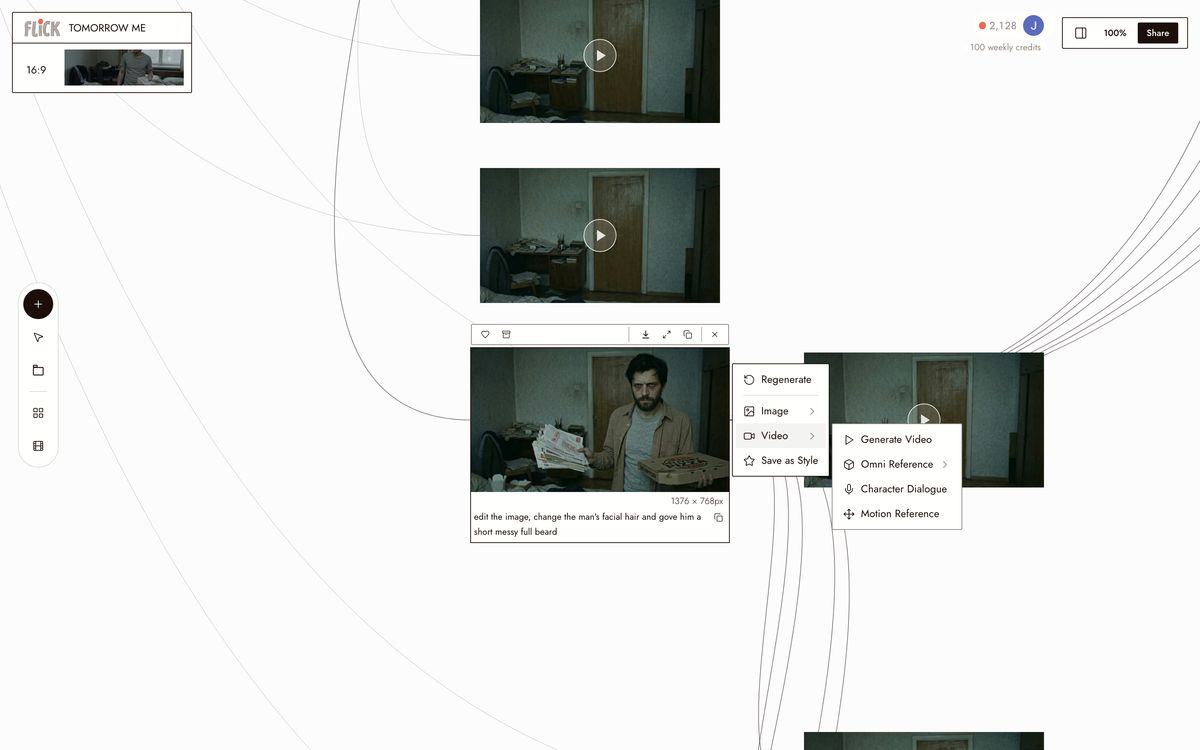
Assign the right model to each shot
3

Generate, trim, and export

Run each shot, trim clips directly on the canvas, then stitch them into a sequence. Every model outputs at a consistent resolution and aspect ratio, so cuts between Kling and Veo clips stay clean. Export the final sequence when the scene is done.
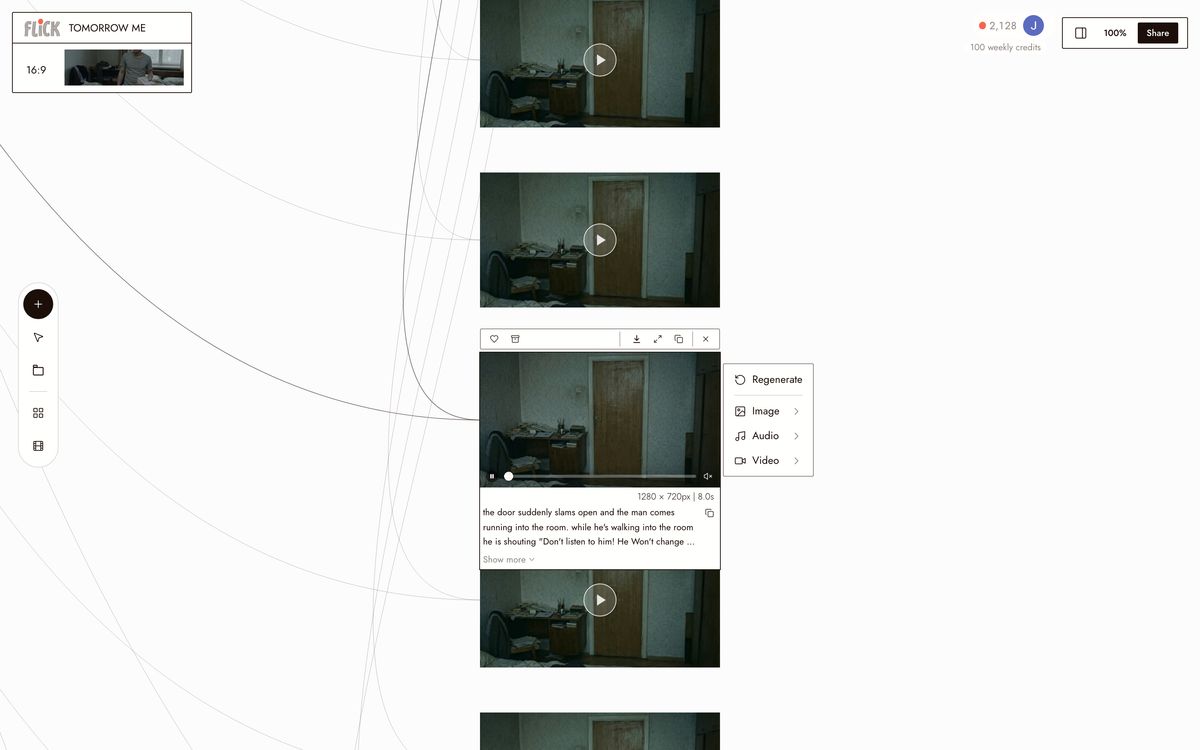
Generate, trim, and export

Why Choose Flick

Keep one character across every model

Keep one character across every model

LTX Studio's character consistency is locked inside its own storyboard pipeline. Character Reference in Flick carries one character's identity across every hosted model: Kling 3.0 for motion, Veo 3.1 for cinematic quality, Seedance for fast generation. Lock a face once, use it in every shot on the canvas.
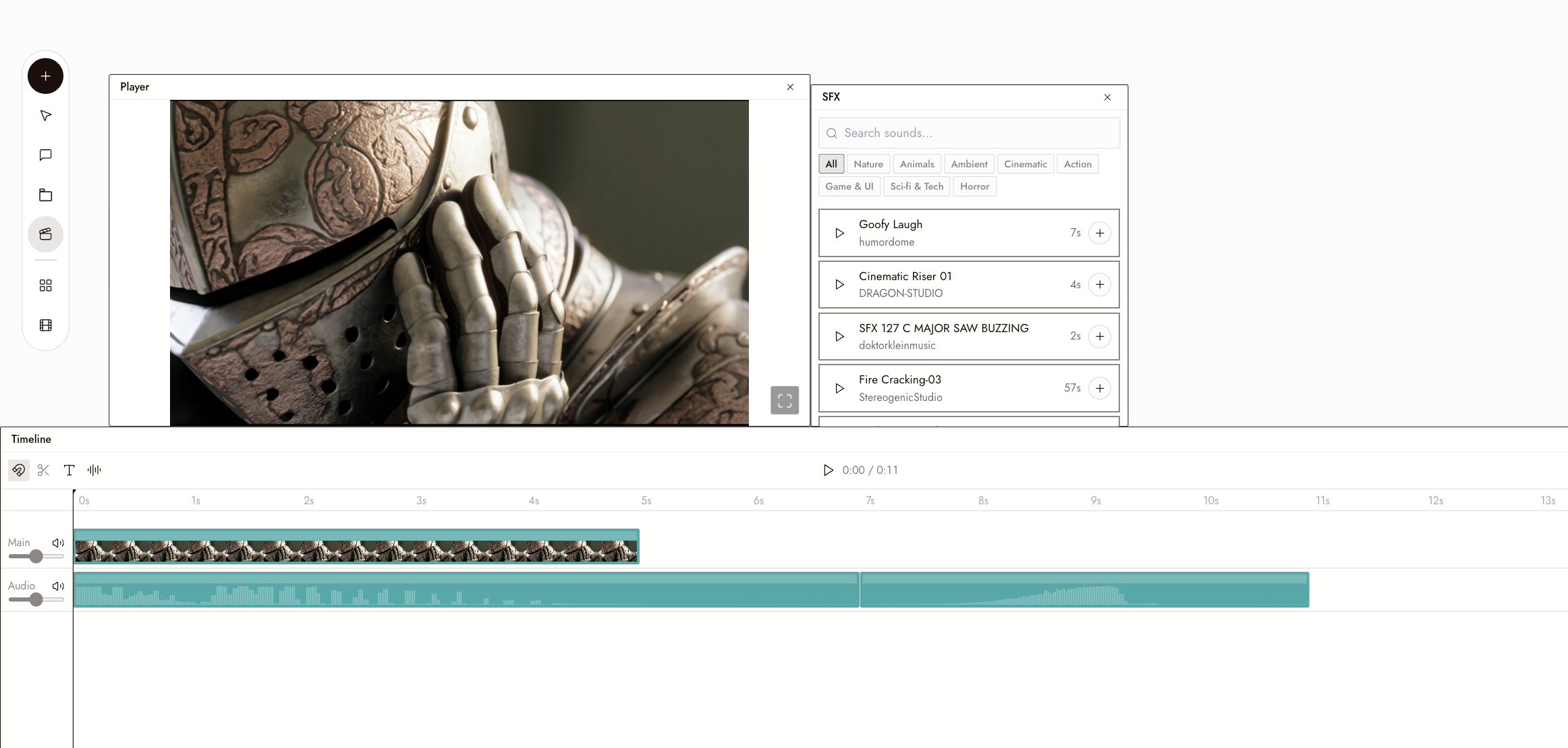
Video Editor on Canvas

Video Editor on Canvas

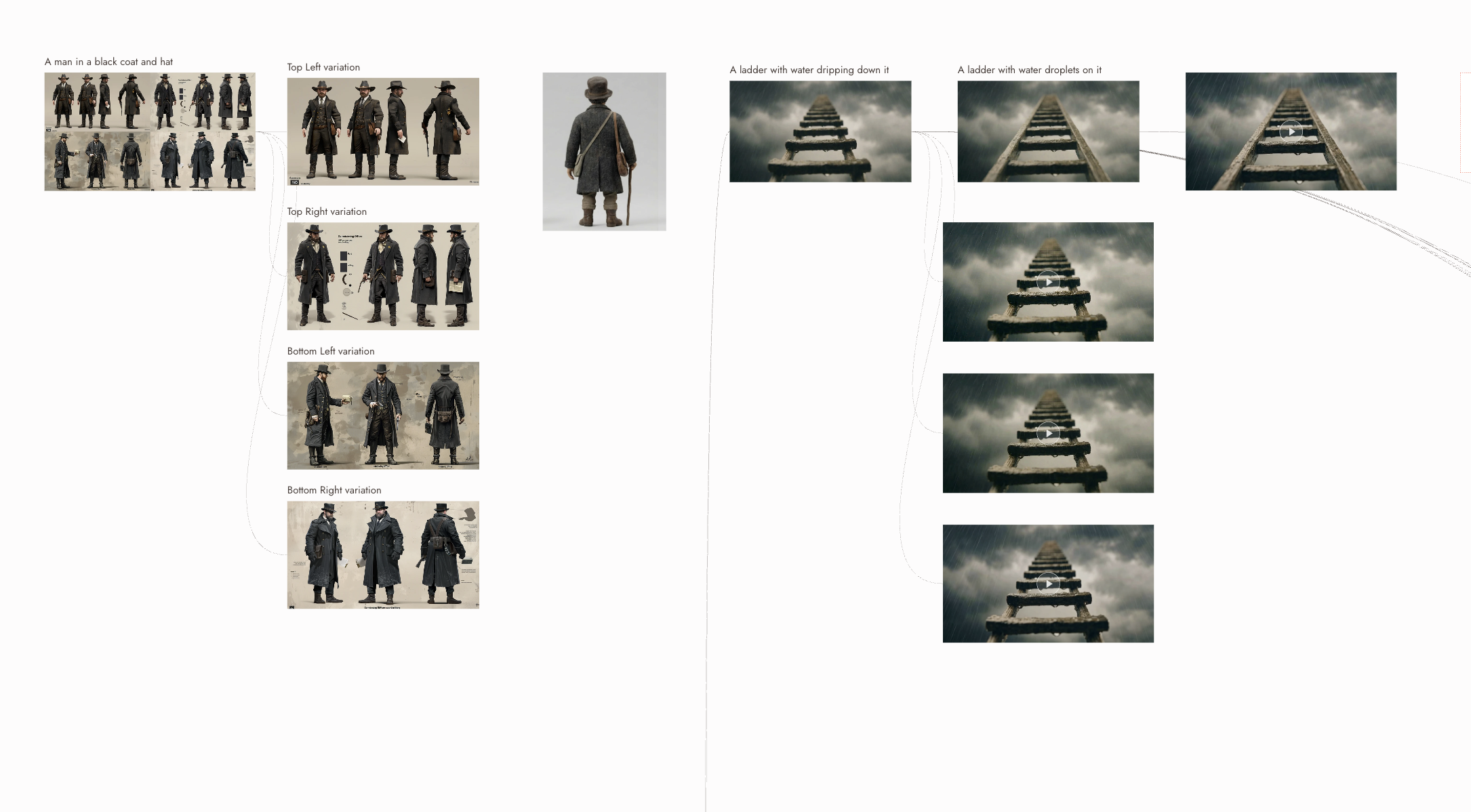
Generate, edit, and export your clips all in Flick, without bouncing between tools. Trim, sequence, and finish your cut on the same canvas where you generated every shot.
Direct every shot yourself

Direct every shot yourself

Each node on the canvas has its own model selector, prompt, and reference settings. Route one shot to Kling 3.0 for physics-heavy motion, the next to Veo 3.1 for native audio, then trim and stitch both into a single sequence without leaving the canvas. LTX Studio's pipeline decides that routing for you.

The Best LTX Studio Alternatives, Compared

FeatureFlickLTX Studio
Hosted modelsKling, Seedance, Veo, Nano Banana ProLTX engine plus select third-party models
Model routing controlYou pick the model per shotPipeline guides model selection
Character consistencyCross-model via Character ReferenceWithin guided storyboard workflow only
Native audioVeo 3.1, native dialogue and soundSupported in pipeline
Storyboard workflowNode canvas, full manual routingStructured, guided pipeline
Pricing modelFree tier, then creditsCredit-metered subscription tiers
Cinematic motion physicsKling 3.0, best-in-class motionModel-dependent

Explore more comparisons

LTX Studio Alternatives FAQs

What is Flick?
Flick is an AI filmmaking studio: a node canvas where you generate original cinematic footage across multiple hosted models, Kling 3.0, Seedance 3.0, Veo 3.1, and Nano Banana Pro, with one Character Reference holding the same character across all of them.
What is LTX Studio better for?
LTX Studio's guided storyboard pipeline fits a structured, script-to-shot workflow. It scaffolds decisions for you, which reduces friction for first-time users. If that step-by-step structure matches your process, LTX Studio is a solid choice.
How does Flick handle character consistency across different models?
Lock a character once with Character Reference. Every generation after that, whether you route the shot to Kling for motion physics, Veo 3.1 for cinematic quality, or Nano Banana Pro for a still, reads that reference and holds the same face and identity. No re-prompting identity on each model switch.
Can I use Kling and Veo 3.1 in the same project?
Both run inside Flick on one canvas. Route a chase sequence to Kling 3.0 for motion physics, then route a dialogue scene to Veo 3.1 for native audio and cinematic render quality. The canvas holds every shot together in one project.
Which option is cheaper for production work?
Flick has a free tier and runs on credits, with a free tier and plans from $4/month. LTX Studio uses a credit-metered plan structure. Check their current pricing page for the latest tiers, as credit allocations change. Flick bills by credits of generation across whichever model you pick; LTX Studio's cost depends on its internal credit system.
Does Flick support native audio and dialogue?
Veo 3.1, hosted inside Flick, generates native audio and dialogue in the same clip. Route a scene with spoken lines to Veo 3.1 and audio generates alongside the video. For shots where audio is not the priority, route to Kling for motion or Seedance for fast high-quality generation and add audio in post.

Create your first AI film with Flick

GET STARTED