AI Text to Animation Generator
WHY GENERATE WITH FLICK?
Describe your shot, pick a model, generate animation on a single canvas.

AI TEXT TO ANIMATION GENERATOR EXAMPLES


HOW IT WORKS
STEP 1
DESCRIBE THE ANIMATION
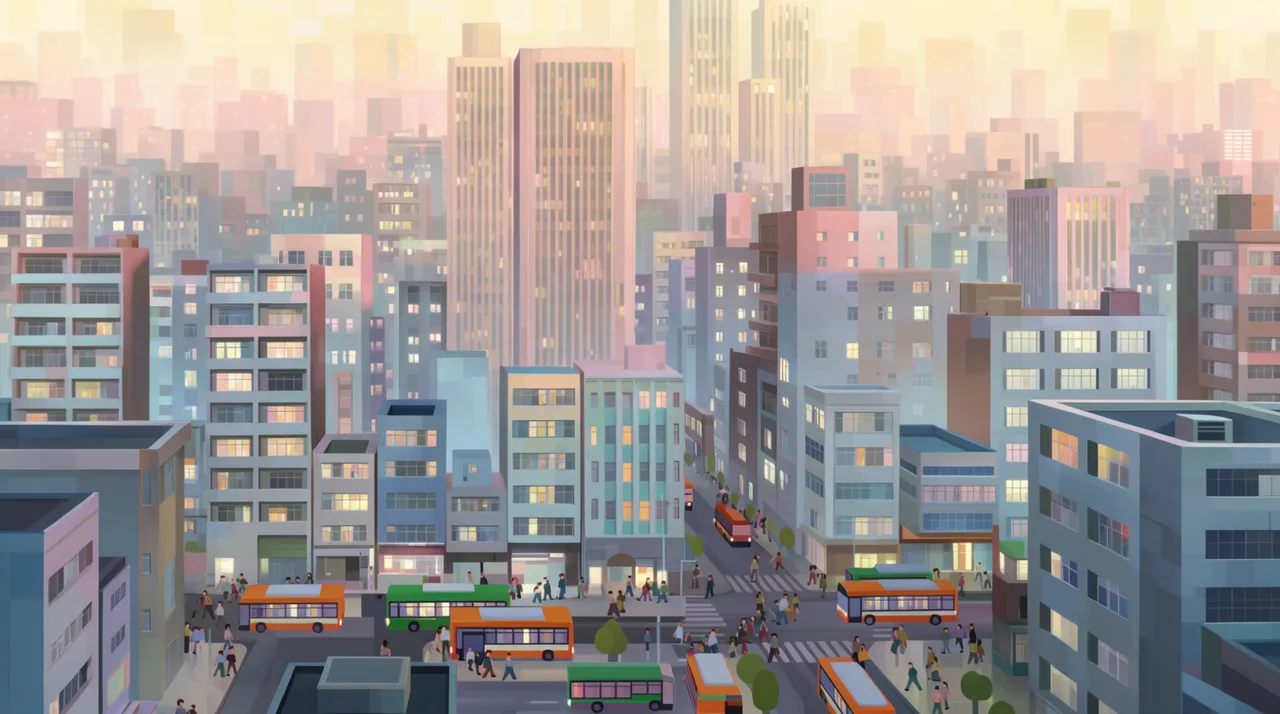
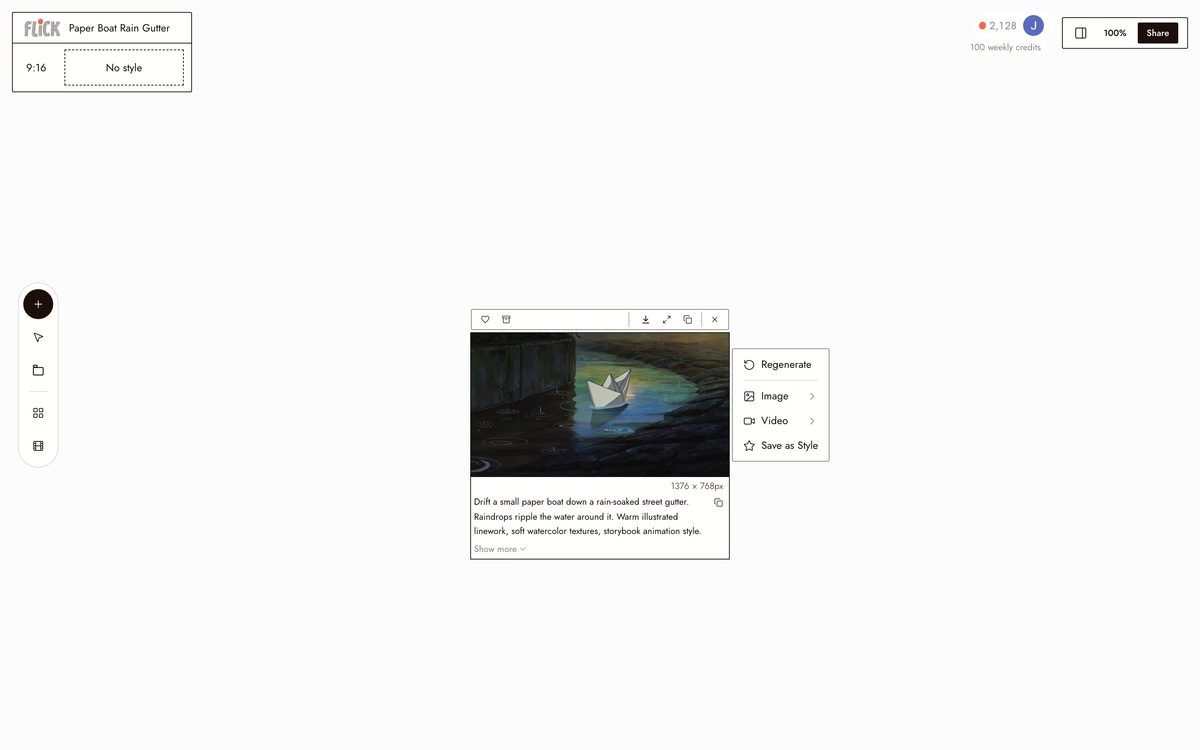
Put the subject, the action, the setting, and the style in one prompt: a fox chases fireflies through tall grass, anime, or a city waking up in flat-color motion. The more specific the line, the closer the first render lands.
Made in Flick STEP 2
PICK A MODEL AND A STYLE
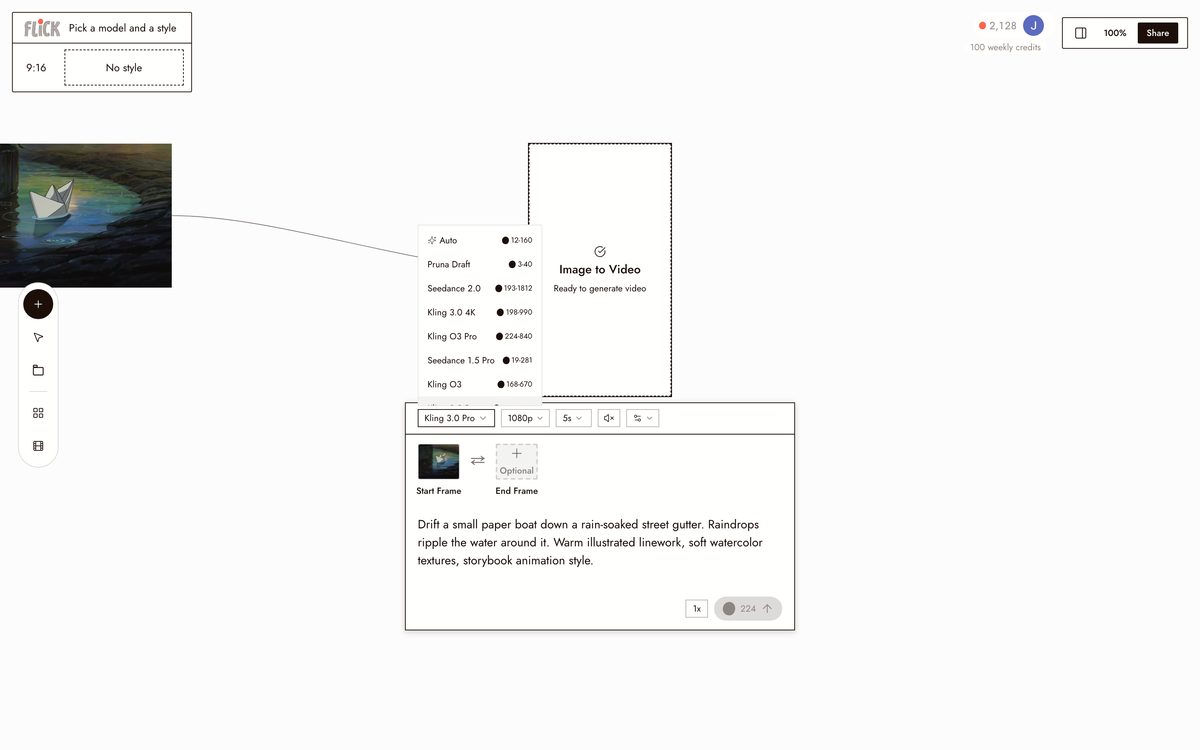
Choose Kling for physically grounded motion or Seedance for a fast take, then set the look, storybook, soft 3D, anime, flat-color. Flick animates the frame in the style you named.
Made in Flick STEP 3
CHAIN THE CLIPS
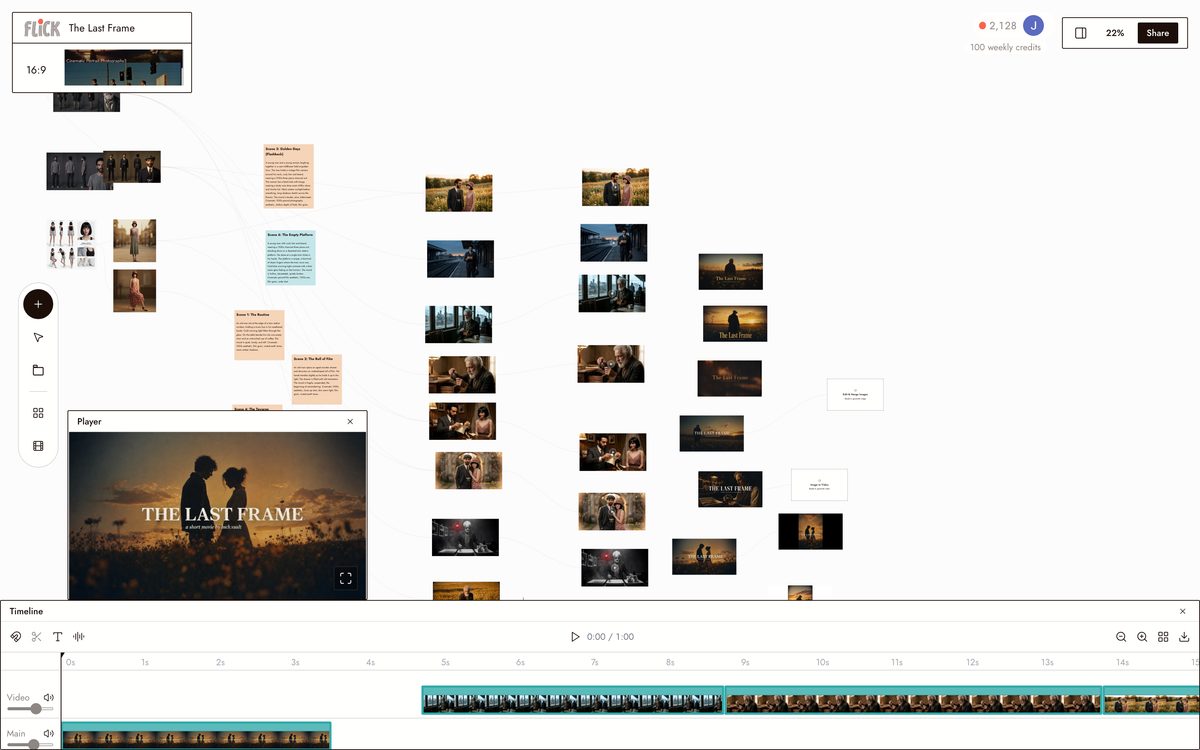
The clip renders on the canvas. If the timing is off, adjust the prompt and regenerate, then chain several clips into a longer sequence and trim them on the timeline.
Made in Flick


AI TEXT TO ANIMATION GENERATOR FAQS
WHAT IS AN AI TEXT TO ANIMATION GENERATOR?
Type a scene description and get a moving clip back. Write "a fox chases fireflies through tall grass, anime style" and Flick generates it. Pick Kling for motion and physics, Seedance for fast high-quality generation, then chain the output into longer sequences on the canvas.
HOW IS THIS DIFFERENT FROM A TEXT-TO-ANIMATION TEMPLATE TOOL?
Template tools slot your text into a pre-built animation. Flick builds original shots from scratch. Describe a paper boat sailing down a rain gutter in storybook style, or a city waking up in flat-color motion, and the model generates it from your description. No template shapes what you get.
CAN I KEEP THE SAME CHARACTER CONSISTENT ACROSS MULTIPLE ANIMATED CLIPS?
Character Reference locks a character's face, proportions, and outfit from one reference image. Generate that character into any animated scene across Kling, Seedance, or Veo 3.1. The identity stays fixed regardless of which model produces the clip.
WHAT ANIMATION STYLES CAN I USE?
Specify any style directly in your prompt: storybook, soft 3D, anime, flat-color motion, stop-motion, watercolor, pixel art, cinematic. The style lives in your description, not a fixed menu. If you can describe it, the model attempts it.
IS FLICK FREE TO USE?
Flick has a free tier: up to 300 free credits (100 at signup plus 200 for joining our Discord) plus 100 weekly credits, no credit card required. Every image model, including Nano Banana and GPT Image, is on every plan, free included, and so are MiniMax H3 Fast, MiniMax H3 Max and Pruna Draft video. Kling, Veo 3.1, Seedance and the full video model list come with the Standard plan. Paid plans start at $5/month and add more credits per billing cycle.
IS THE ANIMATION OUTPUT MINE TO USE?
Clips you generate in Flick are yours to use, share, and publish. Flick does not claim ownership over your generated output. Read the Terms of Service for the full detail.




TRY THE AI TEXT TO ANIMATION GENERATOR FREE