AI B-Roll Generator

Make the establishing shots, details, weather and transitions around your main scenes from a still and a short prompt, on the same canvas as your film.

An ink drawing of a director's chair with a megaphone beside it and loose film strips on the ground

A short film cut from its main action alone feels airless: every scene opens mid-line and jumps straight into the next. B-roll, the supporting shots around the action such as a view of the place, a detail, the weather or a transition, gives the cut room to breathe, and before an AI b-roll generator, getting it meant a second shoot or stock footage that never matches. We took 10 b-roll clips from 10 films made in Flick, nine of them animated from a start frame, and read every prompt behind them. This page shows each clip beside its exact prompt, four steps to make your own in Flick, and five habits their prompts share.

Describe a b-roll shot

Describe the shot, or pick one of the real prompts below, and it opens as the first request in a new Flick project.

What is AI b-roll?

AI b-roll is supporting footage, the shots cut around a film's main action, generated by a video model from a still or a prompt instead of filmed.
  • Establishing shot: a wide view that tells the audience where and when the next scene happens.
  • Insert: a close detail cut into a scene, such as a lamp, a hand or a sign.
  • Cutaway: a shot that leaves the main action for a moment, such as a bird outside, then returns.
  • Transition: a shot that carries the film from one scene, place or time to the next.

AI establishing shots

An establishing shot works best as one slow camera move over the place, with the light and time of day named in the prompt.
Drone view of a small sedan on a winding autumn road through misty hills
Start frame: Drone view of a small sedan on a winding autumn road through misty hills
Start frame
00:05

Drone pull-back over a country road at dawn

Wide cinematic drone shot slowly pulling back from the winding country road as the small sedan cruises forward peacefully through rolling autumn hills. Soft morning mist drifts across the landscape. Autumn leaves swirl gently in the breeze. Golden light filters through the haze. Calm, unhurried movement — peaceful and idyllic.
M.E. Owens, director of One More Day
Aerial view of an English country garden with hedges and a brick manor
Start frame: Aerial view of an English country garden with hedges and a brick manor
Start frame
00:25

A pan into a push-in, from a start to an end frame

Opening establishing shot, 16:9, 25 seconds, one continuous uninterrupted take. The shot begins wide on the open countryside of the start frame and slowly transitions to settle on the painting cottage of the end frame.

Camera Movement: Begin with a slow, smooth lateral pan drifting across the countryside, gliding over rolling fields, water, and treelines, letting the landscape reveal itself gradually. After the pan carries across the vista, the camera eases into a gentle, steady push-in that zooms toward the cottage, tightening from a sweeping wide vista down to a composed medium framing of the painting cottage as it comes to rest. The motion is continuous and cinematic throughout, one flowing move with no cuts, never rushed.

Scene: Soft natural daylight, gentle atmospheric depth and haze on the horizon, subtle drifting of grass and leaves in a light breeze, calm water surface with faint ripples. Serene, contemplative, cinematic mood.

Audio Constraint: No sound. Completely silent shot.
Sandi Jerome, director of Churchill's Mum
Wet truck stop parking lot at night with rows of semi-trucks under lamps00:04

Boom down over a truck stop at night

[00:00] camera booms down on the truck stop at night. a large semi-truck "big rig" drives past camera.
Dr. Dreams, director of Catch Out
Pastel cartoon spaceship with round portholes drifting through space
Start frame: Pastel cartoon spaceship with round portholes drifting through space
Start frame
00:05

A slow drift of a cartoon spaceship

The spaceship travels slowly through space. The thrusters glow and pulse gently. Subtle light glare sliding across the round windows. Very slow, calm, cinematic drift. Do not rotate. Establishing shot mood.
Katrin Ann Orbeta, director of Mila & Sasa

AI insert and cutaway shots

For a detail or cutaway, hold the camera still and name the one thing that moves, so the shot reads in a second or two.
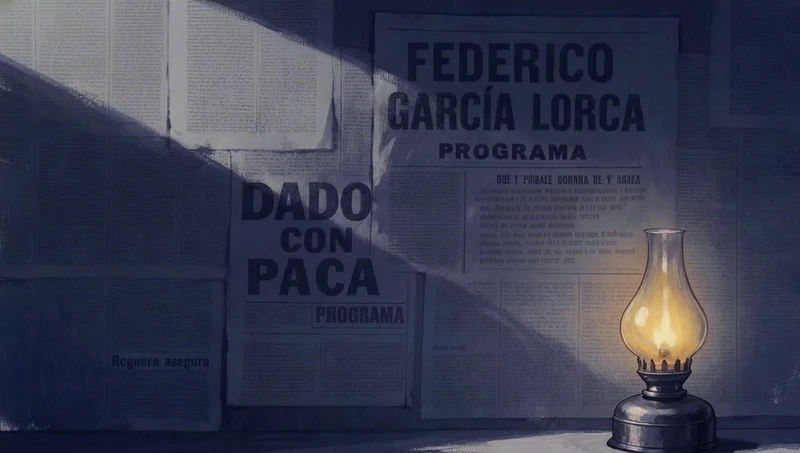
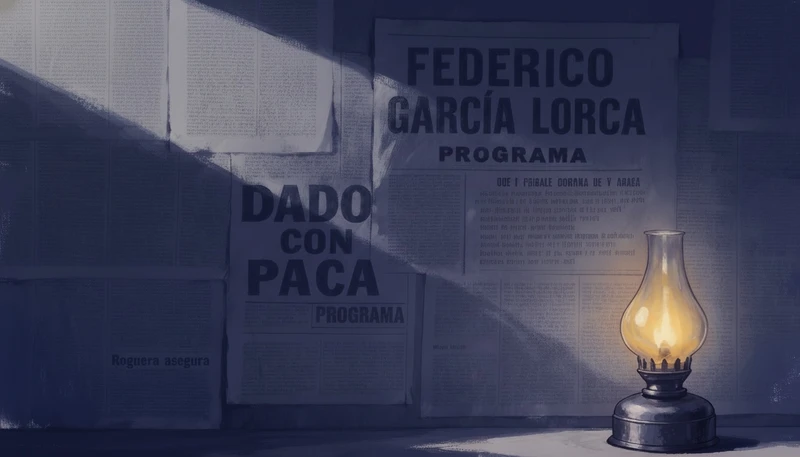
Oil lamp glowing beside an old theatre poster on a blue wall
Start frame: Oil lamp glowing beside an old theatre poster on a blue wall
Start frame
00:10

An oil lamp flickering, in one sentence

The oil lamp’s flame flickers, which makes the shadow flickers accordingly.
Jaime Yao, director of In Our Time
Black crow on a weathered fence post above a golden prairie
Start frame: Black crow on a weathered fence post above a golden prairie
Start frame
00:05

A crow lands, everything else still

A single black crow flies in and lands on top of the weathered wooden fence post. Once perched, it settles its wings and looks around with quick, natural bird movements, tilting and turning its head to survey the surroundings. Subtle feather ruffle in the light breeze. Everything else stays still: the fence, wires, and blurred golden prairie background hold steady with warm late-afternoon light. Grounded, realistic wildlife motion, no camera movement.
Marius Jensen, director of Still Time

AI weather and atmosphere shots

Atmosphere b-roll puts all the motion in the weather, a storm, rain or wind, around a frame that otherwise holds still.
Metal chamber half buried in sand in an orange sandstorm
Start frame: Metal chamber half buried in sand in an orange sandstorm
Start frame
00:06

A sandstorm around a locked frame

GLOBAL SETTINGS:
Duration: 6s. Aspect ratio: 16:9. No background music, no score. Ambient sound effects only — a deafening sandstorm roar, wind howling, sand hissing and rattling against the metal chamber.

@image1 is the start frame — the exterior of the chamber in the storm. Preserve it exactly.

Camera: locked-off and completely static — no drift, no pan, no tilt, no push. The frame stays exactly where it starts.

Color grade: strict palette — deep teals and cool greys for the chamber #161E20, #253534, #1B2727, #3F5153, #545456, #777775, warm amber #F2A462 and burnt sienna #BE704A for the sandstorm and light. No colors outside this palette. Cinematic photorealism, heavy atmospheric haze, film grain.

MOTION (0–6s):
The sandstorm rages around the static chamber. Sand streams and churns across the frame at speed, driven hard by the wind — tan haze billowing and rolling, thickening and thinning unevenly over the six seconds but never clearing. Loose sand blows and drifts against the base of the chamber, small grains kicking up off the ground. The chamber itself is unmoving, sealed, indifferent — everything alive in the shot is the storm. Relentless, violent, uninhabitable. Camera never moves.
Owen Doerr, director of Lifeguard
Stone kitchen window as a sunny day turns to a thunderstorm
Start frame: Stone kitchen window as a sunny day turns to a thunderstorm
Start frame
00:04

A sunny day turns to storm through a window

Pema's POV looking out through the kitchen window. What was a sunny day suddenly turns: heavy rain lashes the glass, a violent thunderstorm rolls in, wind whipping, a flash of lightning, water streaming down the windowpanes. Handheld camera settling at the window as if she has just stopped there. Anamorphic old lens distortion, muted colors, low contrast, soft focus, cinematic realism.
Raj Rishi More, director of Seasons

AI transition shots

A transition shot ends on something the next scene can cut from, such as full black or a room left empty.
Candlelit chapel with hanging oil lamps just before a gust of wind
Start frame: Candlelit chapel with hanging oil lamps just before a gust of wind
Start frame
00:04

A gust blows out every flame, then black

One continuous locked-off shot.
The camera stays in place with visible irregular handheld drift and small natural balance corrections.
The flames flicker naturally. Smoke continues rising slowly through the firelight.

A sudden gust of wind passes through the chapel.

The visible candle flames and hanging oil-lamp flames bend sharply in the same gust, then extinguish rapidly across the room.

The remaining firelight disappears.

The frame becomes completely black.

Hold briefly on full black.
Jaime Yao, director of In ’twixt Vows
Toy knight in armour raising one hand in a bare room, before he dissolves into pencil powder
Start frame: Toy knight in armour raising one hand in a bare room, before he dissolves into pencil powder
Start frame
00:10

A knight dissolves, leaving an empty room

Locked camera.
The little knight raises one hand and looks at it.
The hand starts dissolving into colored pencil powder first.
The powder spreads from the hand to the arm and the rest of the body.
He quickly dissolves completely into colored pencil powder.
No character remains at the end. No backgoround music.
Jaime Yao, director of A Proper Introduction

How do you make b-roll with AI in Flick?

Make a still that matches your scene, animate it with a short motion prompt, keep the best take and cut it between your scenes.
  1. Step 1

    Make a matching still

    Generate or upload a frame in the same place, light and palette as the scene it belongs to, like this opening still from One More Day.

    Still of a silver sedan on a country road in autumn hills, the start frame of a drone shot
    M.E. Owens, director of One More Day
  2. Step 2

    Write just the motion

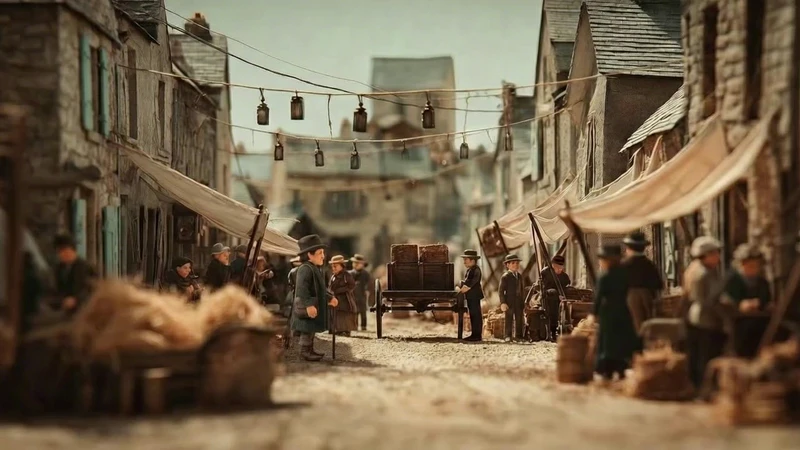
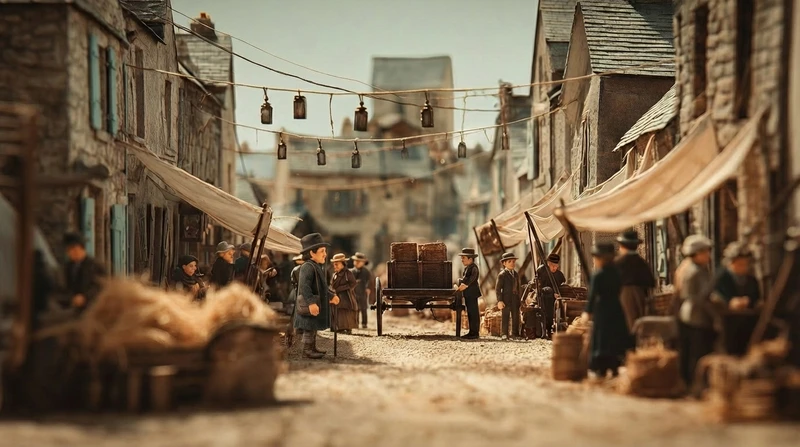
    Open Image to Video with the still as its start frame and describe what moves, since the frame already holds the place and the look.

    Miniature market street in late afternoon haze, where one small figure walks across a still crowd
    Start frame: Miniature market street in late afternoon haze, where one small figure walks across a still crowd
    Start frame
    00:10
    Jaime Yao, director of The Herder · Seedance 1.5 Pro · Image to video
  3. Step 3

    Generate a few takes

    Run the prompt more than once, change one line at a time, and keep the best take beside the others on the canvas.

    Wet wooden ladder rising into heavy rain, filmed as the camera climbs rung by rung
    Start frame: Wet wooden ladder rising into heavy rain, filmed as the camera climbs rung by rung
    Start frame
    00:05
    Jaime Yao, director of The Herder · Seedance Pro · Image to video
  4. Step 4

    Cut it between scenes

    Place establishing shots before a scene, inserts and cutaways inside it, and transitions where one scene hands over to the next.

    Night still of a rail yard behind a chain link fence, written as the opening shot of a scene
    Dr. Dreams, director of Catch Out

What makes a b-roll prompt work?

The b-roll prompts in these 10 films keep the camera calm, name the motion and the light, and repeat the main scene's look.
  1. 1. Lock the camera or slow it down

    Seven of the 10 prompts lock the camera or ask for a slow move, because a calm frame reads as a deliberate shot rather than a glitch.

    Everything else stays still: the fence, wires, and blurred golden prairie background hold steady with warm late-afternoon light.
    Marius Jensen, director of Still Time
  2. 2. Name what moves and keep it short

    Four of the 10 prompts are 50 words or fewer, since with a start frame the prompt has to describe the motion and little else.

    The oil lamp’s flame flickers, which makes the shadow flickers accordingly.
    Jaime Yao, director of In Our Time
  3. 3. Describe the light

    Naming the light and the time of day keeps the b-roll in the same hour as the scenes around it.

    Soft morning mist drifts across the landscape. Autumn leaves swirl gently in the breeze. Golden light filters through the haze.
    M.E. Owens, director of One More Day
  4. 4. Match the main scene's look

    Repeat the lens, color and grain of the film in the prompt, so the b-roll cuts in without a jump in look.

    Anamorphic old lens distortion, muted colors, low contrast, soft focus, cinematic realism.
    Raj Rishi More, director of Seasons
  5. 5. Write the cut into the shot

    For a transition, end the prompt on the frame you want to cut from, such as full black.

    The frame becomes completely black. Hold briefly on full black.
    Jaime Yao, director of In ’twixt Vows

What do people ask about AI b-roll?

What is b-roll?

B-roll is the supporting footage cut around a film's main action, or A-roll: establishing shots, details, cutaways and transitions that set the place and smooth the cuts.

Can AI generate b-roll?

Yes. An image to video model can turn a still of a place or a detail into a short clip, with the camera move and the motion described in the prompt.

Is there a free AI b-roll generator?

You can make b-roll in Flick for free: you get 100 credits when you sign up, and 200 more for joining the Flick Discord. The free plan includes MiniMax H3 Fast, MiniMax H3 Max and Pruna Draft video, and Seedance 2.0 and 2.5 come with the Standard plan ($20 a month).

How long should a b-roll shot be?

A few seconds, long enough to read the place or detail without stalling the story. In b-roll from films made in Flick, most clips run 4 to 6 seconds.

How do I make AI b-roll match my main footage?

Start each b-roll clip from a still made in the same place, light and palette as the main scene, then name the lens, color and grain again in the prompt.

What is the difference between b-roll and a cutaway?

A cutaway is one kind of b-roll, a shot that briefly leaves the main action and returns; b-roll also covers establishing shots, inserts and transitions.

What camera moves work best for AI b-roll?

Locked shots and single slow moves, such as a drone pull-back, a pan or a boom down, because one calm move gives the model less to invent.

Can I use AI b-roll in commercial projects?

Yes. Content you generate on Flick is yours for personal and commercial projects; see the terms of use for detail.

More on making AI video in Flick

Films on this page

Make the shots between your scenes

Start from a still of your scene. The establishing shots, details and transitions stay on the same canvas as your film.

Make b-roll in Flick

Try for free, no credit card required.

Ask AI about this page:ChatGPTPerplexityClaude