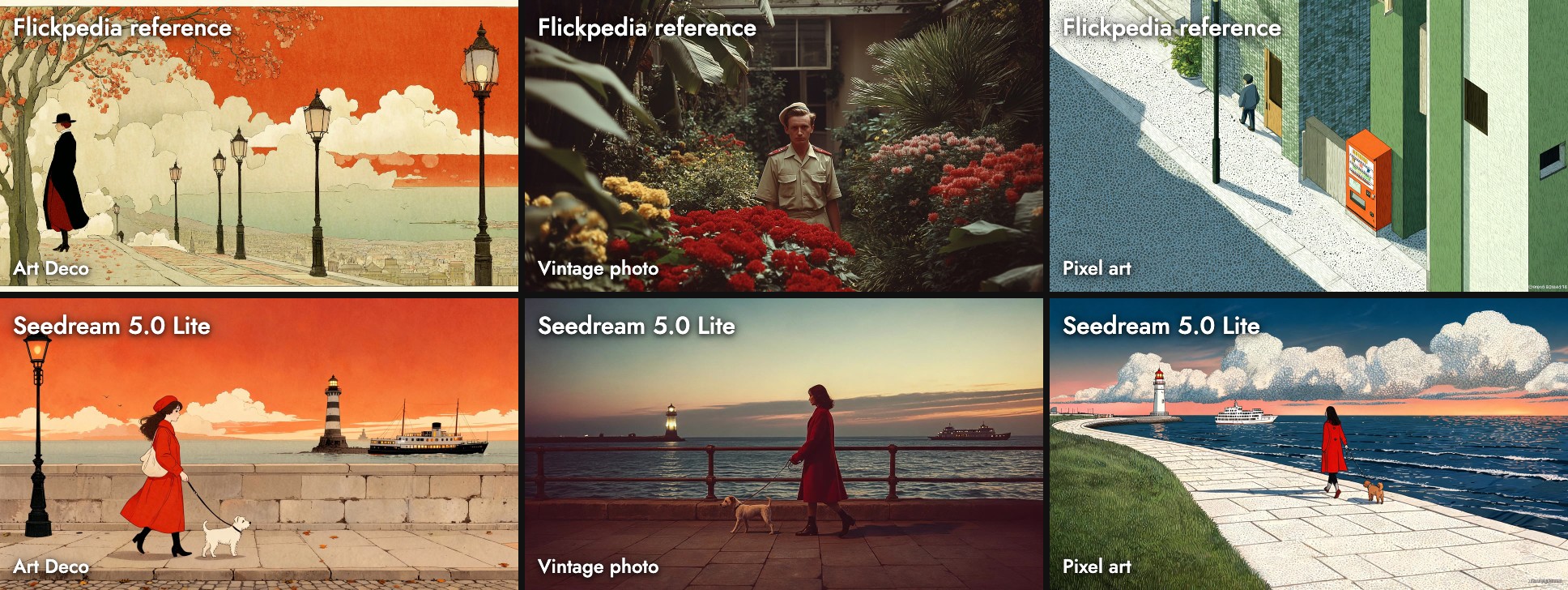
How to Use Seedream 5.0 Lite in 2026: Styles, Text and Price
Oct 2026
Seedream 5.0 Lite is ByteDance's lighter Seedream 5.0 image model. On Flick it costs 7 credits an image, works with Flickpedia visual styles, and returned a 3072 × 1728 image at its default 2K setting in our tests. Of the eleven models we tested, it was one of the most faithful to a style reference.
Quick answer: how do you use Seedream 5.0 Lite?
Add an image node, pick Seedream 5.0 Lite, and write the scene. Then:
- Pin a style before the first shot. It follows the reference's palette and texture closely, so choose the reference you want copied.
- Keep 2K unless you need 3K. Both cost 7 credits; 2K already came back 3072 wide.
- Check the corners and the signs. It can copy a signature from a style reference into your image.
| Spec | Seedream 5.0 Lite on Flick |
|---|---|
| Maker | ByteDance Seed |
| Price | 7 credits per image, 2K or 3K |
| Output we measured | 3072 × 1728 at 16:9 (2K setting) |
| Settings | Resolution (2K, 3K), prompt enhancement (Standard, Fast) |
| Flickpedia styles | Yes |
| Reference images | Up to 10 |
| Plans | All plans, including Free |
ByteDance's page for the model describes "online search capabilities" and "deep thinking" before it draws. We did not test search. See model credit costs for every rate.
Make an image in your style
Pin a Flickpedia style and let Seedream 5.0 Lite follow it.
How we tested
One prompt, three Flickpedia styles, on a fresh canvas in October 2026:
A woman in a red coat walks her small dog along a seaside promenade at dusk, with a lighthouse and a ferry in the distance.The styles were Art Deco Illustration, Vintage Naturalistic Photography and Pixel Art Animation Style. We also ran three plain prompts that test realism, typography and illustration. The same tests ran on ten other image models, so you can compare them guide by guide.
Three Flickpedia styles
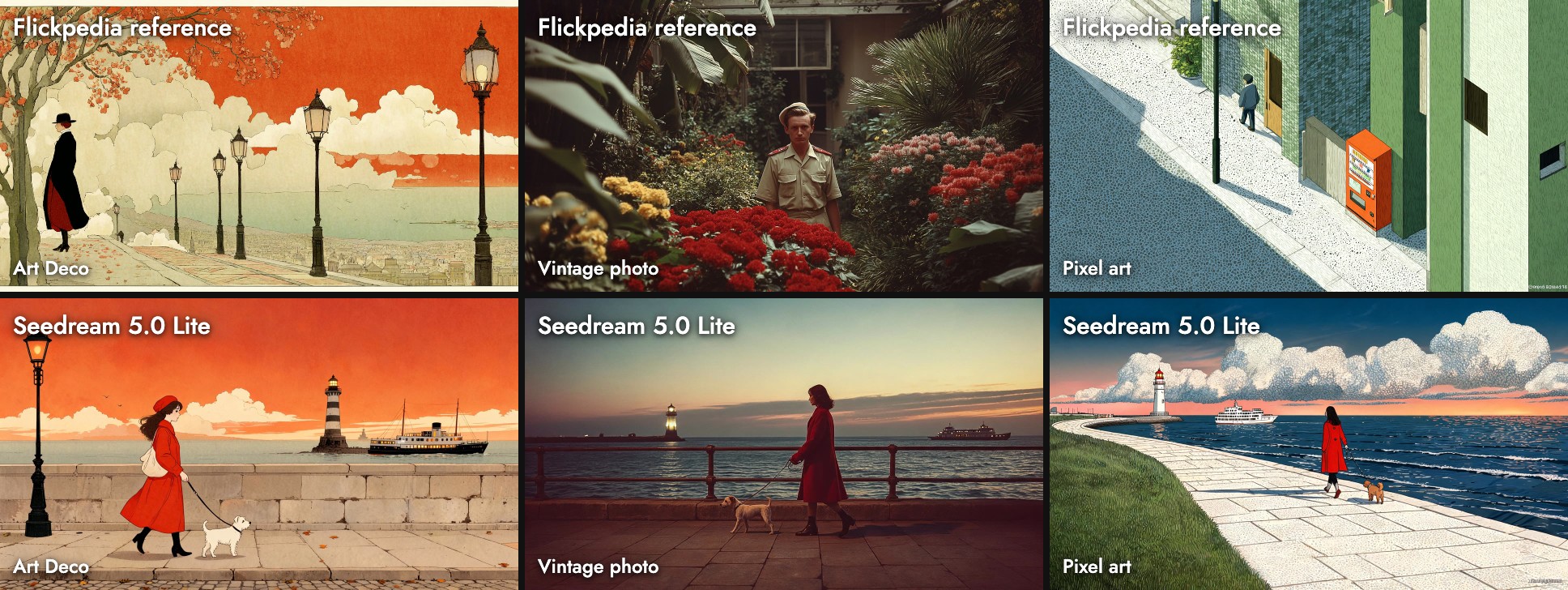
Seedream 5.0 Lite copied the references more than the style names:
- Art Deco: the orange sky, cream clouds and black lamp post come straight from the reference.
- Vintage photo: warm, faded film color and a soft horizon, like the reference's 1970s prints.
- Pixel art: the Flickpedia "Pixel Art Animation Style" reference is a stippled flat illustration, not blocky pixels, and that is what came back: dotted clouds and grass.
It also painted a small fake signature into the pixel-art image's bottom-right corner. The style reference carries one in the same place, so the model copied it. Crop or edit it out before you deliver (Edit Image).
Three test prompts
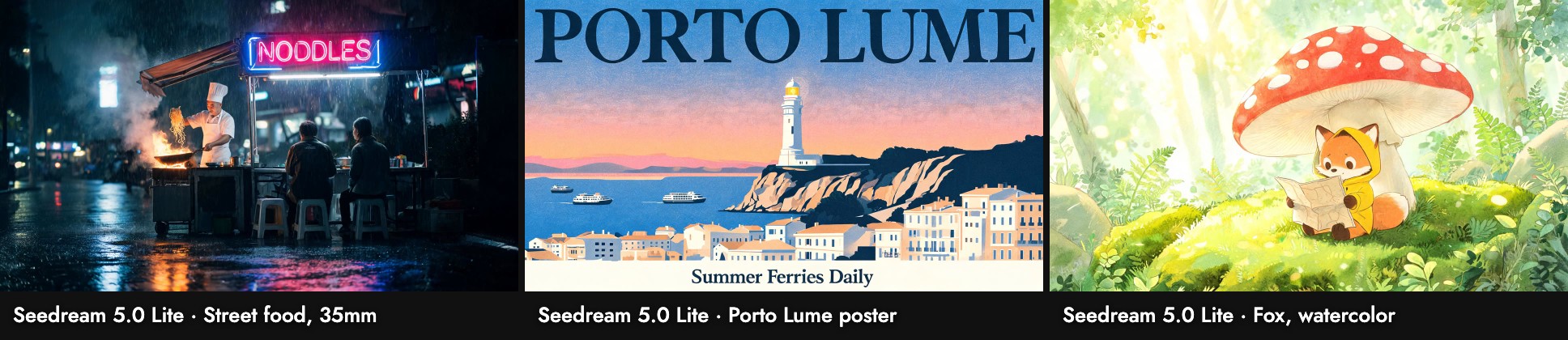
- Street food, 35mm: it chose a wide, dark shot and wrote one clean English neon sign, "NOODLES", instead of inventing signs in a script it cannot spell.
- Poster: "PORTO LUME" and "Summer Ferries Daily" were both spelled right, in a serif title as asked. The layout is busy: it added a whole white town under the lighthouse.
- Fox: soft, bright watercolor with the fox sitting on moss under the mushroom.
On our canvas a run took 37 to 141 seconds. We ran many models at once, so treat that as wall-clock time with a queue, not the model's own speed.
When to use it, and when not
Use it when:
- You have a style reference and want the result to look like it.
- You need a large file cheaply: 3072 wide for 7 credits.
- The image carries a short title or one sign.
Skip it when:
- You want the style name, not the reference. A model that reads the prompt literally, such as Kling Image V3, drew real blocky pixel art.
- You need the fastest draft. Grok Imagine came back in seconds.
Tips
- Pick the reference, not the label. Open the style in Flickpedia and look at its images before you pin it (Visual Styles).
- Keep the prompt about content when a style is pinned. The style carries the look (image prompts guide).
- Zoom into the corners of any styled result.
Sources
- Seedream 5.0 Lite, ByteDance Seed, checked October 21, 2026
- Prices and settings from Flick's model configuration; images, sizes and timings from our Flick canvases, October 2026
関連ガイド
- Generate Image
- Visual Styles
- Model credit costs
- How to use Seedream 4.5
- How to use Kling Image V3
- How to use Riverflow 2.0 Fast
- How to use Nano Banana 2.1
よくある質問
How much does Seedream 5.0 Lite cost on Flick?
What resolution does it output? The 2K setting returned 3072 × 1728 for a 16:9 image in our tests.
What resolution does it output?
Does it work with Flickpedia styles? Yes, and it follows the reference images closely.
Does it work with Flickpedia styles?
Why is there a signature in my image? It can copy marks from a style reference. Edit or crop it out.