How to Use Riverflow 2.0 Pro in 2026: Design-Grade Images
Oct 2026
Riverflow 2.0 Pro is Sourceful's top image model, built for design work with text. On Flick it costs 30 credits an image at 1K or 2K and 66 at 4K, and it refines its own result before returning it, so it is the slowest model we tested. It works with Flickpedia visual styles.
Quick answer: how do you use Riverflow 2.0 Pro?
Add an image node in Generate Image, pick Riverflow 2.0 Pro, and write the scene. Then:
- Find the composition on a cheaper model first. Riverflow 2.0 Fast costs 4 credits.
- Bring the final prompt here for the detailed version, with a style if you want one.
- Allow two minutes or more. Our runs took 56 to 262 seconds.
| Spec | Riverflow 2.0 Pro on Flick |
|---|---|
| Maker | Sourceful |
| Price | 30 credits at 1K or 2K, 66 at 4K |
| Output we measured | 1280 × 720 at 16:9 (1K) |
| Settings | Resolution (1K, 2K, 4K) |
| Flickpedia styles | Yes |
| Reference images | Up to 10, each under 4.5 MB |
| Prompt length | Up to 4,000 characters |
| Plans | All plans, including Free |
Sourceful builds Riverflow for branded product imagery, where labels, logos, packaging and text have to stay right across every output. All rates are on model credit costs.
Render the final design frame
Draft cheaply, then let Riverflow 2.0 Pro add the detail.
How we tested
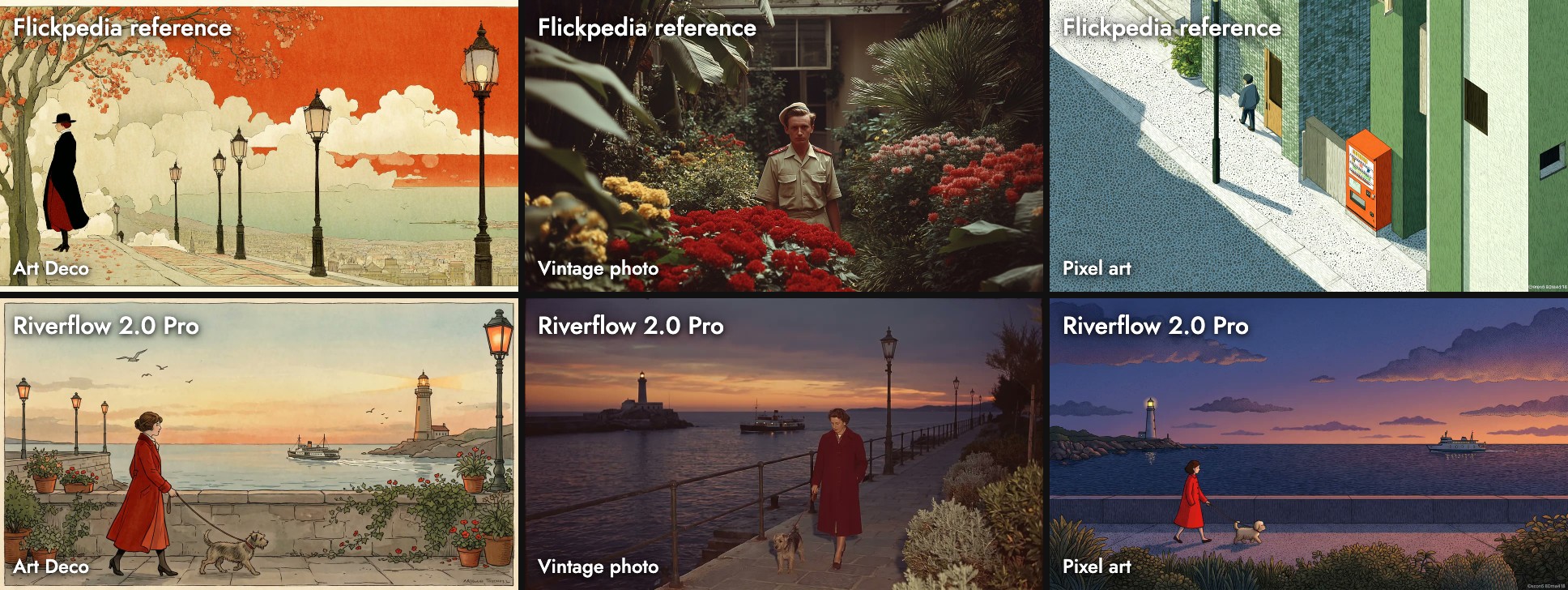
One prompt with three Flickpedia styles, in October 2026:
A woman in a red coat walks her small dog along a seaside promenade at dusk, with a lighthouse and a ferry in the distance.The styles were Art Deco Illustration, Vintage Naturalistic Photography and Pixel Art Animation Style. We also ran a typography poster and a watercolor prompt, alongside ten other models.
Three Flickpedia styles
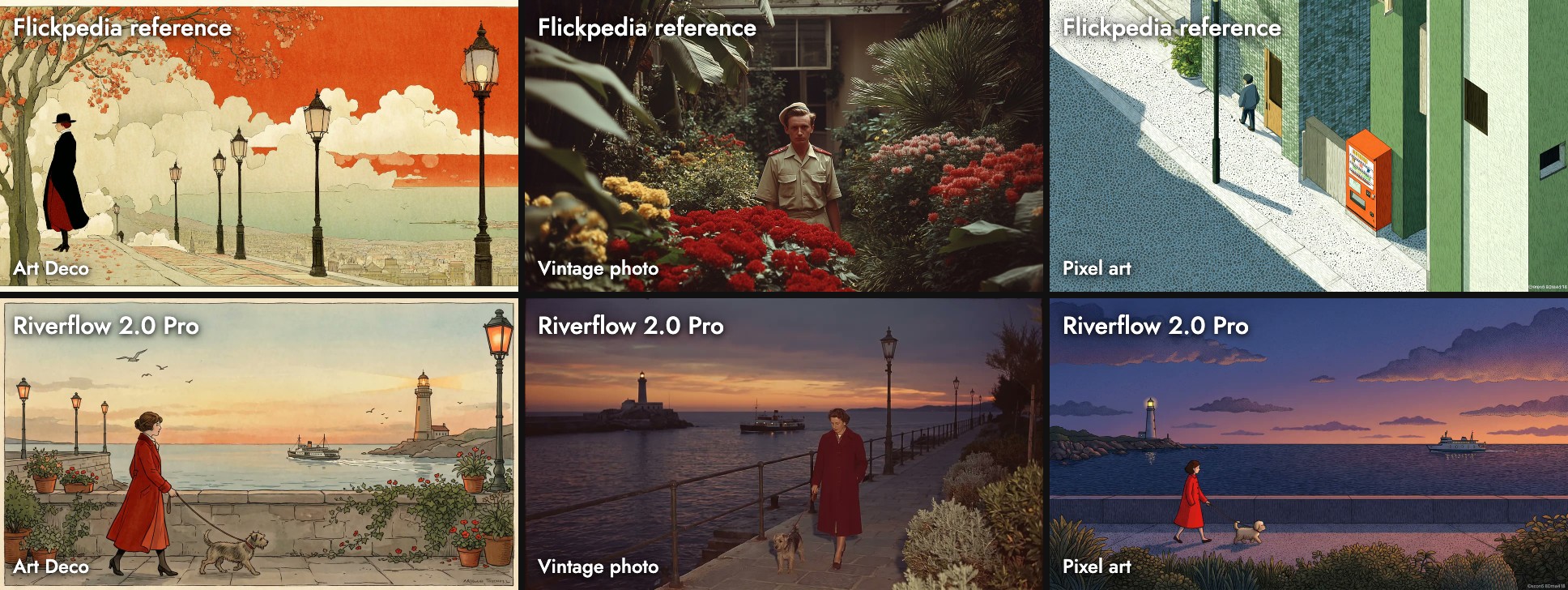
- Art Deco: an illustrated postcard with a cream border, terracotta pots and gulls. It drew from the whole reference set, not just its first image.
- Vintage photo: warm, low dusk light and a garden edge, close to the reference's color.
- Pixel art: a flat stippled dusk, like the reference.
Two of the three have a small fake signature in the bottom-right corner, copied from the references. Crop or edit it out (Edit Image).
Two test prompts
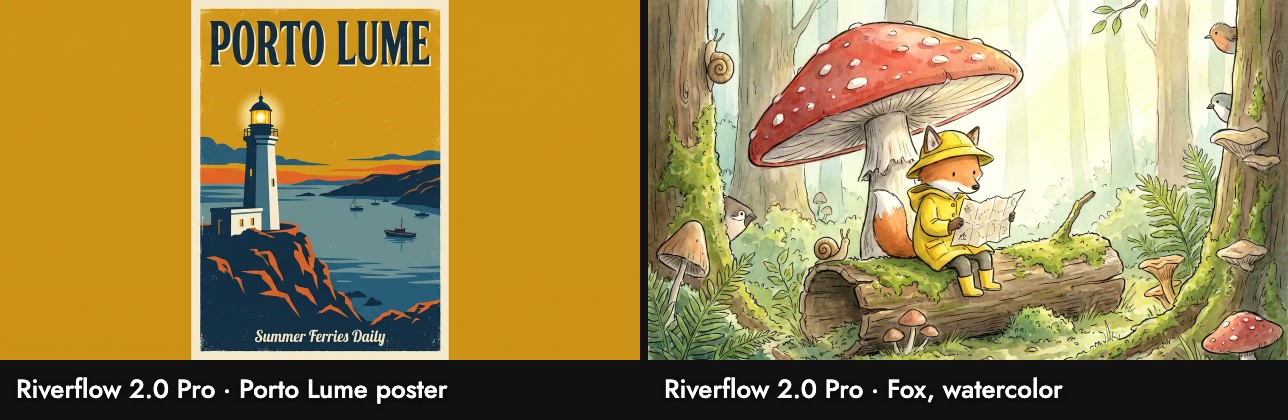
- Poster: both lines spelled right, in a clean screen-print look. It made a portrait poster and placed it on a mustard background inside the 16:9 frame.
- Fox: the most detailed illustration in our tests: snails, small birds, toadstools and a log.
Is it worth 30 credits?
For a final design frame with text or dense detail, it can be. For exploring, no: it is 7.5 times the price of Riverflow 2.0 Fast and much slower. Its 1K output, 1280 wide, is also smaller than Seedream 5.0 Lite's 3072 at 7 credits; pay for 2K if you need size.
Sources
- Riverflow, Sourceful, checked October 21, 2026
- Prices, settings and limits from Flick's model configuration; images, sizes and timings from our Flick canvases, October 2026
Guías relacionadas
- Generate Image
- Visual Styles
- Model credit costs
- How to use Riverflow 2.0 Fast
- How to use Seedream 4.5
- How to use Nano Banana Pro
- How to use GPT Image 2.5
Preguntas frecuentes
How much does Riverflow 2.0 Pro cost on Flick?
Why is it slow? It refines its own output before returning it. Our runs took about one to four minutes.
Why is it slow?
Does it work with Flickpedia styles? Yes. It can also copy a signature mark from a reference, so check the corners.
Does it work with Flickpedia styles?
Is it good at text? Our poster came back with both lines spelled right.