How to Use Seed Audio 1.0 in 2026: Voices, Dialogue and Scene Sound
Oct 2026
Seed Audio 1.0 is ByteDance's audio generation model. On Flick it lives in the Text to Voice node, next to Eleven v4 and Eleven v3, but it works differently from both: there are no speaker rows and no voice library. You describe the scene, the voices and the lines in one prompt, and Seed Audio performs the whole thing, sound included.
In our three-model voice test it gave the most emotional performance of the three. It also costs the most, at 25 credits a take.
Quick answer: how do you use Seed Audio 1.0?
Click + on the left toolbar, choose Generate Voice, and pick Seed Audio 1.0 in the model menu. Then:
- Write the scene, the voices and the exact lines. Describe each voice like a casting note and put the words in quotes.
- Add a voice reference if you have one. Type @ in the prompt and pick an audio clip; up to three references.
- Run it for 25 credits, then trim. Seed Audio often opens with scene sound before the first line.
| Spec | Seed Audio 1.0 on Flick |
|---|---|
| Maker | ByteDance (Volcano Engine) |
| Released | June 23, 2026 |
| Price on Flick | 25 credits per take, any length |
| Plans | Every plan, including Free |
| Input | One prompt, up to 2,048 characters |
| Voice references | Up to 3 audio clips or videos with sound (audio up to 30 s and 10 MB each), or 1 image |
| Settings | Pitch (-12 to +12 semitones), speed (0.5x to 2x), volume (0.5x to 2x) |
| Longest output (provider) | About 2 minutes per request |
| Output we got | MP3, 24 kHz stereo |
| Our takes | 10.8 s, 15.6 s and 13.6 s long; 45 s, 158 s and 73 s to finish |
Cast a voice with Seed Audio
Describe the character, quote the line, and let the scene play.
What Seed Audio 1.0 is
Volcano Engine launched Seed Audio 1.0 (Doubao Seed Audio 1.0 in China) on June 23, 2026, as an end-to-end model that turns text or audio input into a finished piece of audio: speech, dialogue, sound effects and ambience from one prompt, with zero-shot voice references and up to 2 minutes per generation.
On Flick that means one prompt box instead of the per-speaker rows the Eleven models use, plus three reference slots: Audio, Video and Image.
Test 1: a two-person dialogue from one prompt
We asked for the same two lines we gave Eleven v4 and Eleven v3:
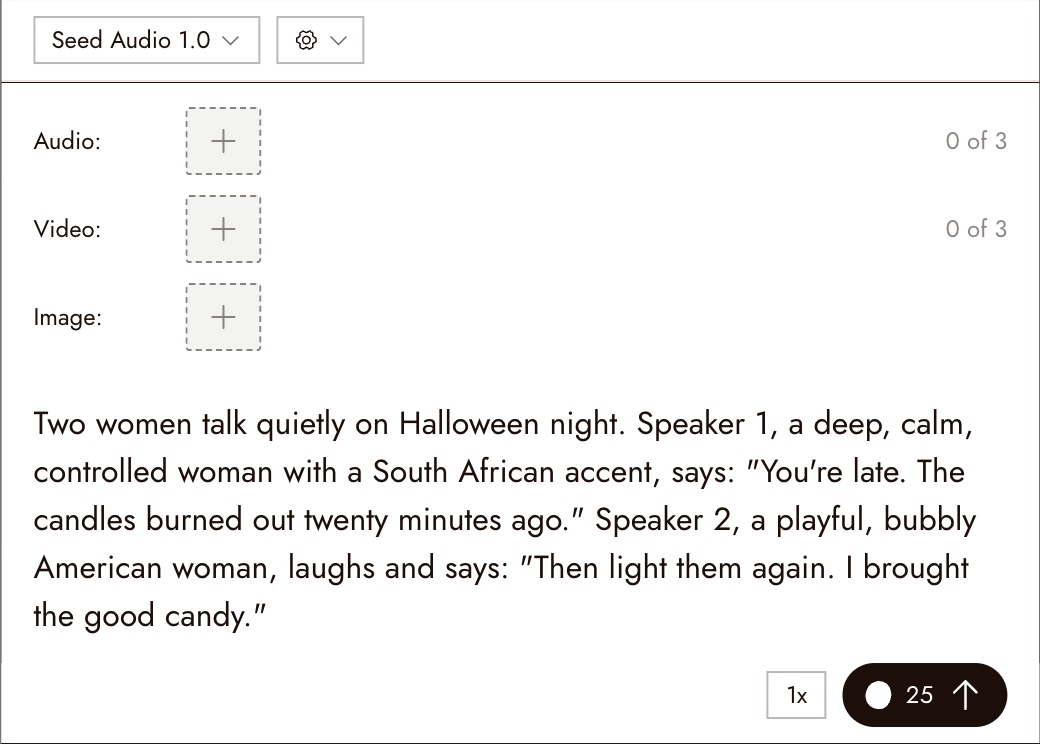
Two women talk quietly on Halloween night. Speaker 1, a deep, calm, controlled woman with a South African accent, says: "You're late. The candles burned out twenty minutes ago." Speaker 2, a playful, bubbly American woman, laughs and says: "Then light them again. I brought the good candy."Every word came back as written; we checked with a speech-to-text pass. The delivery ranked first of the three models for emotion. Seed Audio took its time: the second speaker comes in at 6.0 seconds, against about 3 seconds on the Eleven models, and the take runs 10.8 seconds to Eleven v4's 6.8.
Test 2: a line with scene sound
Seed Audio is not only a voice model, so we asked for a scene:
Night, an empty graveyard. Wind moves through dry leaves, an owl calls in the distance, and an iron gate creaks. An old night watchman with a low, gravelly voice and a slow, unhurried pace says quietly: "Every year they ask me if the dead come out tonight. I tell them the dead are the quiet ones."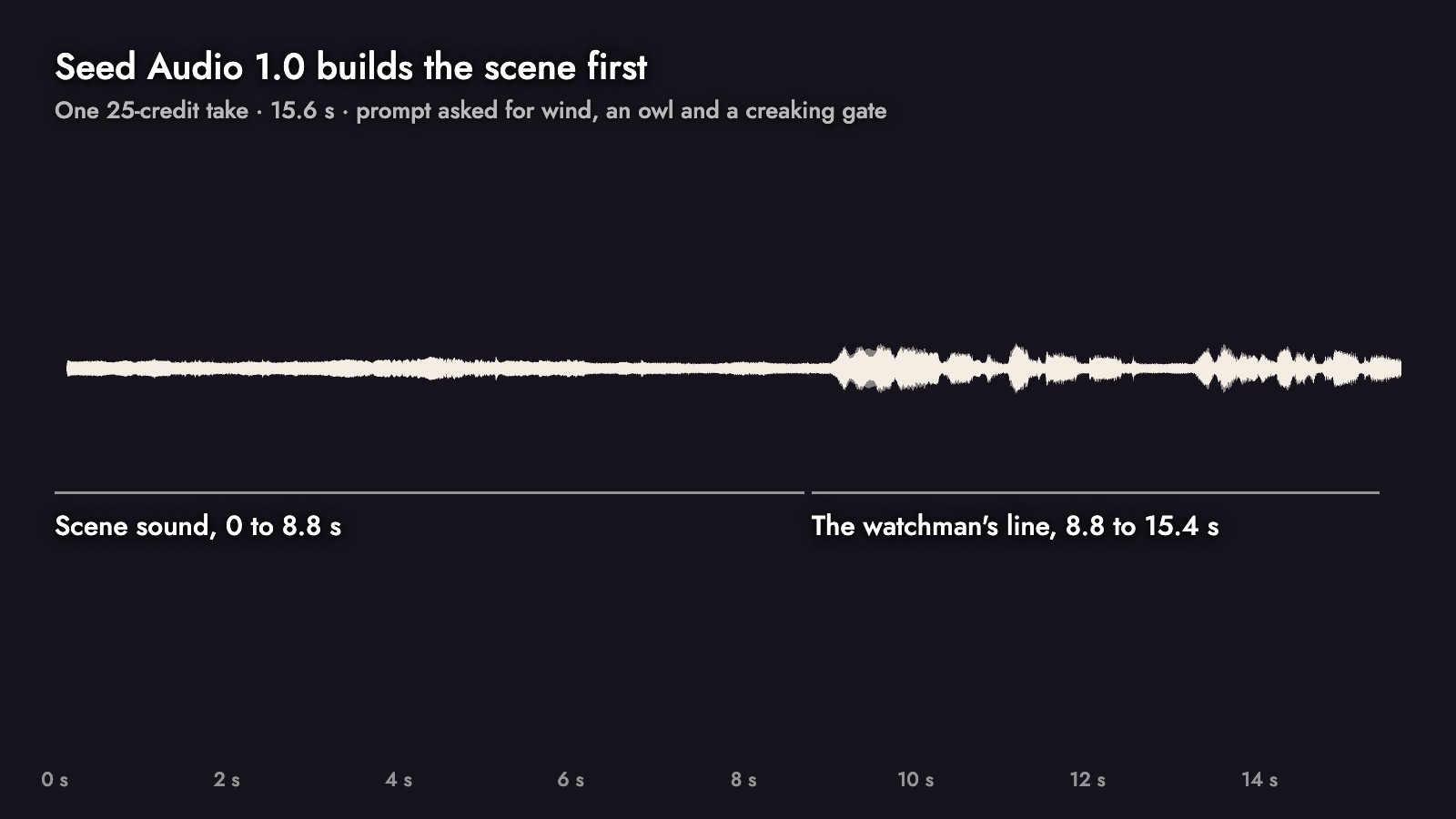
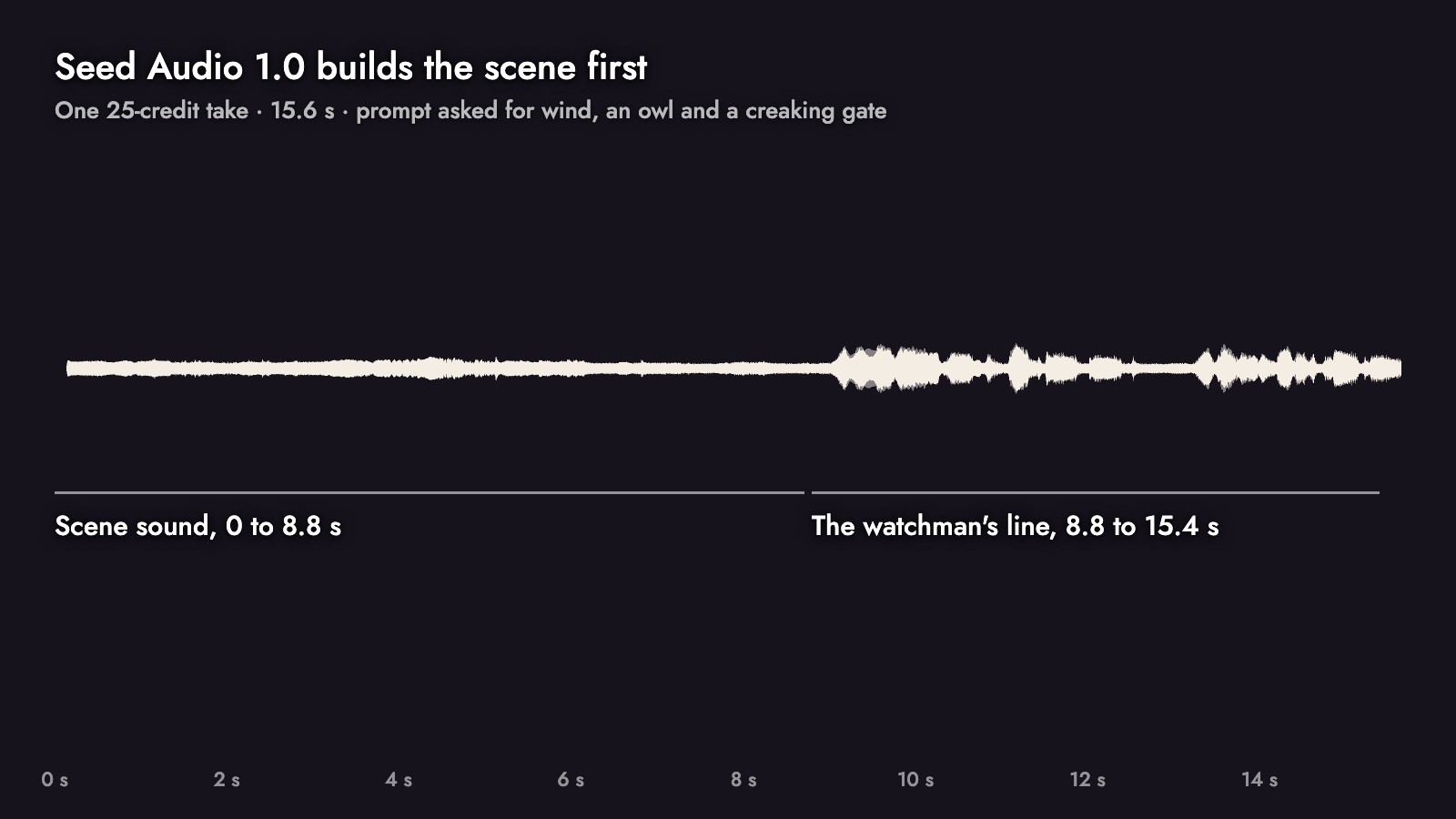
The take is 15.6 seconds long, and the line does not start until 8.8 seconds. The first stretch is scene sound only, sitting roughly 25 dB below the voice. The line itself came back word for word. If you only need the voice, trim the front in the timeline; if you are building a scene, the bed is already there.
Test 3: keeping a voice with a reference
To keep a character's voice across takes, give Seed Audio a clip of that voice. We used the watchman take from Test 2 as the reference and asked for a new line:
- In a new Seed Audio node, type the start of the prompt, then type @.
- Search the asset list for the clip and pick it. It is attached to the Audio slot (1 of 3) and appears in the prompt as a chip with the clip's name. Flick sends it to the model as @Audio1.
- Finish the prompt and run.
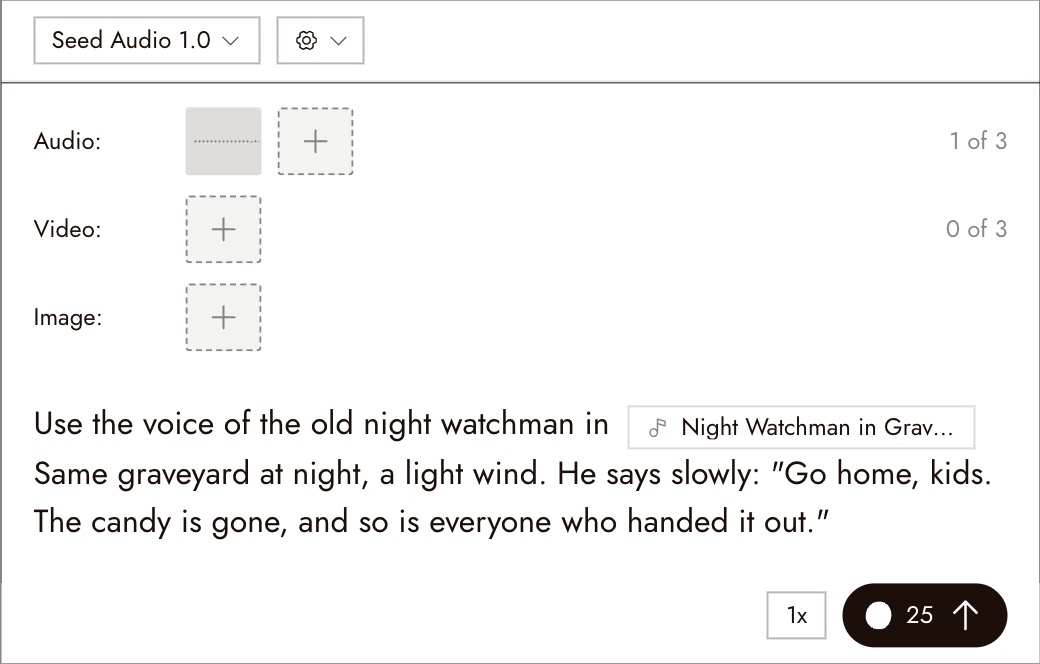
The new line came back word for word, again after a stretch of scene sound (speech starts at 7.4 seconds). Listen to both watchman clips back to back to judge the match for your project.
Only use references you have the right to use: your own recordings, voices you generated, or clips you are licensed for.
What it costs and how long it takes
Seed Audio 1.0 is a flat 25 credits per take on every plan. On Casual's 500 monthly credits that is 20 takes; Eleven v4 is 8 credits, or 62 takes. Rates for every model are on model credit costs, and a failed generation is refunded (how credits work).
Our three runs took 45, 158 and 73 seconds from Run to finished file.
Prompting Seed Audio 1.0
- Put the exact words in quotes. Seed Audio writes the whole scene; quotes tell it which words are dialogue.
- Cast each voice in words: age, pitch, texture, accent, pace, emotion, as in "an old night watchman with a low, gravelly voice and a slow, unhurried pace".
- Name the speakers in order. "Speaker 1 ... says", "Speaker 2 ... laughs and says" kept the two lines in the right mouths.
- Plan for the scene sound. Both of our scene prompts came back with a lead-in of ambience; if you want a dry voice track, expect to trim.
- Use @ references for continuity. One clip of a character is enough to start; Flick allows three.
- Voice for your character shows how to build a voice description from a character's backstory.
Common mistakes
- Leaving the scene lead-in in the cut. Two of our three takes opened with 7 to 9 seconds of ambience before the first word.
- Forgetting the level. Our Seed takes measured -30.6, -34.3 and -40.1 LUFS, quieter than Eleven. Normalize before mixing.
- Combining an image reference with audio or video references. The image slot works only on its own.
- Expecting Eleven's speed. The same two lines ran 10.8 seconds on Seed Audio and 6.8 on Eleven v4.
Sources
- Seed Audio 1.0: Audio Creation Model, ByteDance Seed, July 20, 2026
- Volcano Engine releases the Doubao audio generation model 1.0, Sina Tech, June 24, 2026
- Seed Audio 1.0 API reference, fal, checked October 21, 2026
- Seed Audio 1.0 partner node, ComfyUI documentation, checked October 21, 2026
- Tests, credit prices, timings and loudness measurements from a Flick canvas, October 2026
Related guides
- Text to Voice
- Voice for your character
- Voice consistency
- Character Dialogue
- Build the sound
- Trim and split
- Eleven v4 vs Eleven v3 vs Seed Audio 1.0
Frequently Asked Questions
What is Seed Audio 1.0?
How much does Seed Audio cost on Flick? 25 credits per take, whatever the length.
How much does Seed Audio cost on Flick?
Can Seed Audio clone a voice? It can follow a voice from up to three reference clips of up to 30 seconds each. Use recordings you have the right to use.
Can Seed Audio clone a voice?
Does Seed Audio do multi-speaker dialogue? Yes. Describe each speaker and their lines in the prompt; there are no separate speaker rows.
Does Seed Audio do multi-speaker dialogue?
Seed Audio or Eleven v4? Seed Audio for the most emotional read and for scene sound; Eleven v4 for picking a library voice per speaker, tight timing and a third of the price. See our comparison.
Seed Audio or Eleven v4?
Is Seed Audio on the Free plan? Yes, on every plan.