To make a motion comic with AI, finish each panel as a still, lock the camera, animate just the one or two things that would really move, then add comic sound effects and cut the panels in order.
Motion comics are comic panels brought to life with limited animation: the drawing holds still while rain falls, a lamp flickers or a "BOOM!" bursts across the frame. Most AI video models turn a panel into a full moving shot instead, so the camera swoops and the linework melts until it no longer reads as a comic. We read the 97 image to video prompts behind In Our Time, a 3:47 short by Flick's in-house filmmaker Jaime Yao told in ink-line and woodcut illustrations, plus three takes of one Mouse Chef panel by Zoey Z. of the Flick team. This guide shows how to make a motion comic in six steps, each with the real panel, the clip and the prompt behind it.
A motion comic is a comic or illustration animated with limited motion: the drawn panel stays as it is, a few things move, and sound effects, music and sometimes voice are added on top.
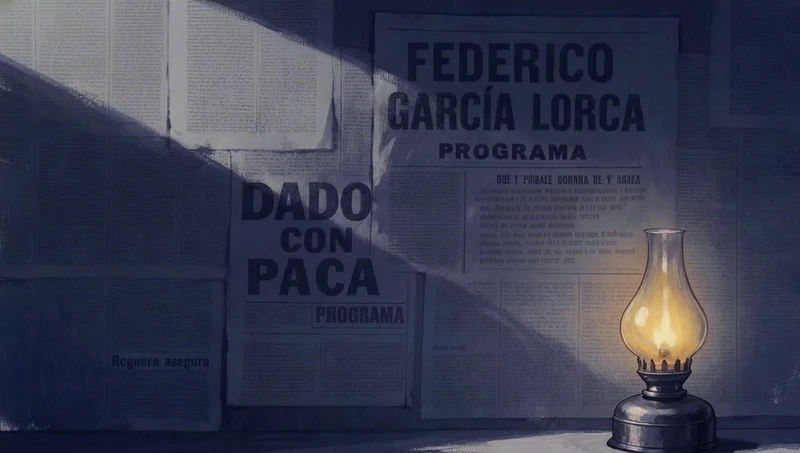
Start frame00:10
The flame and its shadows are all that move, from the prompt "The oil lamp’s flame flickers, which makes the shadow flickers accordingly."Jaime Yao, director of In Our Time · Seedance Pro · Image to video
How a motion comic differs from a printed comic and from full animation
Comic
Motion comic
Animation
What moves
Nothing
A few elements, such as rain, a flame or one gesture
Everything, drawn again for every frame
Camera
A fixed panel
Locked, or one slow move saved for a big moment
Moves freely
Text
Balloons and lettered effects
Lettered effects that appear and burst
Usually none
Sound
None
Effects, music and sometimes voice
A full soundtrack
How do you make a motion comic with AI, step by step?
In six steps: make the panel first, lock the camera, animate just what would move, give a character one action, edit the panel to change the moment, then add comic sound effects.
Step 1
Make the panel first
Finish every panel as a still in one drawn style before you animate it, then name that style again in the motion prompt, so the video model keeps the linework instead of smoothing it into a render.
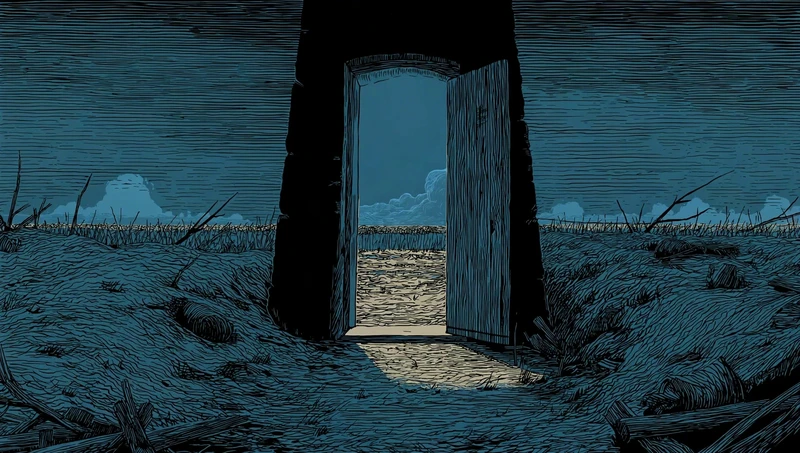
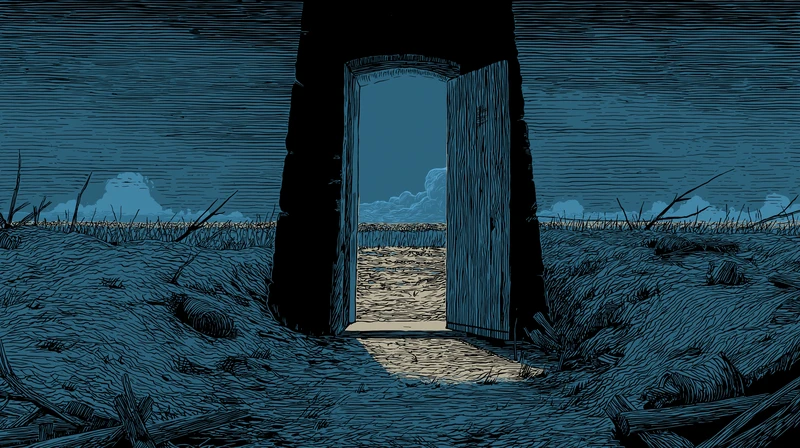
In Our Time's panels are ink-line and woodcut illustrations in a limited blue palette, uploaded to the canvas as finished stills.
27 of its 97 video prompts name the drawing style again, as "Line-art woodcut illustration style" does in the second line here.
Many panels look out from a dark doorway, which keeps the motion inside one small window of the picture.
Start frame00:05
Jaime Yao, director of In Our Time · Seedance Pro · Image to video
Static shot from inside a dark bunker doorway, looking out across a desolate battlefield.
Line-art woodcut illustration style, limited blue color palette, thick ink-like outlines, exactly the same composition and lighting as the reference image.
The camera is completely locked off: no pan, no zoom, no movement.
Subtle looped animation only:
– a light wind makes the distant dry grass and a few broken branches outside sway gently,
– the clouds on the horizon drift very slowly from left to right,
– the bright strip of light on the ground just outside the door has a tiny, soft movement like cloud shadows sliding over it.
Lighting and exposure stay exactly the same from the first frame to the last frame. Do not brighten the sky, do not change the color temperature, and do not add any extra light inside the doorway.
No light rays, no godrays, no shafts of sunlight, no glowing portal effect, no dramatic bright sky opening.
No new objects, no characters, no birds, no explosions.
No flicker, no fade-in or fade-out, no camera motion.
Step 2
Lock the camera
Open every motion prompt with "Locked camera", because a comic panel is a fixed frame and any pan or zoom makes it read as a filmed shot instead of a drawing.
75 of the 97 In Our Time prompts lock the camera in words, from "Locked camera" to "The camera is completely locked off."
After the lock, this prompt lists the few things a breeze moves, then ends with "Then everything settles."
Jaime made this clip with Wan 2.6 from an uploaded still.
Start frame00:05
Jaime Yao, director of In Our Time · Wan 2.6 · Image to video
Locked camera. Outside sky and distant city stay perfectly still. A light breeze moves only the foreground: the curtain gently sways once, the wooden shutter/door shifts a tiny amount, small plants near the sill tremble. The kerosene flame softly flickers, causing slight warm brightness changes on the nearby inner wood only. Then everything settles.
Step 3
Pick what moves
Name the one or two things that would really move, such as rain, a flame or grass, and say that everything else stays still, so the model animates the weather and leaves the drawing alone.
"Animate only" or "Only animate" appears in 27 of the 97 prompts, and "no new" in 53 of them.
This prompt turns the drawn golden strokes outside the door into rain, then closes with a line of negatives: no new objects, no fog, no change to the line work.
It was made with Wan 2.5, an earlier Wan version.
Start frame00:05
Jaime Yao, director of In Our Time · wan2.5 · Image to video
Locked camera, no pan, no tilt, no zoom.
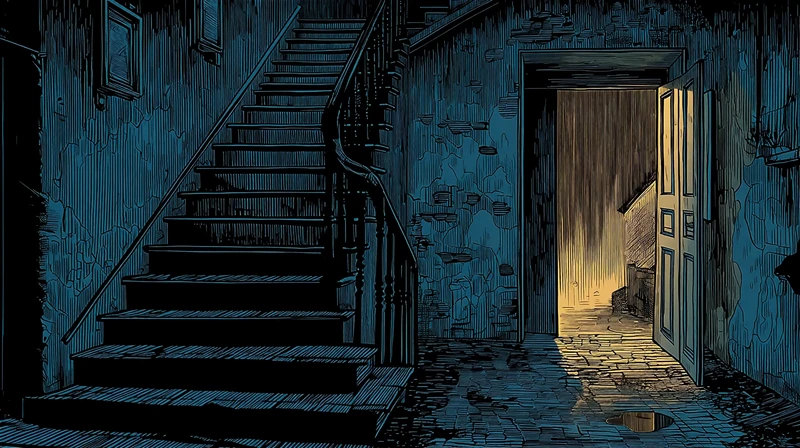
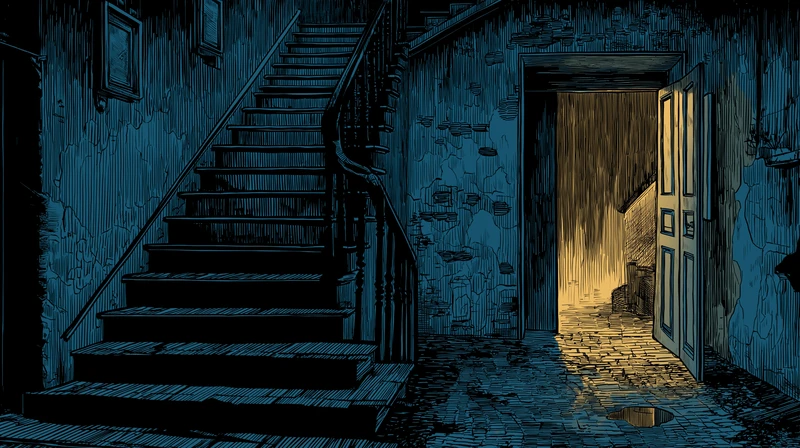
Keep the exact composition, perspective and drawing style of the original illustration of the old stairwell and open door.
Animate only the existing rain and water:

Outside the open door, the vertical golden strokes become a dense curtain of heavy rain, falling straight down (or with a very slight slant). The intensity of the rain changes only a little, always staying like a downpour.

On the wet floor just inside the door and in the puddle on the ground, raindrops create tiny ripples and small splashes. The warm light reflection in the water shimmers softly and moves slightly with the rain, and the puddle slowly grows a little over time as more water gathers.

The warm light spilling through the doorway flickers very subtly on the floor and door frame, like rain is disturbing the light. The door itself may sway an extremely small amount once in a while, as if pushed by wind, then becomes still again.
The rest of the interior stairwell stays almost completely still and dark blue, with no extra motion.
Overall feeling: outside is alive with rain and water, inside is quiet, tense and empty.
Negatives: no new objects, no characters, no extra lamps, no fog or smoke, no lightning, no new shadows, no camera shake, no color grading changes, no change to perspective, framing or line work.
Step 4
Give one action
When a character moves, write one small, readable action with a clear start and end, because a single gesture reads like the next beat of a comic while continuous motion reads like animation.
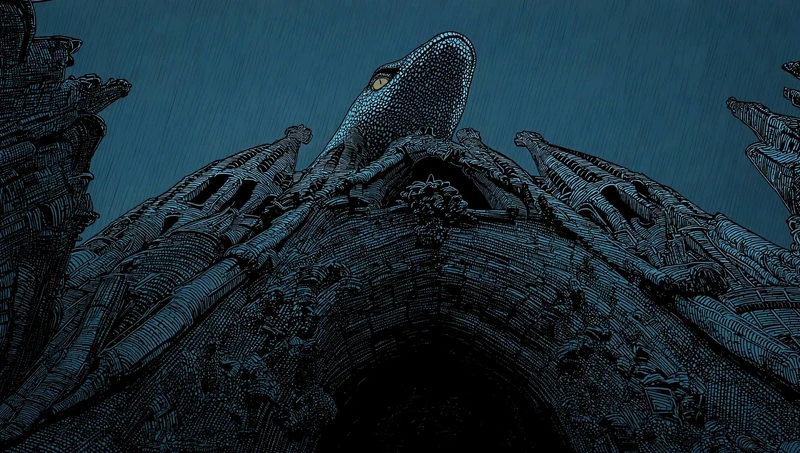
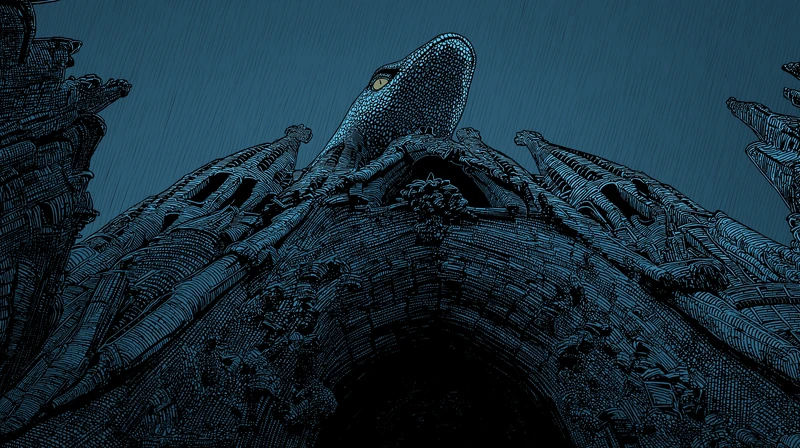
The serpent "performs one small, readable action: a single, crisp tongue flick straight out and back."
The same prompt holds the head and body still and rules out a sway or a blink.
It even says how to repair a wrong take: "If the rain slants the wrong way, mirror the shot."
Start frame00:05
Jaime Yao, director of In Our Time · Seedance Pro · Image to video
The serpent atop the façade performs one small, readable action: a single, crisp tongue flick straight out and back, head and body held steady (no sway, no blink). Heavy diagonal rain is clearly visible across the frame, falling upper-left → lower-right over the spires. Keep existing lighting; no new elements; no zoom/pan/tilt. If the rain slants the wrong way, mirror the shot. Use the needle spires/eaves for scale reference.
Step 5
Edit, then animate
To change the weather or light between two panels, edit the still with an image model and animate the edited version, so the next panel keeps the same drawing while the moment changes.
Jaime used Nano Banana Pro to turn a downpour into "rain easing off" while keeping the rooftops, the cathedral and the linework, with the edit prompt below.
The motion prompt for the edited panel is short: "Locked camera," a little sparse rain, puddle ripples and a closing line that rules out every other change.
13 of the 97 clips start from a Nano Banana edit rather than the original upload.
Start frame00:05
Jaime Yao, director of In Our Time · Seedance Pro · Image to video
Edit the weather to “rain easing off”. Keep the exact same camera framing, perspective, and composition. Preserve the rooftops, skyline silhouette, cathedral shape, and all linework style and color grade. Reduce the rain dramatically: only a few sparse light rain streaks remain, with occasional tiny droplets. Keep the rooftop surface fully wet with puddles and glossy reflections, with gentle water ripples and small runoff lines. The sky stays overcast and heavy, with a calm post-storm atmosphere.
Step 6
Add sound effects
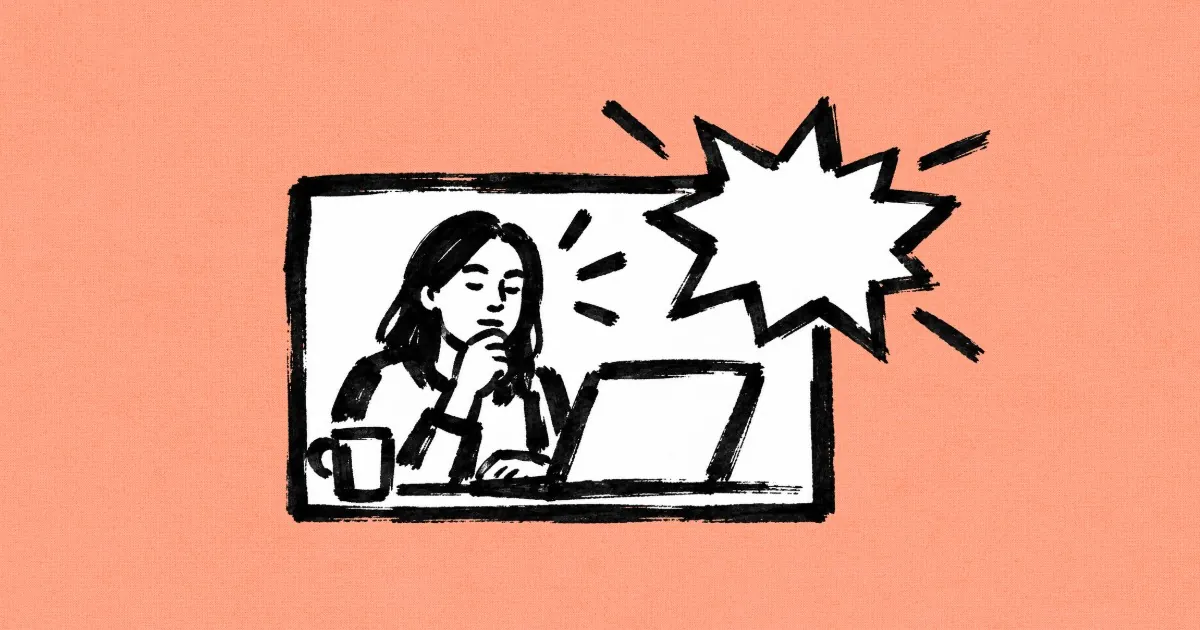
Write the lettering into the prompt with an example word such as "BOOM!", because in Zoey's takes the video models drew comic bursts into the clip themselves, with no separate lettering pass.
Zoey's prompt asks for "2D comic-style text and sound effects," and MiniMax H3 answered with one BOOM! burst inside the panel's frame.
For the sound itself, she ran a take through Mirelo SFX 2.0, a model that adds sound effects to a finished video.
The Mouse Chef panel was made with Midjourney, and every take started from it.
Start frame00:15
Zoey Z., director of Mouse Chef · MiniMax H3 · Image to video
Animate this scene with really exaggerated, cartoony motion. Add some 2D comic-style text and sound effects, like “BOOM!” or little squeaking sounds from the mice. The chef is completely focused on developing his new menu while the mice are running around everywhere.
Every prompt on this page is copied word for word from the public In Our Time and Mouse Chef canvases, read on 2026-10-28, and every count is of video clips generated from a still on the In Our Time canvas. The Mouse Chef panel was made with Midjourney. In Our Time's stills were uploaded to the canvas, most of them likely from Midjourney, since they share the 2912 by 1632 size of the three Midjourney images on the same canvas. The descriptions of what each take does are our own reading of the clips.
Which AI video model keeps a comic panel still?
In one test on one Mouse Chef panel with one prompt, MiniMax H3 kept the panel's frame for the whole clip, while Seedance 2.5 and FLUX 3 cut to new shots.
Three takes of the same Mouse Chef panel and prompt, read from the clips on the public canvas
Model
Clip length
What the take did
MiniMax H3
15 seconds
Kept the panel's single frame, with one BOOM! burst
FLUX 3
15 seconds
Held the panel for about half the clip, then cut to a new kitchen with a different chef and one BOOM! burst
Seedance 2.5
20 seconds
Cut to new angles and a close-up of the chef, with WHOOSH!, BOING! and ZOOM! bursts
Start frame00:15
The FLUX 3 take, from the same panel and promptZoey Z., director of Mouse Chef · FLUX 3 · Image to video
The take that holds the panel is the true motion comic, but it is not the one right answer: Zoey's finished Mouse Chef film uses the Seedance 2.5 take, with its cuts and three bursts.
What did one illustrated short take to animate?
In Our Time's 3:47 were animated in 97 image to video clips made from 67 stills, and 81 of those clips run 5 seconds.
Video clips generated from a still on the public In Our Time canvas, read on 2026-10-28, archived takes included. Uploads and upscales are not counted.
What
Count
Made with
Image to video clips
97
Seedance Pro 72, Wan 2.5 17, Wan 2.6 7, Kling 3.0 Pro 1
Stills they start from
67
59 uploads, 5 Nano Banana edits, 1 style transfer, 2 no longer on the canvas
Prompts that lock the camera
75
Prompts that rule out anything new ("no new")
53
Clips of 5 seconds
81
The other 16 run 3 seconds or 10 seconds
What makes a motion comic read as a comic?
Restraint: steady light, short clips, several takes to choose from, and camera motion saved for the one moment that needs it.
1. Keep the lights steady
Tell the model that lamps, windows and exposure stay as they are, as 14 In Our Time prompts rule out flicker, because a light that pulses on its own reads as a glitch in a drawing.
2. Keep clips short
Make most panels a few seconds long, as 81 of In Our Time's 97 clips are, so each one plays like a panel you look at and then turn past.
3. Make several takes
Generate more than one take of a panel and keep the calmest, as Jaime made 97 clips from 67 stills and five takes of a single bird panel.
4. Save the big move
Keep one large motion for the story's biggest beat, as Jaime's fly-through prompts send a giant bird straight over the camera, so it lands against panels where almost nothing moves.
Questions about motion comics
What is the difference between a motion comic and an animation?
A motion comic keeps the drawn panels and moves just a few things in them, such as rain, a flame or one gesture, while an animation draws every frame again so everything can move. Motion comics usually lock the camera and add sound effects, music and sometimes voice on top of the still art.
Can AI make a motion comic?
Yes. An image to video model can animate a finished comic panel if the prompt locks the camera, names the few things that move and rules out anything new. In Flick, the panels, the clips and the prompts behind them sit on one canvas, so each panel can be animated, compared and redone on its own.
How do you add sound effects to a motion comic?
There are two kinds: lettered effects you see and sounds you hear. For lettering, write words such as "BOOM!" into the video prompt and ask for comic style text, which some video models draw into the clip. For sound, run the finished clip through a sound effects model such as Mirelo SFX 2.0 in Flick, or add effects in the edit.
Which AI model is best for motion comics?
It depends on whether you want the panel to hold still. In a Flick test of one cartoon panel with one prompt, MiniMax H3 kept the panel's frame, while Seedance 2.5 and FLUX 3 cut to new shots, so run the same panel on two or three models and keep the take that suits your comic.
How long should each motion comic panel be?
A few seconds is usually enough for a reader to take in one panel and its one movement. In Our Time, an illustrated short made in Flick, used 5 second clips for 81 of its 97 animated panels.
Do motion comics have voice acting?
Some do and some do not. Many motion comics carry the story with captions, sound effects and music alone, while others add a narrator or a voice for each character, which you can generate with a voice model on the same Flick canvas.
Can I make a motion comic for free?
You can start in Flick for free, with no credit card, and make or edit panels with image models such as Nano Banana Pro on free credits. The video models in this guide, including MiniMax H3, Seedance 2.5 and FLUX 3, need the Standard plan or higher.
Every panel and clip in the steps comes from the public canvases of In Our Time by Jaime Yao and Mouse Chef by Zoey Z., and each is credited to its filmmaker. Watch more films made in Flick on Flick TV.
Make your own motion comic
Upload or generate your panels, then animate, letter and score each one on one Flick canvas.