如何使用 AI 製作動態漫畫,分步教學

要使用 AI 製作動態漫畫,先將每個分格完成為靜態畫面,鎖定鏡頭,只為真正會移動的一兩個元素製作動畫,然後加入漫畫音效並按順序剪輯分格。

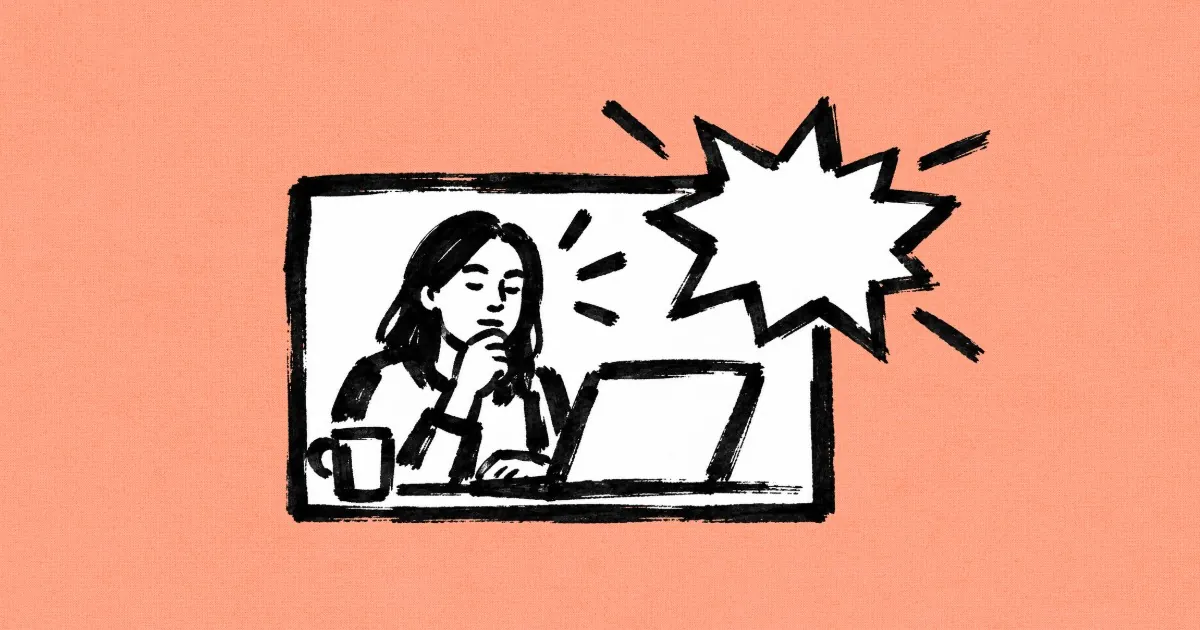
桃色背景上的墨線漫畫格,一位女性在筆記型電腦旁思考,旁邊有一個馬克杯,格子角落有星爆圖案突破框線

動態漫畫是為漫畫分鏡格注入有限動畫效果:畫面本身保持靜止,同時雨水落下、燈光閃爍或「轟!」字樣在畫面中爆開。大多數 AI 影片模型會將分鏡格轉變為完整的移動鏡頭,導致鏡頭搖移、線條融化,直到不再像漫畫。我們研究了《In Our Time》背後的 97 個圖像轉影片提示詞,這部 3 分 47 秒的短片由 Flick 內部影像創作者 Jaime Yao 創作,以墨線和木刻插圖呈現,另外還有 Flick 團隊成員 Zoey Z. 製作的一個老鼠廚師分鏡格的三種版本。本指南將透過六個步驟展示如何製作動態漫畫,每個步驟都包含實際分鏡格、影片片段及其背後的提示詞。

什麼是動態漫畫?

動態漫畫是為漫畫或插圖添加有限動態效果的作品:繪製的分鏡格保持原樣,僅有少數元素移動,並在上方加入音效、音樂,有時還有配音。
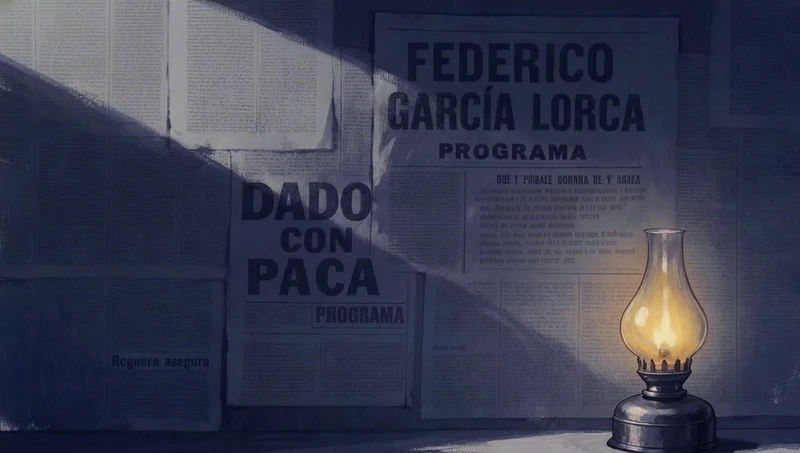
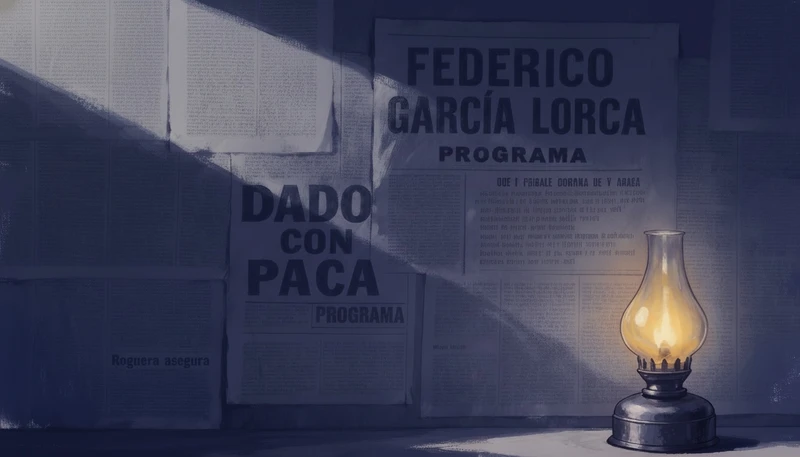
An oil lamp glows in front of an old Federico Garcia Lorca theatre poster on a dim wall
第一幀:An oil lamp glows in front of an old Federico Garcia Lorca theatre poster on a dim wall
第一幀
00:10
火焰及其陰影是唯一移動的元素,來自提示詞「油燈的火焰閃爍,使陰影隨之搖曳。」Jaime Yao 執導的《In Our Time》 · Seedance Pro · 圖像轉影片
動態漫畫與印刷漫畫及完整動畫的差異
漫畫動態漫畫動畫
移動內容無少數元素,例如雨水、火焰或單一動作所有內容,每一幀都重新繪製
鏡頭固定分鏡格鎖定,或保留一個緩慢移動用於重要時刻自由移動
文字氣球和文字效果出現並爆破的文字效果通常沒有
聲音沒有效果、音樂,有時還有語音完整配樂

如何使用 AI 製作動態漫畫,分步教學?

分六個步驟:先製作分鏡,鎖定攝影機,只為會移動的物件製作動畫,讓角色執行一個動作,編輯分鏡以改變時刻,然後加入漫畫音效。
  1. 第 1 步

    先製作分鏡

    在製作動畫之前,先以一種繪畫風格完成每個分鏡的靜態畫面,然後在動作提示詞中再次指定該風格,這樣影片模型就會保留線條而不是將其平滑為算圖效果。

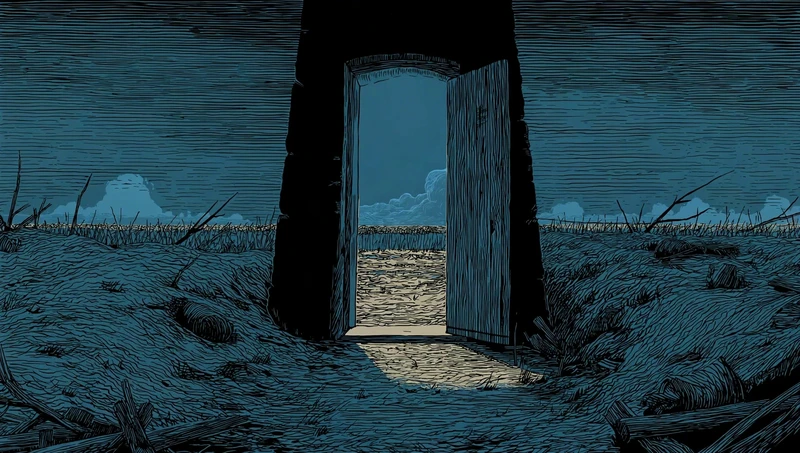
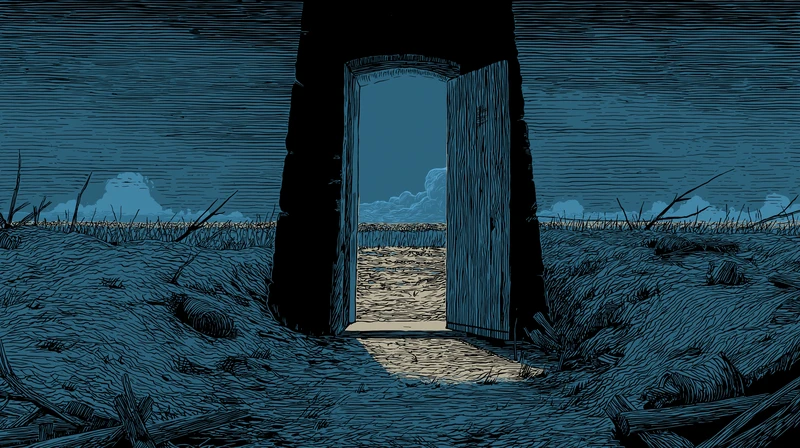
    • In Our Time 的分鏡是有限藍色調色板的墨線和木刻插畫,以完成的靜態畫面上傳到畫布。
    • 在其 97 個影片提示詞中,有 27 個再次指定了繪畫風格,就像這裡第二行的「線條藝術木刻插畫風格」一樣。
    • 許多分鏡從黑暗的門口向外看,這使得動作侷限在畫面的一個小窗口內。
    Blue woodcut style illustration of a bunker doorway opening onto a bare battlefield under low clouds
    第一幀:Blue woodcut style illustration of a bunker doorway opening onto a bare battlefield under low clouds
    第一幀
    00:05
    Jaime Yao 執導的《In Our Time》 · Seedance Pro · 圖像轉影片
    Static shot from inside a dark bunker doorway, looking out across a desolate battlefield.
    Line-art woodcut illustration style, limited blue color palette, thick ink-like outlines, exactly the same composition and lighting as the reference image.
    The camera is completely locked off: no pan, no zoom, no movement.
    Subtle looped animation only:
    – a light wind makes the distant dry grass and a few broken branches outside sway gently,
    – the clouds on the horizon drift very slowly from left to right,
    – the bright strip of light on the ground just outside the door has a tiny, soft movement like cloud shadows sliding over it.
    Lighting and exposure stay exactly the same from the first frame to the last frame. Do not brighten the sky, do not change the color temperature, and do not add any extra light inside the doorway.
    No light rays, no godrays, no shafts of sunlight, no glowing portal effect, no dramatic bright sky opening.
    No new objects, no characters, no birds, no explosions.
    No flicker, no fade-in or fade-out, no camera motion.
    含義:從黑暗碉堡門內靜止拍攝荒涼戰場,木刻版畫風格藍色調,遠處草枝輕擺雲層緩移,門外光影微動但曝光不變。
  2. 第 2 步

    鎖定鏡頭

    在每個動態提示詞開頭加上「鎖定鏡頭」,因為漫畫格是固定的畫面,任何平移或縮放都會讓它看起來像是拍攝的鏡頭而非繪畫。

    • 在《In Our Time》的 97 個提示詞中,有 75 個以文字鎖定鏡頭,從「Locked camera」到「The camera is completely locked off.」。
    • 在鎖定鏡頭後,此提示詞列出微風吹動的少數物件,然後以「Then everything settles.」結尾。
    • Jaime 使用 Wan 2.6 從上傳的靜態圖片製作了這個片段。
    Ink illustration of an open window at night with a glowing kerosene lantern, wooden shutters and rooftops beyond
    第一幀:Ink illustration of an open window at night with a glowing kerosene lantern, wooden shutters and rooftops beyond
    第一幀
    00:05
    Jaime Yao 執導的《In Our Time》 · Wan 2.6 · 圖像轉影片
    Locked camera. Outside sky and distant city stay perfectly still. A light breeze moves only the foreground: the curtain gently sways once, the wooden shutter/door shifts a tiny amount, small plants near the sill tremble. The kerosene flame softly flickers, causing slight warm brightness changes on the nearby inner wood only. Then everything settles.
    含義:鎖定鏡頭中遠景靜止,微風輕拂窗簾搖擺木門微動植物顫動,煤油燈火焰閃爍造成內側木材光影變化後平息。
  3. 第 3 步

    挑選要移動的物件

    指定一兩個真正會移動的物件,例如雨、火焰或草,並說明其他一切保持靜止,這樣模型就會為天氣添加動畫,同時保留繪畫原貌。

    • 在 97 個提示詞中,「Animate only」或「Only animate」出現在 27 個提示詞中,而「no new」則出現在 53 個提示詞中。
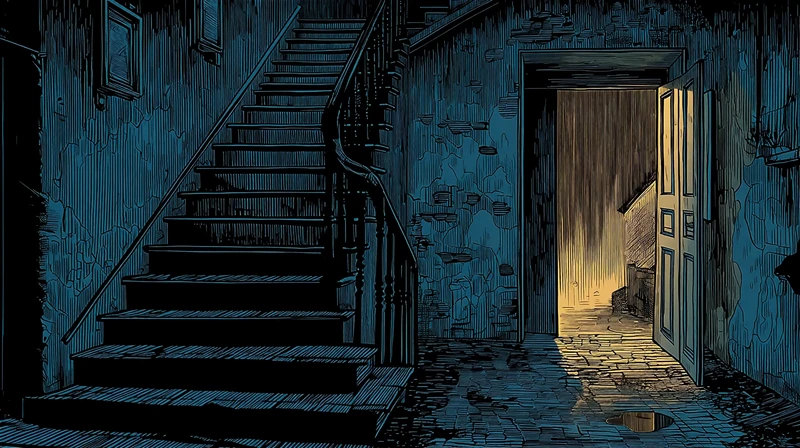
    • 此提示詞將門外繪製的金色筆觸轉化為雨,然後以一連串否定詞結尾:沒有新物件、沒有霧、線條不變。
    • 這是使用 Wan 2.5(較早期的 Wan 版本)製作的。
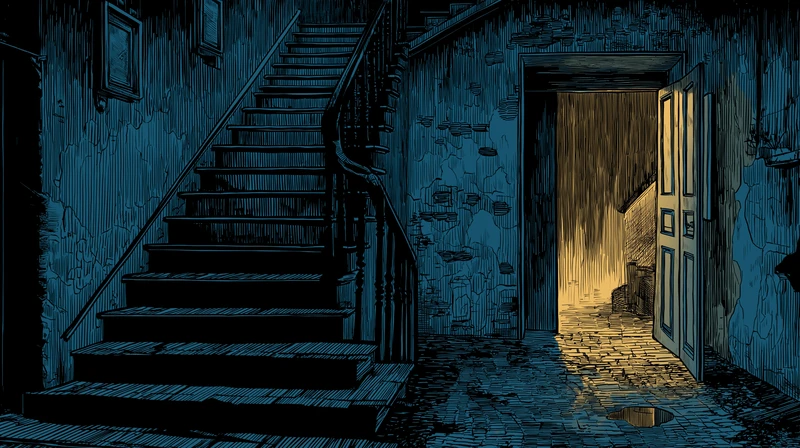
    Ink-line stairwell with an open door onto heavy golden rain and a puddle spreading across the floor
    第一幀:Ink-line stairwell with an open door onto heavy golden rain and a puddle spreading across the floor
    第一幀
    00:05
    Jaime Yao 執導的《In Our Time》 · wan2.5 · 圖像轉影片
    Locked camera, no pan, no tilt, no zoom.
    Keep the exact composition, perspective and drawing style of the original illustration of the old stairwell and open door.
    Animate only the existing rain and water:
    
    Outside the open door, the vertical golden strokes become a dense curtain of heavy rain, falling straight down (or with a very slight slant). The intensity of the rain changes only a little, always staying like a downpour.
    
    On the wet floor just inside the door and in the puddle on the ground, raindrops create tiny ripples and small splashes. The warm light reflection in the water shimmers softly and moves slightly with the rain, and the puddle slowly grows a little over time as more water gathers.
    
    The warm light spilling through the doorway flickers very subtly on the floor and door frame, like rain is disturbing the light. The door itself may sway an extremely small amount once in a while, as if pushed by wind, then becomes still again.
    The rest of the interior stairwell stays almost completely still and dark blue, with no extra motion.
    Overall feeling: outside is alive with rain and water, inside is quiet, tense and empty.
    Negatives: no new objects, no characters, no extra lamps, no fog or smoke, no lightning, no new shadows, no camera shake, no color grading changes, no change to perspective, framing or line work.
    含義:鎖定鏡頭保持原插畫構圖,門外金色筆觸變成傾盆大雨直落,室內地板水窪漣漪擴散,暖光閃爍,樓梯間保持黑暗寂靜。
  4. 第 4 步

    給予單一動作

    當角色移動時,撰寫一個小而易讀、有明確開始和結束的動作,因為單一手勢讀起來像漫畫的下一個節拍,而持續的動作則讀起來像動畫。

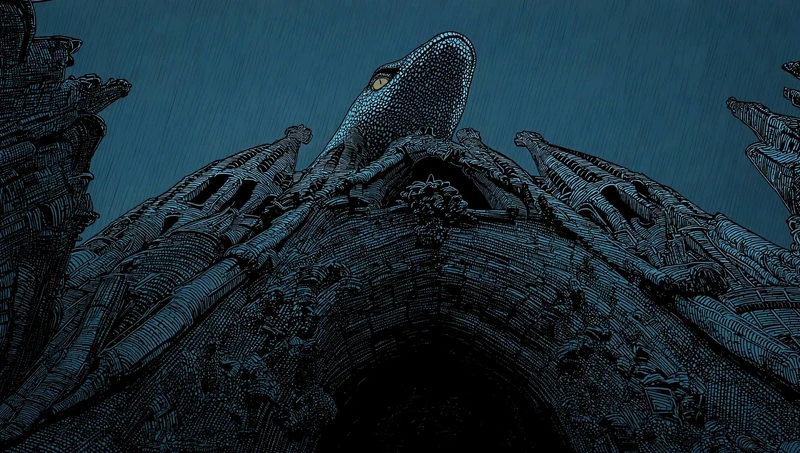
    • 這條蛇「執行一個小而易讀的動作:單次俐落的吐舌,筆直伸出再收回。」
    • 相同的提示詞讓頭部和身體保持靜止,並排除搖晃或眨眼。
    • 它甚至說明如何修復錯誤的鏡頭:「如果雨的斜向不對,就鏡像翻轉該鏡頭。」
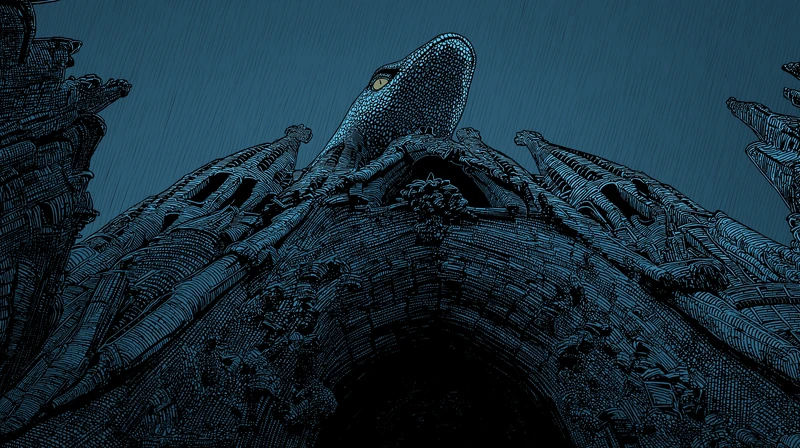
    Engraved serpent on top of a cathedral facade flicks its tongue out in heavy diagonal rain
    第一幀:Engraved serpent on top of a cathedral facade flicks its tongue out in heavy diagonal rain
    第一幀
    00:05
    Jaime Yao 執導的《In Our Time》 · Seedance Pro · 圖像轉影片
    The serpent atop the façade performs one small, readable action: a single, crisp tongue flick straight out and back, head and body held steady (no sway, no blink). Heavy diagonal rain is clearly visible across the frame, falling upper-left → lower-right over the spires. Keep existing lighting; no new elements; no zoom/pan/tilt. If the rain slants the wrong way, mirror the shot. Use the needle spires/eaves for scale reference.
    含義:立面頂端蛇像頭部穩定做出單次俐落吐舌動作,大雨從左上往右下斜落尖塔,維持原有光線無新增元素。
  5. 第 5 步

    編輯,然後動畫化

    若要改變兩個分鏡之間的天氣或光線,先用圖像模型編輯靜態畫面,再將編輯後的版本動畫化,這樣下一個分鏡就能保持相同的畫面,同時改變時刻。

    • Jaime 使用 Nano Banana Pro 將傾盆大雨轉變為「雨勢減弱」,同時保留屋頂、大教堂和線條,編輯提示詞如下。
    • 編輯後分鏡的動作提示詞很簡短:「鎖定鏡頭」、少量稀疏的雨、水坑漣漪,以及一句排除所有其他變化的結尾。
    • 97 個片段中有 13 個是從 Nano Banana 編輯後的畫面開始,而非原始上傳。
    Ink-line view over wet city rooftops toward cathedral spires, with rain rings in the rooftop puddles
    第一幀:Ink-line view over wet city rooftops toward cathedral spires, with rain rings in the rooftop puddles
    第一幀
    00:05
    Jaime Yao 執導的《In Our Time》 · Seedance Pro · 圖像轉影片
    Edit the weather to “rain easing off”. Keep the exact same camera framing, perspective, and composition. Preserve the rooftops, skyline silhouette, cathedral shape, and all linework style and color grade. Reduce the rain dramatically: only a few sparse light rain streaks remain, with occasional tiny droplets. Keep the rooftop surface fully wet with puddles and glossy reflections, with gentle water ripples and small runoff lines. The sky stays overcast and heavy, with a calm post-storm atmosphere.
    含義:雨勢減弱的城市屋頂場景,僅剩稀疏雨絲,地面仍有水窪倒影和漣漪,天空陰沉呈現雨後氛圍。
  6. 第 6 步

    加入音效

    在提示詞中寫入文字,並附上範例字詞如「BOOM!」,因為在 Zoey 的鏡頭中,影片模型會自行在片段中繪製漫畫爆炸效果,無需單獨的文字處理步驟。

    • Zoey 的提示詞要求「2D 漫畫風格文字和音效」,MiniMax H3 回應了一個 BOOM! 爆炸效果在分鏡框內。
    • 至於聲音本身,她將鏡頭送入 Mirelo SFX 2.0,這是一個為完成影片加入音效的模型。
    • Mouse Chef 分鏡是用 Midjourney 製作,每個鏡頭都從它開始。
    Flat cartoon restaurant with mice on a checkered floor and a chef at the bar, the start of the BOOM take
    第一幀:Flat cartoon restaurant with mice on a checkered floor and a chef at the bar, the start of the BOOM take
    第一幀
    00:15
    Zoey Z. 執導的《Mouse Chef》 · MiniMax H3 · 圖像轉影片
    Animate this scene with really exaggerated, cartoony motion. Add some 2D comic-style text and sound effects, like “BOOM!” or little squeaking sounds from the mice. The chef is completely focused on developing his new menu while the mice are running around everywhere.
    含義:廚師專注開發菜單,老鼠四處亂竄,誇張卡通動作搭配漫畫風音效文字如爆炸聲和吱吱聲。

    開啟 Mouse Chef 工作流程

更多細節:我們如何解讀影片

本頁面上的每個提示詞都是逐字複製自公開的《In Our Time》和《Mouse Chef》畫布,讀取於 2026-10-28,每個計數都是從《In Our Time》畫布上的靜態圖像生成的影片片段。《Mouse Chef》面板是使用 Midjourney 製作的。《In Our Time》的靜態圖像被上傳到畫布,其中大多數可能來自 Midjourney,因為它們與同一畫布上三張 Midjourney 圖像共享 2912 x 1632 的尺寸。關於每個片段效果的描述是我們自己對片段的解讀。

哪個 AI 影片模型能保持漫畫分格靜止?

在一個《Mouse Chef》面板使用一個提示詞的測試中,MiniMax H3 在整個片段中保持了面板的畫面,而 Seedance 2.5 和 FLUX 3 則切換到新的鏡頭。
從公開畫布上的片段讀取的同一《Mouse Chef》面板和提示詞的三個片段
模型片段長度片段效果
MiniMax H315 秒保持面板的單一畫面,帶有一個 BOOM! 爆裂效果
FLUX 315 秒在片段約一半的時間保持面板,然後切換到一個新廚房,有不同的廚師和一個 BOOM! 爆裂效果
Seedance 2.520 秒切換到新角度和廚師的特寫,帶有 WHOOSH!、BOING! 和 ZOOM! 爆裂效果
Cartoon mice and a chef in a green tiled restaurant, the first frame of the FLUX 3 take of the Mouse Chef panel
第一幀:Cartoon mice and a chef in a green tiled restaurant, the first frame of the FLUX 3 take of the Mouse Chef panel
第一幀
00:15
FLUX 3 片段,來自相同面板和提示詞Zoey Z. 執導的《Mouse Chef》 · FLUX 3 · 圖像轉影片

保持面板的片段才是真正的動態漫畫,但它並非唯一正確答案:Zoey 完成的《Mouse Chef》影片使用了 Seedance 2.5 片段,包含其切換和三個爆裂效果。

製作一部插畫短片需要什麼?

《In Our Time》的 3:47 由 97 個從 67 張靜態圖像製作的圖像轉影片片段動畫化,其中 81 個片段長度為 5 秒。
從公開《In Our Time》畫布上的靜態圖像生成的影片片段,讀取於 2026-10-28,包含封存的片段。上傳和提升解析度不計入。
內容數量製作工具
圖片轉影片片段97Seedance Pro 72、Wan 2.5 17、Wan 2.6 7、Kling 3.0 Pro 1
它們開始的靜止畫面6759 個上傳、5 個 Nano Banana 編輯、1 個風格轉換、2 個不再在畫布上
鎖定攝影機的提示詞75
排除任何新事物的提示詞(「無新增」)53
5 秒的片段81其他 16 個為 3 秒或 10 秒

什麼讓動態漫畫看起來像漫畫?

克制:穩定的光線、短片段、多次拍攝以供選擇,以及將攝影機運鏡留給真正需要的那一刻。
  1. 1. 保持光線穩定

    Tell the model that lamps, windows and exposure stay as they are, as 14 In Our Time prompts rule out flicker, because a light that pulses on its own reads as a glitch in a drawing.
  2. 2. 保持片段簡短

    Make most panels a few seconds long, as 81 of In Our Time's 97 clips are, so each one plays like a panel you look at and then turn past.
  3. 3. 製作多個版本

    Generate more than one take of a panel and keep the calmest, as Jaime made 97 clips from 67 stills and five takes of a single bird panel.
  4. 4. 保留重要的運鏡

    Keep one large motion for the story's biggest beat, as Jaime's fly-through prompts send a giant bird straight over the camera, so it lands against panels where almost nothing moves.

關於動態漫畫的問題

動態漫畫和動畫有什麼區別?

動態漫畫保留繪製的分格畫面,僅移動其中的少數元素,例如雨、火焰或一個手勢,而動畫則重新繪製每一幀,讓所有事物都能移動。動態漫畫通常鎖定攝影機,並在靜止畫作上添加音效、音樂,有時還會加入配音。

AI 能製作動態漫畫嗎?

可以。圖片轉影片模型可以讓完成的漫畫分鏡動起來,前提是提示詞要鎖定鏡頭、指定少數會動的元素,並排除任何新內容。在 Flick 中,分鏡、片段及其背後的提示詞都在同一個畫布上,因此每個分鏡都可以獨立製作動畫、比較和重做。

如何為動態漫畫添加音效?

有兩種類型:你看到的文字效果和你聽到的聲音。對於文字效果,在影片提示詞中寫入「BOOM!」等詞語,並要求漫畫風格的文字,某些影片模型會將其繪製到片段中。對於聲音,可以將完成的片段透過音效模型(例如 Flick 中的 Mirelo SFX 2.0)處理,或在剪輯時添加效果。

哪個 AI 模型最適合製作動態漫畫?

這取決於你是否希望分鏡保持靜止。在 Flick 對一個卡通分鏡使用相同提示詞的測試中,MiniMax H3 保持了分鏡的框架,而 Seedance 2.5 和 FLUX 3 則切換到新鏡頭,因此建議在兩到三個模型上執行同一分鏡,並選擇最適合你漫畫的效果。

每個動態漫畫分鏡應該多長?

幾秒鐘通常足以讓讀者理解一個分鏡及其動作。在 Flick 製作的插圖短片《Our Time》中,97 個動畫分鏡中有 81 個使用了 5 秒的片段。

動態漫畫有配音嗎?

有些有,有些沒有。許多動態漫畫僅透過字幕、音效和音樂來講述故事,而其他作品則會添加旁白或為每個角色配音,你可以在同一個 Flick 畫布上使用語音模型生成配音。

我可以免費製作動態漫畫嗎?

你可以在 Flick 免費開始,無需信用卡,並使用免費點數透過圖片模型(例如 Nano Banana Pro)製作或編輯分鏡。本指南中的影片模型,包括 MiniMax H3、Seedance 2.5 和 FLUX 3,需要 Standard 方案或更高等級。

深入了解 Flick 中的漫畫與動畫

本指南中的影片

步驟中的每個畫面和片段均來自 Jaime Yao 的《In Our Time》和 Zoey Z. 的《Mouse Chef》的公開畫布,且每個作品皆標註其創作者。在 Flick TV 上觀賞更多以 Flick 製作的影片。

製作你自己的動態漫畫

上傳或生成你的畫面,然後在一個 Flick 畫布上為每個畫面添加動畫、文字和配樂。

在 Flick 中製作你的動態漫畫

免費試用,無需信用卡。

讓 AI 解讀本頁:ChatGPTPerplexityClaude