How to Use Nano Banana 2 Lite in 2026: Fast Cheap Drafts
Oct 2026
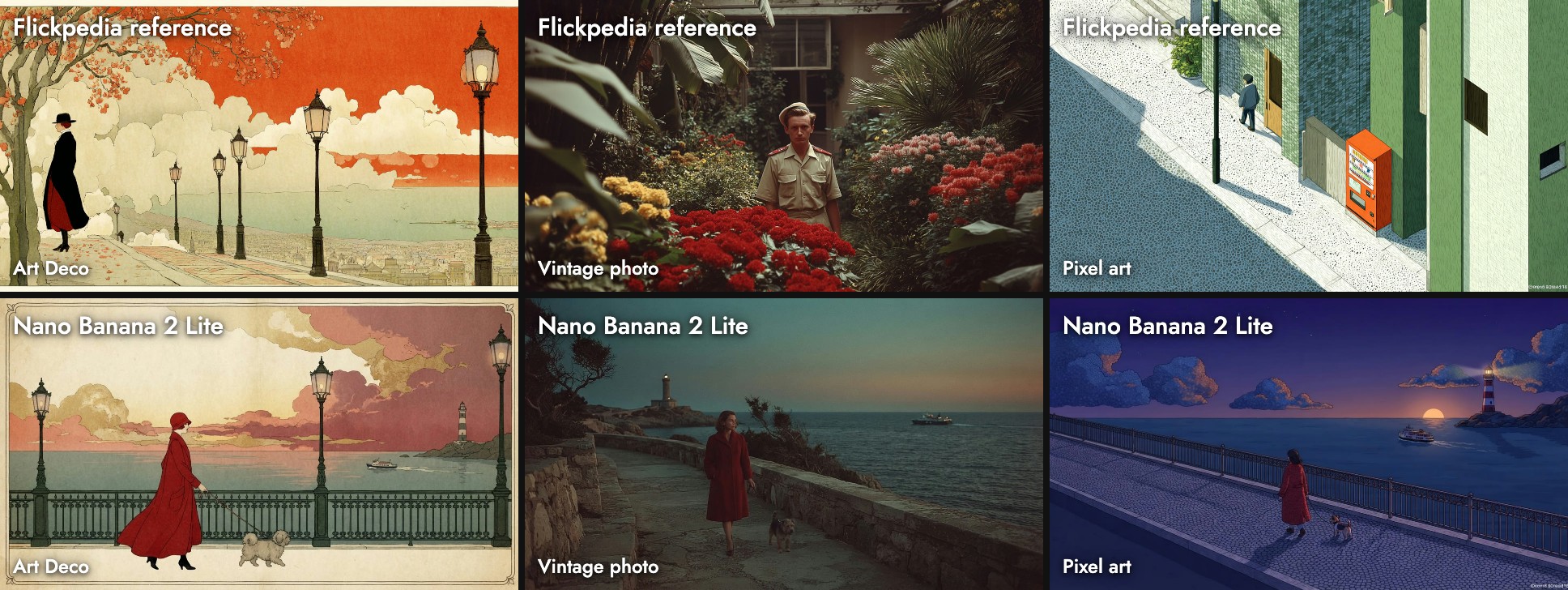
Nano Banana 2 Lite is Google's fastest and cheapest Gemini image model, announced on June 30, 2026 as Gemini 3.1 Flash Lite Image. On Flick it costs 7 credits an image (8 to edit), outputs 1K only, and works with Flickpedia visual styles. It copied the Art Deco reference more closely than any other model we tested.
Quick answer: how do you use Nano Banana 2 Lite?
Add an image node in Generate Image, pick Nano Banana 2 Lite, and write the scene. Then:
- Use it for drafts and style tests. 1K is the only size.
- Pin a style to see how a look will read before you commit.
- Move the keeper to Nano Banana 2.1 or Pro for a larger, more detailed final.
| Spec | Nano Banana 2 Lite on Flick |
|---|---|
| Maker | |
| API model | gemini-3.1-flash-lite-image |
| Price | 7 credits per image, 8 to edit |
| Output we measured | 1370 × 768 and 1408 × 768 at 16:9 |
| Settings | Output format (PNG, JPEG, WebP) |
| Flickpedia styles | Yes |
| Reference images | Up to 9 |
| Plans | All plans, including Free |
Google quotes about 4 seconds per text-to-image result. In everyday use on Flick ours came back in about 2 seconds; during our test, with eleven models queued at once, runs took longer. All rates are on model credit costs.
Test a style before you commit
Draft in a Flickpedia style with Nano Banana 2 Lite.
How we tested
One prompt with three Flickpedia styles, in October 2026:
A woman in a red coat walks her small dog along a seaside promenade at dusk, with a lighthouse and a ferry in the distance.The styles were Art Deco Illustration, Vintage Naturalistic Photography and Pixel Art Animation Style. We also ran a watercolor prompt, alongside ten other models.
Three Flickpedia styles
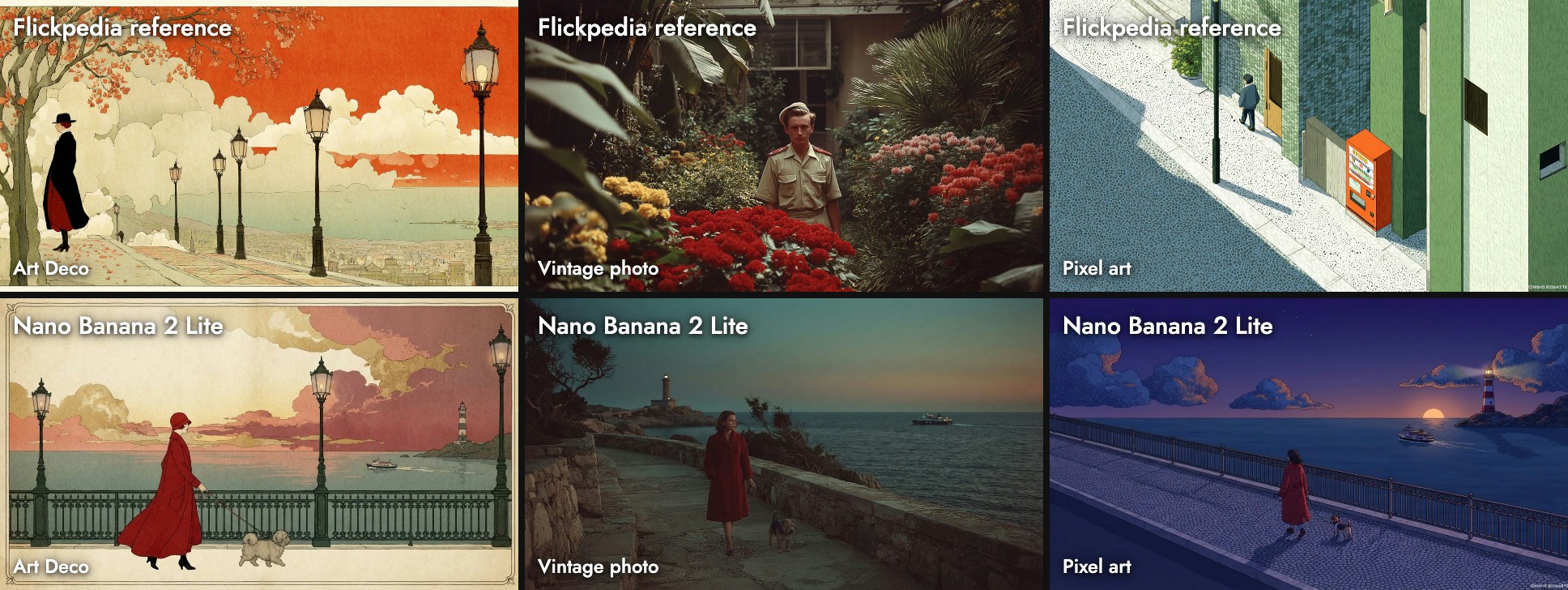
- Art Deco: lamp posts, a cream border and a lone figure: the closest match to the reference in our tests.
- Vintage photo: a muted teal dusk, small figures on a rocky path.
- Pixel art: a night illustration with dithered clouds, and a small fake signature in the bottom-right corner copied from the reference.
In all three the woman is small in the frame; the references are wide shots, and it followed them.
A watercolor test
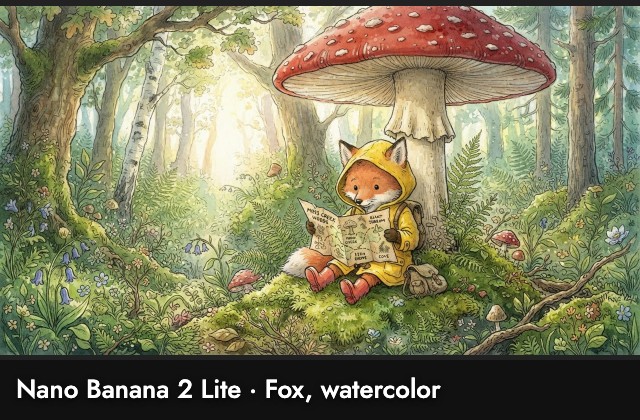
One of the richest illustrations in our tests: ink lines, a backpack, red boots and a hand-drawn map. The map's labels are scribbles, not words.
When to use it, and when not
Use it when: you want to test a style or composition cheaply, or you need many references in one image.
Skip it when: you need more than 1K. Nano Banana 2.1 and Nano Banana Pro go larger.
Sources
- Gemini Omni Flash and Nano Banana 2 Lite, Google, June 30, 2026
- Prices and settings from Flick's model configuration; images, sizes and timings from our Flick canvases, October 2026
Guides associés
- Generate Image
- Visual Styles
- Model credit costs
- How to use Nano Banana 2.1
- How to use Nano Banana Pro
- How to use Seedream 5.0 Lite
- How to use Grok Imagine
Questions fréquentes
How much does Nano Banana 2 Lite cost on Flick?
What resolution does it output? 1K only; our 16:9 images were 1370 or 1408 by 768.
What resolution does it output?
Does it work with Flickpedia styles? Yes, and it followed the references closely.
Does it work with Flickpedia styles?
Is it really 4 seconds? That is Google's figure. In everyday use on Flick ours took about 2 seconds; a busy queue adds time.