

Opening Board 1: A Star Over Home
An opening board with no dialogue at all, where ten frames move from above the clouds down to one attic window, so the board sets the place before any character appears.
Adrien Bodson, director of Battery Boy
A storyboard template is a page of empty frames in your film's shape, one per shot, with lines under each for the shot size, the action and the dialogue.
By Zoey Z.Last updated
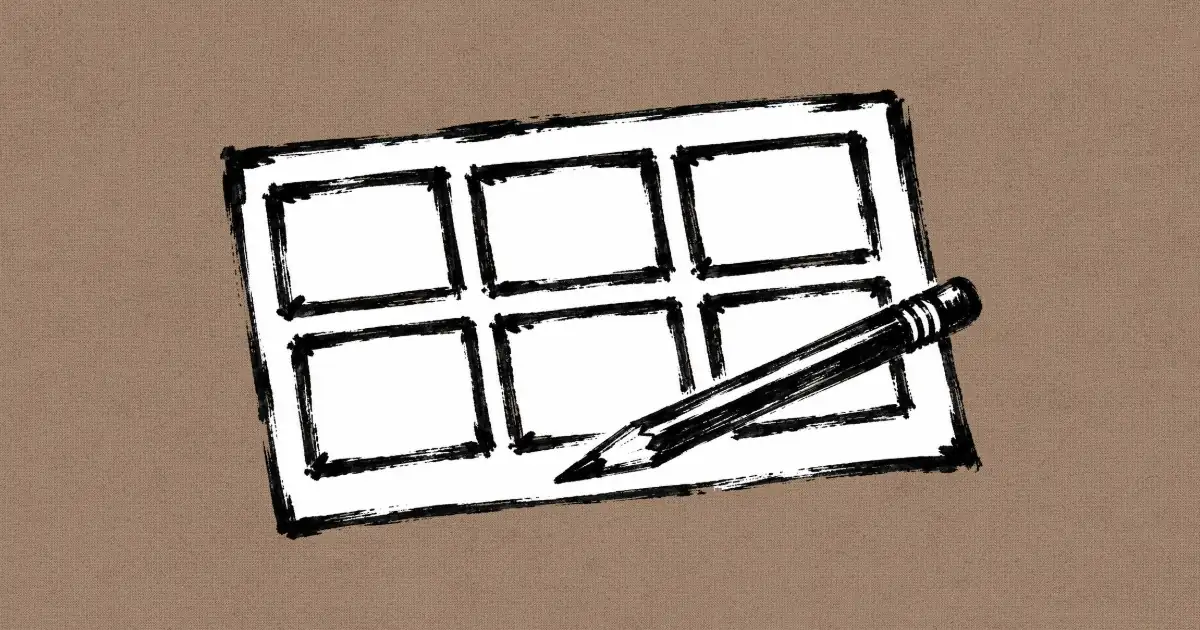
A blank storyboard template PDF shows you the boxes but not what a good board puts in them, so most first boards end up as pictures with no camera, no action and no lines. We went through the public canvases of four films made in Flick and found the boards their makers planned with: 36 titled storyboard boards for Battery Boy, a scene sheet for Happy Souls Alive, and hand-drawn panels for A Proper Introduction and Ulysses. This page lists what goes on a storyboard template, then shows those real filled-in boards frame by frame, and the four steps to fill in your own.
| Field | What it holds | From a real board |
|---|---|---|
| Frame number | The shot's place in the scene | 1 to 10 on every Battery Boy grid |
| Picture | What the camera sees, in the film's frame shape | A 16:9 box, or 2.39:1 for a wide film |
| Shot size and angle | How big the subject is and where the camera sits | "Wide / floor level", "Low angle wide", "ECU / face-off" |
| Action | One line on what happens in the shot | "A giant cat shadow falls over him." |
| Dialogue or sound | The line spoken, in quotes | "That is... a lot of cat." |
| Focus or emotion | What the audience should feel | "Curiosity, social pull" on the Happy Souls Alive sheet |
| Notes for every shot | What stays the same across the scene | "Same late-afternoon lighting and color palette." |
An opening board with no dialogue at all, where ten frames move from above the clouds down to one attic window, so the board sets the place before any character appears.
Adrien Bodson, director of Battery Boy

Each frame carries a two-word title and one line of action, such as "Bolt races toward the door before the palms meet; Leo turns after it."
Adrien Bodson, director of Battery Boy

Here the line under each frame is the dialogue alone, from "Playtime is the best time!" to "You're no fun when you're so low," so the turn of the scene reads in ten quotes.
Adrien Bodson, director of Battery Boy

A sound effect gets its own frame, "CLUNK!", because a board of pictures alone loses the beat where the robot hits the floor.
Adrien Bodson, director of Battery Boy

Every frame names its shot first, "Wide / floor level", "Insert / shadow", "Robot POV", so the camera plan is readable without looking at the pictures.
Adrien Bodson, director of Battery Boy

The board runs one gag from "Wide / warning" to "Resolve / refocus", which is how a single obstacle fits into ten frames with a start, a fight and an exit.
Adrien Bodson, director of Battery Boy

The longer captions spell out the camera and the emotion together, such as "Low angle: he hauls his child-scale body upward with painful effort."
Adrien Bodson, director of Battery Boy

The last board ends on the robot's battery reading 100%, with a tagline along the bottom, "Some things break. Some hearts bring them back."
Adrien Bodson, director of Battery Boy
A board used as a video reference is a plan to read, not a picture to copy, and the prompt for one Battery Boy scene says so in its opening lines.
The image loaded into the FIRST-FRAME reference slot is not the literal first frame of the video. It is STORYBOARD BOARD A: a multi-panel visual and narrative reference describing the outdoor RC-truck sequence.

 00:14
Jaime Yao planned this Flick team film about a tiny knight from a girl's drawing as loose sketch frames made with Nano Banana Pro, then turned each sketch into a finished frame, like the one at the top of this page.

Over the shoulder, with the man as a dark shape and the knight small on the desk.
Jaime Yao, director of A Proper Introduction

A closer shot, so the drawing and the knight share the frame.
Jaime Yao, director of A Proper Introduction

Plain pencil, as the knight stands on the page he was drawn on.
Jaime Yao, director of A Proper Introduction

A medium close shot that keeps the window light behind the man.
Jaime Yao, director of A Proper Introduction

A flat, straight-on frame that makes the cabinet a wall.
Jaime Yao, director of A Proper Introduction

Top down, with the shadow's edge drawn exactly where it must fall.
Jaime Yao, director of A Proper Introduction

A wide shot where the knight is a speck, to sell the scale.
Jaime Yao, director of A Proper Introduction

The knight from behind, so the audience looks where he looks.
Jaime Yao, director of A Proper Introduction
Jaime Yao turned each planned shot of Ulysses, another Flick team film, into a plain pencil sketch with Nano Banana Pro, keeping the framing and dropping the detail.

A frame line is drawn around the sketch, as on a paper board.
Jaime Yao, director of Ulysses

An over-the-shoulder shot, blocked with two figures and nothing else.
Jaime Yao, director of Ulysses

A wide two-shot that fixes where each man is before any detail.
Jaime Yao, director of Ulysses

One prop is coloured, so the eye goes to it first.
Jaime Yao, director of Ulysses
Break the scene into shots and number them before drawing, as the Battery Boy grids do from 1 to 10, so every frame, note and file can be called by one number.
Sketch where the camera sits, how big each figure is and where the light falls, as the A Proper Introduction sketches do, and leave faces and textures rough because they change later anyway.
Put the shot size and angle first, then one line of action and the dialogue in quotes, so the board still reads to someone who cannot see your drawings clearly.
Read the frames from first to last and cut any shot that repeats what the one before it already showed, then fix the board rather than the footage.
A storyboard template is a blank page of frames, each in the film's aspect ratio, with numbered boxes and lines under each for the shot size, action and dialogue. You fill it in to plan a scene shot by shot before filming or generating anything.
Six frames to a page is the usual layout, because it leaves room to write under each frame. A short scene often fits ten frames on one sheet, which is how the maker of the Flick residency film Battery Boy laid out each of his boards.
Write the shot size and camera angle, one line of action in the present tense and any dialogue or sound in quotes. Add the emotion the shot should carry when it matters, and keep notes that apply to every shot in one strip at the bottom of the page.
Draw the frames in the shape of the finished film, usually 16:9 for online video and television, or 2.39:1 for a widescreen film. A frame in the wrong shape hides how much space surrounds a character, which is what the board is meant to show.
No drawing skill is needed: boxes and stick figures work if they show where the camera sits and how big each figure is. Photos, a 3D blockout or an AI image of each shot can also fill the frames.
A shot list is a written table with one row per shot: its size, angle, movement and action. A storyboard draws each of those shots as a frame, so it shows what a shot list cannot, such as how big a figure is and what stands in front of what.
Yes. An image model can draw each frame from a one-line description and a character reference, and in Flick each frame sits on a canvas in story order, where it can become the start of the shot it plans.
Put one frame per shot on a Flick canvas, in story order, and turn each frame into the shot it plans.
Try for free, no credit card required.
Ask AI about this page:ChatGPTPerplexityClaude


