AI Music Visualizer: Turn a Song Into a Video

Flick's AI music visualizer turns a song into a video: you write a shot for each part of the track, a video model films it, and you cut the clips to the music.

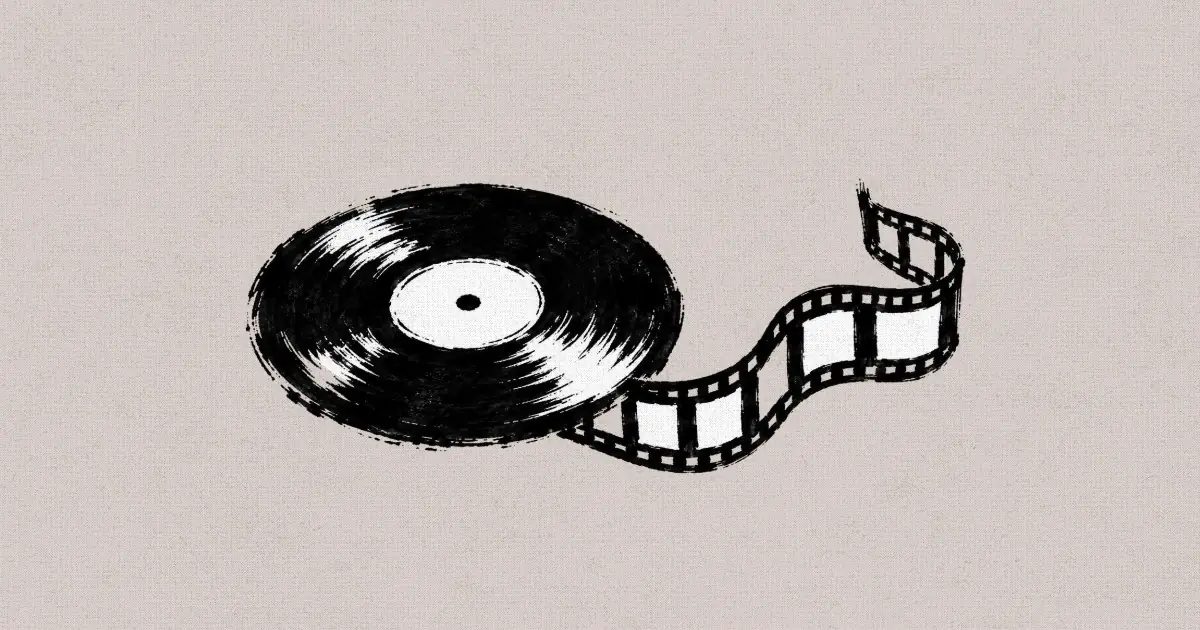
An ink drawing of a vinyl record with a strip of film unspooling from its edge

Most AI music visualizers draw shapes that pulse with the audio, which works for a lyric loop but gives you no characters, places or story to watch while the song plays. We read the canvas of Catch Out, a 4:06 short by Dr. Dreams from the Summer 2026 Flick Residency, set to three songs he wrote himself and built from 29 clips generated in Flick. This page shows the road montage he cut to his music, the prompt habits behind those shots, and four steps to turn your own song into a video with Flick's AI music visualizer.

Describe a shot for your song in Flick

Describe a shot for one part of your song in the box, or pick one of the three examples below, and it opens a new Flick project where you add your track.

What does Flick's AI music visualizer make?

It makes the pictures for your song, one generated shot per section, rather than waveform bars or spectrum shapes that pulse with the audio, so the video tells a story while the track plays.
  • It takes a song you upload, or a track you make in Flick with Text to Music, which writes original music from a prompt with Eleven Music on the Free plan.
  • It generates each shot from a written prompt with your characters and places cited as reference images, so the same faces carry through the whole song.
  • It holds the song, the reference images and every take on one canvas, so you can regenerate a shot that does not fit the music without losing the rest.
  • It lays the clips over the song on the timeline in the same project, where you trim each shot to land on the beat you want.

Counted on the Flick canvases of team and residency films:

  • 29 video clips generated for Catch Out, a 4:06 short set to three songs
  • 12 of those 29 Catch Out prompts rule out music, such as "no background music"
  • 27 of the 29 mark each beat with a timecode such as [00:00]
  • 1,679 of 4,096 generated video prompts across 67 films ask for no music or no score

What does a song look like once it is cut to shots?

The song carries the time and the shots carry the story: in Catch Out's road montage each location gets one clip, and the cut moves on as the music does.
  • Film: Catch Out by Dr. Dreams, a runaway who rides freight trains with a crew of punks and their dog, with three songs he wrote on the soundtrack.
  • Each card below is one montage shot with its prompt, copied word for word from the film's canvas; clips start muted, and the songs are not in the clips, which carry just the sound the model made.
A big box store and its grey parking lot seen from above, where the crew is about to raid a dumpster00:15

A dumpster dive behind a store, one shot of the montage

live action film 
[00:00] camera booms down in the back of a walmart Walmart Dumpster, Stolen Cookiesas patches Patches with Stick-and-Poke Tattoos, casey Casey - Turnaround Sheetand gumby Gumby Character Turnaroundrun up to the dumpster, excited. Thor follows happily, barking Thor Character Turnaround. 
[00:04] camera orbits as gumby leaps up into the dumpster and rumages around. he tosses a package of cookies to Casey who catches them. 
[00:07] handheld camera tracks patches as she digs through the dumpster from the side, laughing. 
[00:10] close on casey who eats a cookie from his package, then tosses a cookie to thor. 
[00:13] close on thor the dog who happily eats the cookie. 
Dr. Dreams, director of Catch Out
A bright gas station aisle at night as a young man in a green jacket steps in from the side00:11

A truck stop at night, timed in five beats

live action film. 
[00:00] interior gas station Flying J Truck Stop Store gumby Gumby Character Turnaroundwalks over to the aisle, camera dollies. 
[00:03] close on gumby grabbing a bag of beef jerky. 
[00:05] close on his face as he glances around to see if anyone notices him. 
[00:07] close on his tee shirt as he slides the beef jerky under his shirt. 
[00:09 handheld camera tracking gumby as he walks to the exit. he walks past Patches Patches Character Turnaround who is at the checkout counter chatting and flirting with the teenage clerk behind the counter. 
Dr. Dreams, director of Catch Out
Three young drifters walk along a desert highway shoulder at dusk, one carrying a hound in his arms00:08

Hitchhiking on the highway shoulder

no background music. 
[00:00] exterior freeway Highway Shoulder, Hitchhiking. The three people patches Patches Character Turnaround, casey Casey - Turnaround Sheetand Gumby Gumby Character Turnaroundwalk along the shoulder. patches holds her thumb out to hitchhike. Casey carries thor Thor Character Turnaround. A massive semitruck thunders past them. 
[00:03] camera tracks behind them. Patches gives a middle finger to the semi truck as it speeds away down the highway. 
[00:06] close on their old, worn out sneakers, walking along the freeway shoulder. 
Dr. Dreams, director of Catch Out
A wet concrete freeway overpass in the rain, litter and a tarp by the pillars where the crew huddles00:12

Huddled under an overpass in the rain

exterior freeway overpass Under the Overpass, Rain
[00:00] camera booms down on casey Casey - Turnaround Sheet, Patches with Stick-and-Poke Tattoosand Gumby Character Turnaroundand Thor Character Turnaroundwho sit huddled near a giant concrete pillar. 
[00:03] cut to camera pushing in on the three, visibly cold, breath coming out as steam, they're all wet. 
[00:06] close on casey who breaks off a piece of cookie and feeds it to thor, the dog. 
[00:08] close on patches who finishes the last of a beer, throws the beercan. 
[00:10] close on gumby who tries to sleep, pulls his jacket tight around his torso. he's cold, uncomfortable. 
Dr. Dreams, director of Catch Out
Show 2 more montage shots
A woman with her thumb out walks a desert highway at sunset beside two young men and a hound00:08

The same road, a second shot for the next bar

no background music. 
[00:00] exterior freeway Highway Shoulder, Hitchhiking. camera handheld tracking The three people walking on the shoulder:  patches Patches Character Turnaround, casey Casey - Turnaround Sheetand Gumby Gumby Character Turnaround patches holds her thumb out to hitchhike. Casey carries thor Thor Character Turnaround. 
[00:03] camera tracks behind them. Gumby kicks a rock. 
[00:06] close on their old, worn out sneakers, walking along the freeway shoulder. There should only be three people walking, and a dog. 
Dr. Dreams, director of Catch Out
A young man with long hair stands nervously at the end of a store aisle stacked with grooming products00:10

A lookout in a store aisle

live action film. no background music. interior Walmart grooming aisle Walmart Aisle Location Plate. [00:00] handheld camera pushes in on CaseyCasey - Turnaround Sheet stands at the end of the aisle keeping lookout, but he's terrible at it, too obvious, glancing around nervously, shifting his weight. [00:04] cut to camera tracking in front of Patches Patches Character Turnaround as she walks up the aisle, stops, casually slides a boxed hair clipper set off the shelf and into her jacket, smooth as breathing. [00:08] cut to camera tracking in front of Patches as she walks quickly past casey, clocks Casey's nervous face, smirks, and winks at him. handheld camera, 
Dr. Dreams, director of Catch Out
More detail

The prompts are copied from Dr. Dreams' public canvas; the @ references in them point to the character sheets and location images he made first. The montage order and where each song plays are our reading of the finished film, and the canvas holds more than one take of some shots, so a clip shown here may not be the take in the final cut.

Why write "no background music" in a shot prompt?

Video models that make sound often add their own score, and a generated score under your song clashes with it, so ruling it out leaves just the action's own sound for you to mix under the track.
  • Dr. Dreams ruled out music in 12 of Catch Out's 29 shot prompts, and Lifeguard by Owen Doerr asks for no music or no score in all 69 of its prompts.
  • The trainyard chase below asks for "no music, just footsteps and diesel hum", so nothing but the action's own sound sits under his song.
Three young drifters and a hound sprint down a corridor between two freight trains at night as a spotlight sweeps behind them00:18
Dr. Dreams, director of Catch Out · Seedance 2.5 · Reference to video
live action film. night, inside the trainyard Trainyard Corridor, Night, rows of boxcars and gravel. [00:00] Patches Character TurnaroundGumby Character TurnaroundCasey - Turnaround Sheet, Buzzed HeadThor Character Turnaroundas they sprint down a corridor between two freight trains, camera tracking alongside them at speed, handheld and urgent. [00:04] cut to: tracking in front of them as they run; far behind them a security truck sweeps a harsh spotlight across the cars, the beam raking past. [00:08] medium shot, handheld tracking them as they push harder, breath ragged, gravel kicking up. tense, kinetic, no music, just footsteps and diesel hum.
[00:12] cut to wide angle, camera dollies as a second security truck suddenly skids to a stop directly in front of them, headlights and a blinding white spotlight blasting straight into their faces. [00:015] camera pushes in on the three of them as they freeze in the blinding light, throwing hands up against the glare, silhouetted, caught. hard tension, engine roar, no music.
Prompt habits that help a shot fit a song, counted in Catch Out's 29 generated video prompts
HabitWhat it does for the musicIn Catch Out
"no background music" or "no music"Keeps the model's score off, so your song is the one piece of music12 of 29
Timecoded beats, [00:00] [00:04]Puts each action on a time you can line up with the bars27 of 29
"handheld" cameraGives the shot movement that reads as rhythm under a song23 of 29
Characters cited by referenceKeeps the same faces from verse to chorus22 of 29

How do you turn a song into a video with AI?

In four steps: map the song into sections, lock your characters with reference sheets, write one timed shot per section with no background music, then cut the clips to the track.
  1. Step 1

    Map the song into sections.

    Upload your track or make one with Text to Music, then write down where each verse, chorus and bridge starts, because each section becomes one place or one action on screen.

    • Catch Out's road montage gives each stop its own shot: a truck stop, a highway shoulder, a busking corner, an overpass.
    A truck stop seen from above at night, wet asphalt shining under orange lights and rows of parked trucks00:04
    Dr. Dreams, director of Catch Out · Seedance 2.0 · Reference to video
  2. Step 2

    Lock your characters.

    Make a character sheet for each person in the video on a plain background, front, side and back, so every shot that cites it keeps the same face and clothes.

    • Dr. Dreams made a sheet for each of the crew and for Thor the dog, and cites them in 22 of his 29 shot prompts.
    Character turnaround of a young woman in a studded leather jacket, cargo pants and boots, seen from the front, left and right
    Dr. Dreams, director of Catch Out · GPT Image 2
  3. Step 3

    Write a timed shot per section.

    Write one prompt per section with each beat on a timecode, such as [00:00] and [00:04], and add "no background music", so the actions land where the bars do.

    • Generate with Seedance 2.0 on Omni Reference, which takes your sheets as references, on the Standard plan.
    A hound trots across railway tracks at night as the legs of its running owners pass behind it00:15
    Dr. Dreams, director of Catch Out · Seedance 2.0 · Reference to video
  4. Step 4

    Cut the clips to the track.

    Lay the song on the timeline, drop the best take of each shot over its section, and trim every cut onto a beat, since the song decides how long each picture stays.

    Close tracking shot of running boots pounding across the gravel beside the rails at night00:15
    Dr. Dreams, director of Catch Out · Seedance 2.0 · Reference to video

Why make a music visualizer in Flick?

A pulse visualizer moves to the sound and nothing more, while Flick films a story for the song, with your characters, your places and your own track, and cuts it in the same project.
  • Your song or a new one

    Upload a track you made, or write one with Text to Music, which takes a prompt for genre, mood and lyrics.

  • Shots, not shapes

    Every section gets a filmed shot with people and places, so the video can carry a story from the first verse to the last chorus.

  • The same faces in every shot

    Character sheets cited in each prompt keep the cast the same, verse after verse.

  • Cut on one timeline

    The song, the clips and every take sit in one project, so you trim and swap shots against the music without exporting.

What do people ask about AI music visualizers?

What is an AI music visualizer?

An AI music visualizer is a tool that makes moving pictures for a song. Some draw abstract shapes that pulse with the audio; Flick generates filmed shots for each section of the track, which you then cut to the music.

Does Flick make audio-reactive visualizers?

Flick makes picture shots for a song rather than bars or spectrum shapes that move with the audio. You set the timing yourself: write a timed prompt for each section, then trim each clip onto the beat on the timeline.

Can I use my own song?

Yes. Upload the audio file to your Flick project, lay it on the timeline, and cut the generated shots to it. Use music you wrote or have the rights to.

Can AI make the song too?

Yes. Text to Music in Flick writes an original track from a prompt with Eleven Music, where you describe the genre, the mood and the lyrics, and it runs on the Free plan.

Is Flick's AI music visualizer free?

You can start free: you get 100 credits when you sign up and 100 credits every week, which cover Text to Music and MiniMax H3 Max video. Seedance 2.0 needs the Standard plan ($20 a month).

How long can a music video made in Flick be?

As long as the song: each shot is a clip of a few seconds, up to 15 seconds with Seedance 2.0, and you join as many shots as the track needs on the timeline.

Why does my AI video add its own music?

Many video models that make sound add a score by default. Write "no background music" in the shot prompt, as Catch Out, a residency short made in Flick, does to rule out music in 12 of its 29 shot prompts.

More on making music videos and films in Flick

Films on this page

Turn your song into a video

Bring your track or make one in Flick, write a shot for each part of the song, and cut the clips to the music.

Turn your song into a video in Flick

Try for free, no credit card required.

Ask AI about this page:ChatGPTPerplexityClaude