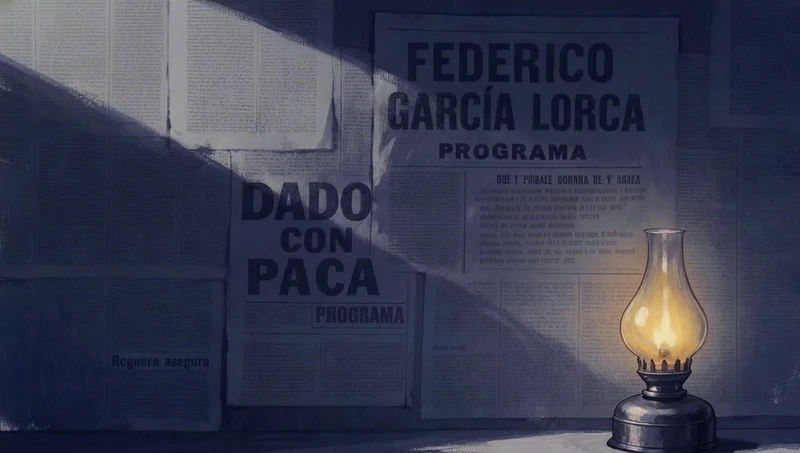
移除:四个字清除乌鸦
当物体容易命名且无需用其他东西替代时,移除操作可以如此简短。
重新生成整张图片来修复一个细节,通常会让你失去原本喜欢的部分:面部发生变化、光线移动、构图偏移。局部重绘通过只改变一个区域而保持画面其余部分不变来避免这个问题。我们收集了电影制作者在 Flick 中制作的 7 部影片中为修复单个画面而编写的 8 个编辑提示词,从 4 个词到 209 个词不等,其中 5 个明确说明了必须保持不变的内容。本页面展示了每个提示词及其结果,解释了何时需要绘制蒙版以及何时书面编辑就足够,并分四步演示了在 Flick 中进行局部重绘的过程。
| 你想要 | 在 Flick 中使用 | 原因 |
|---|---|---|
| 移除、替换或修复一个对象 | 使用蒙版进行局部重绘 | 蒙版将更改范围限制在内部 |
| 将另一张图片中的对象放入此图片 | 使用 Nano Banana 2 和参考图进行局部重绘,或使用编辑与合并 | 参考图精确显示要添加的内容 |
| 更改整个画面的颗粒感、调色或亮度 | 使用文字提示词进行编辑与合并 | 更改遍布整个画面,无需使用蒙版 |
| 更改构图、角度或姿势 | 重新生成,或使用更改角度 | 大部分像素需要移动 |
当物体容易命名且无需用其他东西替代时,移除操作可以如此简短。

提示词设定了塔的尺寸和位置,禁止其上出现任何文字,并列出保持不变的内容,从海岸线到影片色调。
Add a single classic California wooden lifeguard tower standing far back on the dry sand, set right up against the low grassy dune line on the distant horizon, well away from the shoreline. It should appear small and distant, placed deep in the background near the dunes, NOT in the near or mid foreground. Raised on tall stilts with a small enclosed cabin, ramp and railed deck, big sloped windows, weathered white paint with faded red trim, a small red flag on top. The tower has absolutely NO text, NO numbers, NO letters, NO signage or markings anywhere on it, clean bare weathered wood only. Keep everything else in the image completely identical: same wet sand and foamy shoreline foreground, same wide expanse of dry sand, same dunes and grass, same huge hazy sky and tan sandstorm haze, same washed out warm bleach bypass film grade and palette, same grain and dreamlike mood. The distant tower sits naturally with a soft grounded shadow, empty and quiet, no people. Cinematic wide shot.

第二张图片提供了救生圈,提示词要求将其风化处理以匹配金属质感,同时其余部分保持不变。
Add the logo from Image 2 (the textless orange life-ring buoy) onto the metal door of the chamber in Image 1. Reproduce Image 2's logo EXACTLY as it appears, same ring design, same orange color, no text or lettering, no alterations. Place it centered on the upper portion of the door at a natural, readable size, weathered slightly to match the grimy metal and sand blasted surface so it sits believably on the door.

Keep everything else in Image 1 identical: the chamber, the big window, the "435" numbering, the sand drifts, the storm, the lighting, and the color grade. Preserve the palette: deep teals and cool greys #161E20, #253534, #1B2727, #3F5153, #545456, #777775, warm amber #F2A462 and burnt sienna #BE704A. Preserve the logo's own orange as given in Image 2.

一系列编辑中的一次,在阴影深处添加两幅画,同时禁止骑士的任何移动。
Use the provided base image as the direct scene reference.

Continue editing from the current result.
Keep everything else in the current image unchanged.

Add two more children’s crayon drawings deeper in the hallway.
These two drawings lie flat on the wooden floor.
They sit behind the main drawing and extend farther into the shadowed depth of the hallway.
One drawing is placed in the mid-to-deep shadow area.
The other drawing is placed even farther back in the deeper hallway.
Both of these drawings are smaller in the frame than the main foreground drawing.
They must clearly read as children’s crayon drawings.
The two drawings must have different content.

One drawing shows the little knight in a swamp.
The drawing includes the little knight, green swamp ground, puddles, wet grasses, and a simple childlike fantasy setting.
The other drawing shows the little knight in snowy mountains.
The drawing includes the little knight, white snow ground, snowy mountains, a cool-toned sky, and a simple childlike fantasy setting.

Both drawings keep a children’s crayon style but in the shadow.
The paper is real white paper with slight bending and slight curling.
Do not change the position or content of the main drawing.
Do not change the little knight’s pose or position.

一个区域,一次改变和一个方向,从黑色到深海军蓝或青绿色,玻璃高光通过名称保留。
Make the porthole windows slightly lighter — change them from very dark black to a deep dark navy blue or very dark teal, keeping the glass reflection highlights. Keep everything else identical.

提示词首先列出保持不变的内容,细化到镜头上的雨滴,然后扩大云层覆盖并保持其纹理。
Use this image as the base. Keep everything exactly the same: ladder position and shape, camera framing, perspective, depth of field, color grade, rain direction, and the water droplets on the lens.

Only adjust the storm clouds so they occupy more of the frame. Increase the dark cloud mass and coverage so the sky feels more filled and heavy, with less open light area visible. Keep the same cloud texture and softness as the original, just expand the cloud coverage.
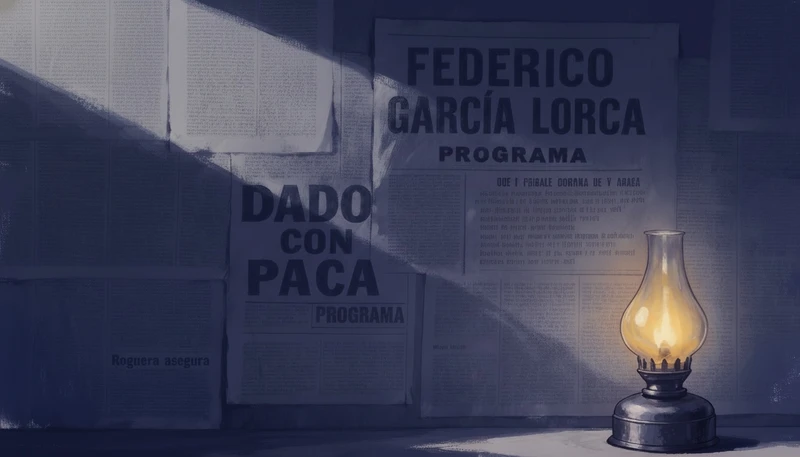
命名例外就像用文字绘制蒙版:房间变暗,灯保持其光芒。
make the whole scene sliightly darker, except the oil lamp

颗粒覆盖整个画面,因此没有需要遮罩的区域,而 especially to the scenery and background, not just her 将效果延伸到了主体之外。
even more analog film grain, especially to the scenery and background, not just her
在 Flick 画布上,打开图像菜单,选择 Image,然后选择 Inpaint,在要更改的区域边缘稍微多涂刷一些。
使用 Pruna(2 积分)进行快速修复,或在参考图像必须精确显示要添加的内容时使用 Nano Banana 2(20 积分)。
描述蒙版内填充的内容、大小和光线,然后说明哪些内容必须保持不变,就像上面 8 个影片提示词中的 5 个那样。
将边缘与原图进行对比,如果某个部分仍然有问题,请再次编辑结果而不是从头开始。
列出保持不变的内容,即使只有四个词,也能告诉模型编辑在哪里结束。
每次只改变一件事,可以让不良结果易于发现和撤销。
Continue editing from the current result.
Keep everything else in the current image unchanged.
如果没有指定比例和位置,模型可能会将新对象放在前方和中心位置。
It should appear small and distant, placed deep in the background near the dunes, NOT in the near or mid foreground.
要求新部分呈现与周围环境相同的污垢、颗粒感或色调,否则看起来像是粘贴上去的。
weathered slightly to match the grimy metal and sand blasted surface so it sits believably on the door.
当画面大部分区域都会改变时,可以用一个条件句来保护必须保持不变的部分,比如光源或面部。
make the whole scene sliightly darker, except the oil lamp
明确禁止文本、多余人物或新道具,因为图像模型喜欢添加这些内容。
The tower has absolutely NO text, NO numbers, NO letters, NO signage or markings anywhere on it
AI 局部重绘是一种图像编辑方式,它会重新生成图片中一个蒙版区域并保持其余部分不变。你在需要修改的部分上涂抹,描述那里应该呈现什么,模型会根据周围的光线和纹理进行填充。
蒙版是你涂抹的区域,用来告诉模型可以在哪里修改图像。蒙版外的所有内容都受到保护,这就是局部重绘如何在不触及旁边面部的情况下修复手部或标识的方法。
有的。Flick 的局部重绘功能使用 Pruna 需要 2 积分,使用 Nano Banana 2 需要 20 积分,两者都在 Free 套餐中提供。注册时你会获得 100 积分,加入 Flick Discord 还能再获得 200 积分。
可以,通过文字编辑:描述需要改变的那一处,并说明其他所有内容保持不变。在 Flick 中这就是编辑与合并功能,当改变内容易于描述时效果最佳,比如从天空中移除鸟类或让房间在灯光周围变暗。
局部重绘修改图片内部的内容;外延绘制则是将图片扩展到边缘之外。Flick 提供局部重绘:局部重绘功能使用绘制的蒙版,用 Pruna 或 Nano Banana 2 进行填充,Flick 没有外延绘制工具。
将第二张图像作为参考附加,然后说明物体的位置以及它在那里应该呈现的样子。在 Flick 中,Nano Banana 2 局部重绘功能支持参考图像,编辑与合并功能可以结合多张图像和提示词进行处理。
通常是因为遮罩范围太紧,或者提示词没有描述光线和纹理。在物体边缘外稍微多涂一点,并要求新部分与场景的颗粒感、色调和阴影相匹配。
Flick 的修复功能只能编辑静态图像。要修改镜头,请先修复起始帧,然后使用图像生成视频功能将编辑后的帧制作成动画。
涂抹需要修改的地方,描述修改内容,保留图像中你喜欢的所有部分。
免费试用,无需信用卡。
让 AI 解读本页:ChatGPTPerplexityClaude