How to Use Riverflow 2.0 Fast in 2026: Cheap Clean Posters
Oct 2026
Riverflow 2.0 Fast is the cheaper, quicker tier of Sourceful's Riverflow 2.0. On Flick it costs 4 credits at 1K and 8 at 2K, returned 1024 × 576 for 16:9, and works with Flickpedia visual styles. It set our test poster as cleanly as models costing five times more.
Quick answer: how do you use Riverflow 2.0 Fast?
Add an image node in Generate Image, pick Riverflow 2.0 Fast, and write the scene. Then:
- Quote the exact text and say where it goes.
- Pin a style if you want one; it follows the reference's palette.
- Use 2K (8 credits) for a final; 1K came back 1024 wide.
| Spec | Riverflow 2.0 Fast on Flick |
|---|---|
| Maker | Sourceful |
| Price | 4 credits at 1K, 8 at 2K |
| Output we measured | 1024 × 576 at 16:9 (1K) |
| Settings | Resolution (1K, 2K) |
| Flickpedia styles | Yes |
| Reference images | Up to 4, each under 4.5 MB |
| Prompt length | Up to 4,000 characters |
| Plans | All plans, including Free |
Sourceful builds Riverflow for branded product imagery, where labels, logos, packaging and text have to stay right across every output. All rates are on model credit costs.
Make a poster for 4 credits
Title, tagline and picture, set cleanly.
How we tested
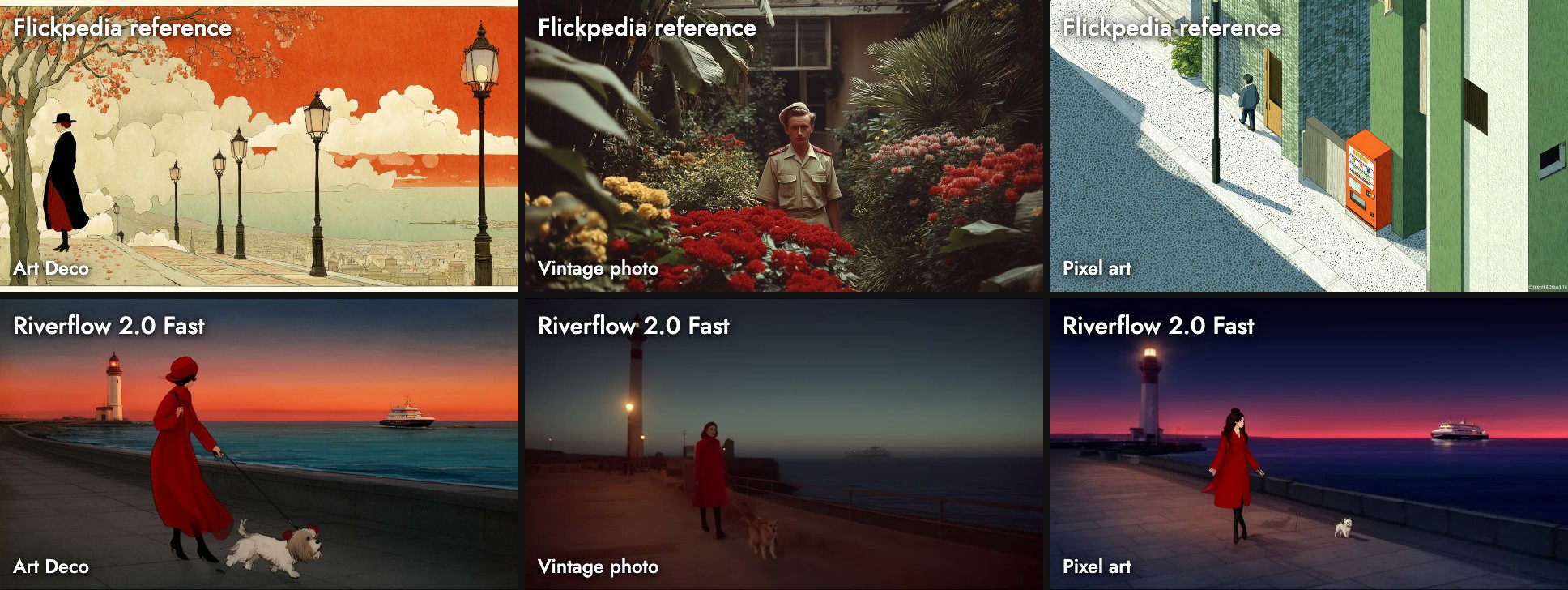
One prompt with three Flickpedia styles, in October 2026:
A woman in a red coat walks her small dog along a seaside promenade at dusk, with a lighthouse and a ferry in the distance.We also ran a typography poster and a watercolor prompt, alongside ten other models.
Three Flickpedia styles
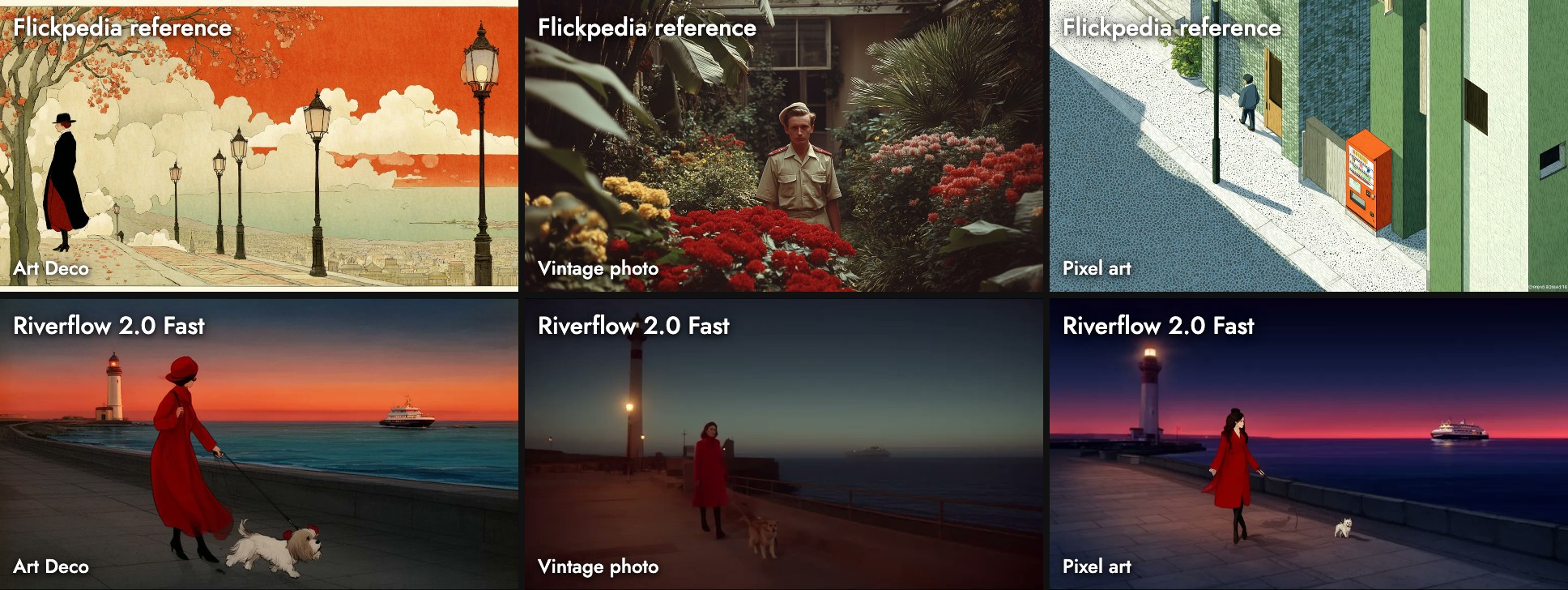
- Art Deco: a flat red sky and a red cloche hat. Simple and graphic.
- Vintage photo: very dark, closer to night than dusk.
- Pixel art: a clean dusk illustration with a deep red horizon.
It kept closer to the prompt's framing than Riverflow 2.0 Pro and added less detail.
Two test prompts
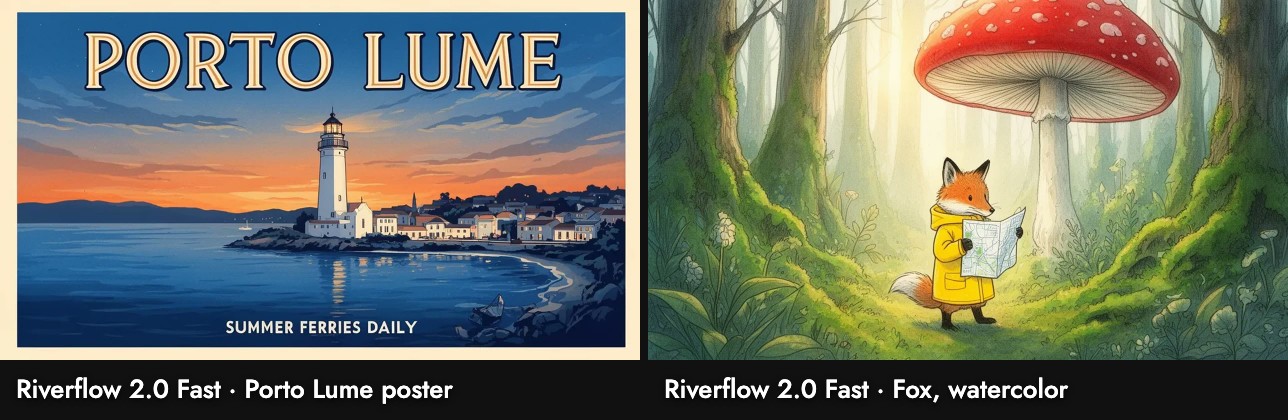
- Poster: the most poster-like result in the set: gold serif title, lit bay and town, and "SUMMER FERRIES DAILY" set in capitals.
- Fox: a clean ink-and-watercolor fox, standing, holding the map.
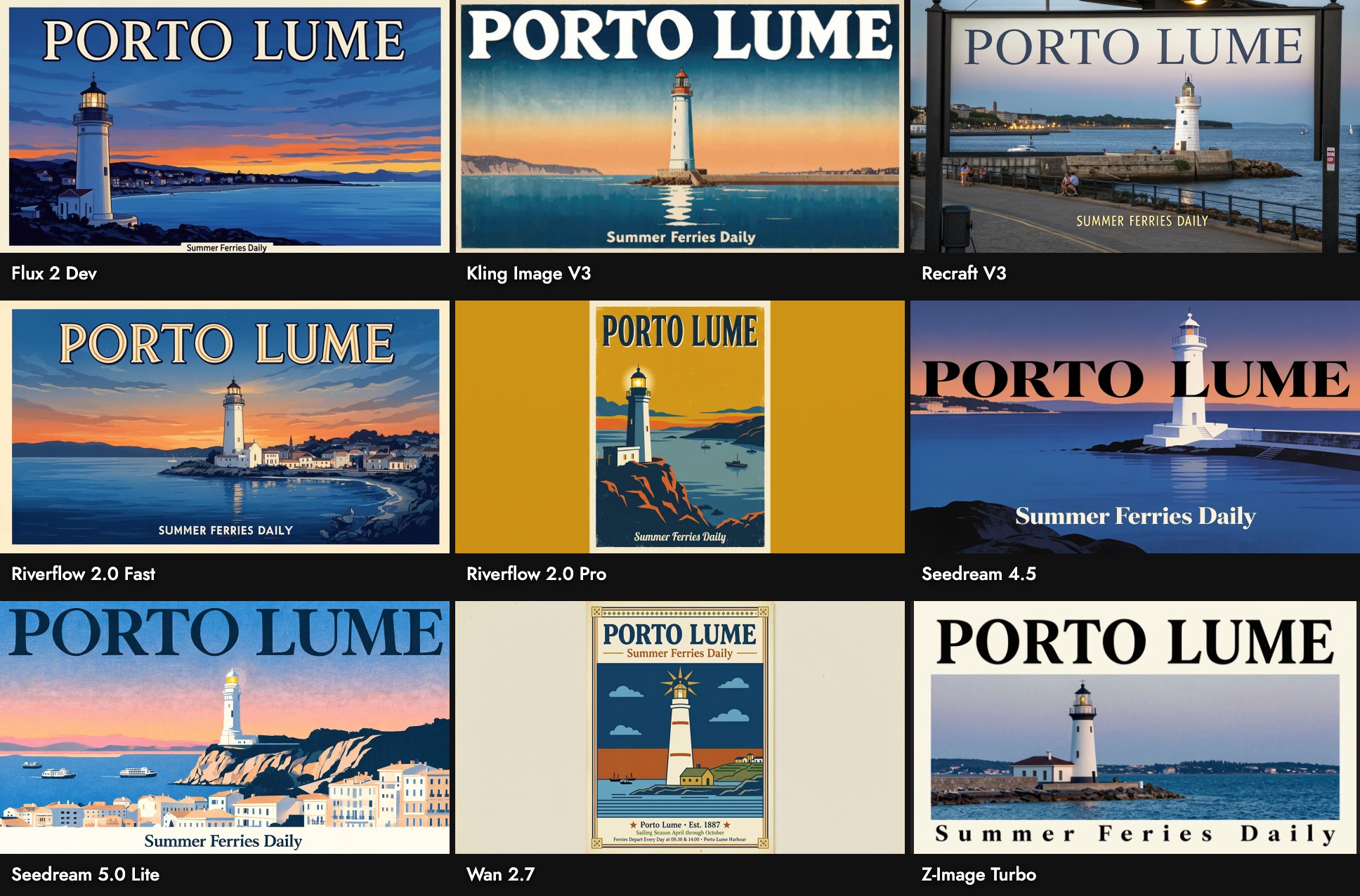
Wall-clock time on our busy canvas ran from 29 to 216 seconds.
When to use it, and when not
Use it when: you need text on an image for little money: posters, title cards, labels.
Skip it when: you need rich detail (Riverflow 2.0 Pro) or a large file (Seedream 5.0 Lite).
Sources
- Riverflow, Sourceful, checked October 21, 2026
- Prices, settings and limits from Flick's model configuration; images, sizes and timings from our Flick canvases, October 2026
Guias relacionados
- Generate Image
- Visual Styles
- Model credit costs
- How to use Riverflow 2.0 Pro
- How to use Z-Image Turbo
- How to use Seedream 5.0 Lite
- How to use Nano Banana 2 Lite
Perguntas Frequentes
How much does Riverflow 2.0 Fast cost on Flick?
How does it differ from Riverflow 2.0 Pro? It is 7.5 times cheaper, with less detail. Both spelled our poster right.
How does it differ from Riverflow 2.0 Pro?
Does it work with Flickpedia styles? Yes.
Does it work with Flickpedia styles?
What resolution does it output? 1024 × 576 for 16:9 at 1K.