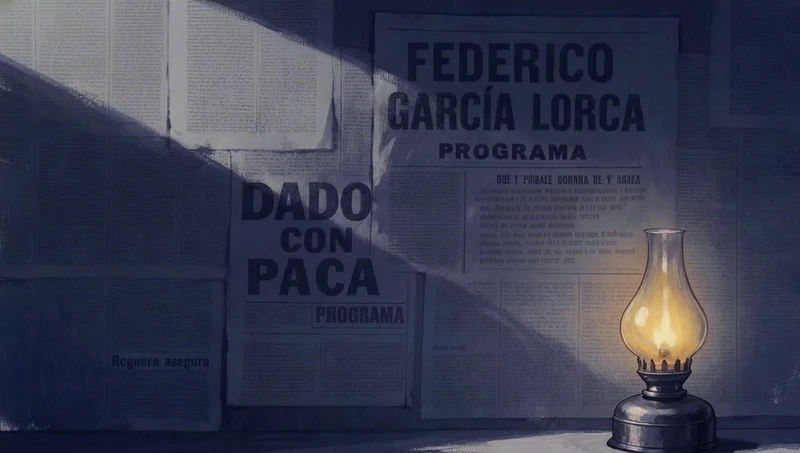
削除:カラスを消すための4語
オブジェクトが簡単に名前を付けられ、何も置き換える必要がない場合、削除はこれほど短くできます。
1つのディテールを修正するために画像全体を再生成すると、通常、気に入っていた部分が失われます。顔がずれたり、光が移動したり、フレーミングがずれたりします。インペインティングは、1つの領域を変更して画像の残りの部分をそのままにすることで、これを回避します。私たちは、Flickで制作された7つの映画の単一フレームを修正するために映画制作者が書いた8つの編集プロンプトを収集しました。4語から209語まで、8つのうち5つは変更してはならないものを明記しています。このページでは、それぞれの結果を示し、マスクをペイントするタイミングとテキスト編集で十分なタイミングを説明し、Flickでのインペインティングを4つのステップで説明します。
| 目的 | Flickで使用 | 理由 |
|---|---|---|
| 1つのオブジェクトを削除、置換、または修正する | マスクを使用してインペイント | マスクが変更範囲を限定する |
| 別の画像からオブジェクトをこの画像に配置する | Nano Banana 2とリファレンスを使用したインペイント、またはEdit & Merge | リファレンスが追加する対象を正確に示す |
| フレーム全体のグレイン、グレーディング、または明るさを変更する | テキストプロンプトを使用したEdit & Merge | 変更は全体に及ぶため、マスクは不要 |
| フレーミング、アングル、またはポーズを変更する | 新規生成、またはChange Angle | ほとんどのピクセルを移動する必要がある |
オブジェクトが簡単に名前を付けられ、何も置き換える必要がない場合、削除はこれほど短くできます。

プロンプトはタワーのサイズと位置を設定し、タワー上のテキストを禁止し、海岸線からフィルムグレードまで、残すものをリストアップします。
Add a single classic California wooden lifeguard tower standing far back on the dry sand, set right up against the low grassy dune line on the distant horizon, well away from the shoreline. It should appear small and distant, placed deep in the background near the dunes, NOT in the near or mid foreground. Raised on tall stilts with a small enclosed cabin, ramp and railed deck, big sloped windows, weathered white paint with faded red trim, a small red flag on top. The tower has absolutely NO text, NO numbers, NO letters, NO signage or markings anywhere on it, clean bare weathered wood only. Keep everything else in the image completely identical: same wet sand and foamy shoreline foreground, same wide expanse of dry sand, same dunes and grass, same huge hazy sky and tan sandstorm haze, same washed out warm bleach bypass film grade and palette, same grain and dreamlike mood. The distant tower sits naturally with a soft grounded shadow, empty and quiet, no people. Cinematic wide shot.

2枚目の画像が救命浮輪を提供し、プロンプトはそれを金属に合わせて風化させ、残りは同一に保つように求めます。
Add the logo from Image 2 (the textless orange life-ring buoy) onto the metal door of the chamber in Image 1. Reproduce Image 2's logo EXACTLY as it appears, same ring design, same orange color, no text or lettering, no alterations. Place it centered on the upper portion of the door at a natural, readable size, weathered slightly to match the grimy metal and sand blasted surface so it sits believably on the door.

Keep everything else in Image 1 identical: the chamber, the big window, the "435" numbering, the sand drifts, the storm, the lighting, and the color grade. Preserve the palette: deep teals and cool greys #161E20, #253534, #1B2727, #3F5153, #545456, #777775, warm amber #F2A462 and burnt sienna #BE704A. Preserve the logo's own orange as given in Image 2.

一連の編集の中の1つで、騎士の移動を禁止しながら、影の奥深くに2つの絵を追加します。
Use the provided base image as the direct scene reference.

Continue editing from the current result.
Keep everything else in the current image unchanged.

Add two more children’s crayon drawings deeper in the hallway.
These two drawings lie flat on the wooden floor.
They sit behind the main drawing and extend farther into the shadowed depth of the hallway.
One drawing is placed in the mid-to-deep shadow area.
The other drawing is placed even farther back in the deeper hallway.
Both of these drawings are smaller in the frame than the main foreground drawing.
They must clearly read as children’s crayon drawings.
The two drawings must have different content.

One drawing shows the little knight in a swamp.
The drawing includes the little knight, green swamp ground, puddles, wet grasses, and a simple childlike fantasy setting.
The other drawing shows the little knight in snowy mountains.
The drawing includes the little knight, white snow ground, snowy mountains, a cool-toned sky, and a simple childlike fantasy setting.

Both drawings keep a children’s crayon style but in the shadow.
The paper is real white paper with slight bending and slight curling.
Do not change the position or content of the main drawing.
Do not change the little knight’s pose or position.

1つの領域、1つの変更、そして方向性 — 黒から深い紺色またはティールへ、ガラスのハイライトは名前で指定して保持。
Make the porthole windows slightly lighter — change them from very dark black to a deep dark navy blue or very dark teal, keeping the glass reflection highlights. Keep everything else identical.

プロンプトは最初に保持するものをリストし、レンズ上の雨滴まで記述した後、雲の範囲を拡大してそのテクスチャを保持します。
Use this image as the base. Keep everything exactly the same: ladder position and shape, camera framing, perspective, depth of field, color grade, rain direction, and the water droplets on the lens.

Only adjust the storm clouds so they occupy more of the frame. Increase the dark cloud mass and coverage so the sky feels more filled and heavy, with less open light area visible. Keep the same cloud texture and softness as the original, just expand the cloud coverage.
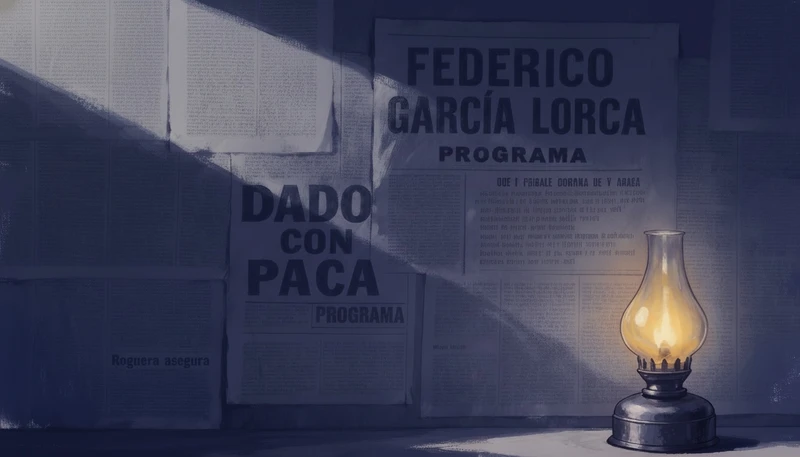
例外を指定することは、言葉で描いたマスクのように機能します:部屋は暗くなり、ランプはその輝きを保ちます。
make the whole scene sliightly darker, except the oil lamp

粒子がフレーム全体を覆っているため、マスクする領域はなく、especially to the scenery and background, not just herが被写体を超えてそれを運びます。
even more analog film grain, especially to the scenery and background, not just her
Flickのキャンバス上で、画像のメニューを開き、「Image」を選択し、次に「Inpaint」を選び、変更したい領域の端を少し超えてブラシをかけます。
簡単な修正にはPruna(2クレジット)を使用し、リファレンス画像で正確に何を追加するかを示す必要がある場合はNano Banana 2(20クレジット)を使用します。
マスクを埋めるもの、そのサイズ、その光を書き、次に変更してはならないものを書きます。上記の8つの映画プロンプトのうち5つがそうしています。
元の画像とエッジを比較し、一部がまだずれている場合は、最初からやり直すのではなく、結果を再度編集します。
たとえ4語であっても、何が維持されるかをリストアップすることで、モデルに編集の終わりを伝えます。
一度に一つの変更を行うことで、悪い結果を見つけて取り消すことが容易になります。
Continue editing from the current result.
Keep everything else in the current image unchanged.
スケールと場所がないと、モデルは新しいオブジェクトを前面中央に配置する可能性があります。
It should appear small and distant, placed deep in the background near the dunes, NOT in the near or mid foreground.
新しい部分に周囲と同じ汚れ、粒子、または階調を持たせるよう求めます。そうしないと貼り付けたように見えます。
weathered slightly to match the grimy metal and sand blasted surface so it sits believably on the door.
フレームのほとんどが変更される場合、光源や顔など、変更してはならない部分を保護するために一つの条項を使用できます。
make the whole scene sliightly darker, except the oil lamp
画像モデルは追加しがちなので、テキスト、余分な人物、新しい小道具を名前で禁止します。
The tower has absolutely NO text, NO numbers, NO letters, NO signage or markings anywhere on it
AIインペイントは、画像の一部のマスクされた領域を再生成し、残りの部分を保持する画像編集です。変更したい部分をペイントし、そこに何を配置するかを説明すると、モデルが周囲の光やテクスチャに合わせて埋めます。
マスクは、モデルに画像のどこを変更できるかを指示するためにペイントする領域です。マスクの外側はすべて保護されるため、インペイントは隣の顔に触れることなく手や標識を修正できます。
はい。FlickのInpaintはPrunaを2クレジット、Nano Banana 2を20クレジットで実行でき、どちらもFreeプランで利用できます。サインアップ時に100クレジット、Flick Discordに参加するとさらに200クレジットが得られます。
はい、文章による編集で可能です。1つの変更を説明し、他のすべてはそのままであることを伝えます。FlickではEdit & Mergeがそれにあたり、空から鳥を削除したり、ランプの周りの部屋を暗くしたりするなど、変更内容を簡単に名前で指定できる場合に最適です。
インペイントは画像内の何かを変更し、アウトペイントは画像をその端を越えて拡張します。Flickはインペイントをサポートしており、InpaintはペイントされたマスクをPrunaまたはNano Banana 2で埋めますが、Flickにはアウトペイントツールはありません。
2番目の画像をリファレンスとして添付し、オブジェクトの配置場所とそこでの見た目を指定します。FlickではNano Banana 2インペイントがリファレンス画像を受け取り、Edit & Mergeは複数の画像をプロンプトと組み合わせます。
通常、マスクが狭すぎるか、プロンプトに光やテクスチャについて何も記載されていないためです。オブジェクトの端を少し超えてペイントし、新しい部分がシーンのグレイン、カラーグレード、シャドウに一致するように指示してください。
FlickのInpaintは静止画を編集します。ショットを変更するには、開始フレームをインペイントしてから、編集したフレームをImage to Videoでアニメーション化してください。
修正したい部分をペイントし、変更内容を記述すれば、画像の気に入った部分はすべてそのまま残せます。
無料でお試しいただけます。クレジットカードは不要です。
このページについてAIに質問:ChatGPTPerplexityClaude