
How to Use Z-Image Turbo in 2026: 1-Credit Images, Tested
Oct 2026
Z-Image Turbo is a 6-billion-parameter open model from Alibaba's Tongyi lab, released under Apache 2.0. On Flick it is the cheapest model for generating images: 1 credit at 1K, 4 at 2K. In our tests it gave sharp photographs and real pixel art, and misspelled one word on a poster.
Quick answer: how do you use Z-Image Turbo?
Add an image node in Generate Image, pick Z-Image Turbo, and write the scene. Then:
- Draft at 1K for 1 credit. Try many compositions before you spend more.
- Write the style into the prompt. It cannot take a Flickpedia style, but it follows a written one literally.
- Proofread every word. It wrote "Feries" for "Ferries" in our poster test.
| Spec | Z-Image Turbo on Flick |
|---|---|
| Maker | Tongyi Lab, Alibaba |
| Model | 6B parameters, 8 sampling steps, Apache 2.0 |
| Price | 1 credit at 1K, 4 at 2K |
| Output we measured | 1344 × 768 at 16:9 (1K) |
| Flickpedia styles | Not supported; write the style in the prompt |
| Plans | All plans, including Free |
The model card describes bilingual text rendering in English and Chinese and fits on 16 GB consumer GPUs. All rates are on model credit costs.
Try ten ideas for ten credits
Draft fast with Z-Image Turbo, then render the keeper.
How we tested
We wrote each style into the prompt:
A woman in a red coat walks her small dog along a seaside promenade at dusk, with a lighthouse and a ferry in the distance, in a pixel art animation style.The other endings were "in an Art Deco illustration style" and "as a vintage naturalistic photograph". We also ran three plain prompts for realism, typography and illustration, in October 2026, alongside ten other models.
Three written-in styles

- Art Deco: a clean flat illustration. Graphic, though more modern flat design than 1920s ornament.
- Vintage photo: a muted, believable dusk photograph.
- Pixel art: real pixel art, with stepped edges on the railings and the lead. Only two models of eleven drew this; the other was Kling Image V3.
Three test prompts
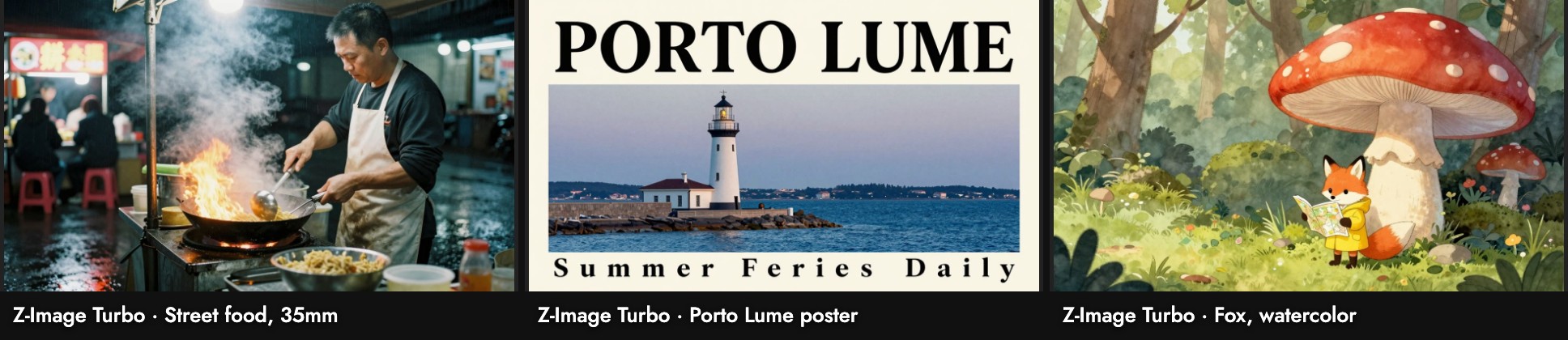
- Street food, 35mm: a tight, sharp portrait of the cook with steam and flame.
- Poster: "PORTO LUME" is right; the tagline reads "Summer Feries Daily", with letter-spacing that makes the slip easy to miss.
- Fox: a soft watercolor with the fox small in the frame.
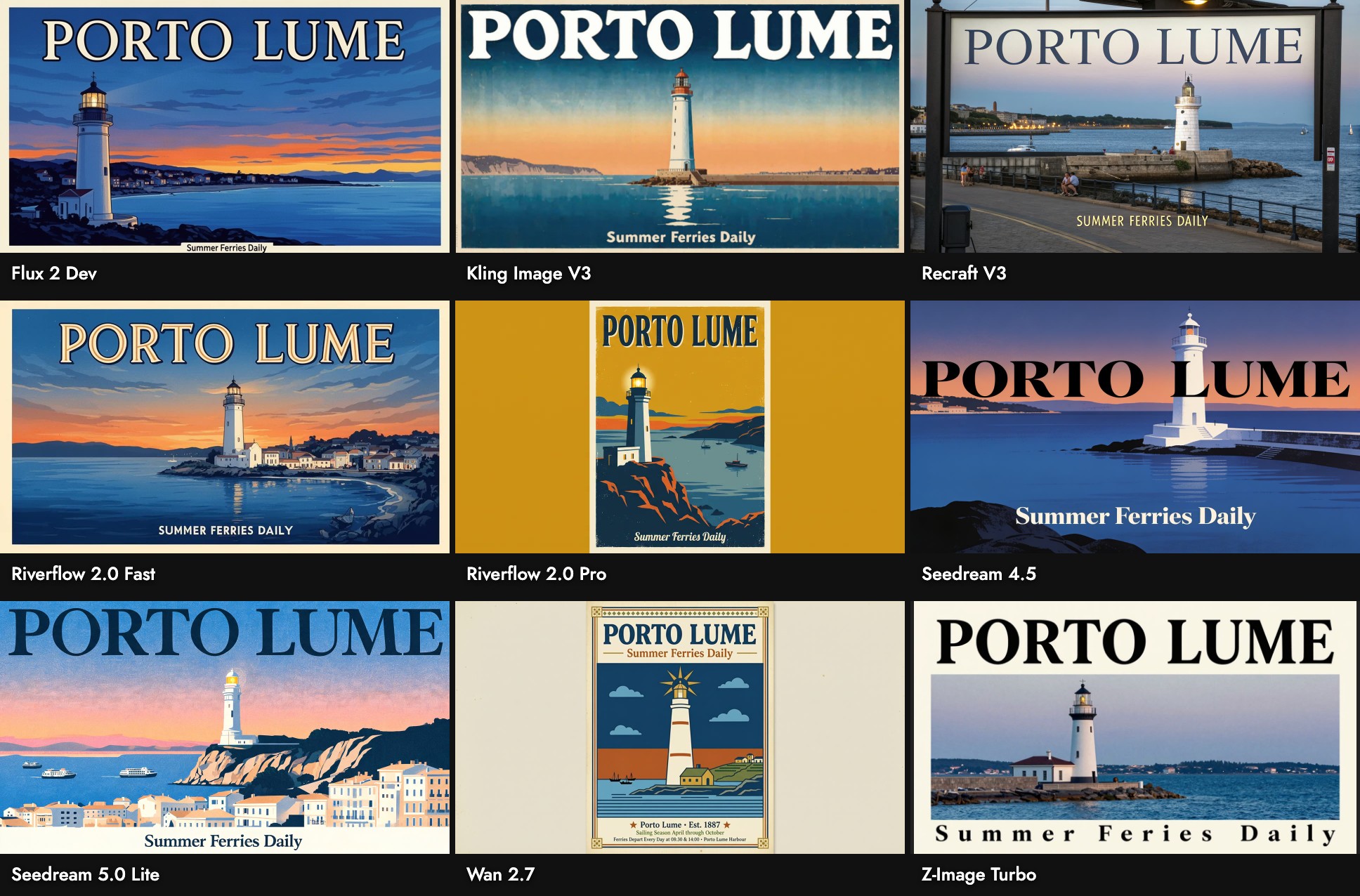
Of the nine models that ran the poster prompt, Z-Image Turbo was the only one with a spelling error. Its fastest run on our canvas took 8 seconds; the busiest took 73.
When to use it, and when not
Use it when: you are exploring many ideas, want photographs or literal pixel art, or need a placeholder at almost no cost.
Skip it when: the image carries text you will ship. Use Seedream 4.5 or Riverflow 2.0 Fast instead.
Sources
- Z-Image-Turbo model card, Tongyi-MAI on Hugging Face, checked October 21, 2026
- Prices and settings from Flick's model configuration; images, sizes and timings from our Flick canvases, October 2026
Guide correlate
- Generate Image
- Image generation prompts guide
- Model credit costs
- How to use Kling Image V3
- How to use Flux 2 Dev
- How to use Grok Imagine
- How to use Riverflow 2.0 Fast
Domande frequenti
How much does Z-Image Turbo cost on Flick?
Can it render text? Often, but check it: it misspelled one word of our poster tagline.
Can it render text?
Can I use a Flickpedia style? No. Write the style into the prompt; it follows written styles literally.
Can I use a Flickpedia style?
Is it open source? The model is published under Apache 2.0 by Tongyi Lab.