AI VHS Effect Generator

Make a VHS effect with AI: describe the year and the tape damage, and Flick makes the clip with a real VHS filter look.

An ink drawing of an old video cassette with two spools

A VHS effect looks fake when it is a flat overlay on a clean digital shot, because real tape changes the colour, the sharpness and the way a camera was held. We made VHS clips in Flick from home video to found footage, and wrote the tape damage into the prompt of each one. This page gives you those exact prompts, the words that make the look, and two ways to get it: generate a new shot, or restyle a video you already have.

Describe your VHS shot

Name the year, the camera and the tape damage in the box, and it opens a new Flick project where you can generate the shot.
A hand on a steering wheel on a desert highway at sunset, filmed from the passenger seat with VHS date text in the corner00:05
A road trip home video: the corner text is part of the start frameFlick team · VHS effect examples · MiniMax H3 Fast · Image to video
1996 VHS home video from the passenger seat. The car drives down the desert highway, the hand shifts on the wheel, the sun flare smears as the camera bumps with the road. Tape noise flickers along the top. The white corner text stays still and unchanged.

What can a VHS effect look like?

It changes with what was taped: a camcorder home video, a horror tape, a television recording and a music video each carry different damage.
A child runs along an overcast beach toward the camera holding a kite, with white PLAY and date text in the corner00:05

A camcorder home video

Handheld shake and the blocky date stamp do most of the work, while washed out colour keeps it looking like a family tape.

Old VHS home video. The kid runs toward the camera holding the kite string and laughs, the kite tugs in the wind, the handheld camcorder shakes a little. Tracking lines roll slowly up the picture. The white corner text stays still and unchanged.
Flick team · VHS effect examples
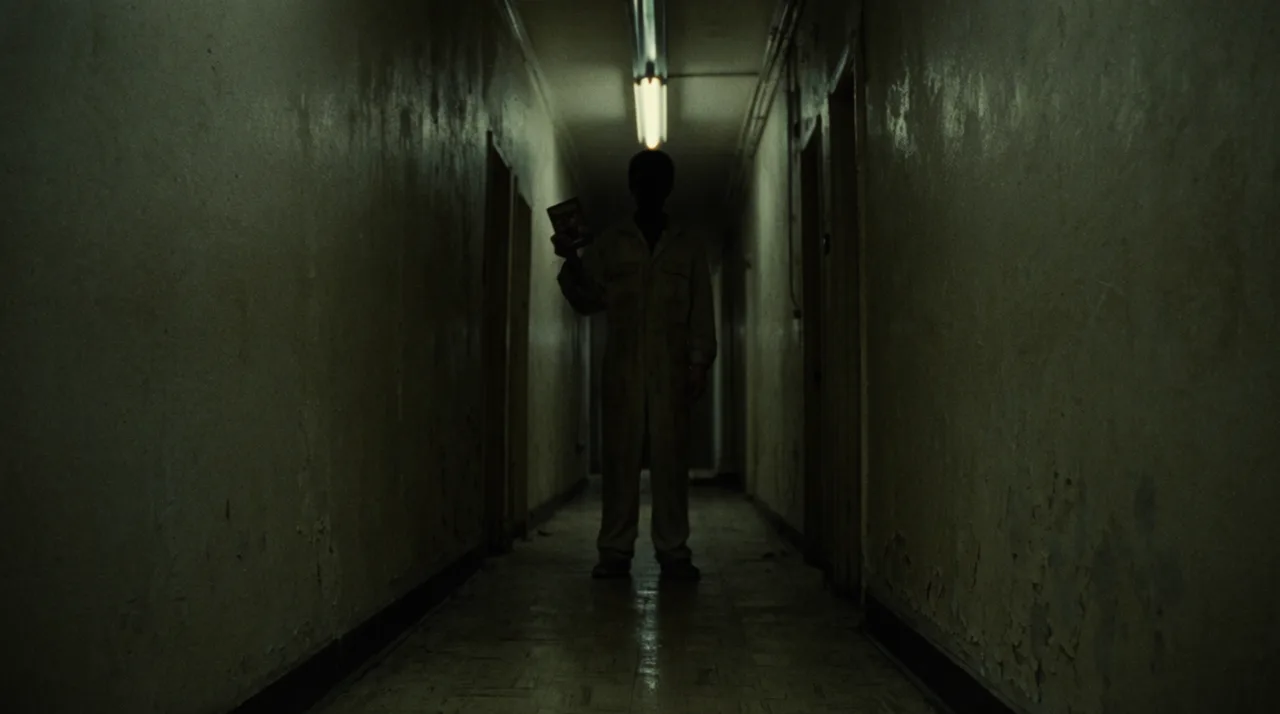
A dark basement corridor lit by a camcorder light, green grey and grainy, with REC and a time in the corner00:05

Found footage horror

The camera light and a burst of tape noise hide what is at the end of the corridor, which is where the fear comes from.

Found footage on degraded VHS. The camcorder creeps slowly forward down the corridor, its small light swinging, the far door moves slightly by itself, then the picture tears for a moment with a burst of tape noise. The white corner text stays still and unchanged.
Flick team · VHS effect examples
A smiling family eats orange cereal at a kitchen table, with oversaturated reds bleeding past their edges00:05

A 1980s TV commercial

Bright studio light with reds bleeding past their edges reads as television taped off the air, unlike a camcorder shot.

1988 television commercial on an old VHS recording. The family laughs and eats at the table, the mother passes a glass of juice, colours bleed past their edges and the picture wobbles gently. The camera stays locked off.
Flick team · VHS effect examples
A presenter in a grey suit gestures across a weather map, with rainbow fringing on his striped tie00:05

A local weather report

Fine stripes on the tie catch the colour fringing, a small detail that makes an old broadcast look convincing.

1991 local weather report on an old VHS tape. The man gestures across the map and turns to the camera as he talks, the small weather icons on the map stay put, the top of the picture wobbles and colours fringe on his tie. The camera stays locked off.
Flick team · VHS effect examples
A singer in a long coat on a rooftop at night in pink and blue light, with video feedback trails behind her00:05

A 1980s music video

Feedback trails follow her movement and dropout lines flash across the frame, the signature damage of an edited tape.

1989 music video on worn VHS. The singer turns her head slowly toward the camera with her hair and coat blowing in the wind machine, video feedback trails follow her movement, tape dropout lines flash across the frame.
Flick team · VHS effect examples
A cel animated girl rides a motorbike along a coast road at dusk, with soft lines and dot crawl00:05

Anime taped off TV

Soft lines and dot crawl over flat cel colour give an anime the look of a series recorded from television.

1990s cel animation taped off television. The motorbike rides along the coast road, her hair and jacket blow in the wind, the background slides past on a painted layer, soft dot crawl and a faint rolling band over the picture.
Flick team · VHS effect examples

How do you add a VHS filter to a video?

Generate a new shot with the damage written into the prompt, or restyle your own footage with an edit prompt.
A skater ollies over a parking block at dusk through a fisheye lens with scan lines and a band of tape noise
The prompt for a VHS start frame: the camera, the light and the tape damageFlick team · VHS effect examples · GPT Image 2.5
Frame from a 1990s skate video shot on a VHS camcorder with a fisheye lens: a skater ollies over a parking block at dusk, sodium lights, crushed blacks, smeared highlights, colour fringing, scan lines and a band of tape noise across the middle. No text.
  1. 1Name the year and camera.

    Start with a year and a source, such as a 1994 home video or a 1991 local broadcast, so the model knows which kind of tape to imitate.

  2. 2List the tape damage.

    Pick from chroma bleed, soft focus, tracking noise, scan lines and dropout lines, and say where they sit in the frame instead of asking for a filter.

  3. 3Add the corner text.

    Put camcorder words such as PLAY or REC and a date in quotation marks, say blocky white text, and check every character in the frame.

  4. 4Animate or restyle.

    Animate your frame with MiniMax H3 Fast for 20 credits a clip, or use Edit Video on your own footage.

What do people ask about VHS filters?

Most questions are about what makes the look, whether it is free and how to put it on existing video.

What does a VHS filter do?

A VHS filter imitates the limits of analog videotape: soft detail, colours that bleed past their edges, horizontal noise and an unsteady picture. Many filters also add an on-screen date or PLAY text like an old camcorder.

Can I get a VHS effect for free?

Yes, you can start free: you get 100 credits when you sign up, 200 more for joining the Flick Discord, and 100 credits every week. The clips on this page used GPT Image 2.5 and MiniMax H3 Fast, which both run on the free plan, and downloads carry a Flick watermark.

Can I add a VHS effect to my own video?

Yes. Upload the clip to a Flick canvas and use Edit Video with a prompt describing the tape damage you want. A simple overlay filter in a video editor is another option if you want the footage itself left unchanged.

What is the difference between a VHS filter and a VHS effect?

The two terms are mostly used for the same look. A filter usually means a preset applied to existing video, while an effect can also mean overlays, sound or damage built into the shot itself.

How do I make found footage look real?

Use a single light source on the camera, heavy grain and an on-screen REC stamp, then keep the camera moving slowly by hand. Letting tape noise hide part of the action does more for the fear than showing it clearly, and these horror movie ideas give you a story to start from.

More film looks and effects in Flick

Make your VHS shot in Flick

Describe the year and the tape damage, and keep your takes together on one canvas.

Make a VHS shot in Flick

Try for free, no credit card required.

Ask AI about this page:ChatGPTPerplexityClaude