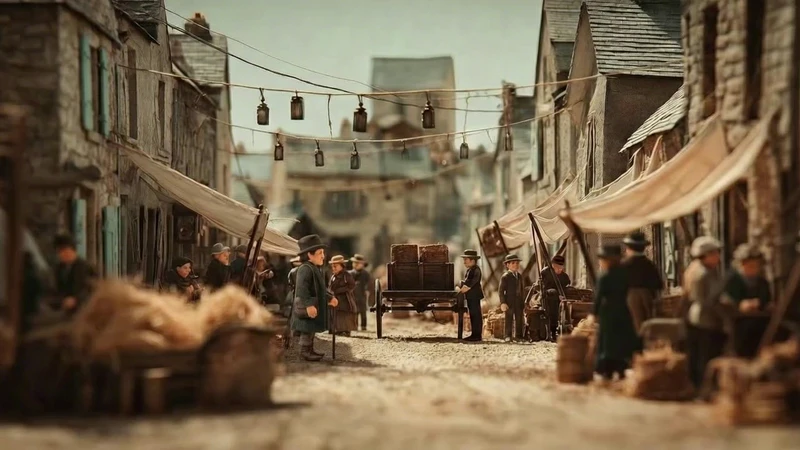
For Kling AI lip sync, give Kling Avatar one still of your character and one recorded line, and it moves the mouth and face to the sound of that audio.
Kling AI lip sync looks easy until the line matters: a video model asked to speak a quoted line can change the words, rush the pauses or give the character a new voice each take. In Flick, Kling's lip sync model is Kling Avatar, run as Character Dialogue, and it takes the voice from a recording you choose instead of inventing one. We followed one dialogue scene from The Herder, a 4:27 miniature short by Jaime Yao, through the 11 video takes and the one voice line generated for it on its public canvas. This guide shows the four steps from still frame to talking shot, with the exact prompts behind each.
Kling AI lip sync animates a character's mouth and face to match speech, either from audio you supply with Kling Avatar or from a quoted line that a Kling video model voices itself.
The two ways to make a character talk with Kling in Flick, by what you start with
You start with
Use in Flick
What decides the voice
A still and a recorded line
Character Dialogue, with Kling AI Avatar v2 or Kling AI Avatar v2 Pro
Your audio, word for word and pause for pause
A still and a typed line
Image to Video, with a Kling model that makes sound, such as Kling 3.0 Pro
The model, which writes the voice and the motion together
Character Dialogue is the lip sync tool: it keeps the voice, the words and the timing of the audio you attach.
A Kling video model also moves the body and the camera, which is why The Herder tried both for one greeting.
How do you lip sync a character with Kling AI, step by step?
Pick the still that holds the pose for the whole line, voice the line, then attach both to Character Dialogue and choose a Kling Avatar model.
Step 1
Pick the frame
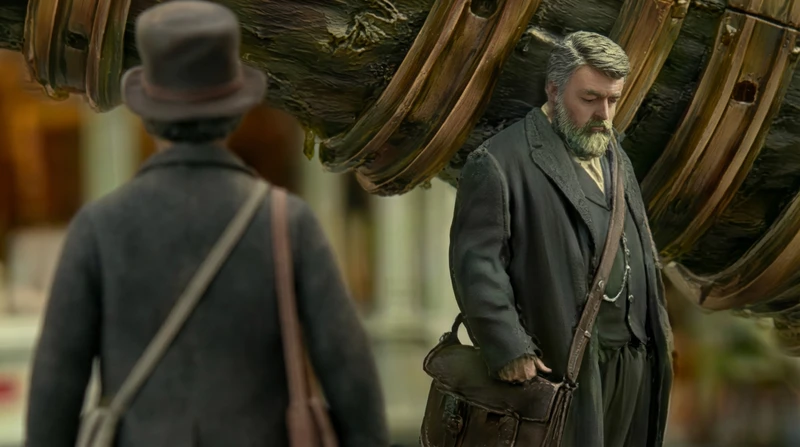
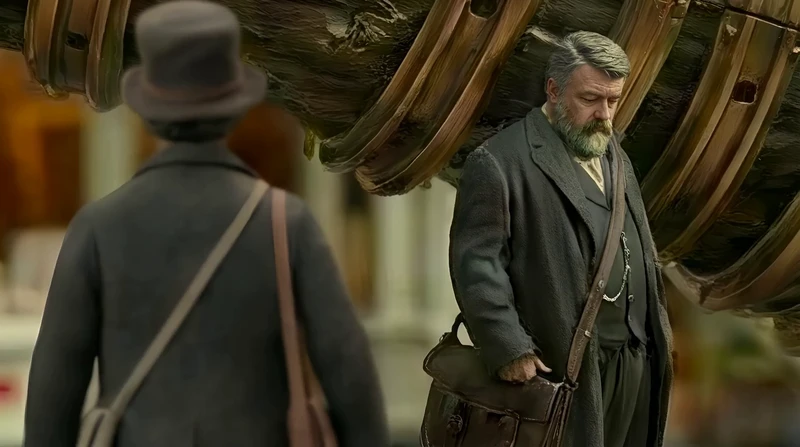
Choose a still where the speaking face is large, sharp and in the pose you want for the whole line, because Kling Avatar animates that one image and does not move the character elsewhere.
The frame is a Nano Banana Pro edit, written in Chinese, that blurs the man in the foreground and gives the bearded man a miniature studio look.
The same frame is the start frame of 8 of the 11 video takes of this scene, so every attempt began from one picture.
The bearded man's head is lowered here, and the finished lip sync keeps it lowered.
Jaime Yao, director of The Herder · Nano Banana Pro
Step 2
Write the exact line
Write the line word for word, with its punctuation and pauses, before you make any audio, so the voice take and the video prompt both work from the same script.
Jaime first asked Kling 3.0 Pro to speak the line inside a longer action: look up, greet, shake hands, walk on.
5 Kling 3.0 Pro takes and 1 Seedance 1.5 Pro take of this scene quote the line exactly, with "Speak exactly the quoted lines only."
A take like this one is lip sync made by the video model, so its voice is whatever the model chooses.
Start frame00:10
Jaime Yao, director of The Herder · Kling 3.0 Pro · Image to video
Same miniature diorama street and shallow macro depth of field, soft daylight. The fallen diagonal tree trunk wrapped in thin brass rings remains fixed in the background.

Man A (heavyset, gray beard, dark long coat, leather satchel) starts with head lowered and silent.
Man B (slimmer, worn dark coat, round top hat, cross-body bags, wooden walking stick) is approaching from behind the camera, mostly back-facing. From the very first frame, Man B is already walking forward at a steady pace (continuous walking, no pause, no hesitation), entering the scene from behind the camera.

Man A first lifts his head, looks directly toward Man B, and only then begins speaking. Man A speaks clearly in English with visible lip-sync, saying:

“Ah, Tuner Kagran. At last.
I trust your journey was… agreeable.
Ours, regrettably, has not been.”

Action sequence (one continuous shot):

Man A’s mouth stays closed until after he has fully raised his head and made eye contact toward Man B. While speaking the lines above, Man A keeps his gaze up toward Man B and speaks with clear mouth movement and slight pauses matching the punctuation.

Man B keeps walking forward during the speech and arrives near Man A.

After the final line, Man A steps forward and extends his left hand.

They shake hands once using their left hands only (firm but brief). Man B keeps the walking stick in his right hand during the handshake.

Immediately after the handshake, Man A turns his body toward the fallen trunk and gestures forward, then begins walking to lead Man B toward the trunk.

Man B follows alongside, holding the walking stick, as they approach the trunk together.

Keep the environment unchanged. No camera movement. No new characters. This scene has a very handheld feel. Do not add any extra words. Speak exactly the quoted lines only.
Step 3
Voice the line
Generate the line in Text to Voice with Eleven v3, or record it yourself, and keep the take whose pace fits the character, since Kling Avatar copies the audio's timing exactly.
The Herder's line runs 8.75 seconds, with a held pause before "agreeable" and a slower close.
Text to Voice with Eleven v3 is on the Free plan, at 8 credits a generation.
Character Dialogue also takes your own recording as an mp3, wav, m4a, ogg or aac file.
Attach the still as Character Image and the line as Audio, choose Kling AI Avatar v2 or Kling AI Avatar v2 Pro, and add a Prompt when you want to steer the expression.
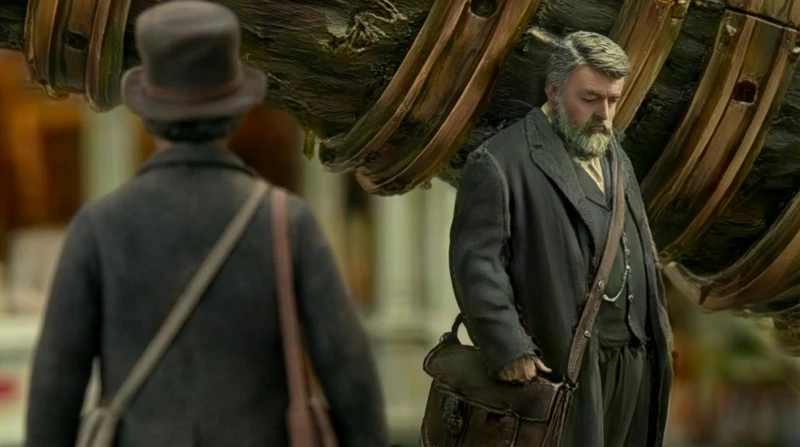
Jaime ran Kling AI Avatar v2 Pro with the Prompt left empty, so the face follows the voice alone.
The clip runs 8.8 seconds, the length of the line, because Character Dialogue makes a clip as long as its audio.
Character Dialogue runs on the Standard plan ($20 a month) and is billed by the second of audio.
Jaime Yao, director of The Herder · Kling AI Avatar v2 Pro
More detail: how we read the scene
Every prompt on this page is copied word for word from the public The Herder canvas, read on 2026-10-27. Counts are of media generated on that canvas, archived takes included. The canvas does not record which image a Character Dialogue clip was made from; the frame in step 1 matches the clip's framing exactly, and is the start frame of 8 of the video takes. The words of the voice line are read from the audio. The greeting is not in the 4:27 cut of the film shown on Flick TV.
What did one lip synced line take to make?
One greeting took 11 video takes from two video models and one voice line, before a single Character Dialogue clip spoke it in a voice that was fixed in advance.
Media generated for the greeting under the brass-ringed trunk on the public The Herder canvas, read on 2026-10-27
What
Count
Made with
Video takes of the scene
11
Kling 3.0 Pro 10, Seedance 1.5 Pro 1
Takes that quote the line exactly
6
Kling 3.0 Pro 5, Seedance 1.5 Pro 1
Voice lines
1
Eleven v3
Lip synced clips
1
Kling AI Avatar v2 Pro
What makes Kling lip sync look right?
Fix the voice and the words before the picture, pick a still that suits the whole line, and keep the lip sync shot to the speaking alone.
1. Choose the pose in the still
Pick the frame for how the character should look while speaking, because Kling Avatar animates the face where the still has it, and The Herder's man speaks his whole line with his head lowered.
2. Make the audio first
Settle the voice take before the video, since the audio sets the clip's length and every mouth shape, and a new take means a new lip sync.
3. Lock the words in a video prompt
When a Kling video model voices the line instead, tell it to say the quoted words and nothing else, so the lips do not follow a reworded line.
Do not add any extra words. Speak exactly the quoted lines only.
Give the line its own lip sync shot and leave handshakes and walking to a video clip, because The Herder's takes that packed both into one shot had to get the voice and the movement right at once.
Questions about Kling AI lip sync
What is Kling AI lip sync?
Kling AI lip sync is Kuaishou's way of making a character's mouth and face move in time with speech. In Flick it runs as Character Dialogue, with the Kling Avatar models, which animate one still image to an audio line you attach.
How do I lip sync a picture with Kling AI?
Open Character Dialogue in Flick, attach the picture as Character Image and a spoken line as Audio, and choose Kling AI Avatar v2 or Kling AI Avatar v2 Pro. The result is a video as long as the audio, with the face speaking it.
Is Kling AI lip sync free?
Character Dialogue with the Kling Avatar models needs Flick's Standard plan, at $20 a month, and is billed by the second of audio. Making the line with Text to Voice and Eleven v3 is on the Free plan.
What is the difference between Kling Avatar v2 and v2 Pro?
Both animate a still to an audio line and keep the character's appearance; Kling AI Avatar v2 Pro is the premium version with more detail and costs more per second of audio. The Herder used the Pro model for its greeting.
Can Kling lip sync my own voice?
Yes. Record the line and upload it as an mp3, wav, m4a, ogg or aac file, then attach it as the Audio in Character Dialogue. The character speaks with your exact words and timing.
Should I use Kling Avatar or Kling 3.0 for dialogue?
Use Kling Avatar in Character Dialogue when the voice and the words must be exact, and a Kling video model such as Kling 3.0 Pro when the character also has to walk, gesture or move with the camera while speaking. Many scenes use both: a video clip for the action, a lip sync clip for the line.
Can Kling AI lip sync a video instead of a picture?
Character Dialogue in Flick starts from a still image, not a video. To make a moving shot speak, take a frame from it as the still, or write the line into an Image to Video prompt for a Kling model that makes sound.
Every shot on this page comes from the public The Herder canvas and is credited to its filmmaker, Jaime Yao, except the one quoted Prompt from Ulysses, also by Jaime Yao.
Give your character a line to say
Voice the line, pick the frame and let Kling move the lips, with every take on one canvas.

 00:09